

Product comparison
Subscription includes
Support
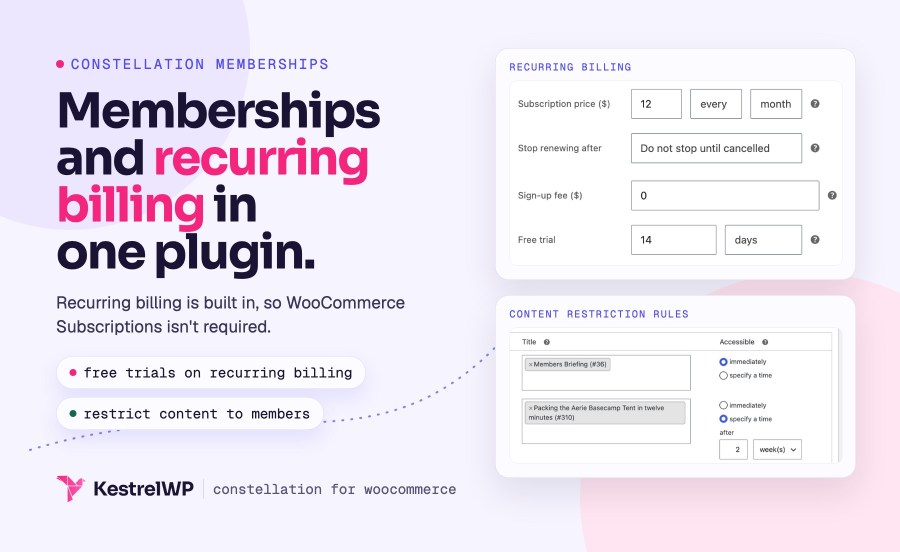
Constellation Memberships for WooCommerce lets you sell WooCommerce memberships: customers join a plan by buying a product, registering, or being added by you, and the plan holds the content, products, discounts and perks they get. Restrict posts, pages, products and categories to members, give members discounts and free shipping, drip content out over time, and bill one-time or on a schedule. Recurring billing is built in, so WooCommerce Subscriptions isn’t required.
It suits publishers, purchasing clubs, associations, online courses and wholesale stores. It needs WordPress 6.9 or later and WooCommerce 10.9 or later, works with the cart and checkout blocks and High-Performance Order Storage, and every member needs an account.
Link a product to a plan and anyone who buys it joins. Membership can last forever, run for a fixed date range, last a set period after the start date, or last as long as recurring billing is active; a cancelled subscriber keeps access until the paid period ends. Recurring billing products with automatic renewals and free trials work without WooCommerce Subscriptions. If the standalone plugin is active, Constellation uses it instead. You can also give plans away for registering an account or add members by hand.
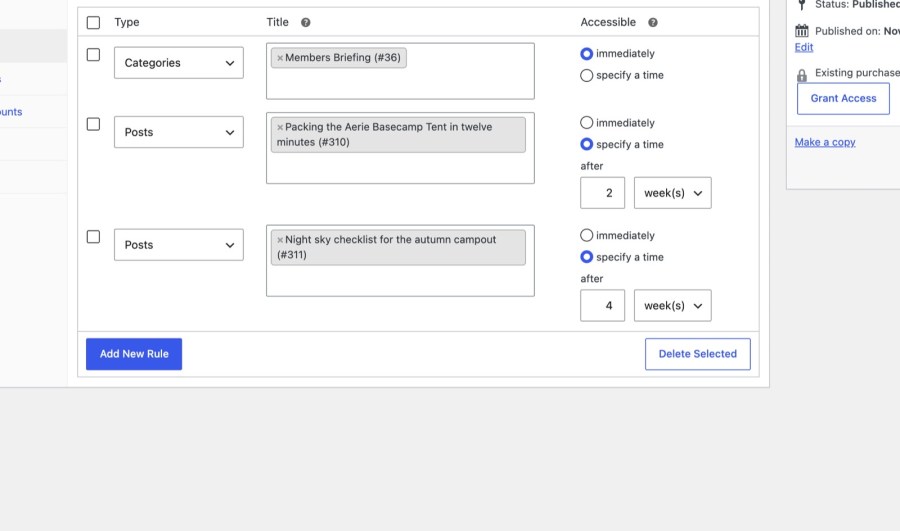
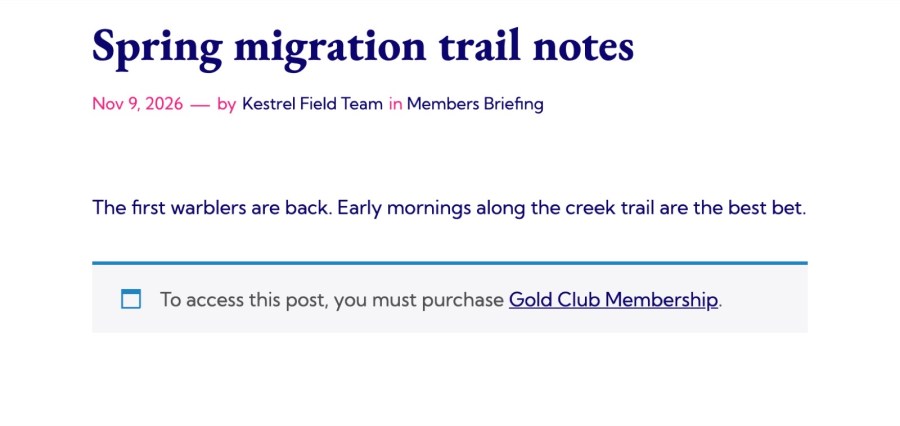
Rules restrict posts, pages, custom post types, and categories, tags or other taxonomy terms to one or more plans, and specific rules override broader ones. Choose what non-members see: a paywall message with an excerpt, a redirect to a page, or a 404. Release content immediately or a set time after someone joins, and decide whether free trial members can see it, so new members unlock material in the order you plan instead of all at once.
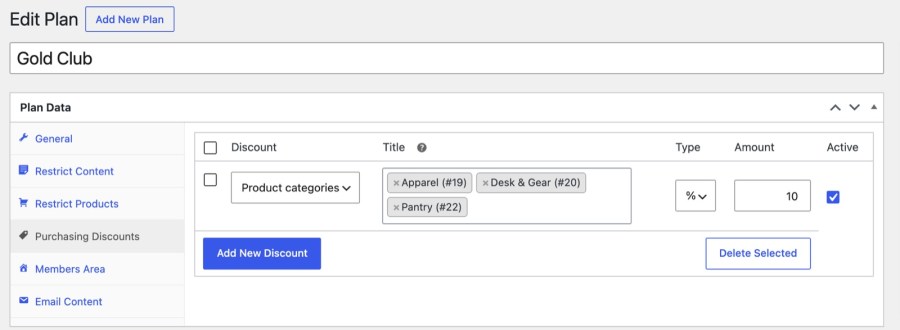
Hide products and product categories from non-members, or leave them visible but purchasable only by members. Give logged-in members fixed or percentage discounts on the whole catalog, on categories or on single products, with an option to leave out products already on sale. Add a free shipping rate that only active members of the plans you choose can use, so the membership pays for itself where customers notice it.
A plan can add My Account sections that list its perks, such as the content a member can open, with the date each dripped item unlocks, and the products that carry a member discount. Members can edit their profile fields, and with recurring billing they can view and cancel their subscription. Send members to a page of your choice when they log in.
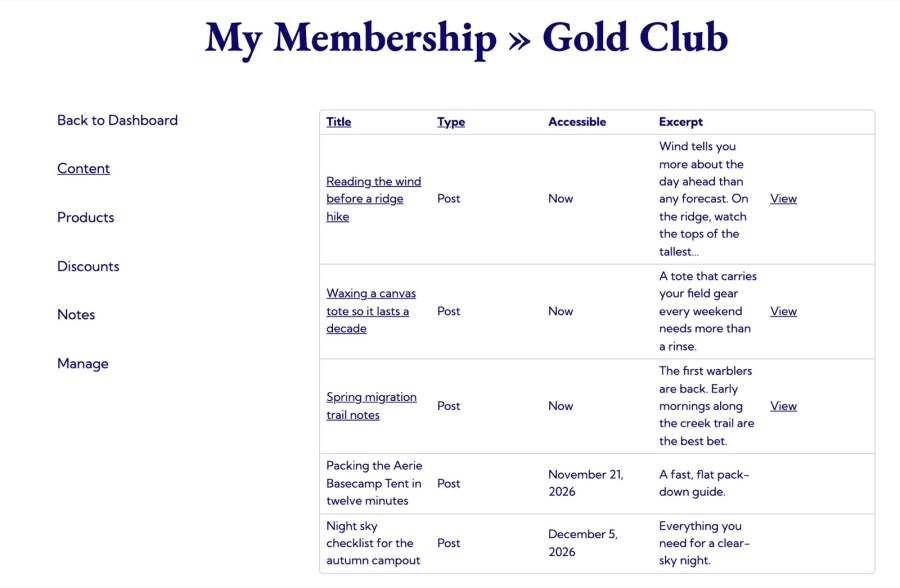
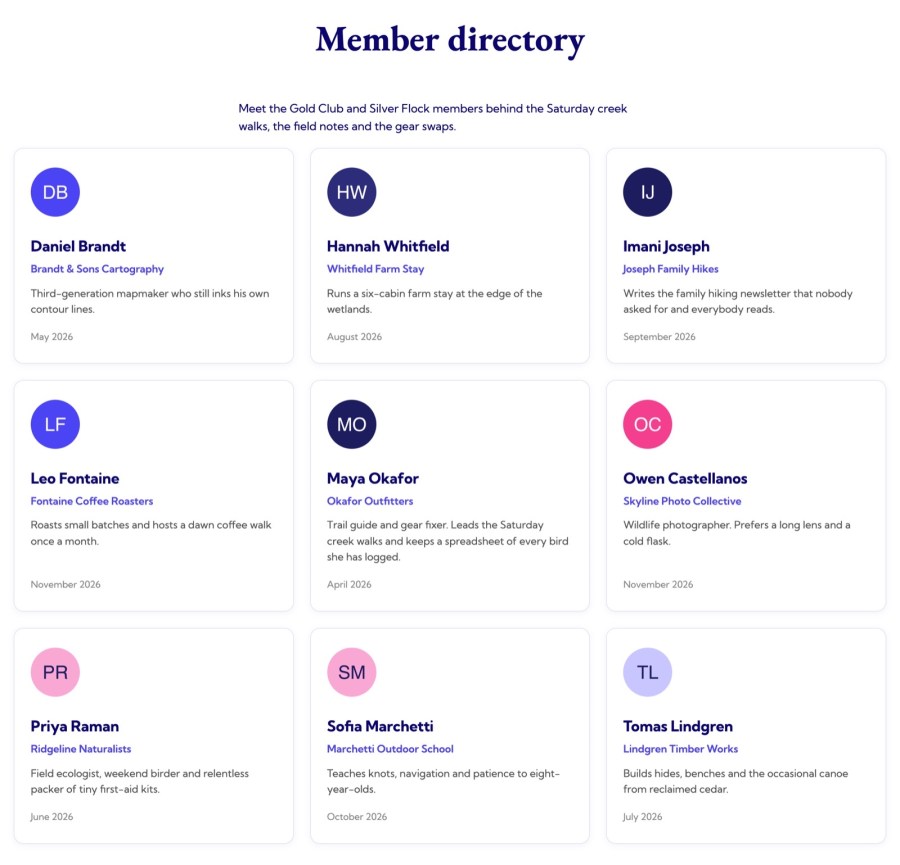
Define profile fields for each plan, including file uploads, and let members edit them or fill them in at purchase. The member directory is a set of blocks (directory, name, email, phone, address, organization, biography, join date, avatar, plans and pagination) that you place on a page. It shows to anyone who can view the page, contact details included, so restrict the page if it should be for members only.
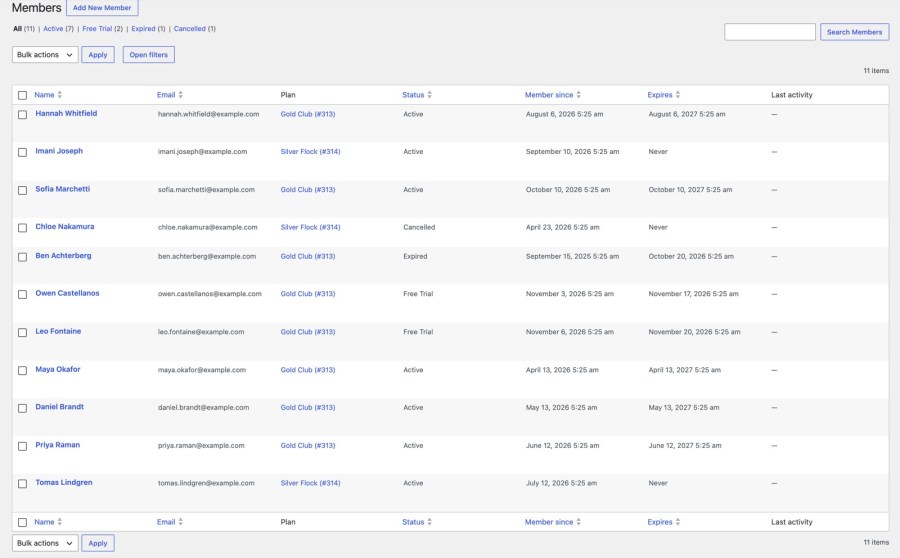
Constellation » Members lists every membership with filters, including by status and profile field. Add a member by hand, leave notes with an optional message to the member, and export to CSV in bulk. Tools import memberships from CSV, and Grant Access creates memberships from orders you already have. Turn on membership ending soon, ended and renewal reminder emails to win lapsed members back.
Constellation replaces WooCommerce Memberships, and the two can’t run on the same store. It can migrate WooCommerce Memberships 1.x data: plans, rules, memberships and settings. The migration renames your Memberships data in place and is one-way, so a backup is the only way back. Back up your site, deactivate WooCommerce Memberships, activate Constellation, and click Migrate to Constellation in the notice that appears. For other membership plugins, import orders and use Grant Access, or import a CSV.
Running a course or forum site? Constellation works with LearnDash, Sensei, bbPress, WooCommerce Bookings and Elementor. Pair it with Account Funds for WooCommerce to credit members when they buy the membership product, through a Product purchase cashback reward. Billing members by card? USA ePay for WooCommerce charges Constellation membership renewals on the saved card when Tokenization is on. Selling files to members? Constellation can limit a downloadable product to members, and Amazon S3 Storage for WooCommerce serves the file from your bucket with an expiring link.
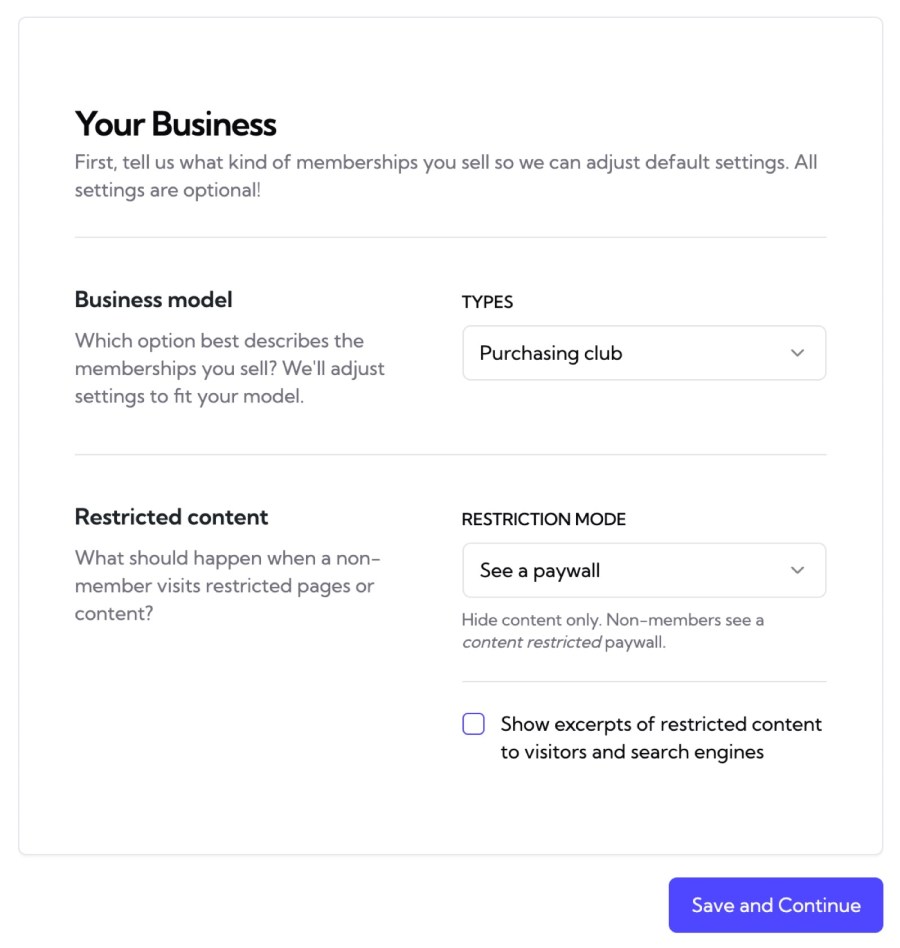
Full steps are in the Get started with Constellation guide, and Kestrel support is there if you get stuck. The setup wizard and the editor panel need pretty permalinks and WordPress at the root of your domain. Built and supported by Kestrel, a long-time WooCommerce extension developer.

No. Recurring billing products with automatic renewals and free trials are built in. If the standalone WooCommerce Subscriptions plugin is active, Constellation uses it instead, and its upgrades and downgrades change the member’s plan.
Yes, it replaces WooCommerce Memberships, which it can’t run alongside. It migrates WooCommerce Memberships 1.x plans, rules, memberships and settings after you deactivate it. The migration is one-way, so back up first.
Yes. A plan’s rules can release content immediately or a set time after someone joins, and you choose whether free trial members can see it.
Yes. Hide products from non-members, or make them members-only to buy, and give members fixed or percentage discounts on the catalog, categories or single products.
Yes, in different plans. A customer has at most one membership per plan, so you can grant several plans to the same person.
No. A membership belongs to one user, with no shared seats or billing owner, and every membership needs a customer account.
Extension information
Quality Checks
Works with
Countries







