Installations actives
2K+
L’abonnement comprend
Assistance
Gérez le processus d’autorisation de retour de marchandise (RMA), ajoutez des conditions de garantie à vos produits et permettez à vos clients de demander et de gérer les retours et les échanges directement depuis leur compte utilisateur.
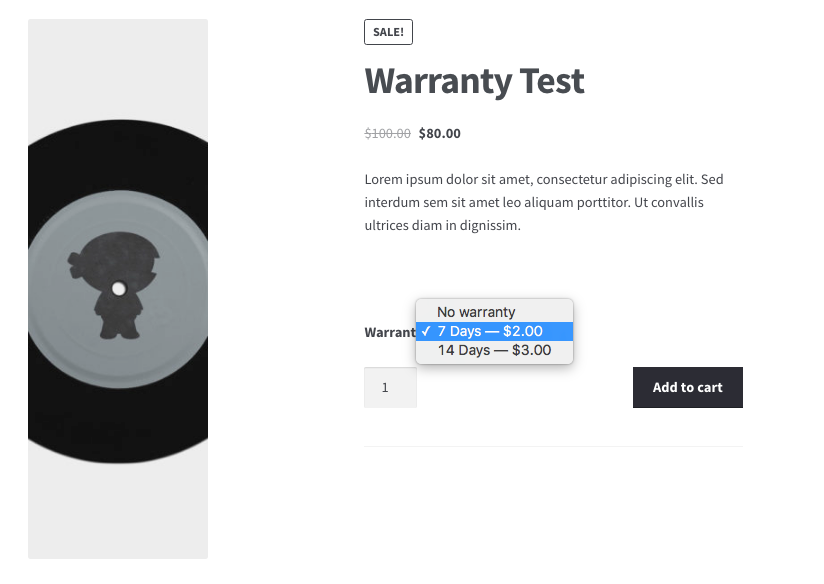
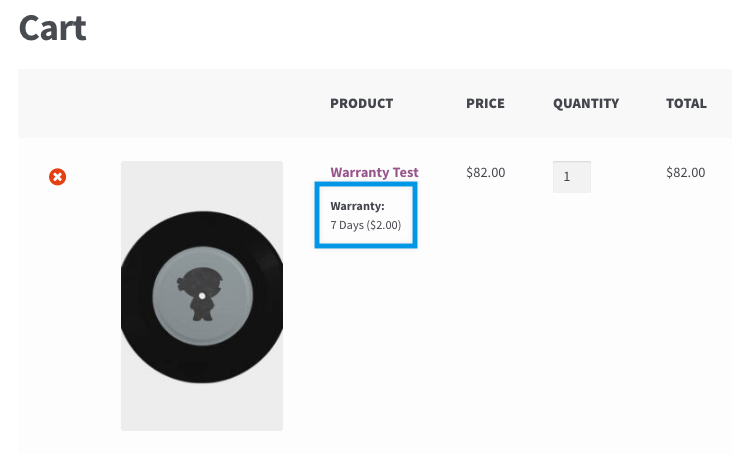
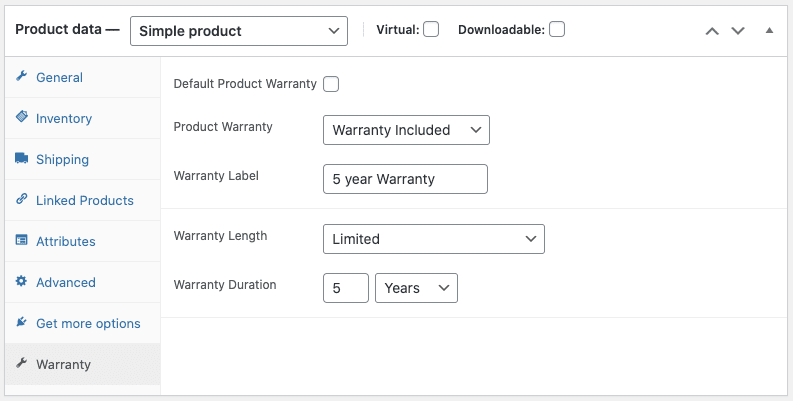
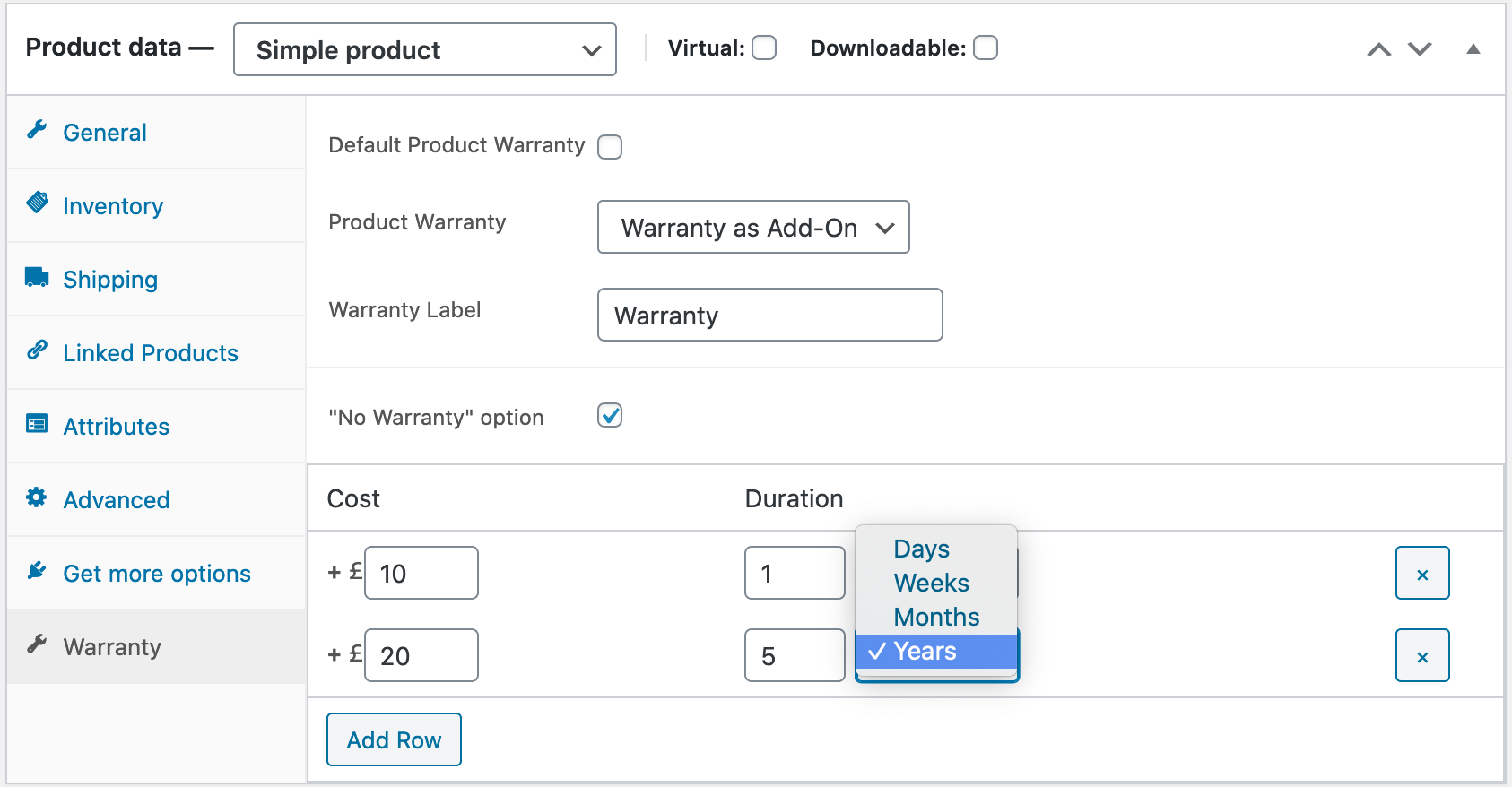
Lors de la configuration de vos produits, les garanties peuvent être attribuées au produit ou à la variante directement à partir des écrans de modification du produit. Définissez des périodes de garantie ou de retour, déterminez un prix et mettez à jour/enregistrez le produit. Les garanties sont directement liées au produit lui-même – à l’expiration de la garantie, l’utilisateur ne peut plus demander une garantie, un retour ou un échange.
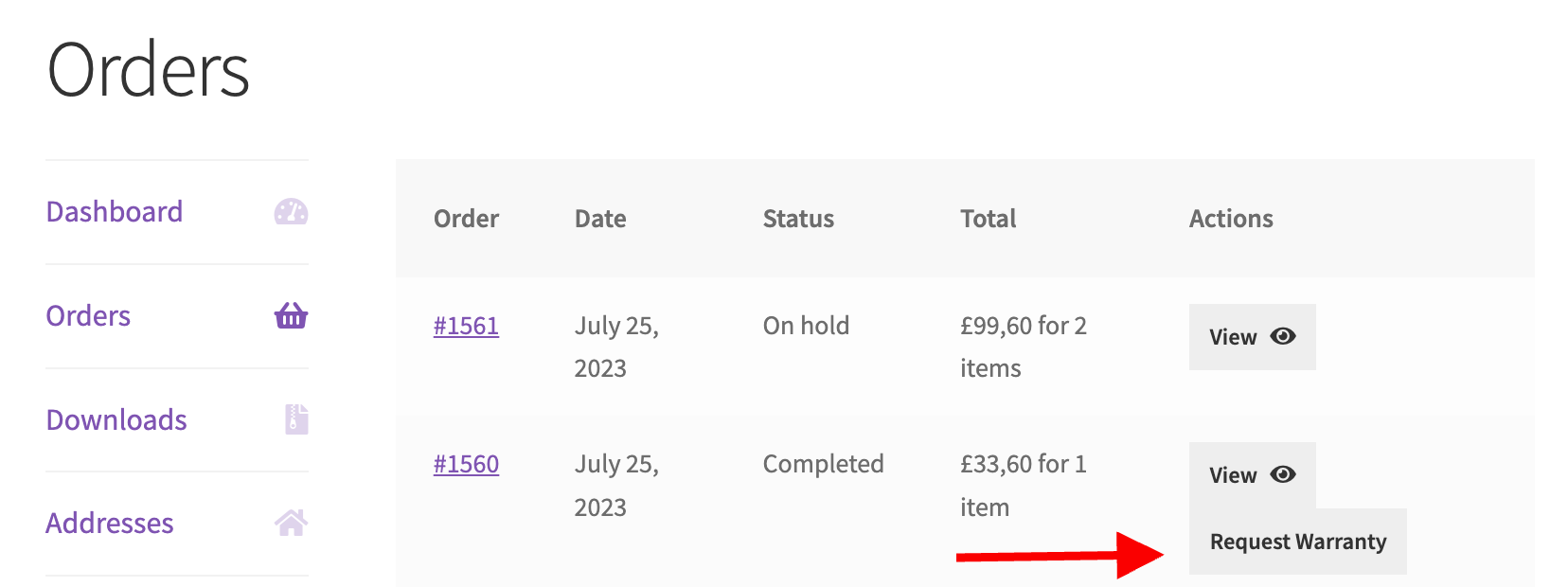
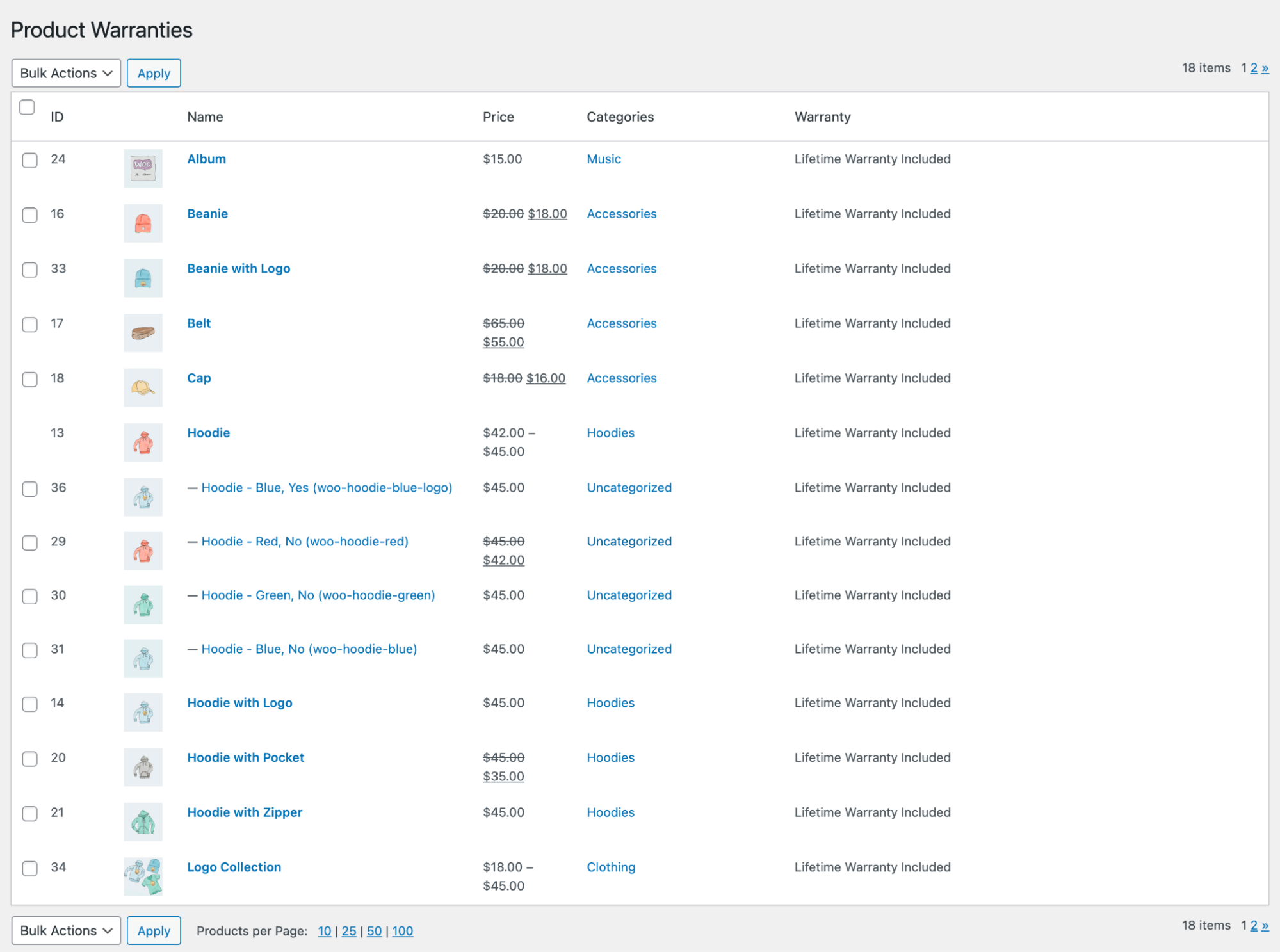
Les clients connectés peuvent faire jouer la garantie dans Mon Compte / Commandes.
 |
DocumentationBesoin d’aide ? Consultez la documentation détaillée pour en savoir plus sur les retours et les demandes de garantie. Voir la documentation |
 |
Questions et assistanceSi vous avez des questions sur la prévente ou si vous avez besoin d’aide, contactez nos sympathiques Happiness Engineers. Obtenir de l’aide
|
Returns and Warranty Requests for WooCommerce is an RMA (Return Merchandise Authorization) management extension that helps you manage returns, exchanges, and warranties inside your normal WooCommerce workflow. You can add warranty terms to products, let customers request returns or warranty claims from their account, and process every request from a single view in your store admin. It brings scattered return conversations into one organized, trackable system.
Customers can start a request directly from their WooCommerce account. When you enable the option, a warranty or return button appears on each completed order in their account, and they fill out the request form you have set up. Guests who checked out without an account receive a unique claim link in their Order Completed email, so they can still request a return without logging in.
Yes. Returns and Warranty Requests lets you offer warranties as a paid add-on at checkout, giving shoppers the option to purchase extra coverage on eligible products. You can add unlimited add-on warranty options to a single product and set a price for each term, or offer them for free. This gives you a straightforward way to create a new revenue stream while helping customers protect higher-value purchases.
You can choose from three warranty types per product: No Warranty, Warranty Included, or Warranty as Add-on. Included warranties come at no extra cost and can be set as Lifetime or Limited, and limited warranties let you define a duration in days, weeks, months, or years. Add-on warranties are sold as an optional paid upgrade. Warranties can be assigned to a specific product or variation from the product edit screen.
Yes. Returns and Warranty Requests is designed to streamline return handling by bringing all RMA, warranty, and return requests into a single view in your store administration. You can create your own warranty statuses, move requests through your process, and set up automated email notifications for each status change, so customers stay informed without manual back-and-forth. This helps keep requests organized and reduces the risk of a claim slipping through the cracks.
Warranties can give shoppers added reassurance at the point of purchase, since a clear return and warranty policy signals that their purchase is protected. Returns and Warranty Requests gives you tools to display warranty terms on products and offer both free and paid coverage. Paid add-on warranties can also open an additional revenue opportunity alongside the products you already sell.
Yes. You can customize the RMA code that customers use when shipping a product back to you. The extension lets you define the starting number, the minimum code length, and an optional prefix or suffix, including date-based values. This helps you match RMA tracking to your store's existing processes.
Yes. Once a request is active, you can add a shipping label for the customer to use when sending a product back, request a tracking code if the customer arranges their own shipping, or add a tracking code so the customer can follow a replacement shipment. Tracking details and labels appear in the customer's order or account view, keeping both sides informed throughout the process.
Yes. Returns and Warranty Requests include a warranty form builder so you can define the fields customers complete before submitting a request. Available field types include paragraphs, text fields, multi-line text fields, drop-downs, and file upload fields, so you can request product images or other supporting details. This helps you collect the right information up front and cut down on follow-up messages.
Yes. Sometimes a customer prefers to handle a return over the phone, or you want to help even when no warranty applies. From the store admin, you can find the order, click Create Request, and process the return on the customer's behalf, deciding how much information to require. This gives your team flexibility to support customers however they reach out.
Yes. You can place a generic return form on any page or post so customers can report an issue and request a return or refund without linking it to a specific product or order. These requests still flow into your RMA management area, though they will not carry the order, product, or account details that order-based requests include. It is a useful option for capturing return requests from a dedicated returns page.
Yes. You can assign warranty terms to individual product variations, not only to the parent product, directly from the product edit screen. This is helpful if different variations of the same product need different warranty durations, prices, or coverage.
Yes. You can edit warranty details for multiple products at the same time using the bulk editing screen, selecting the products you want and applying warranty settings together. For larger catalogs, you can also import warranty and RMA details using the Product CSV Import Suite. This helps you roll out consistent warranty terms without editing every product individually.
Yes. Returns and Warranty Requests lets you set permissions by warranty status, so you can give specific users access to specific stages of the return process. This is useful when a team shares responsibility for managing returns, and you want the right people working on the right requests.
It is a strong fit for WooCommerce stores that handle regular returns, exchanges, or warranty claims and want a structured RMA process instead of managing everything by email. It suits merchants selling products where warranties matter, such as electronics, appliances, furniture, and other higher-value goods, and stores that want to offer paid extended coverage. Teams that need shared access, custom statuses, and automated status updates will get the most from it.
If you only need to issue occasional refunds and do not require a formal returns workflow, warranty terms, or RMA tracking, WooCommerce's built-in order and refund tools may already cover your needs. Returns and Warranty Requests add the most value when you want a repeatable, trackable system for warranties, returns, and exchanges across many orders.
You need an active WooCommerce store, since this is a WooCommerce extension that works within your existing store workflow. Warranty terms are tied directly to products, so once a warranty period expires, the ability to request a warranty, return, or exchange for that product ends. Setup involves creating a request page and configuring your warranty settings, which is guided within the extension.
A dedicated RMA extension like Returns and Warranty Requests for WooCommerce gives you a centralized way to receive, review, and process returns, exchanges, and warranty claims from one dashboard. Customers submit requests from their account or a return form, you move each request through custom statuses, and automated emails keep everyone updated. This is more organized and scalable than tracking returns through individual emails or spreadsheets.
Catégories
Informations sur l'extension
Vérifications qualité
Pays