
Product Icon

ProfitSync - Profit, COGS and Expense Tracker for WooCommerce

Know exactly what you're making, not just what you're selling.
Choose a billing option
$49
Save 20%
$98 $78.40

Subscription includes

  • Product updates and improvements
  • Customer support
  • 30-day money-back guarantee

Revenue tells you how busy your store is. It doesn’t tell you if you’re actually making money. ProfitSync sits inside WooCommerce and turns every order into a real profit number. Cost of goods, payment gateway fees, shipping cost, and business expenses are all deducted automatically, so the figure on your dashboard is the one that actually matters.
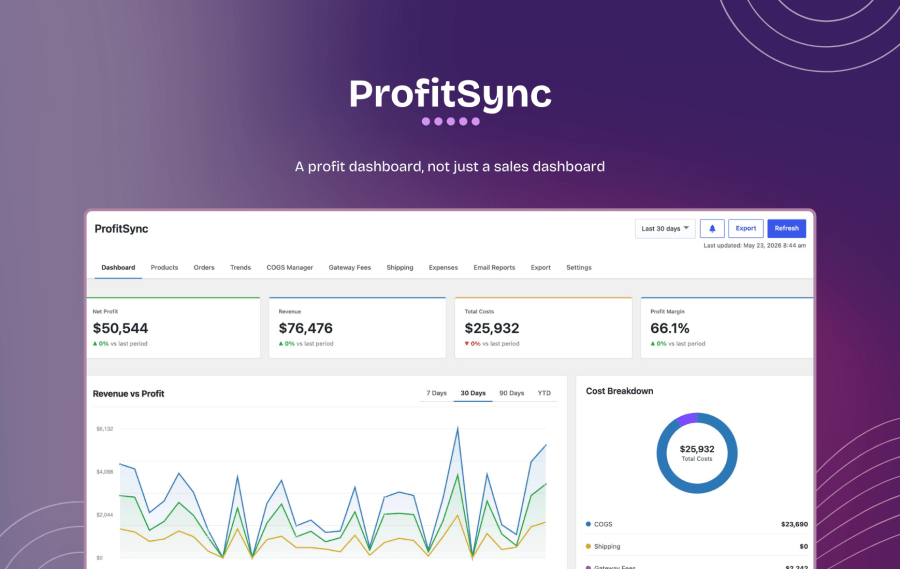
A profit dashboard, not just a sales dashboard

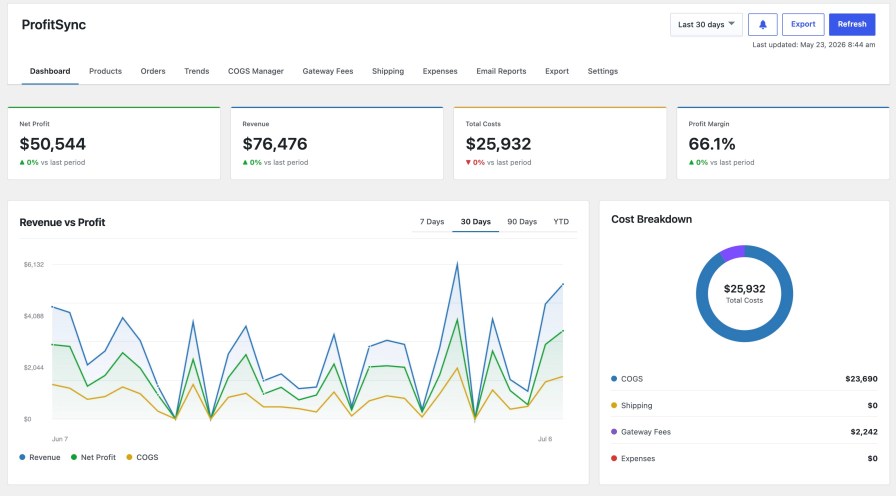
Revenue, total costs, net profit, and margin, all at one glance, for any date range. Underneath, a revenue-vs-profit trend chart, a cost breakdown (COGS, shipping, gateway fees, expenses), your top products by profit, and profit broken down by category.

  • Net profit, revenue, total costs, and margin, compared against the previous period
  • Revenue vs. Profit trend across 7/30/90 days or year-to-date
  • Cost breakdown so you can see exactly what’s cutting into margin
  • Top products by profit, margin, or units sold, not just best-sellers by revenue
  • Profit by category, so you know which part of your catalog is actually carrying the business

Product-level cost tracking that doesn’t fight WooCommerce

ProfitSync uses WooCommerce’s own native Cost of Goods Sold field, so your cost data lives where WooCommerce (and any other plugin that reads it) expects to find it: nothing proprietary, nothing to migrate later.
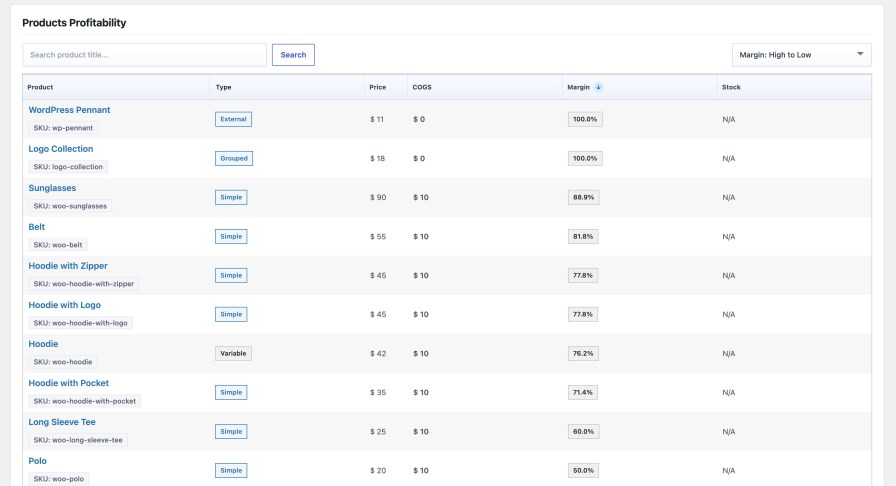
  • See price, cost, and margin side-by-side for every product, sortable and searchable
  • A PP Margin column right inside your existing Products list, no extra screen to check
  • Set costs as a fixed amount, a percentage of price, or inherited from a variable product’s parent
  • Instantly spot low-margin products before they quietly drag down a whole month

Update cost of goods for one product, or ten thousand

The COGS Manager gives you two speeds: edit products one at a time, or apply a rule across your entire catalog in one pass.
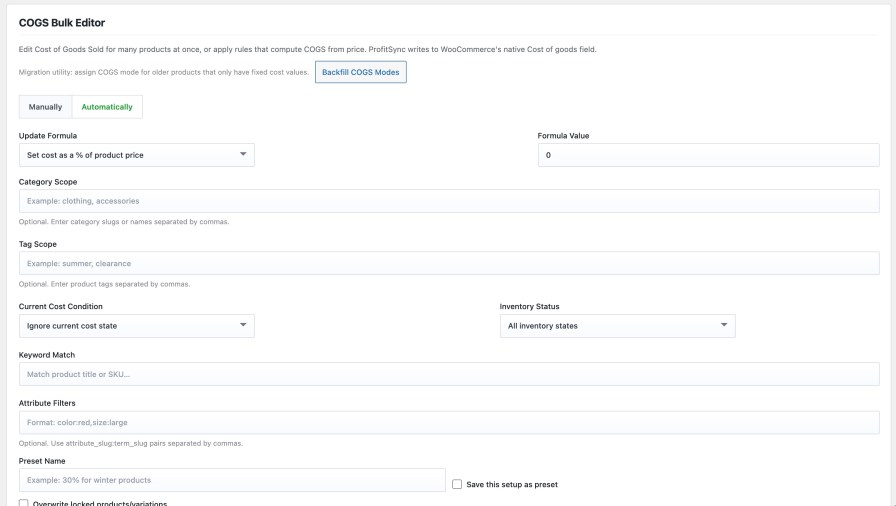
  • Manual bulk editor with inline cost, mode, and lock controls, searchable by product or SKU
  • Automatic rules: set cost as a % of price, target a specific margin, apply a fixed value, or bump existing costs by a percentage
  • Scope any rule to a category, tag, product attribute, keyword, or stock status
  • Save rules as reusable presets, then re-run your ‘30% cost on winter clothing’ rule every season in one click
  • Lock protection so bulk updates never overwrite a cost you’ve deliberately set by hand
  • CSV and meta-key import for migrating cost data from a spreadsheet or another plugin

Every order, priced to the cent

Orders get their own profit ledger: revenue, COGS, gateway fee, shipping cost, and net profit per order, kept in sync automatically as orders are placed, refunded, or updated.
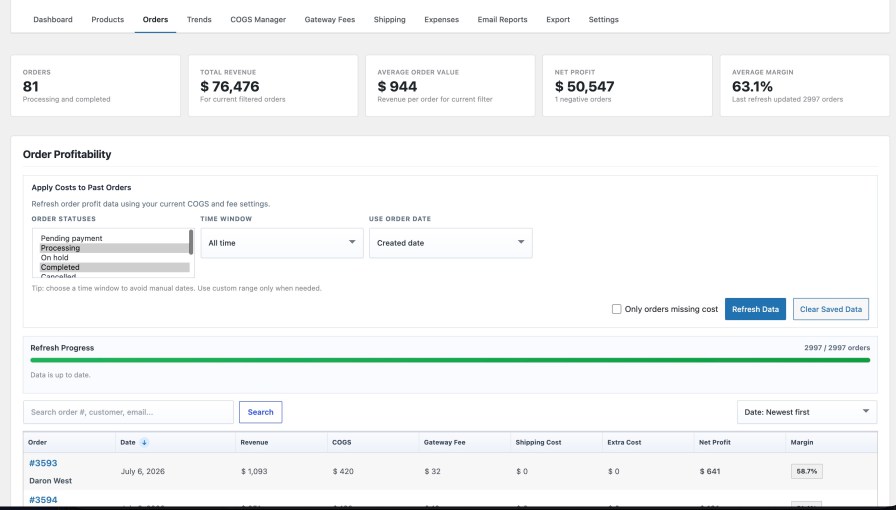

  • Searchable, sortable order-profit table with per-order and store-wide KPIs
  • Recalculate any date range on demand when you change a cost rule, and past orders update to match
  • Manual per-order overrides directly on the order screen, for the one-off order that needs a manual adjustment
  • Runs in the background in batches, so a full store recalculation never times out or blocks the admin

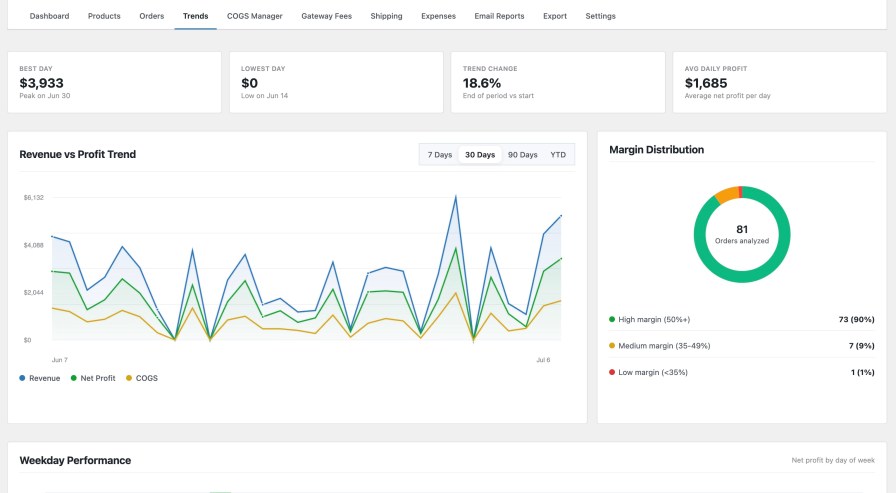
See where the money moves over time

The Trends tab turns your order history into a story: best day, lowest day, average daily profit, and a margin-distribution breakdown across your whole order base.
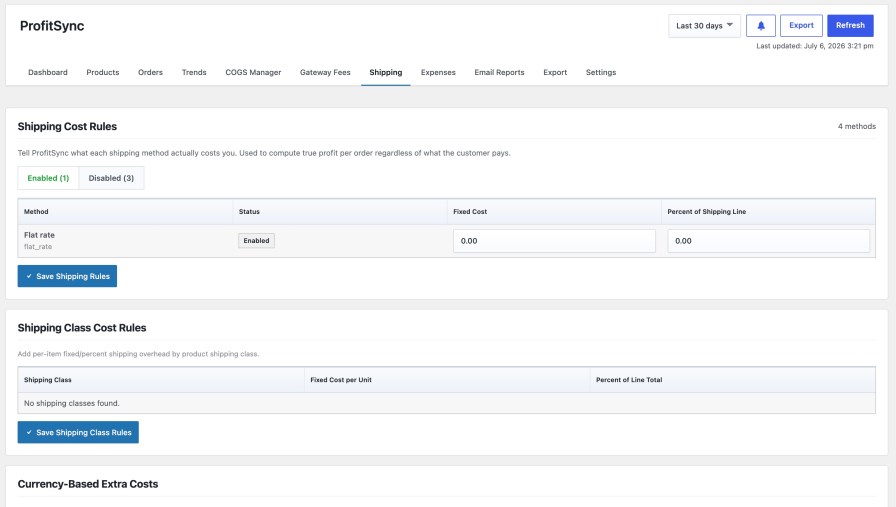
Fee and shipping rules that mirror your real payment stack

Every payment gateway takes a different cut. Every shipping method costs you something different to fulfill. ProfitSync pulls both directly from your WooCommerce configuration so the numbers are never generic.
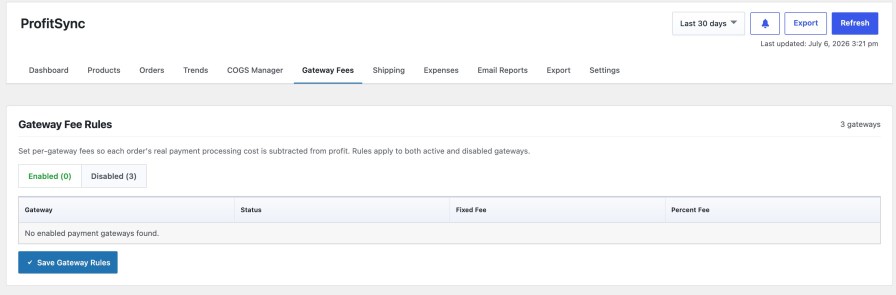
 

  • Per-gateway fixed + percentage fee rules, pulled live from your enabled and disabled payment methods
  • Per-shipping-method and per-shipping-class cost rules, so heavier or bulkier products carry their true fulfillment cost
  • Per-currency cost overrides for stores selling in more than one currency
  • Rules apply retroactively to historical orders too, once you recalculate

Export everything, in the format you actually need
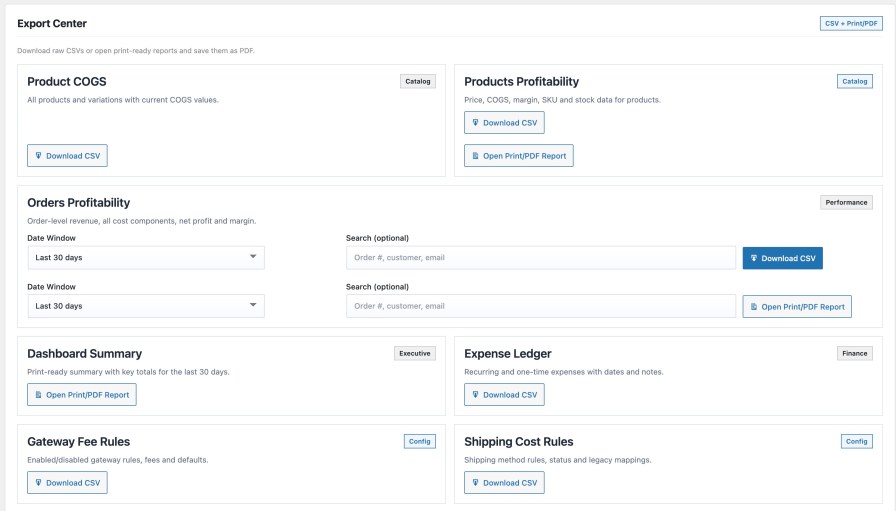
  • CSV exports for product COGS, product profitability, order profitability, the expense ledger, and your gateway/shipping rule configuration
  • Print-ready PDF reports for the dashboard summary, orders, and products, one click to a polished, shareable document
  • Every export respects your current filters and date range

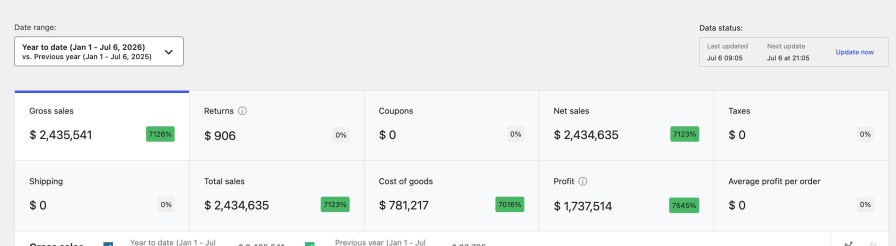
It shows up inside WooCommerce Analytics too

ProfitSync doesn’t just add a new screen. It enriches the reports you already use.
Built to fit your store, not the other way around

Currency, rounding, included order statuses, refund handling, and internal alert thresholds are all configurable from one Settings screen, with changes saving instantly and no page reload required.


Frequently asked questions

Does this replace WooCommerce’s built-in Cost of Goods Sold feature?

No. It uses it. ProfitSync reads and writes to WooCommerce’s native COGS field, so your cost data is portable and compatible with any other tool that supports it, not locked into ProfitSync.

Will this slow down my store or my checkout?

No. All profit calculation happens in the WordPress admin, on a background-processed snapshot table. Nothing runs on the storefront or at checkout.

Can I back-apply new cost rules to orders I already have?

Yes. Use the “Apply Costs to Past Orders” recalculation tool to re-price any date range, the whole store or just the orders missing a cost, using your current rules.

Does it handle variable products and variations?

Yes. Costs can be set per-variation, inherited from the parent product, or driven entirely by an automatic rule scoped to category, tag, attribute, or stock status.

Can my bookkeeper or a client see this without a WordPress login?

Yes. Schedule daily, weekly, or monthly profit summary emails to any address, or export CSV/PDF reports on demand.

Does it work with multiple currencies?

Yes. Set per-currency fee and cost adjustments so profit stays accurate no matter which currency an order was placed in.

Is any of my store data sent to a third party?

No. All calculation and storage happens on your own WordPress database. Webhook notifications are opt-in and only fire to a URL you configure yourself.

Customer reviews

We are accepting reviews for this product, and will display them when we get a few more.
Use of your personal data
We and our partners process your personal data (such as browsing data, IP Addresses, cookie information, and other unique identifiers) based on your consent and/or our legitimate interest to optimize our website, marketing activities, and your user experience.