

Subscription includes
Support
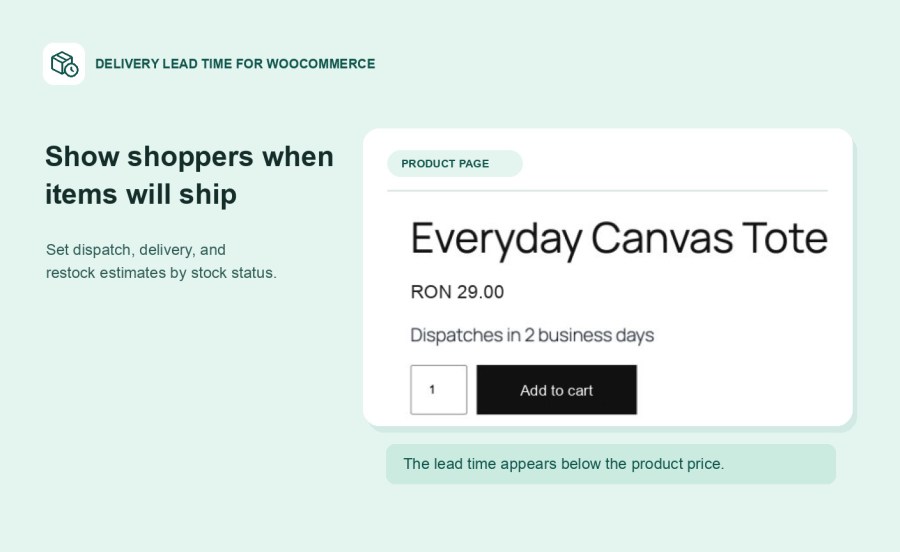
Delivery Lead Time for WooCommerce answers the question every shopper asks before buying: “When will I get it?” Show an estimated dispatch, delivery, or restock date beside the product price, then carry it through cart, checkout, and order emails where enabled.
Show “Dispatches in 2 business days” for items ready to ship. If an item sells out, show a restock date instead of a dead end. For backorders, give shoppers a separate estimate based on when you expect to ship, so they can order with confidence instead of guessing.
Made-to-order and custom products, furniture and bulky goods, print-on-demand, pre-orders, and items shipped from suppliers rarely share one delivery promise. Give each its own lead time so shoppers see an estimate that matches the item in front of them.
Set one rule per stock status for your whole store. Then override it only where you need to: give made-to-order products their own timing, set a shared rule for a category, or set a different lead time for a specific size or color.
Write your own message, select a target date, or enter a number of working days and let the extension calculate the estimated date. Working-day estimates skip weekends and can use your store’s order cutoff time, so an order placed late in the day gets an estimate that starts from the next working day.
Display messages on product and shop pages and beside items in cart and checkout, including the Cart and Checkout blocks. You can also show lead times on order details and include them in WooCommerce order emails, so customers have the estimate in their inbox.
You already know how long your products take to ship. Enter your lead times once and the extension displays them. There are no carrier accounts or API keys to connect, and your shipping zones and rates stay exactly as they are.
Yes. Set a separate rule for each variation that needs its own timing. When a shopper selects that variation, its rule takes priority over the product rule.
Yes. Choose a target date for the out-of-stock rule, or write your own message such as “Restock expected next week.”
Yes. Choose Working days and enter the number of weekdays to add. You can also set a cutoff so estimates at or after that time start from the next working day.
The extension supports classic cart and checkout pages and WooCommerce Cart and Checkout blocks. In the blocks, the message appears as text beneath the item name.
The extension displays estimates based on the rules you set. WooCommerce continues to handle shipping methods and rates separately.
Extension information
Quality Checks
Countries