

Product comparison
Subscription includes
Support
The best bundles for your store are already hiding in your order history. AI Product Bundles for WooCommerce scans your past orders, finds the products customers buy together most often, and turns them into ready-to-sell bundles. You can raise average order value without guessing which products belong together.
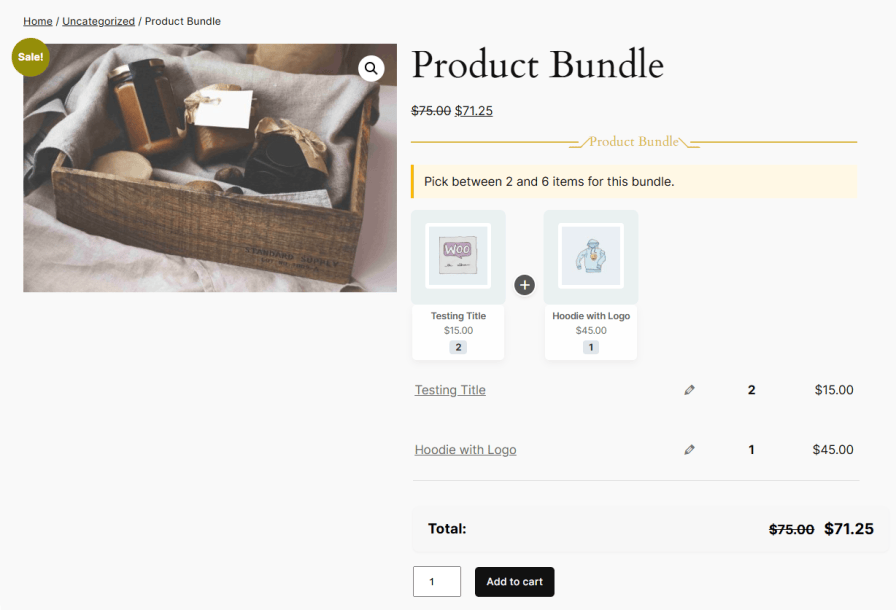
Run the analysis on co-purchase frequency alone, or connect OpenAI, Anthropic, or Google AI and choose a business goal such as increasing revenue, clearing slow-moving inventory, or promoting a category. AI ranks the bundle suggestions against that goal and recommends a discount within the limits you set. Any suggestion becomes a Smart Bundle in one click. Each bundle has its own pricing, stock, shipping, and discount rules, and customers can choose and adjust the items inside it.
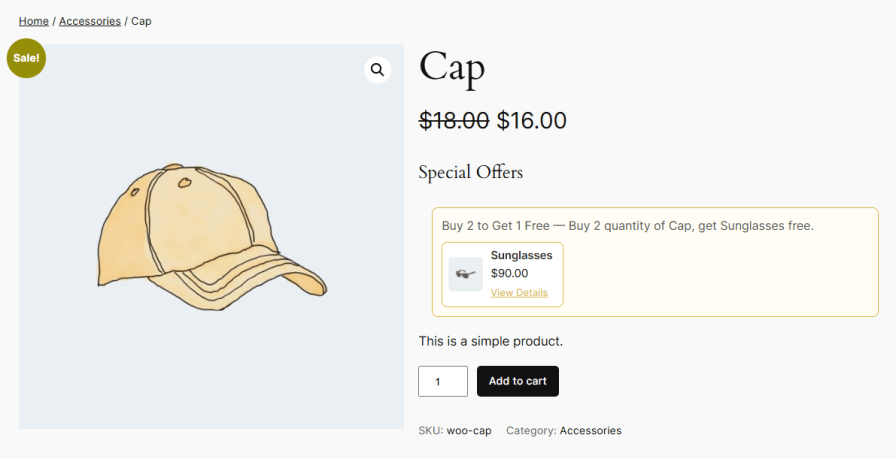
The plugin also includes Buy X Get Y campaigns. These reward customers with free or discounted products when they buy qualifying products or categories. Display settings let you match offer messages and colors to your store.
Scan your store’s order history to find the products customers most often buy together, and turn them into bundle suggestions automatically. You can rank suggestions by how often products are bought together, or use AI to rank them against a business goal. Review the results, then create a bundle from any suggestion in one click. You don’t have to research which products belong together.
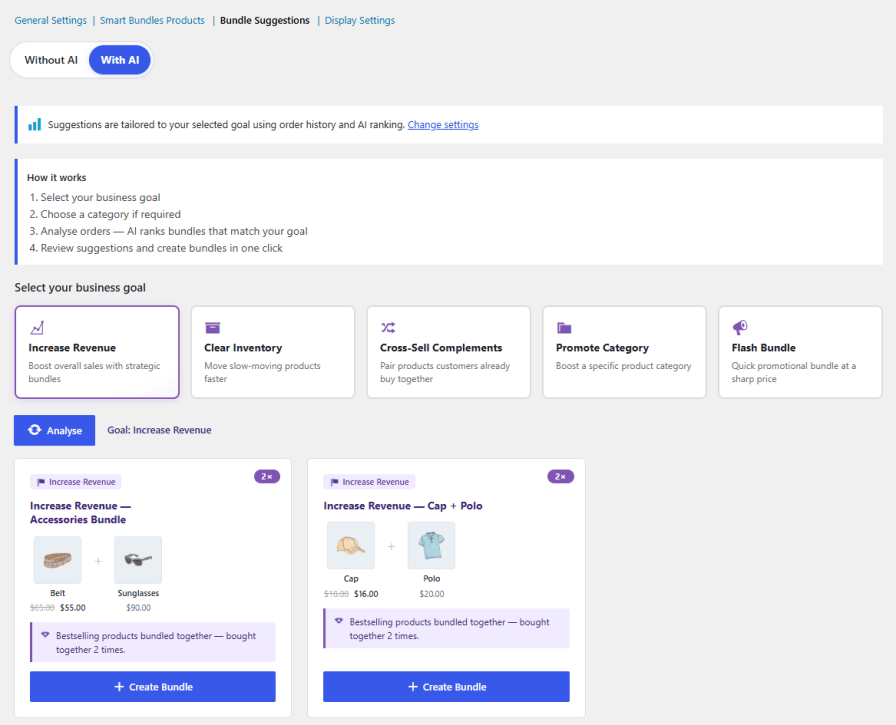
Connect AI to go beyond co-purchase frequency and get bundle suggestions built around what you want to achieve. Choose a goal, and AI analyzes your order history, ranks the bundles that best support it, and recommends a discount within the limits you set:
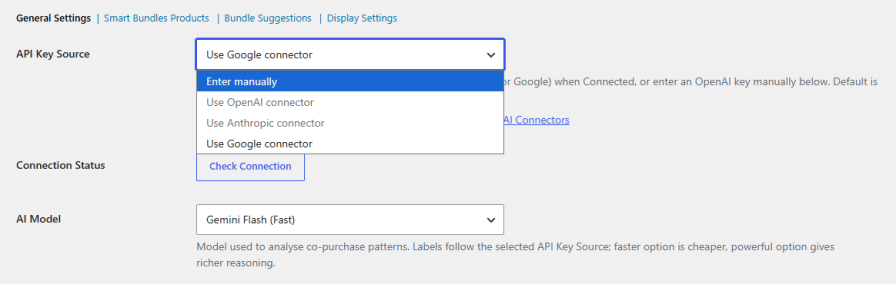
Reuse an API key already saved in WordPress AI Connectors for OpenAI, Anthropic, or Google, or enter a key manually. Check the connection in one click. Then choose the AI model that fits your needs: a faster model for lower cost, or a more powerful one for deeper analysis.
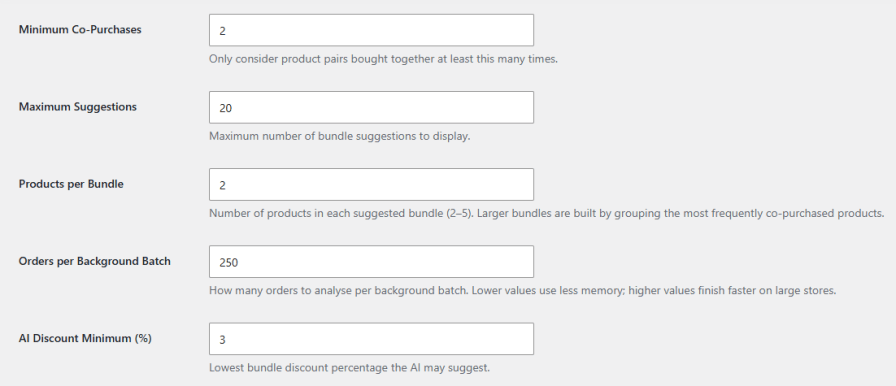
Set how many times products must be bought together before they qualify, how many suggestions to show, and how many products go into each bundle, from two to five. For large stores, adjust how many orders are analyzed per background batch to balance speed and server memory.
Set up Buy X Get Y offers that trigger when customers buy a set quantity of specific products or of products from a chosen category. Manage all campaigns from one list that shows each campaign’s status, scope, trigger, and reward, and turn campaigns on or off whenever you need.
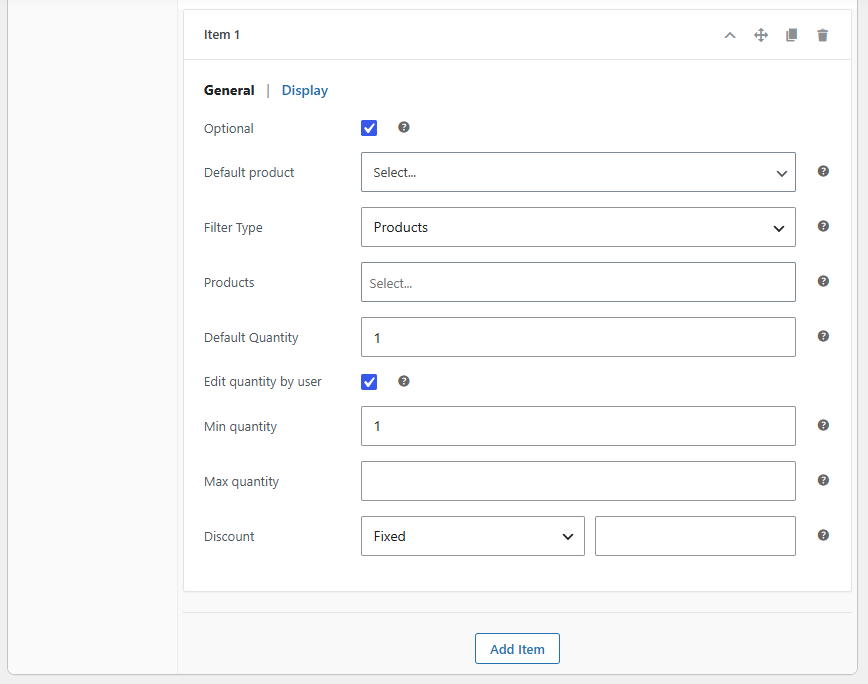
Add items to a bundle as flexible slots. Each slot can show a default product or let customers choose from selected products, categories, or tags. You can make items optional, allow quantity changes within minimum and maximum limits, and add a discount to individual items. Overall item limits keep every bundle within the range you want.
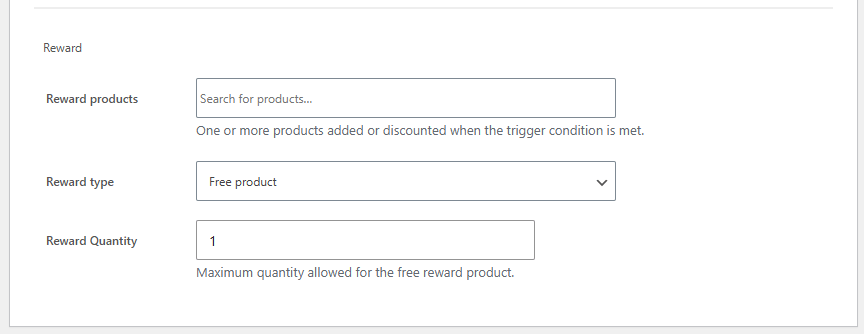
Choose one or more reward products and offer them free or at a discount. Depending on the reward type, set the maximum free quantity or the discount percentage.
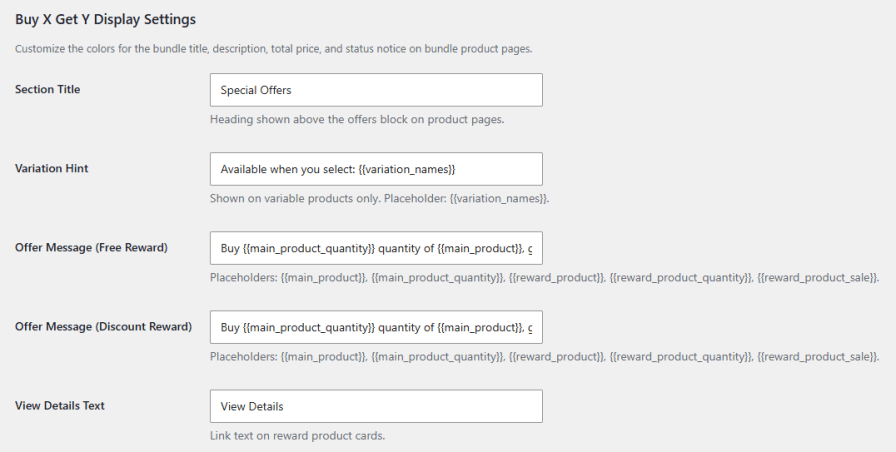
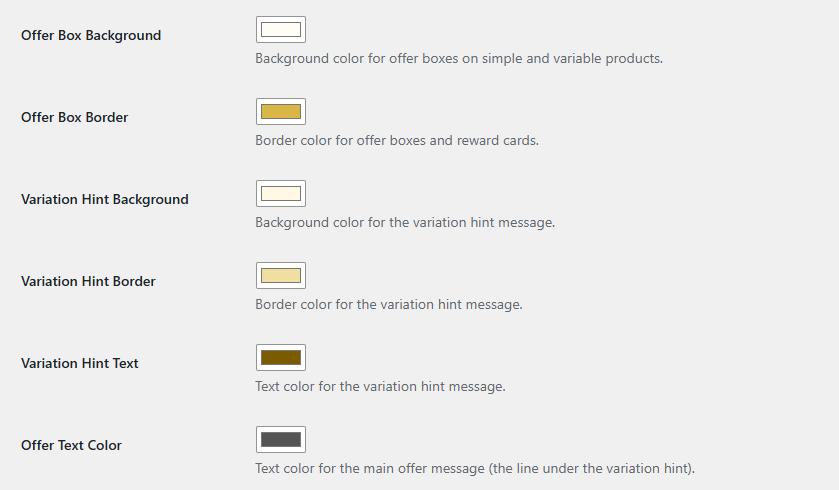
Edit the section title, variation hint, free, and discount reward messages, and View Details link text shown on product pages. Dynamic placeholders fill in product names, quantities, and reward details automatically. Color settings let you style offer boxes, hints, and text.
Set colors for the bundle title and its decorative lines, the description box gradient, the total price row, and the status notice. Bundle offers then fit naturally with your store’s theme.
No. In Without AI mode, bundle suggestions are ranked by co-purchase frequency from your order history. You only need a key for goal-based AI suggestions.
OpenAI, Anthropic, and Google. You can reuse a key saved in WordPress AI Connectors or enter one manually.
The plugin needs completed orders that contain more than one product. If your store has few orders, try lowering the Minimum Co-Purchases setting.
Yes. Each bundle item can let customers pick from selected products, categories, or tags, change quantities within limits, and skip items marked as optional.
Yes. Set the rule scope to Product Category, and the reward triggers when customers buy the required quantity from that category.
Categories
Quality Checks
Countries