

Subscription includes
Support
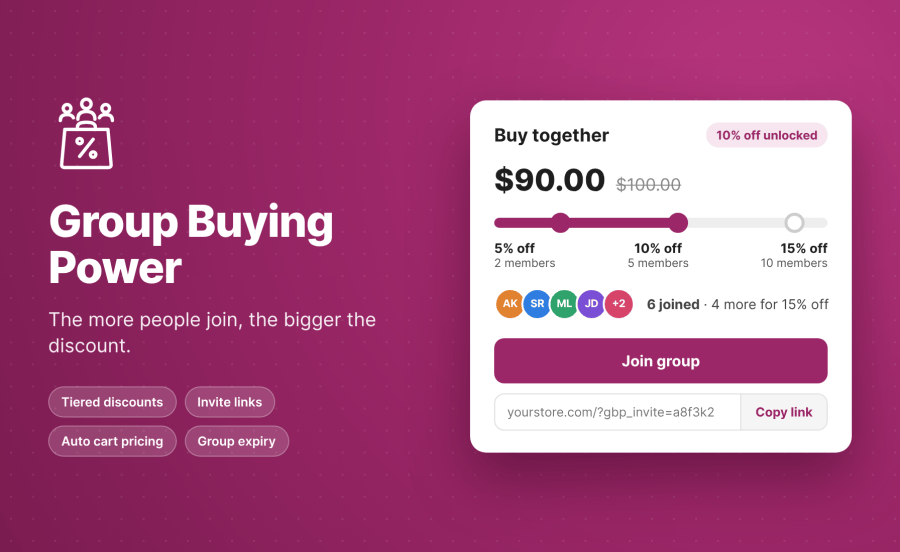
WooCommerce group buying gives customers a reason to shop together. Group Buying Power lets shoppers create or join a buying group, invite friends, and unlock bigger discounts as more people join. You control the discount tiers for each product, while group membership, invitations, and pricing are managed through WooCommerce.
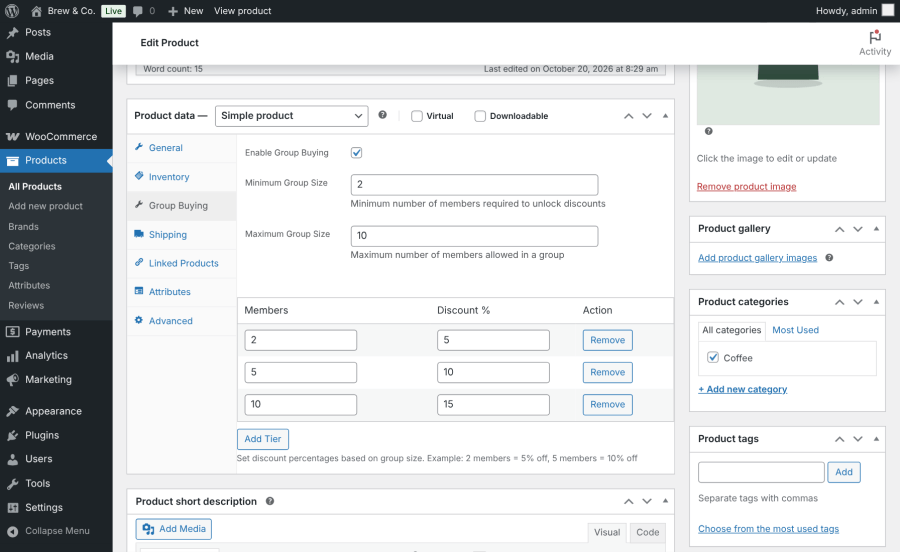
Set multiple discount tiers for each product. For example, offer five percent off when a group reaches two members and 10 percent off when it reaches five members. Customers can see the current discount and the membership needed to unlock the next tier.
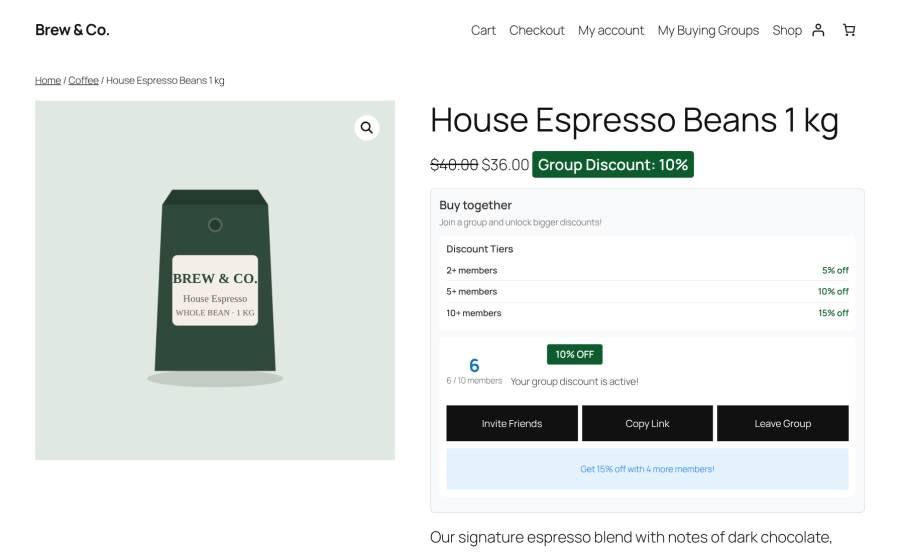
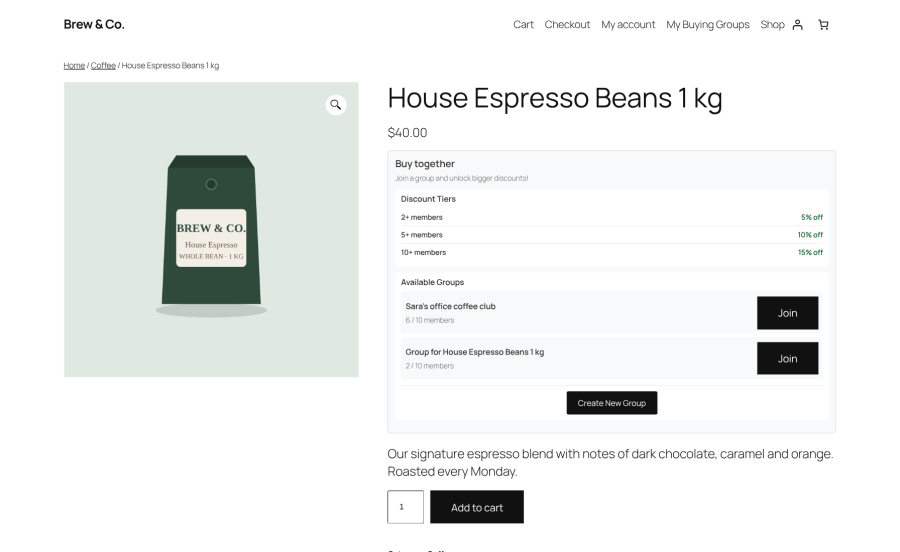
Customers can start a new buying group or join an existing group directly from the product page. Each group gives shoppers a way to work together toward a shared discount.
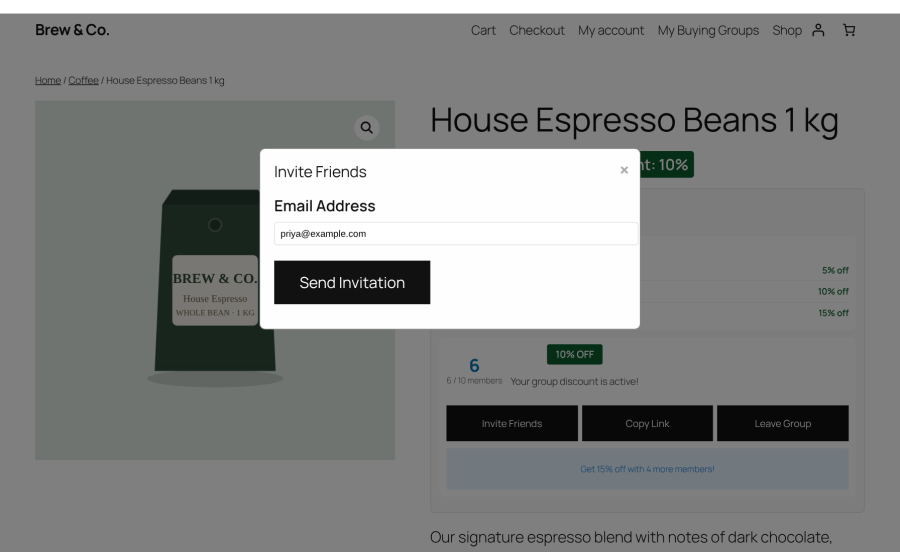
Every group has a shareable invitation link. Members can also send email invitations from the product page widget to bring more shoppers into the group.
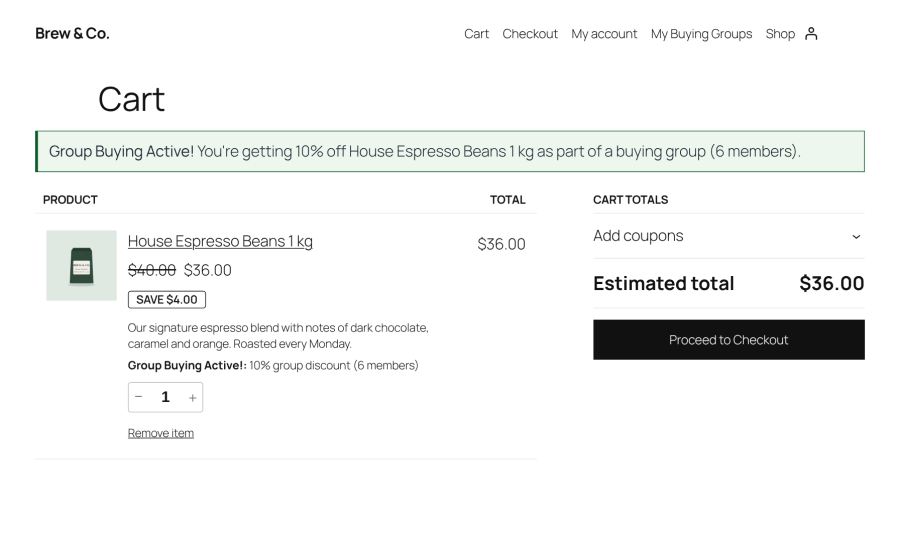
When a buying group qualifies for a discount, the reduced price carries into the cart and checkout. Customers do not need to apply a separate coupon to receive the group price.
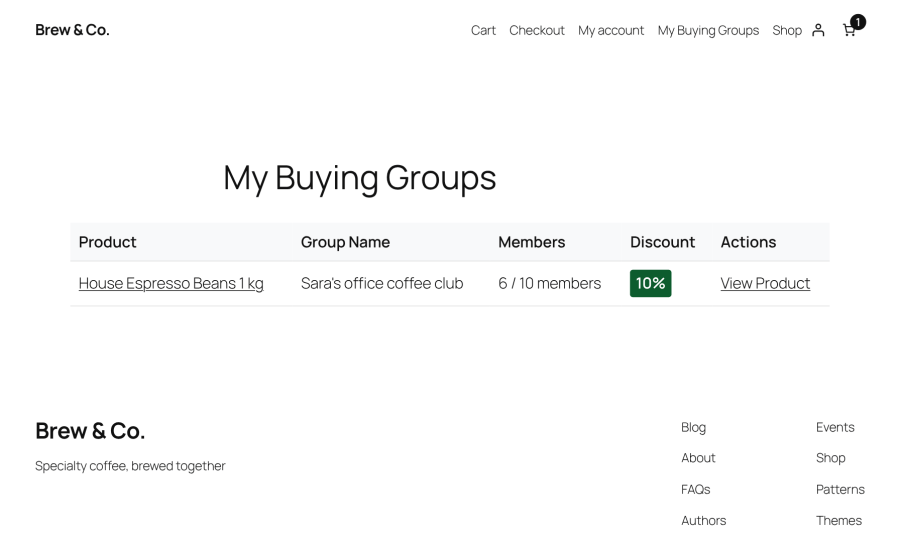
Customers can view the buying groups they belong to and check their current group discounts from one place.
Enable group buying in the product settings and configure the group sizes and discount percentages that suit your store’s pricing strategy.
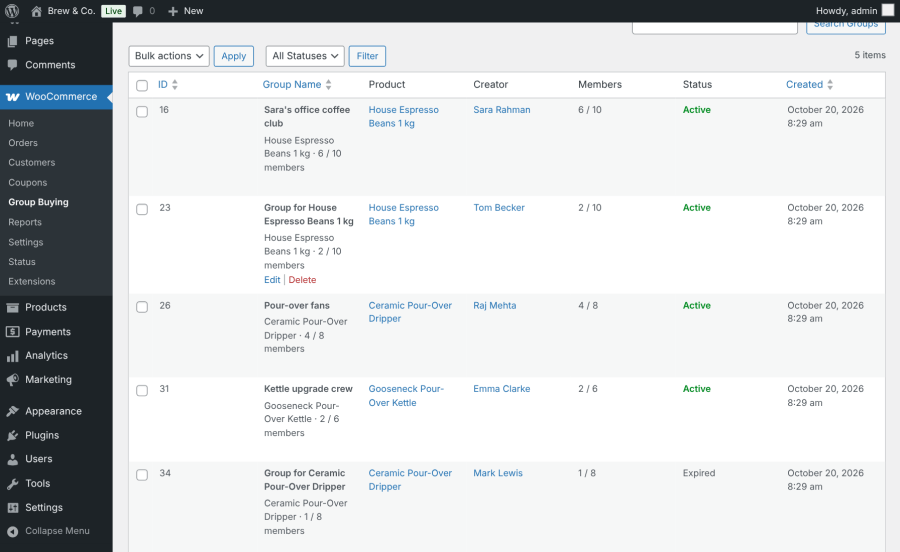
View buying groups, their products, creators, members, and statuses from the administration dashboard. Activate, deactivate, or delete groups in bulk.
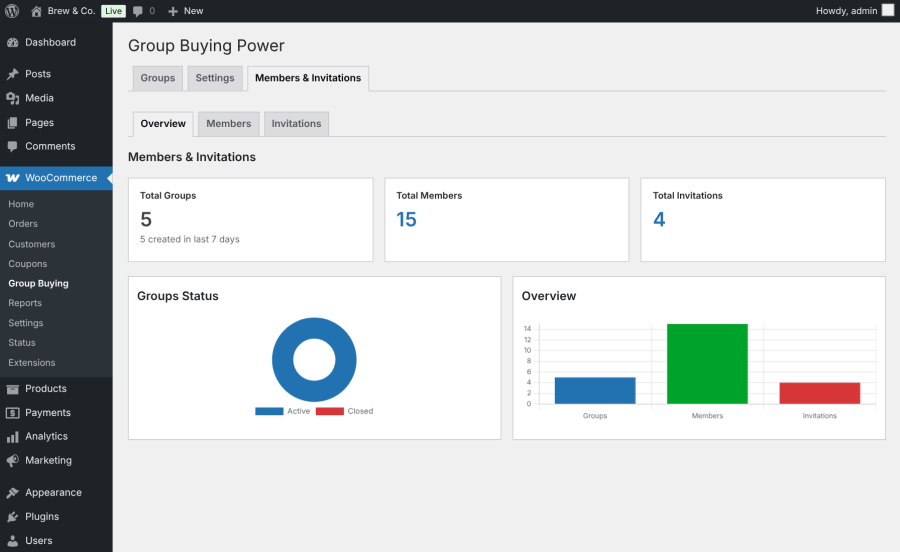
Review group, member, and invitation activity from the administration overview.
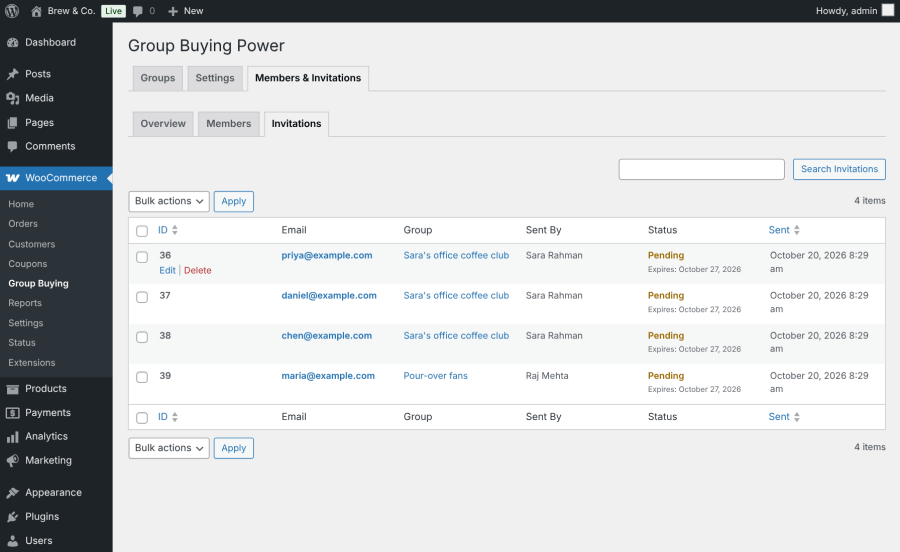
View invitation records, senders, statuses, and expiry dates to keep track of group invitations.
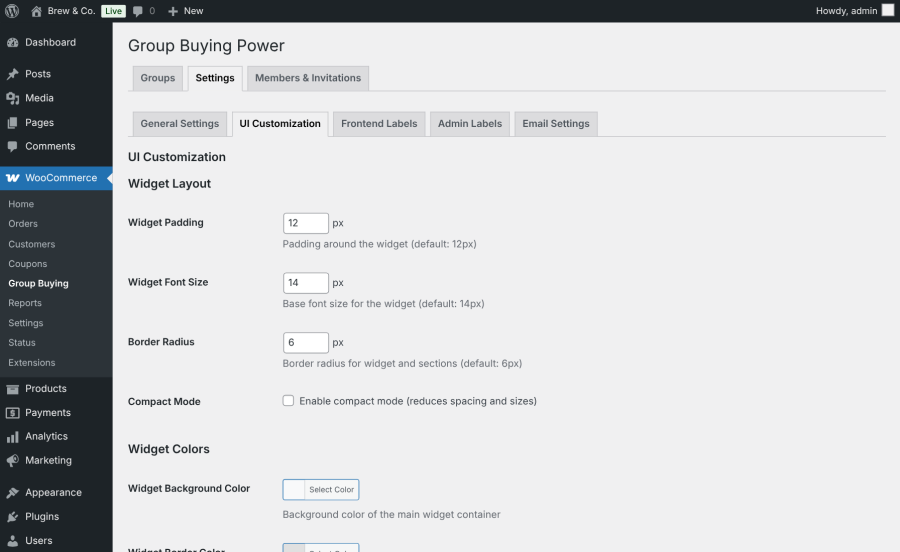
Match the widget to your store’s design by adjusting colors, buttons, spacing, font sizes, corners, and labels. Shortcodes let you display supported group buying features on other pages.
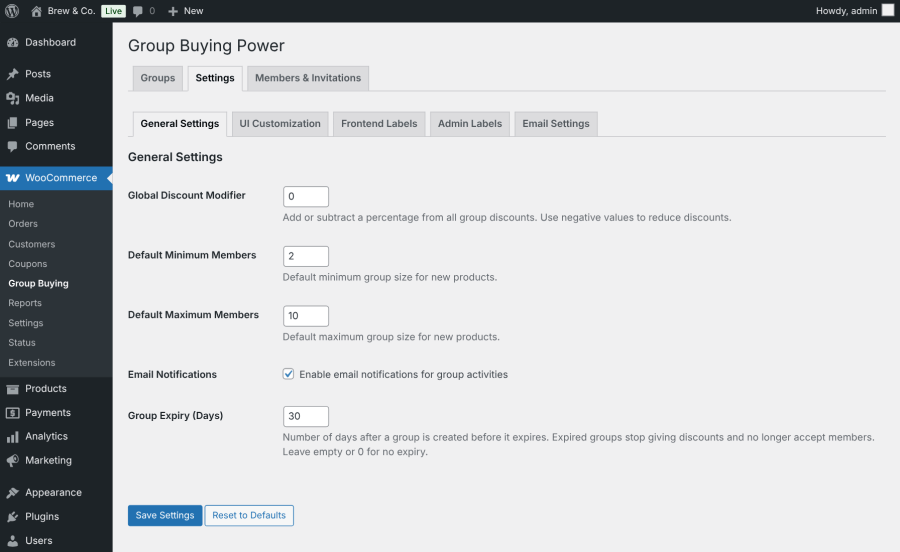
Configure default group sizes, store-wide discount adjustments, and group expiry. Expired groups stop accepting members and no longer qualify for group discounts.
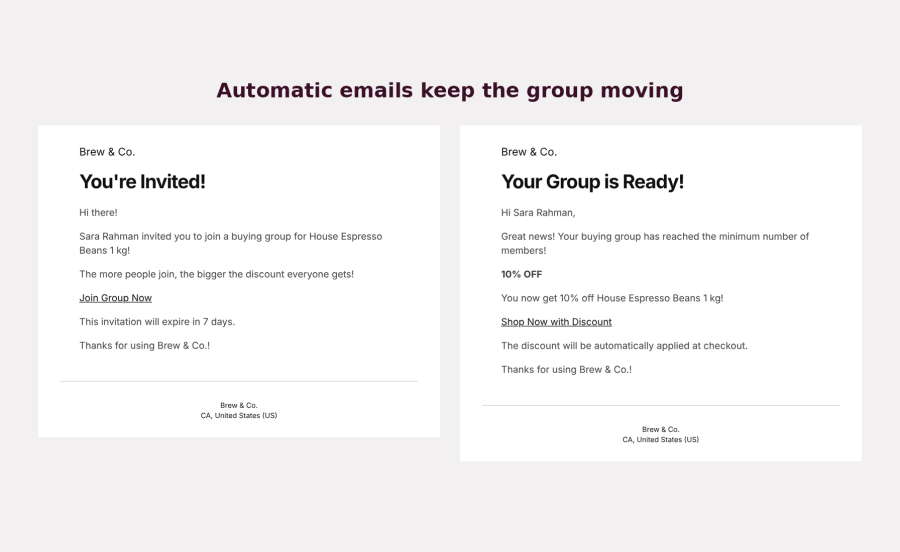
Keep customers informed with automatic email notifications for invitations, group activity, and discount milestones.
[gbp_group_widget], [gbp_product_groups], and [gbp_my_groups].Give shoppers a reason to invite friends, build buying groups, and unlock better prices together. Group Buying Power helps your WooCommerce store encourage referrals, reward group purchases, and manage tiered discounts in one place.
Group buying allows multiple customers to purchase the same product together to unlock lower prices. With Group Buying Power, the discount increases as more customers join a buying group.
Customers can create a new group or join an existing group directly from the product page.
Yes. You can configure multiple discount tiers for each product based on the number of group members.
Each group has a shareable invitation link. Members can also invite friends by email through the group buying widget.
The discount is applied automatically to the product price when the group qualifies for a configured discount tier. The discounted price carries through to the cart and checkout.
When a group reaches its configured expiry, it stops accepting new members and no longer qualifies for group discounts.
Yes. The plugin supports both simple and variable WooCommerce products.
yes. You can customize colors, buttons, spacing, font sizes, corners, and labels to match your store's design.
Extension information
Quality Checks
Countries