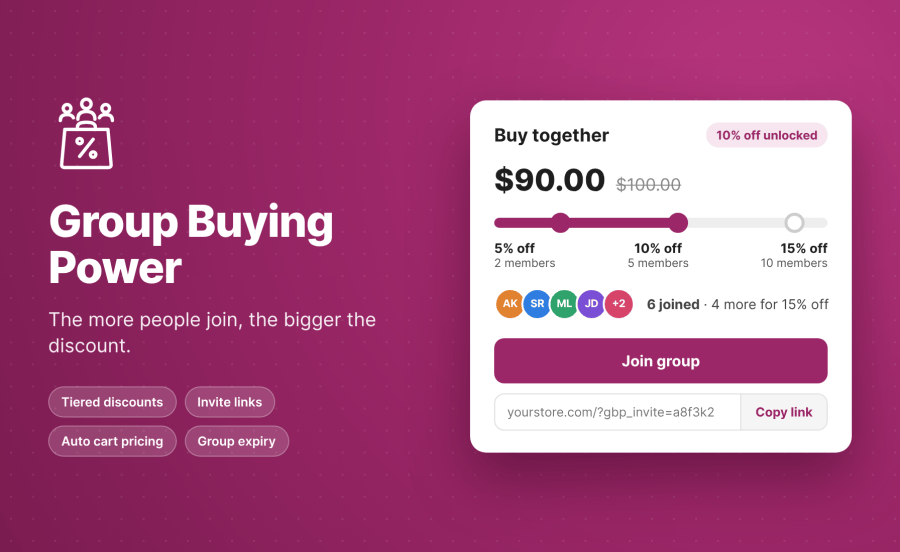
Product Icon

Group Buying Power for WooCommerce

Boost sales with group buying! Let customers team up to purchase products at exclusive discounted prices.
Choose a billing option
$49
Save 20%
$98 $78.40

Subscription includes

  • Product updates and improvements
  • Customer support
  • 30-day money-back guarantee

Group Buying that rewards customers

WooCommerce group buying gives customers a reason to shop together. Group Buying Power lets shoppers create or join a buying group, invite friends, and unlock bigger discounts as more people join. You control the discount tiers for each product, while group membership, invitations, and pricing are managed through WooCommerce.

  • Encourage word-of-mouth referrals with group discounts.
  • Increase order volume by motivating customers to invite friends.
  • Create time-limited buying opportunities with group expiry.

Tiered Group discounts

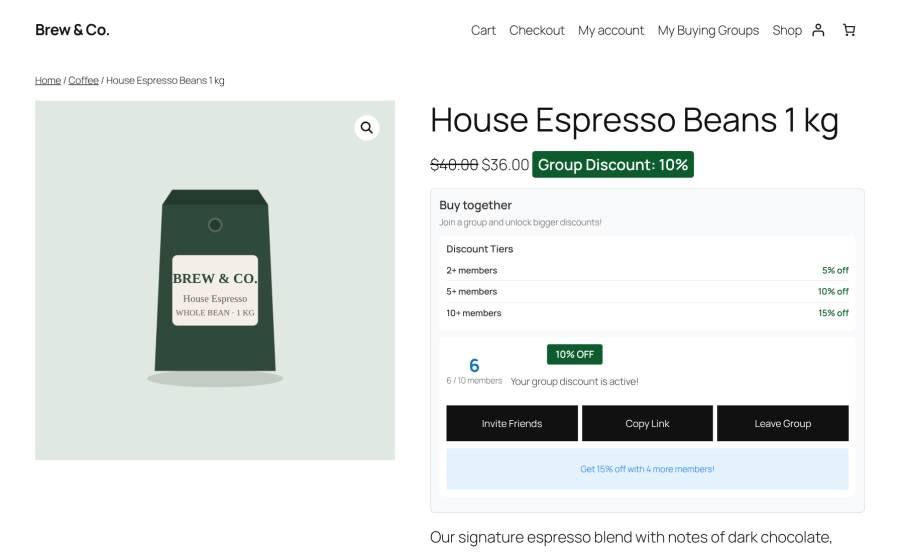
Set multiple discount tiers for each product. For example, offer five percent off when a group reaches two members and 10 percent off when it reaches five members. Customers can see the current discount and the membership needed to unlock the next tier.
  • Configure discount tiers per product.
  • Support simple and variable products.
  • Apply group discounts directly to the cart item price.
  • Preserve pricing from compatible extensions, including product add-ons.

WooCommerce group buying widget displaying group pricing and tiered discounts on a product page

Create or join a Buying Group

Customers can start a new buying group or join an existing group directly from the product page. Each group gives shoppers a way to work together toward a shared discount.
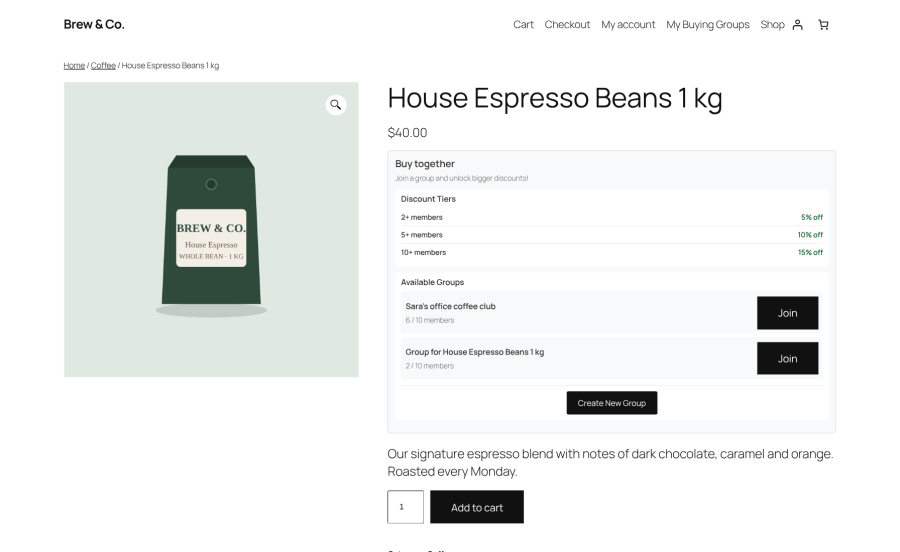
Group Buying Power product page showing available buying groups and options to join or create a group

Invite friends with shareable links and email

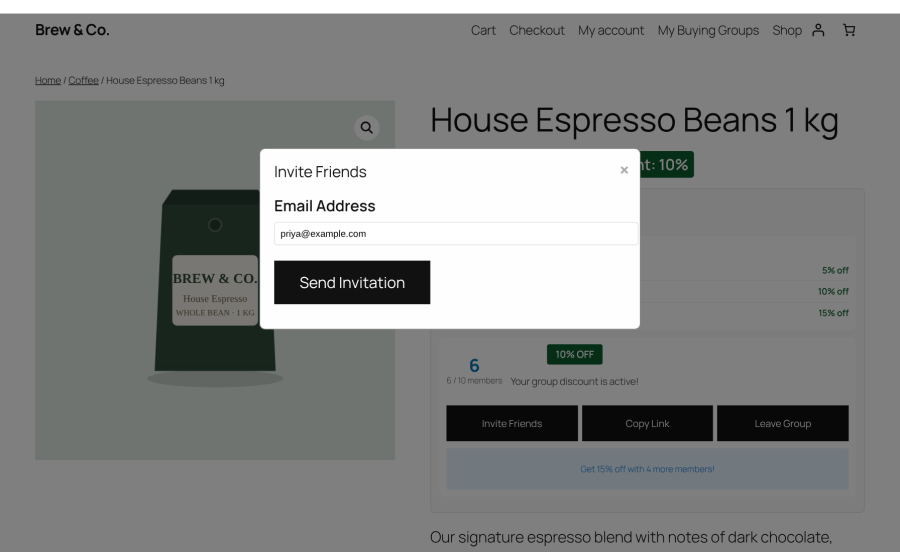
Every group has a shareable invitation link. Members can also send email invitations from the product page widget to bring more shoppers into the group.
  • Share group invitation links.
  • Invite friends by email.
  • Limit invitation email frequency to help prevent abuse.
  • Notify members when someone joins or a discount tier is unlocked.

Group Buying Power email invitation form for inviting friends to join a WooCommerce buying group

Automatic cart and checkout discounts

When a buying group qualifies for a discount, the reduced price carries into the cart and checkout. Customers do not need to apply a separate coupon to receive the group price.
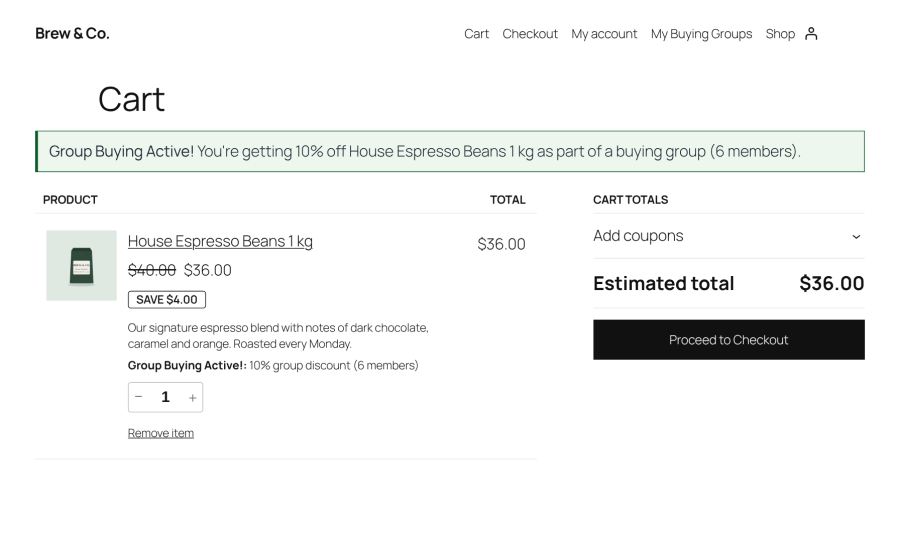
  • Apply group discounts directly to the product price.
  • Keep product, cart, and checkout pricing consistent.
  • Support classic and block-based carts and checkout.

WooCommerce block cart displaying a product with its group buying discount applied

My Buying groups

Customers can view the buying groups they belong to and check their current group discounts from one place.
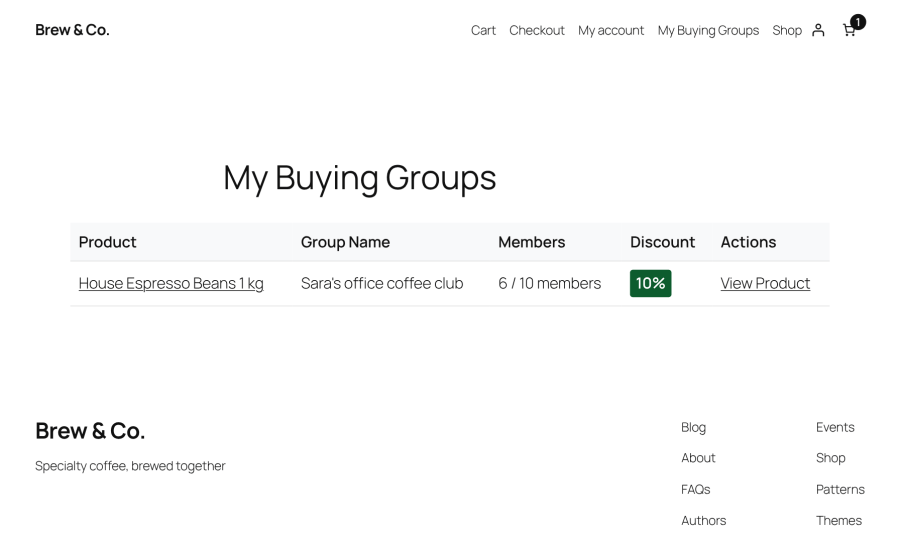
My Buying Groups dashboard listing customer products, groups, membership counts, and discounts

Configure product discount tiers

Enable group buying in the product settings and configure the group sizes and discount percentages that suit your store’s pricing strategy.
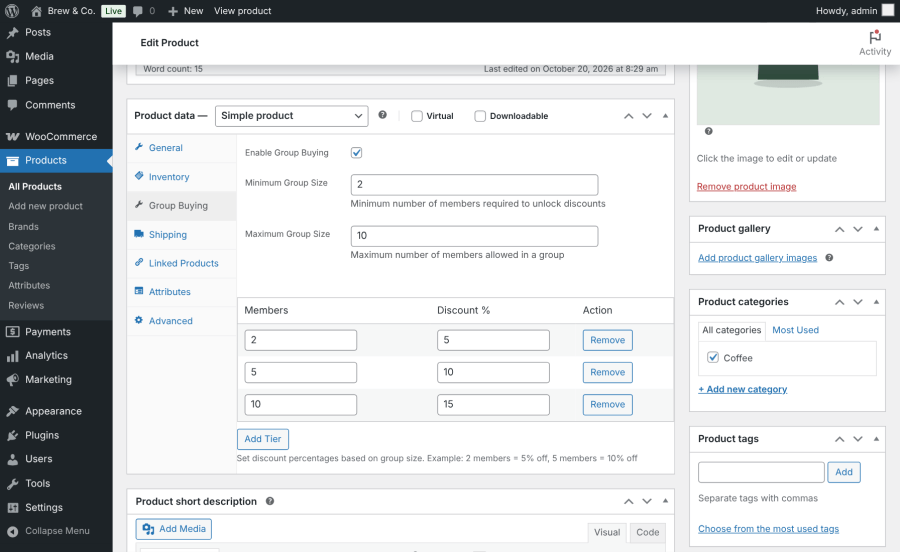
WooCommerce product data settings for enabling group buying and configuring product discount tiers

Manage groups from the dashboard

View buying groups, their products, creators, members, and statuses from the administration dashboard. Activate, deactivate, or delete groups in bulk.
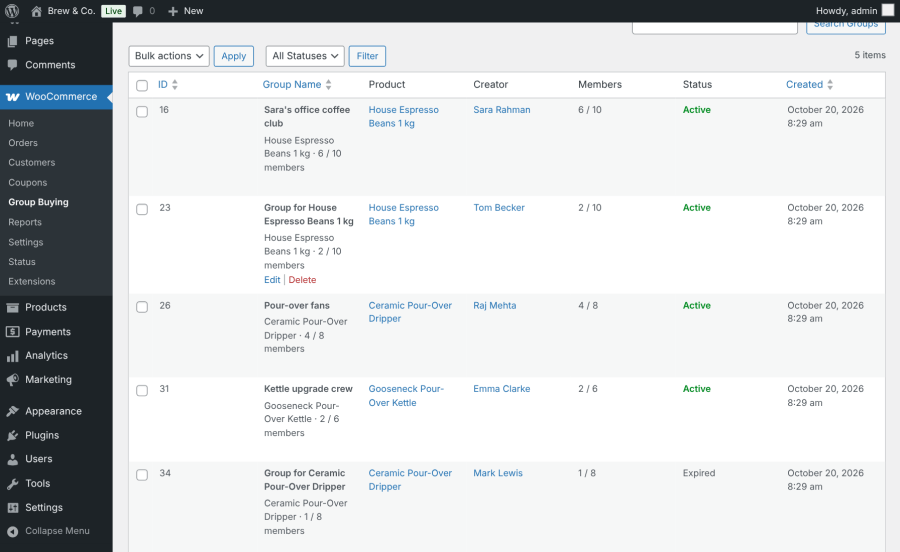
Group Buying Power admin dashboard listing buying groups, products, members, and group statuses

Monitor Group activity

Review group, member, and invitation activity from the administration overview.
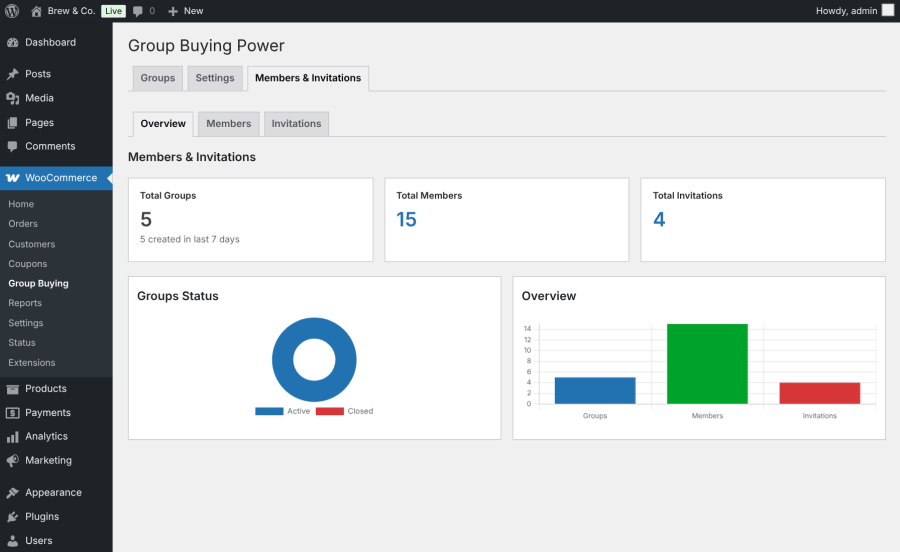
Group Buying Power administration overview showing buying group, member, and invitation statistics

Track invitations

View invitation records, senders, statuses, and expiry dates to keep track of group invitations.
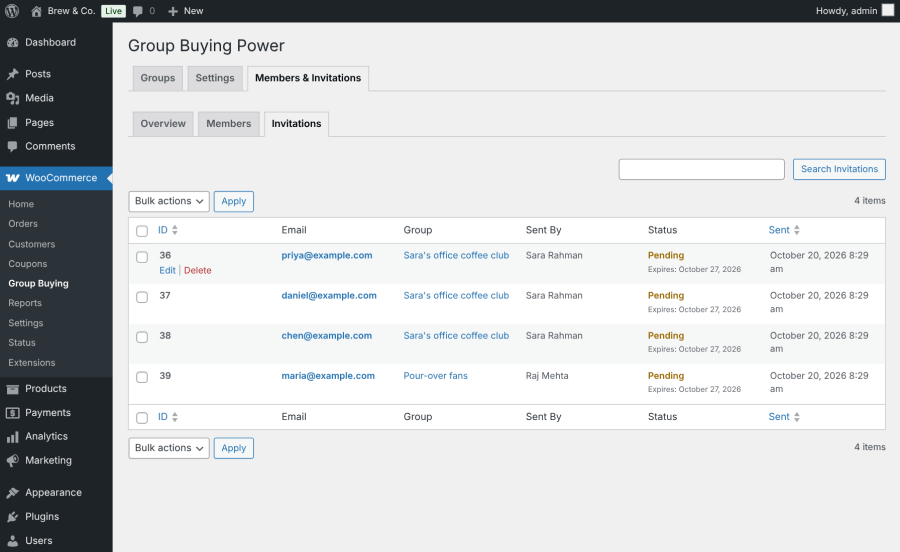
Group Buying Power admin invitation list showing invitation senders, statuses, and expiry dates

Customize the Group Buying widget

Match the widget to your store’s design by adjusting colors, buttons, spacing, font sizes, corners, and labels. Shortcodes let you display supported group buying features on other pages.
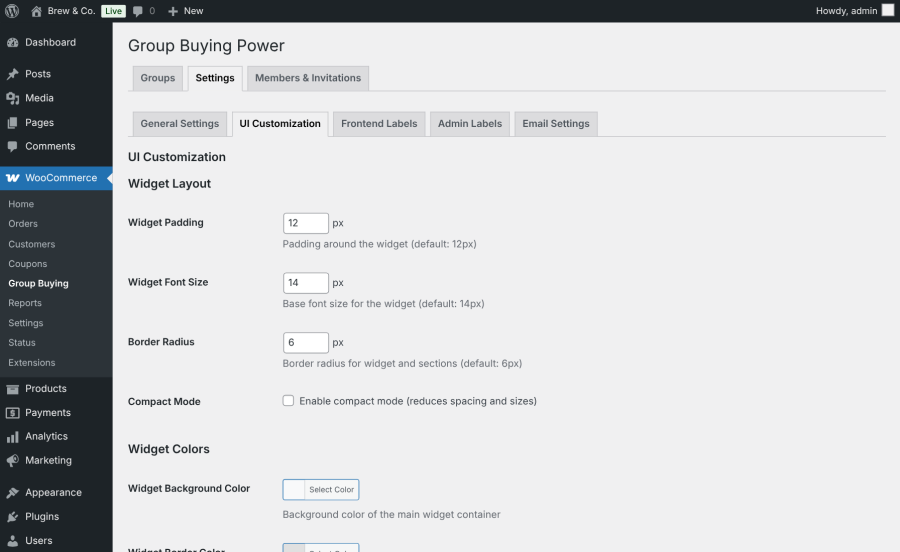
Group Buying Power widget customization settings for colors, buttons, spacing, typography, and corners

Group expiry and general settings

Configure default group sizes, store-wide discount adjustments, and group expiry. Expired groups stop accepting members and no longer qualify for group discounts.
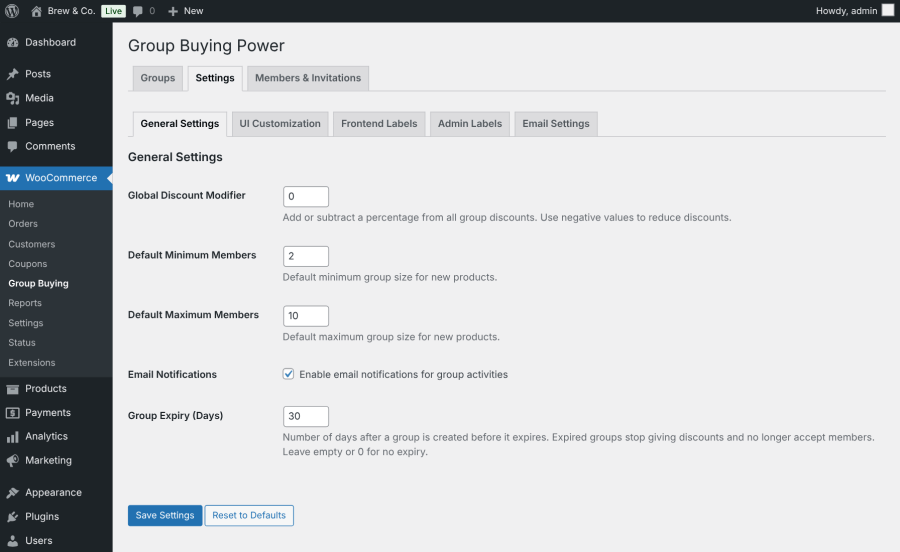
Group Buying Power general settings for default group sizes, discount adjustments, and group expiry

Automatic email notifications

Keep customers informed with automatic email notifications for invitations, group activity, and discount milestones.
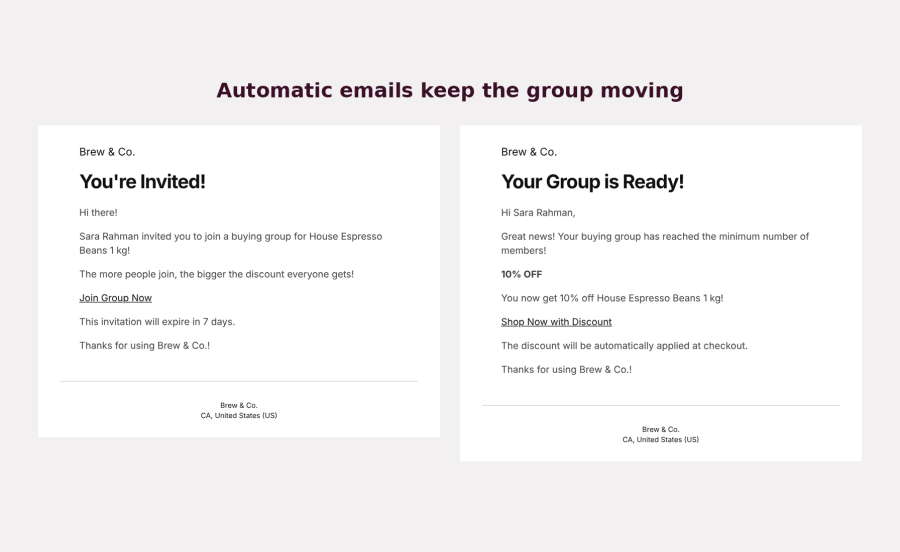
Group Buying Power email notification examples for invitations and group discount milestones

Key features of Group Buying

  • Customer-created buying groups. Let shoppers start a new buying group or join an existing group directly from the product page.
  • Tiered group discounts. Configure multiple discount levels for each product based on group size. Customers can see the current discount and how many more members are needed to unlock the next tier.
  • Shareable invite links and email invitations. Give every group a shareable invitation link and let members invite friends by email. Built-in rate limits help prevent invitation abuse.
  • Automatic cart and checkout pricing. Apply group discounts directly to the product price so the discount carries through to the cart and checkout. Compatible product add-on pricing is preserved.
  • Configurable group expiry. Set how long groups remain open. Expired groups stop accepting members and no longer qualify for group discounts.
  • Automatic email notifications. Keep members informed about group creation, new members, invitations, and unlocked discount tiers with WooCommerce-style email notifications.
  • Centralized group management. View buying groups, members, and invitations from the administration dashboard. Activate, deactivate, or delete groups in bulk.
  • Shortcodes for flexible placement. Display group buying widgets, product groups, and customer group lists on supported pages using [gbp_group_widget], [gbp_product_groups], and [gbp_my_groups].
  • Customizable widget design. Adjust colors, buttons, spacing, font sizes, corners, and labels to match your store’s branding. Use compact mode for tighter layouts.
  • Responsive, dynamic group widgets. Provide a mobile-friendly interface that updates group status without requiring a full page reload.

Turn customers into Group buyers

Give shoppers a reason to invite friends, build buying groups, and unlock better prices together. Group Buying Power helps your WooCommerce store encourage referrals, reward group purchases, and manage tiered discounts in one place.


Frequently asked questions

What is group buying in WooCommerce?

Group buying allows multiple customers to purchase the same product together to unlock lower prices. With Group Buying Power, the discount increases as more customers join a buying group.

How do customers create or join a buying group?

Customers can create a new group or join an existing group directly from the product page.

Can I set different discount tiers for each product?

Yes. You can configure multiple discount tiers for each product based on the number of group members.

How do customers invite friends to a group?

Each group has a shareable invitation link. Members can also invite friends by email through the group buying widget.

When is the group discount applied?

The discount is applied automatically to the product price when the group qualifies for a configured discount tier. The discounted price carries through to the cart and checkout.

What happens when a group expires?

When a group reaches its configured expiry, it stops accepting new members and no longer qualifies for group discounts.

Does Group Buying Power support variable products?

Yes. The plugin supports both simple and variable WooCommerce products.

Can I customize the group buying widget?

yes. You can customize colors, buttons, spacing, font sizes, corners, and labels to match your store's design.

Extension information

  • PHP version required: 7.4
  • Tested with WordPress: 7.1
  • Tested with WooCommerce: 11.2.1
  • Requires at least WordPress: 5.8
  • Requires at least WooCommerce: 5.0

Countries

  • Worldwide
Use of your personal data
We and our partners process your personal data (such as browsing data, IP Addresses, cookie information, and other unique identifiers) based on your consent and/or our legitimate interest to optimize our website, marketing activities, and your user experience.