

Subscription includes
Support
Shoppers trust real photos and videos from other buyers more than any product description. The trouble is that most customers never come back to leave a review, and the ones who do usually write a line of text and leave.
The Customer Reviews for WooCommerce plugin fixes both problems. Customers can attach photos and videos to their reviews and ask questions on the product page. Automated reminder emails bring buyers back after their order, and a unique discount coupon gives them a reason to share their experience. AI moderation built on OpenAI can approve reviews for you, so you spend less time in the review queue.
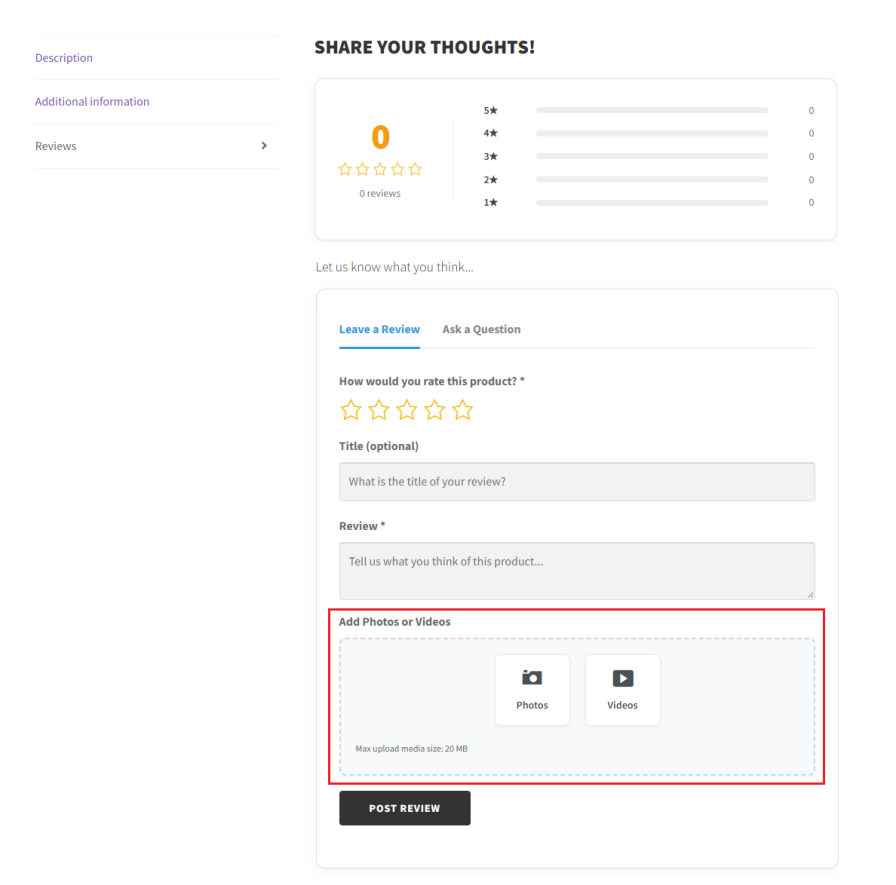
Text reviews only tell part of the story. With photo reviews for WooCommerce, customers can upload photos and videos with their reviews, so new shoppers can see how a product actually looks and works.
You can set a maximum file size for uploads to keep your storage under control. To make sure every review includes visual proof, require at least one photo or video before a review can be submitted.
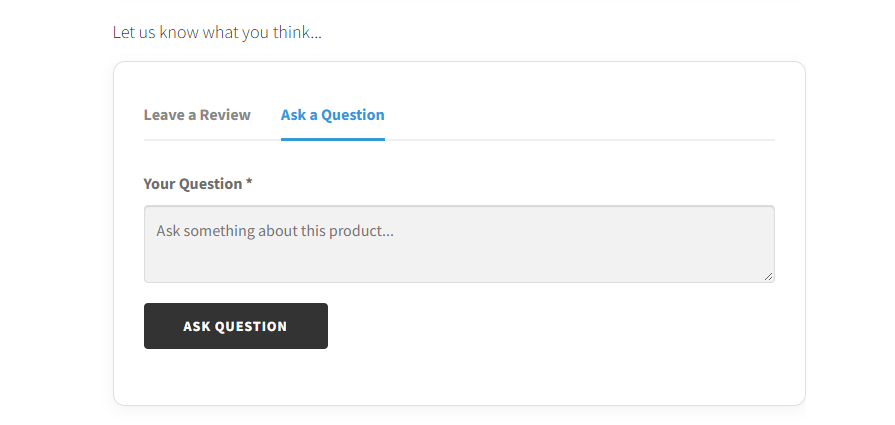
Add a separate Ask a Question tab to your product pages so shoppers can get answers before they buy. Questions stay on the product page, where future shoppers with the same doubts can read them.
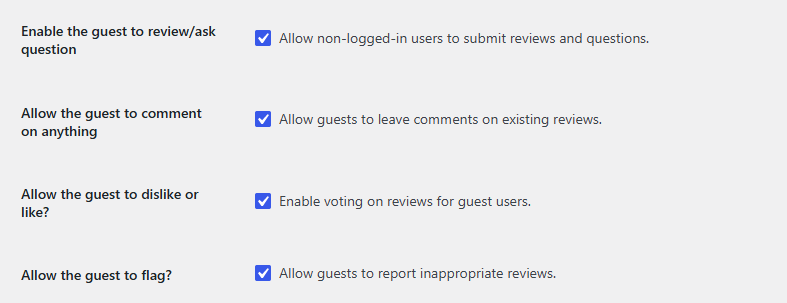
Not every buyer creates an account. You can let guest users submit reviews and questions, comment on existing reviews, like, or dislike reviews, and flag inappropriate content. Each option can be turned on or off separately, so you decide exactly how much guests can do.
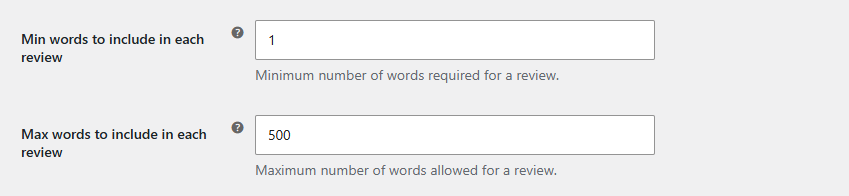
Set a minimum and maximum word count for reviews. A minimum filters out one-word reviews that tell shoppers nothing, and a maximum keeps reviews easy to read.
You can also choose which order statuses make purchased products available for review from the customer’s My Account section, so customers only review products they have actually received.
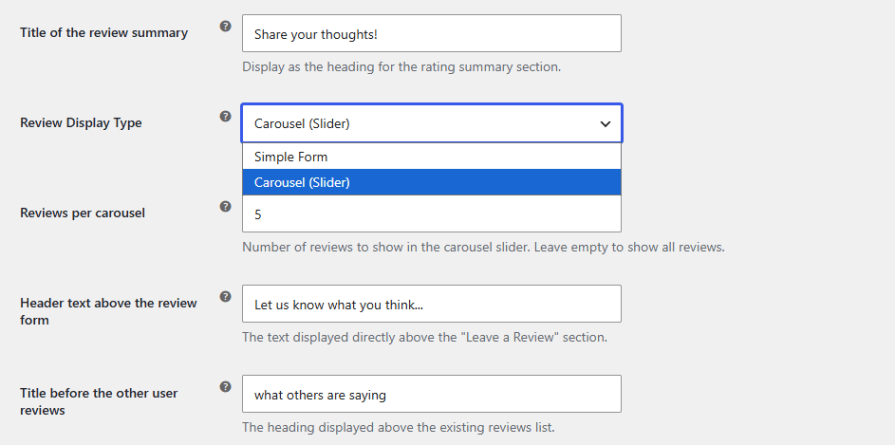
Unlike the default WooCommerce reviews, this product reviews plugin for WooCommerce lets you control how reviews look. Show them as a standard list with pagination, or as a carousel slider customers can scroll through, and set how many reviews appear per page or per slide.
A rating summary with progress bars shows how many reviews each star rating received. You can change the colors of the progress bars and stars, rename the reviews tab, and edit the headings above the review form and the reviews list. You can also write the success message customers see after they submit a review.
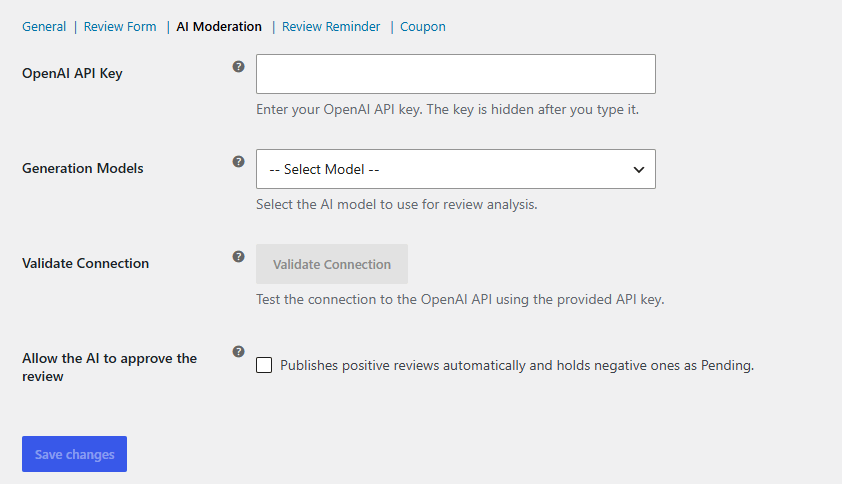
Connect the plugin to OpenAI with your API key and choose a model, including GPT-3.5 Turbo, GPT-4, GPT-4 Turbo, GPT-4o Mini, and GPT-4o. Use the Validate Connection button to confirm everything is working.
Turn on AI approval to have each review scored automatically. Reviews at or above your approval threshold are published right away, and the rest are held as Pending for you to check manually. You only need to look at the reviews that need your attention.
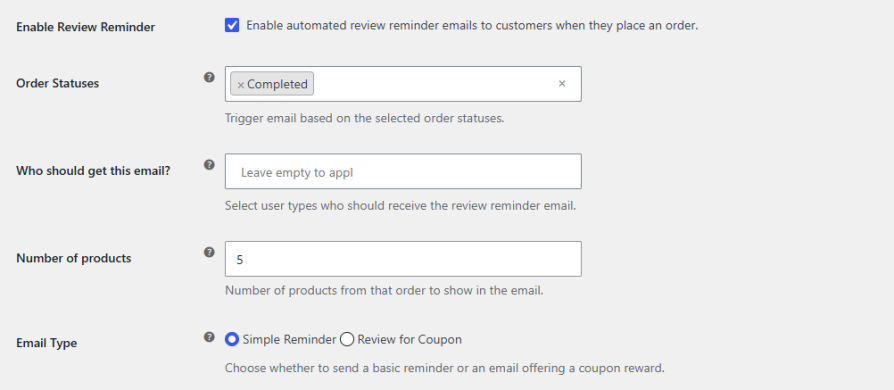
Bring customers back to review their purchase with automated reminder emails. Choose which order statuses trigger the email, which user types receive it, and how many products from the order it shows. Pick a simple reminder that asks for a review, or a review-for-coupon email that offers a discount in return. You can customize the subject, heading, content, header colors, and review button.
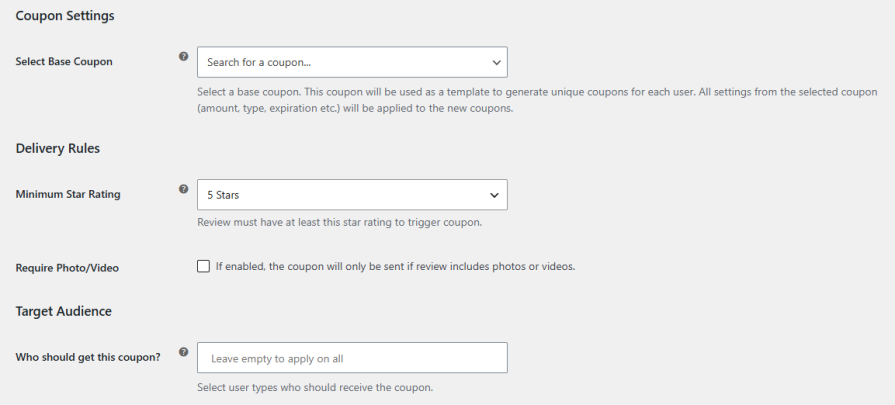
Choose any existing WooCommerce coupon as a template, and the plugin generates a unique coupon for each reviewer. The template’s amount, discount type, and expiry carry over to every new coupon.
Set delivery rules to decide which reviews earn a coupon, such as reviews that include a photo or video. You can also limit coupons to specific user types. The coupon email is fully customizable and supports placeholders for the customer name, product name, and coupon code.
It adds photo and video reviews, a question and answer tab, automated review reminder emails, coupon rewards for reviewers, and AI moderation to your store.
Yes. Customers can attach photos and videos to their reviews, and you can set the maximum file size for uploads.
Yes. When this option is on, customers must upload at least one photo or video to submit a review.
Yes. You can let guest users submit reviews and questions. You can also choose whether guests can comment, vote on reviews, and flag content.
Yes. AI moderation needs an OpenAI API key. You can choose the model and test the connection from the plugin settings.
They are held as Pending so you can review them manually and decide whether to publish them.
Yes. The plugin generates a unique coupon for each reviewer, based on the base coupon you select.
Categories
Quality Checks
Countries