
Variation Monster for WooCommerce offers a unique feature that allows you to replace the default Add to Cart button on the single product page with a beautiful, fully functional Variation Table. This is especially useful for bulk purchasing and wholesale stores.
With AJAX-based add to cart, customers can add multiple variations to the cart at once—without reloading the page—saving time and reducing repeated add-to-cart actions.
How This Feature Works
↑ Back to top- The standard WooCommerce Add to Cart section is replaced
- A Variation Table is displayed instead
- Customers can select quantities for multiple variations
- All items are added to the cart in a single action via AJAX
This creates a faster and more efficient buying experience.
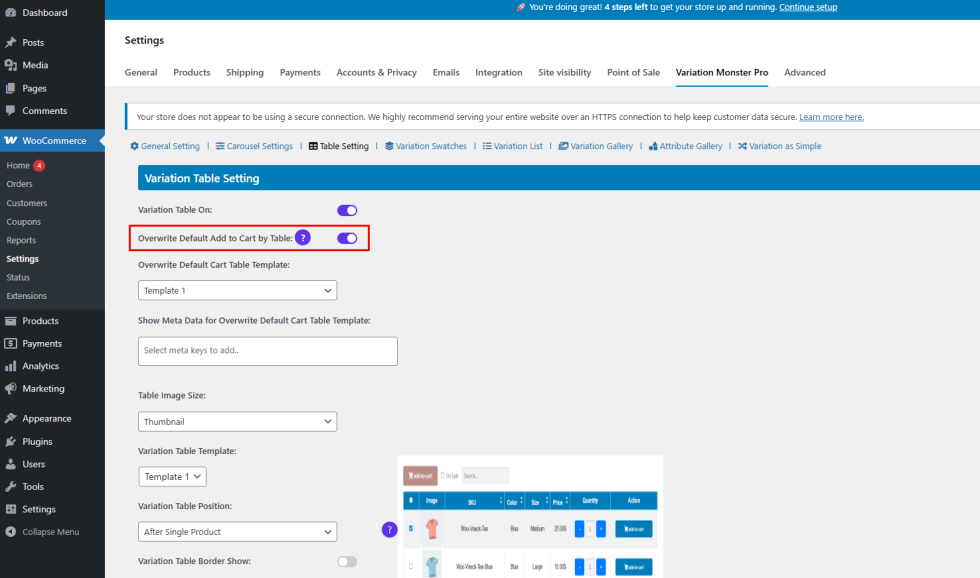
Step 1: Enable Table Override Globally
↑ Back to top- Go to WooCommerce → Settings → Variation Monster
- Open Table Settings
- Enable Overwrite Default Add to Cart by Table
- Save the settings
Step 2: Enable the Feature for Specific Products
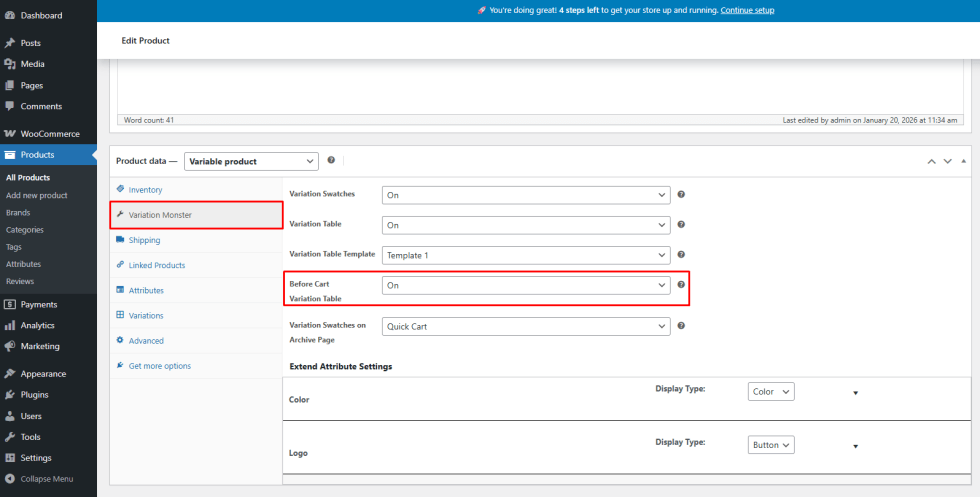
↑ Back to top- Edit the product you want to apply this feature to
- Open the Variation Monster tab under Product Data
- Enable Before Cart Variation Table
- Update the product
This ensures the feature applies only to selected products.
Frontend Result
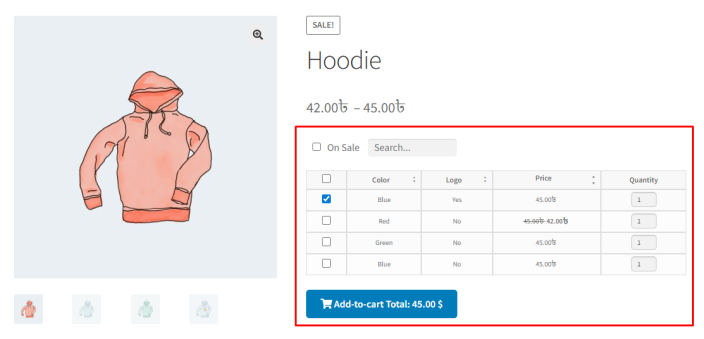
↑ Back to topAfter configuration:
- The WooCommerce Add to Cart button is replaced
- The Variation Table appears on the single product page
- Customers can bulk add variations using AJAX
- The page remains fast and user-friendly
Benefits
↑ Back to top- Ideal for wholesale and bulk buyers
- Fewer clicks and faster checkout
- Cleaner product page layout
- Unique and powerful WooCommerce enhancement