
Variation Monster allows you to configure variation swatches directly from the Edit Product page, giving you full product-level control without changing global attribute settings.
Access the Variation Monster Tab
↑ Back to top- Go to Products → Edit Product.
- Under the Product Data section, you’ll find a dedicated Variation Monster tab.
- Open this tab to view all attributes and their terms assigned to the current product.
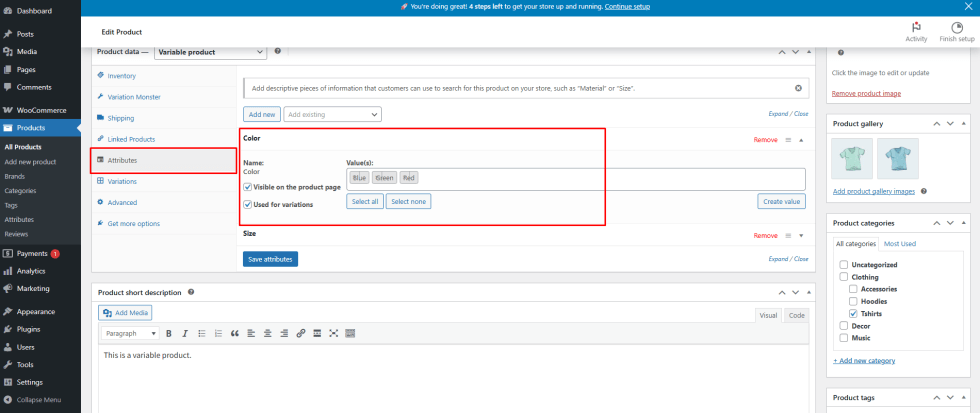
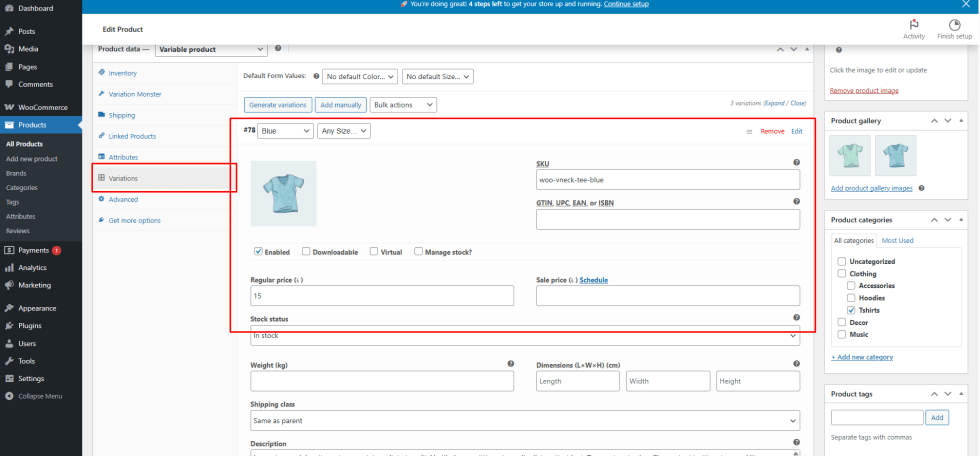
Step 1: Set Up Product Variations
↑ Back to topBefore customizing swatches:
- Make sure the product is set as a Variable Product
- Add the required attributes
- Create and update variations
This step is required for the swatch options to appear correctly.
Step 2: Choose Display Type per Attribute
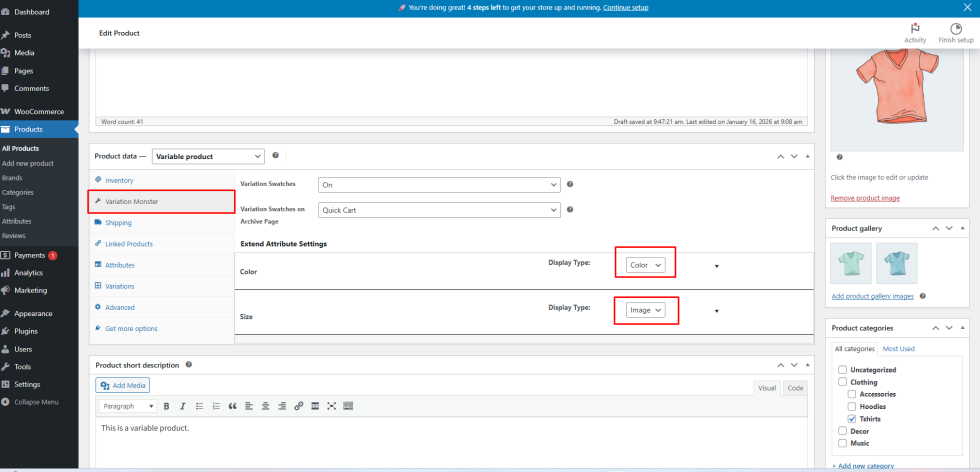
↑ Back to topInside the Variation Monster tab:
- Each attribute can be individually configured
- Select how you want the attribute to display:
- Color
- Image
- Radio
- Button
- Default Select (WooCommerce dropdown)
These settings apply only to the current product, allowing you to override global swatch behavior.
Step 3: Configure Attribute Terms
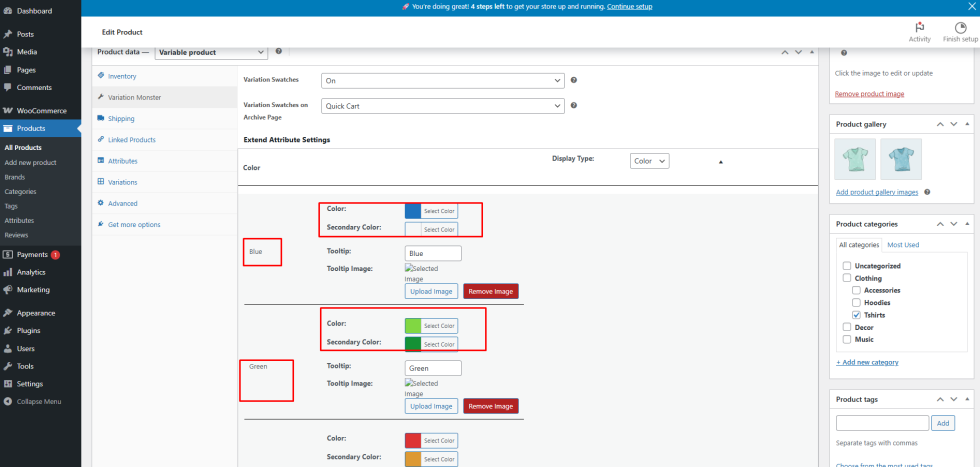
↑ Back to topAfter choosing the display type:
- Click the dropdown to see all terms under each attribute
- Update the term settings based on the selected type
For example:
- Color: Assign the correct primary (and optional secondary) color
- Image: Upload or select the appropriate image for each term
- Radio / Button: No extra setup is needed—terms will display automatically
Make sure to match the term configuration with the selected display type for the best visual result.
Step 4: Save and Preview
↑ Back to topOnce everything is configured:
- Update the product
- View the product on the single product page
- Swatches will also appear on shop and archive pages, if enabled. One thing in the shop page works with the button, color, and image, but does not work with select options or radio.
Result
↑ Back to topWith per-product swatch control, Variation Monster gives you the flexibility to tailor variation displays for individual products, ensuring better presentation, clarity, and a smoother shopping experience.