
Variation Monster for WooCommerce gives you full control over the meta data displayed in the Variation List, allowing you to show only the information that best fits your store’s layout and customer needs.
Available Meta Data Options
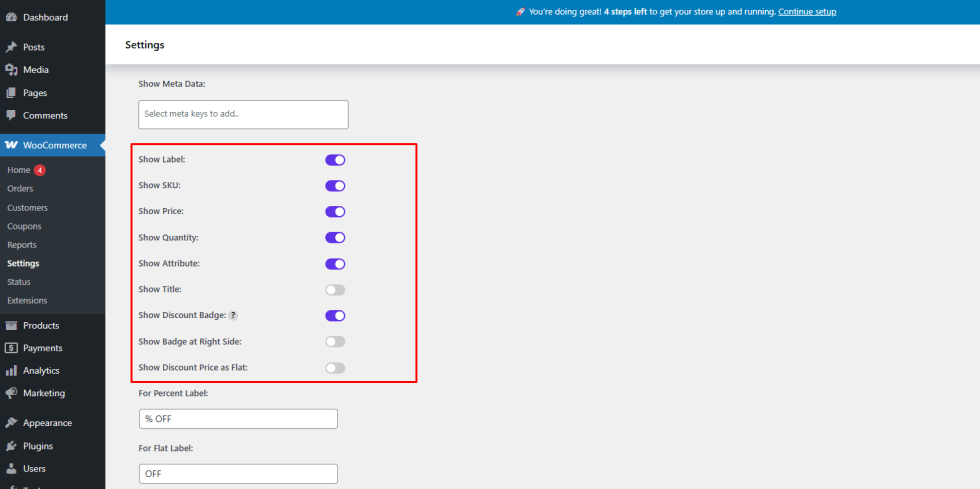
↑ Back to topIn the Variation List, you can easily show or hide the following default meta data:
- SKU
- Price
- Quantity
- Attributes
- Product Title
This flexibility helps you design a clean and focused variation list based on your store requirements.
How to Configure Meta Data Visibility
↑ Back to top- Go to WooCommerce → Settings → Variation Monster
- Open the Variation List section
- Enable or disable the meta data options you want to display
- Save the settings
The Variation List will update automatically based on your configuration.
Frontend Result
↑ Back to topAfter configuration:
- Only the selected meta data appears in the variation list
- The layout remains clean and easy to scan
- Customers can quickly review variations and make selections
Benefits
↑ Back to top- Fully customizable variation list layout
- Improved readability and usability
- Better shopping experience for customers