
Instalaciones activas
400+
La suscripción incluye
Ayuda y soporte
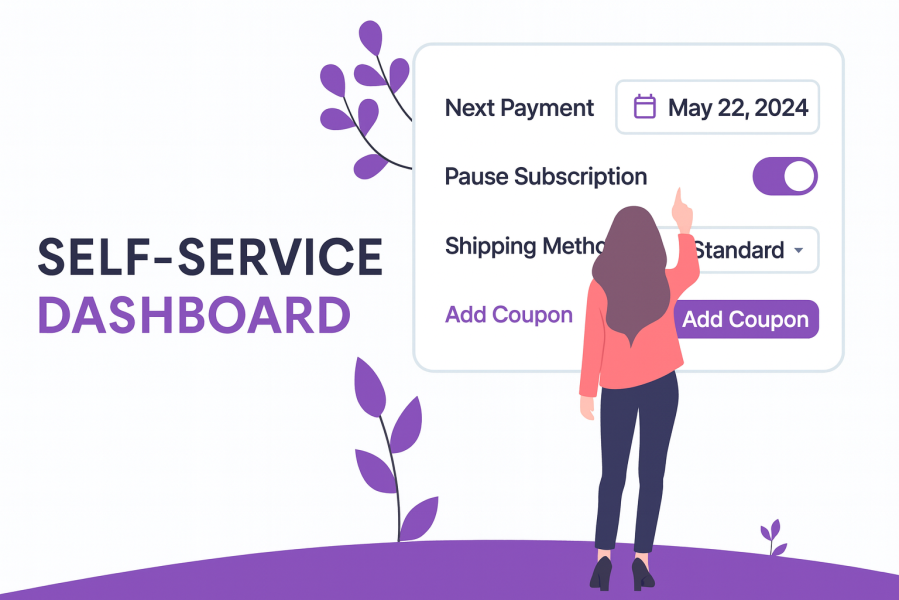
Running a successful subscription business isn’t just about acquiring customers; it’s about keeping them. When subscribers feel locked in or frustrated by a lack of flexibility, they cancel. With the Self-Service Dashboard for WooCommerce Subscriptions, you put the power back in their hands, letting them manage their own subscriptions without ever needing to contact support.
Take a specialty coffee subscription box as an example. A customer going on a two-week trip doesn’t want to receive and pay for a box they won’t be home to enjoy. Instead of submitting a support ticket and waiting for a reply, they can simply log in and pause their subscription until they’re back. Another customer wants to try a new roast; they can swap their product variation themselves in seconds. Someone who just stocked up wants to push their next payment date back — done, without any back-and-forth with your team.
The result? Fewer cancellations, fewer support tickets, and customers who feel valued rather than trapped.
With the Self-Service Dashboard, your subscribers can:
Perfect for: meal kit and food delivery subscriptions, supplement and wellness box stores, pet supply subscriptions, beauty and skincare boxes, coffee and beverage subscriptions, digital product subscriptions, and any WooCommerce store looking to reduce subscription churn and cut support overhead without adding headcount.
Every time a customer needs to change their next payment date, swap a product, or pause their subscription, they have two options: open a support ticket or manage it themselves. The Self-Service Dashboard makes the second option effortless. When customers can handle routine subscription changes on their own, your support team is freed up to focus on issues that actually need a human. Stores using the plugin typically see a significant drop in subscription-related support volume within weeks of going live.
Customers don’t always cancel because they’ve lost interest in your product. More often, they cancel because a payment date doesn’t work, a delivery is inconvenient, or they need a short break. The Self-Service Dashboard gives subscribers the tools to adapt their subscription to their life rather than cancel it — pausing, rescheduling, and modifying from their account page. The result is a measurable reduction in avoidable churn and a higher Customer Lifetime Value across your subscriber base.
Did you know that “Acquiring a new customer can cost five times more than retaining an existing customer? Increasing customer retention by 5% can increase profits from 25-95%. The success rate of selling to a customer you already have is 60-70%, while the success rate of selling to a new customer is 5-20%.” source
Self-service Dashboard for WooCommerce Subscriptions is fully integrated with Product Bundles and Composite Products plugins, allowing customers to not just manage their subscriptions but also edit the contents of their subscription boxes. Customers can add, remove, or swap items in their box from their own account page — no tickets, no delays, no friction. This is particularly valuable for subscription box businesses where variety and personalisation drive retention.
The Self-Service Dashboard keeps your subscribers happy and reduces churn. But first, you need to convert your one-time buyers into subscribers.
Buy Once or Subscribe for WooCommerce Subscriptions lets you offer both a one-time purchase option and a subscription plan on the same product page — without duplicate listings or complex setups. Customers who aren’t ready to commit can still buy, while those looking for recurring value can subscribe, with a built-in discount to make the choice even easier.
Together, the two plugins cover everything:
Enhance your subscription store by combining Buy Once or Subscribe and the Self-service Dashboard.
Buy both plugins together and get 10% OFF!
If the next payment date doesn’t work for a customer, they can reschedule it to any date within the next 30 days — directly from their account page, without opening a support ticket. Fewer billing complaints, fewer cancellations caused by timing, and no manual intervention required from your team.
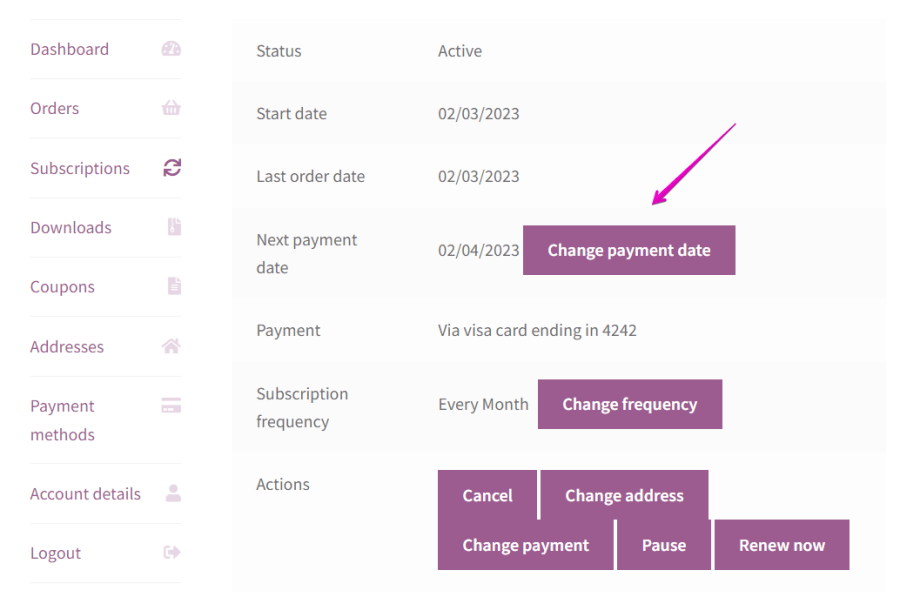
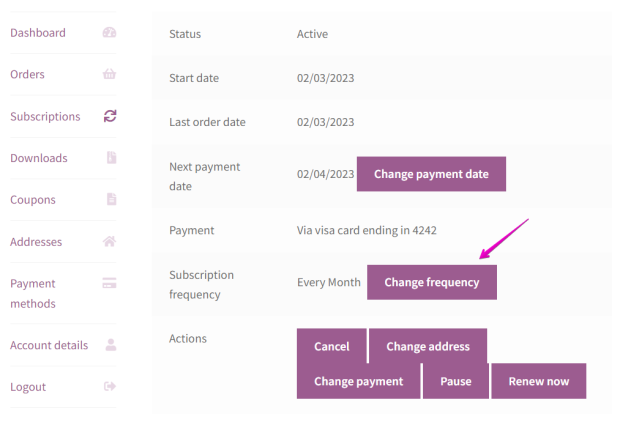
Customers can switch their subscription to any of the frequencies predefined by the shop admin — whether that’s moving from monthly to quarterly or anything in between. Giving subscribers this level of control removes one of the most common reasons people cancel: the feeling that a subscription doesn’t fit their pace.
Customers who are going on holiday, taking a break, or simply overstocked can pause their subscription and choose the exact date they want it to reactivate. The subscription status updates automatically on the set date — no manual reactivation required. This feature alone can recover a significant number of cancellations that would otherwise be permanent
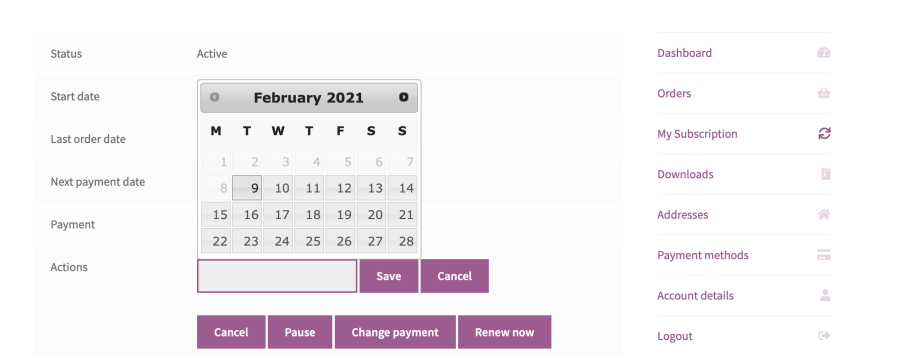
While the subscription is on hold, its status can be seen in the Status field on the Subscription page.
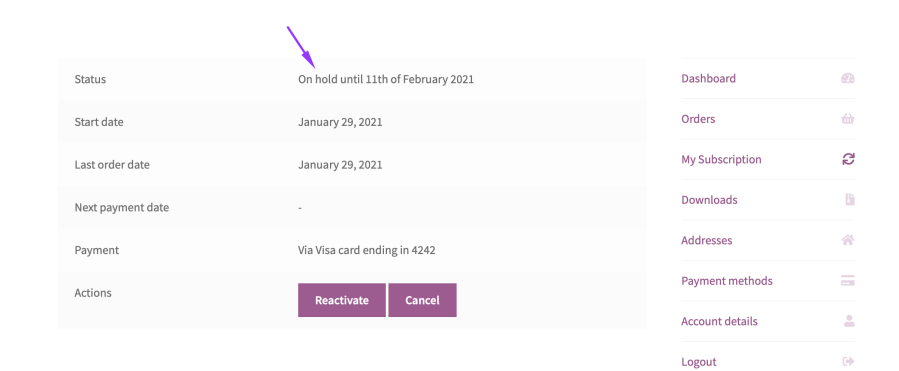
On the specified date set for renewal, the subscription will automatically change its status to Active.
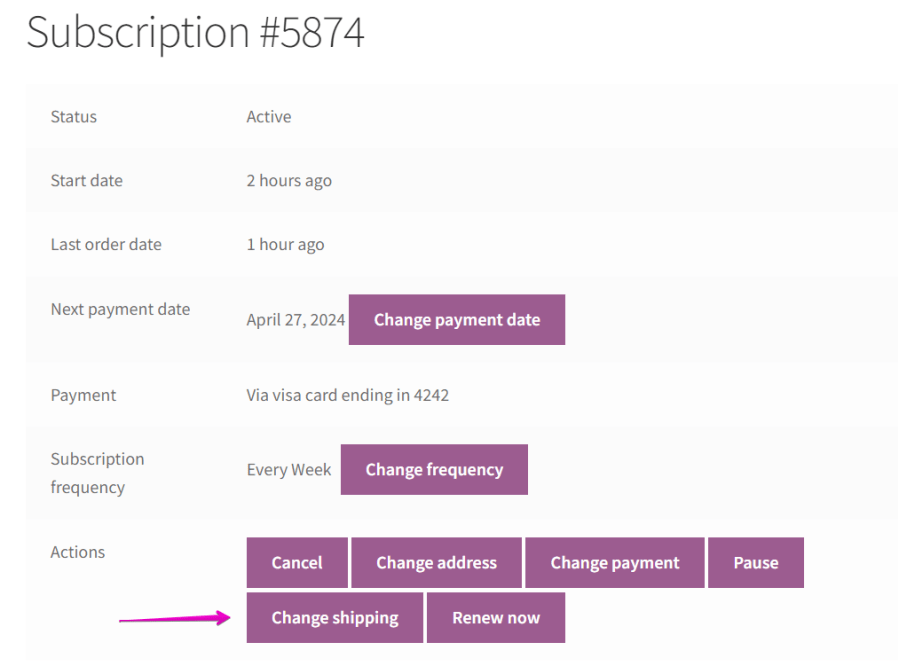
Customers can update their shipping method at any time using the Change Shipping button on their subscription page. This is particularly useful when new shipping options become available, or when customers move and need to switch to a different delivery service — without requiring any back-end intervention from your team.
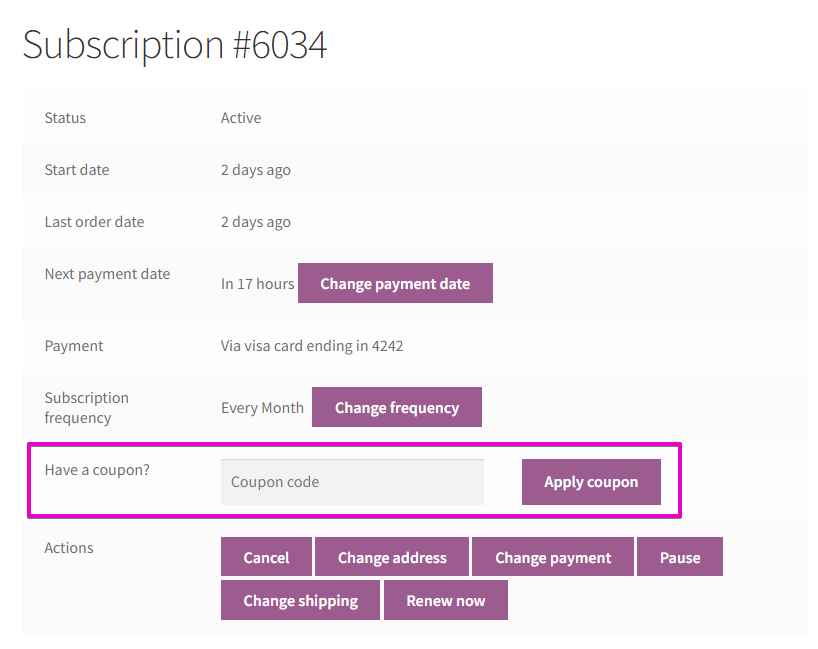
Shop owners can reward loyal subscribers with recurring discount coupons. Customers can apply these directly to an active subscription by entering the coupon code on their subscription page. An easy, self-contained way to run loyalty programmes and reduce churn through targeted incentives — all without custom development or manual order adjustments.
When customers decide they want more products from your store, they can add them to an existing subscription so everything is delivered together. Increasing order value and consolidating deliveries — all driven by the customer themselves, with no support involvement required.
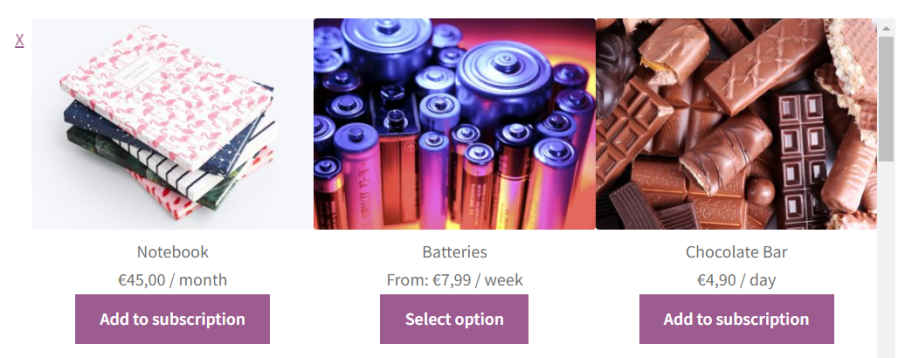
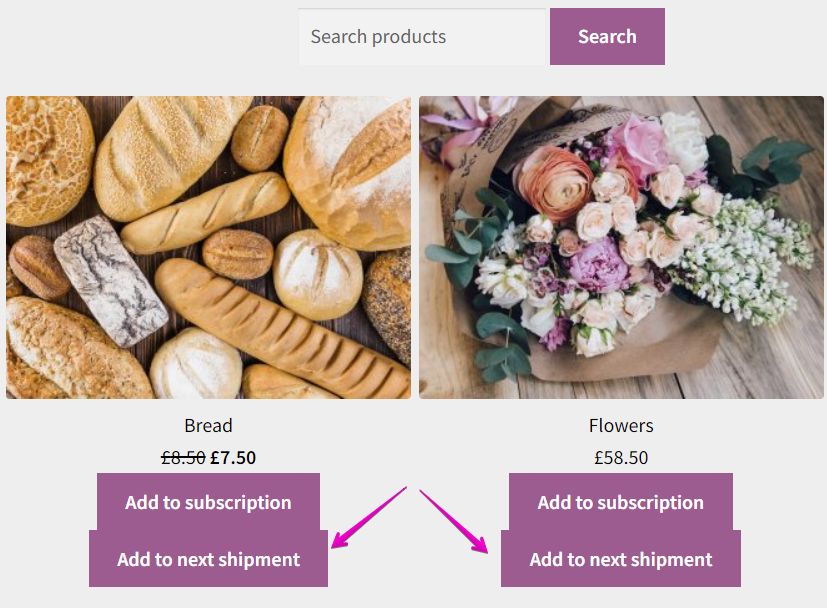
Customers can add a product to their next delivery without subscribing to it on an ongoing basis. The product is automatically removed from the subscription once the renewal order is complete. A great way to let subscribers try new products or add seasonal items without committing to a long-term change.
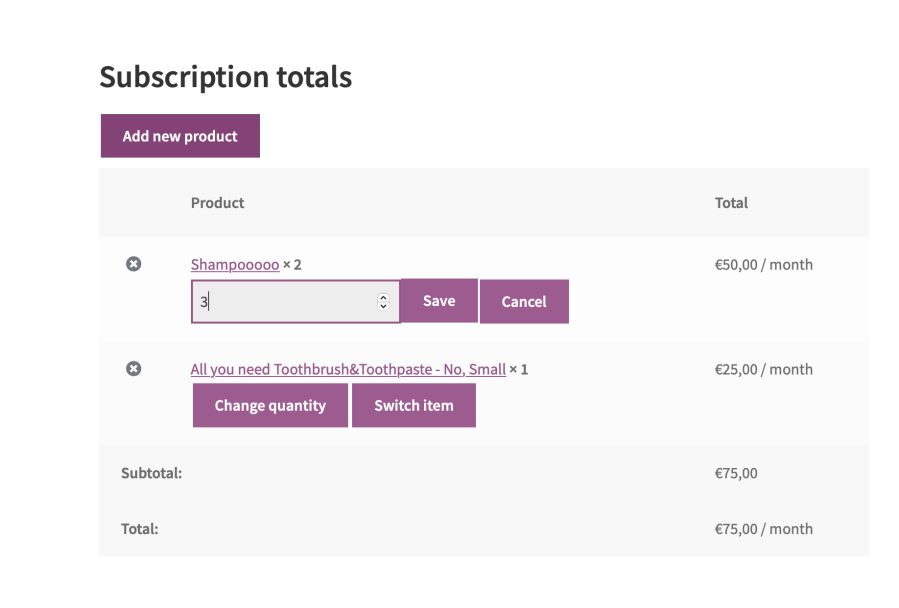
Subscribers can update the quantity of any product on their active subscription at any time. Whether they’re scaling up because they’ve run out faster than expected or scaling back to reduce spend, they can make the change themselves — reducing the likelihood of cancellation due to over- or under-ordering.
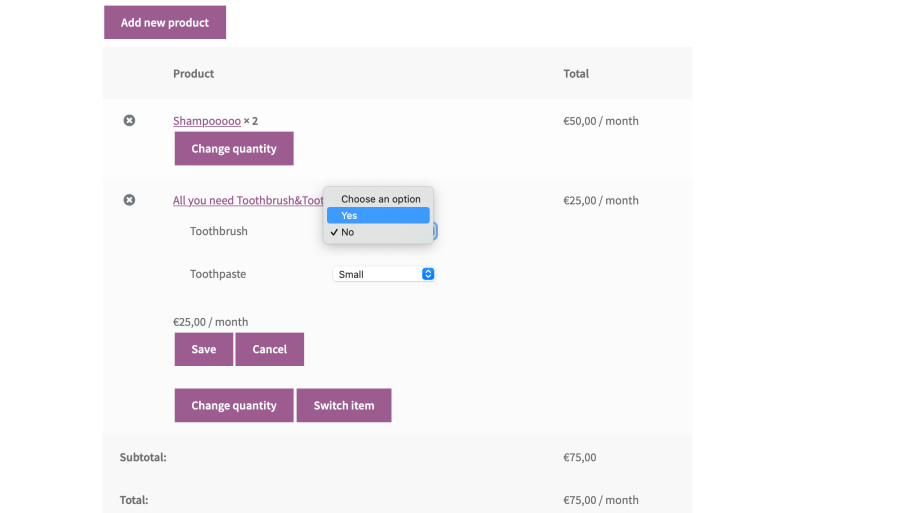
Customers can switch between product variations — such as size, flavour, or colour — by selecting new attributes directly from their subscription page. When a customer’s preferences change, they no longer need to cancel and re-subscribe with a different option. A single click keeps them subscribed and satisfied.
This feature can be useful for shops that have more than one shipping method and offer free shipping after a certain order value. When customers make changes to their subscriptions that can affect the subscription value, they will be prompted to confirm their shipping method based on the updated subscription.
Capture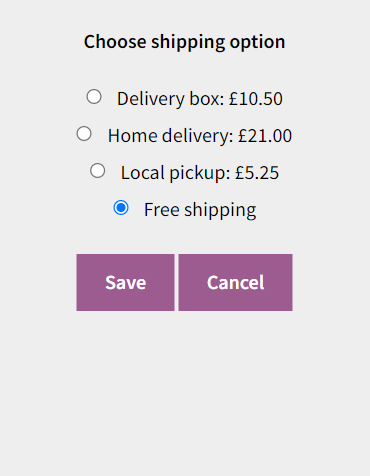
Understanding why customers cancel is one of the most valuable insights a subscription business can have. With the Cancellation Reasons feature, you can define a custom list of cancellation reasons directly from the back-end settings, which are then presented to customers when they choose to cancel a subscription. Instead of losing a subscriber without any context, you gain actionable feedback that helps you identify patterns, improve your offering, and reduce future churn.
Each reason selected by the customer is automatically recorded as a subscription note, keeping your records clean and your team informed — no extra steps required.
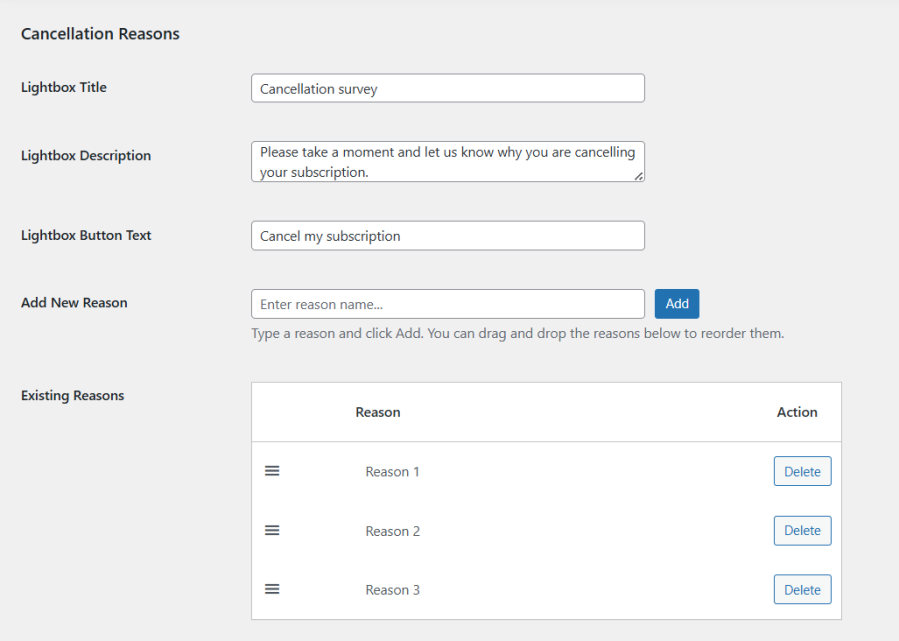
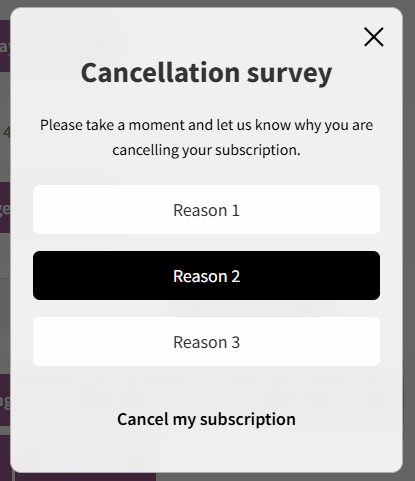
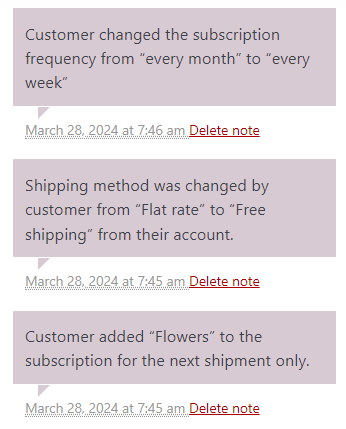
When the plugin is installed all the Self-service Dashboard features will be enabled. You can choose which features to enable/disable by going to WooCommerce → Settings → Self-service Dash→ General settings.
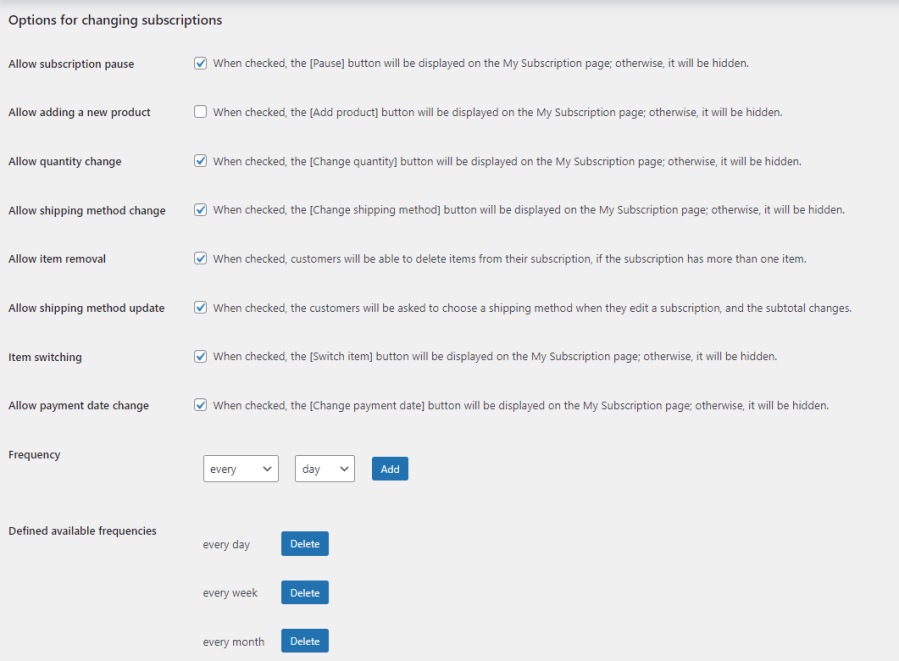
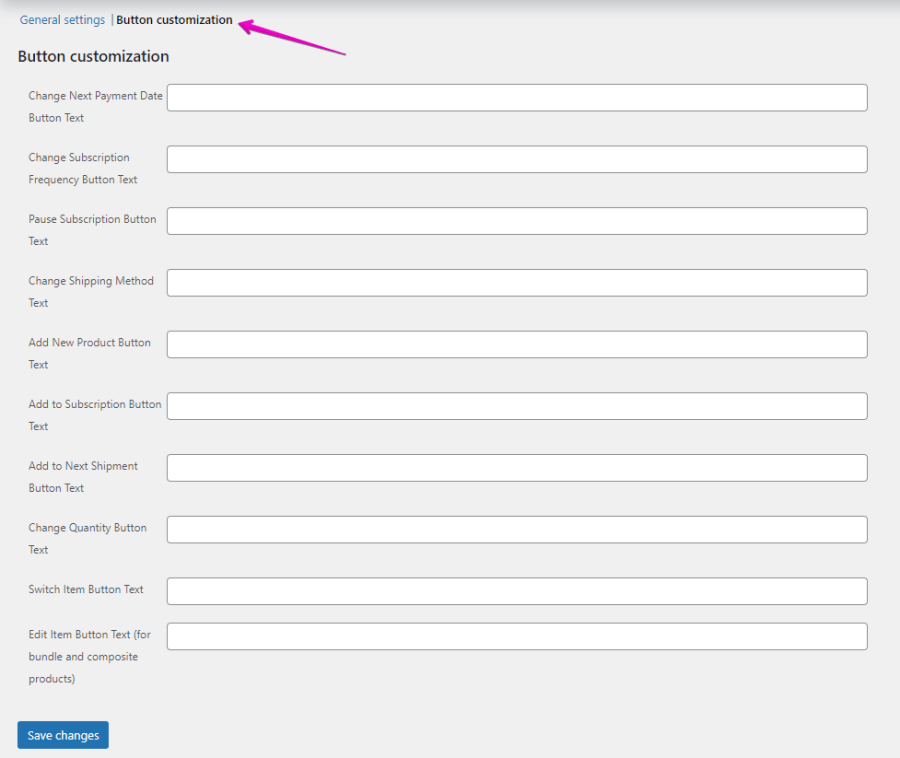
The text for the buttons can also be customized from the back-end settings.
For more information on how to limit a product to a single subscription or limit the product quantity to 1 for each subscription, please check the documentation.
Self-service Dashboard for WooCommerce Subscriptions is compatible with WordPress Multisite and the following add-ons:
Most subscription cancellations aren't caused by a loss of interest — they happen because a payment date is inconvenient, a delivery doesn't fit the customer's schedule, or a subscriber needs a short break. The Self-Service Dashboard gives customers the tools to adapt their subscription rather than cancel it. Features like pause until a specific date, change next payment date, and change subscription frequency directly address the most common triggers for avoidable churn.
Yes. Every feature in the Self-Service Dashboard can be individually enabled or disabled from the back-end settings under WooCommerce > Settings > Self-service Dash > General settings. You can also customise the text on every button to match your store's tone and branding.
Every change a customer makes — including product additions, quantity updates, shipping method changes, frequency adjustments, and cancellation reasons — is automatically recorded as a subscription note in the back end. Your team always has a clear, timestamped record of what changed and when, without any manual logging required.
Yes. Customers can pause their subscription and select the exact date they want it to reactivate. On that date, the subscription status automatically changes back to Active. This is one of the most effective features for recovering cancellations that would otherwise be permanent.
Yes. You can define a custom list of cancellation reasons in the back-end settings. When a customer cancels, they are prompted to select a reason from your predefined list. The selected reason is automatically saved as a subscription note, giving you structured feedback to identify patterns and reduce future churn.
Yes. The plugin is fully integrated with the Product Bundles and Composite Products extensions. This allows customers to not only manage their subscriptions but also edit the contents of their subscription boxes directly from their account page — adding, removing, or swapping items without contacting support.
WooCommerce Subscriptions is the core plugin that enables subscription functionality on your WooCommerce store. The Self-Service Dashboard is an add-on that sits on top of it, giving your customers a user-friendly interface to manage their own subscriptions. Without the Self-Service Dashboard, customers must contact your support team to make changes. With it, they can handle everything themselves.
Yes. The Self-Service Dashboard is fully compatible with Buy Once or Subscribe for WooCommerce Subscriptions. Together, the two plugins cover the full subscriber journey — converting one-time buyers into subscribers with Buy Once or Subscribe, then retaining those subscribers by giving them self-service control with the Self-Service Dashboard. Both plugins can be purchased together at a 10% discount.
Subscribers feel frustrated when they don't have control over simple things they've paid for. The Self-Service Dashboard eliminates that friction by letting customers pause, modify, and manage their subscriptions on their own terms — without writing tickets or waiting for replies. The result is a better user experience, higher satisfaction, and measurably improved retention.
The Self-Service Dashboard requires WooCommerce Subscriptions version 6.0 or higher (sold separately). It is compatible with WooCommerce 9.9 and above, WordPress 6.8 and above, and PHP 7.2 and above. It is rated 4.8 out of 5 stars by verified users.
thanks, appreciated :)
Información de la extensión
Comprobaciones de calidad
Países