

La suscripción incluye
Ayuda y soporte
MCP for WooCommerce by W7S connects your store to AI assistants through the Model Context Protocol (MCP), the open standard for letting tools like Claude and ChatGPT work with outside systems. Ask your AI app or client to pull up an order, update a product price, find a customer, or issue a refund, and it acts on your live store. You set what the assistant can reach and what it is allowed to change.
WooCommerce ships a built-in MCP feature, but on its own it covers a narrow set of operations and takes manual setup. This extension turns that feature on for you and builds it out: one-click connection for Claude Desktop, guided setup for ChatGPT, and a wide set of store operations across orders, products, customers, coupons, refunds, tax, shipping, reports, and more. You stay in control of access through your WooCommerce API keys.
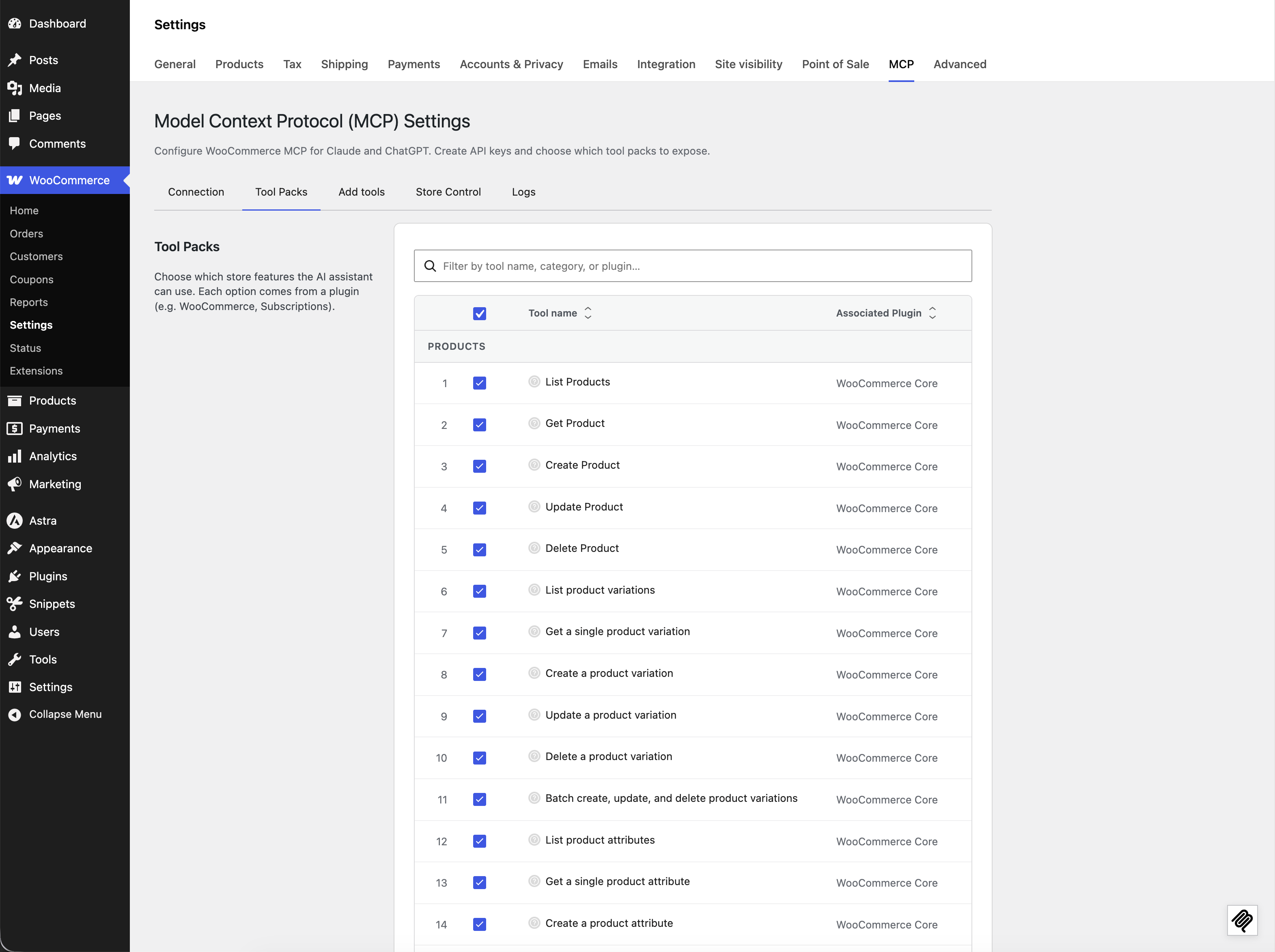
MCP for WooCommerce adds a settings screen at WooCommerce → Settings → MCP and a set of store operations your assistant can call.
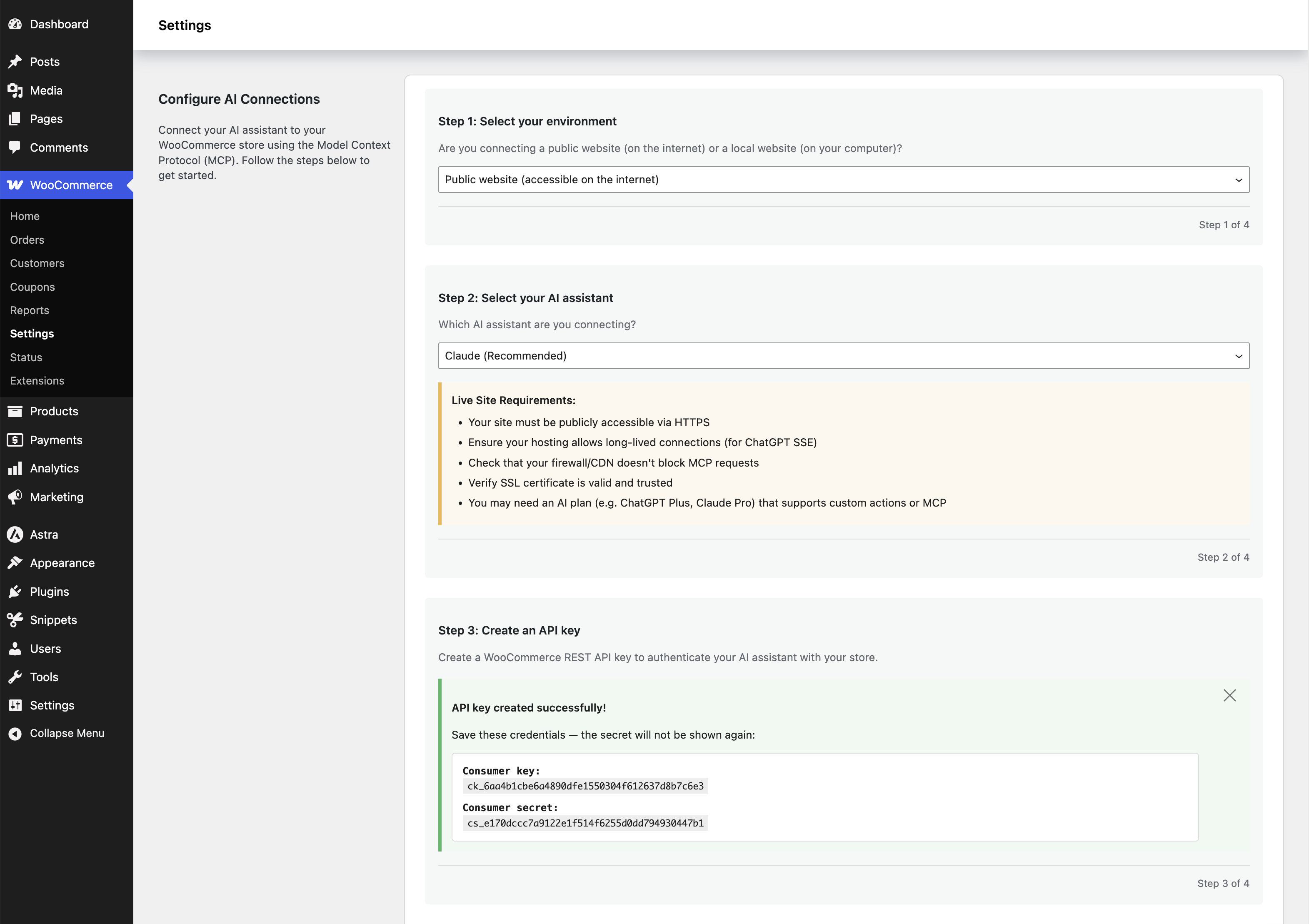
Copy your store’s MCP endpoint, generate WooCommerce API keys, and connect. The Connection tab gives you a one-click Claude Desktop config (REST and local TLS) and step-by-step ChatGPT setup, plus a verification check so you can confirm the link works before you rely on it.
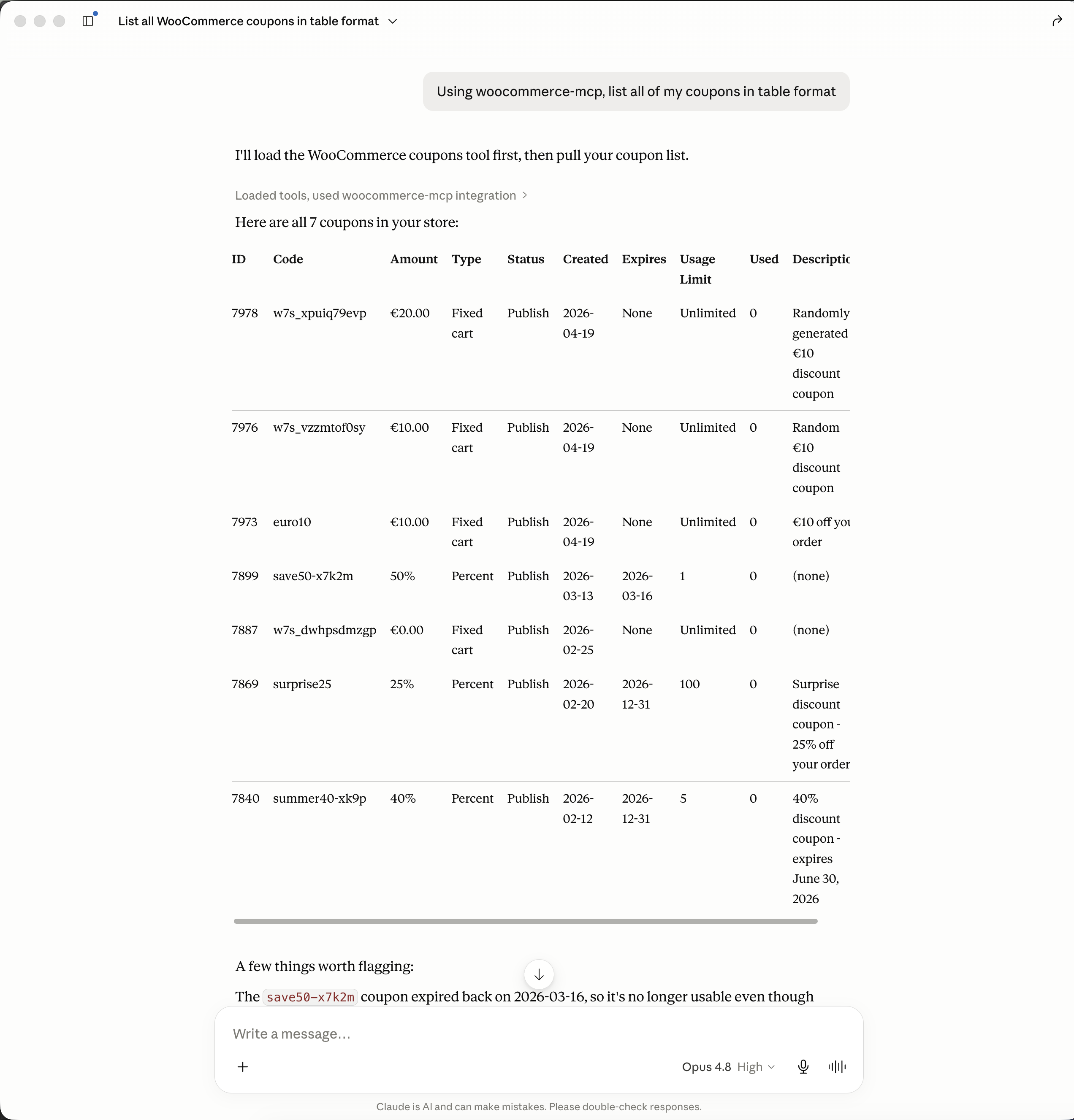
Once connected, the assistant can work with:
When you run WooCommerce Subscriptions, Bookings, or Memberships, the matching operations become available too, so the assistant can work with subscriptions, bookings, and membership plans as well.
Group operations into packs and expose only the ones you want. A pack that is switched off is not offered to the AI app, and the limit is enforced when a tool runs, not just hidden from the list. Packs from compatible extensions, such as WooCommerce Subscriptions, appear here when those extensions are active.
Turn on logging to record each tool call with its date, action, and the user or key behind it. Choose how long entries are kept, clear them on demand, and rely on personally identifiable information being masked before it is stored.
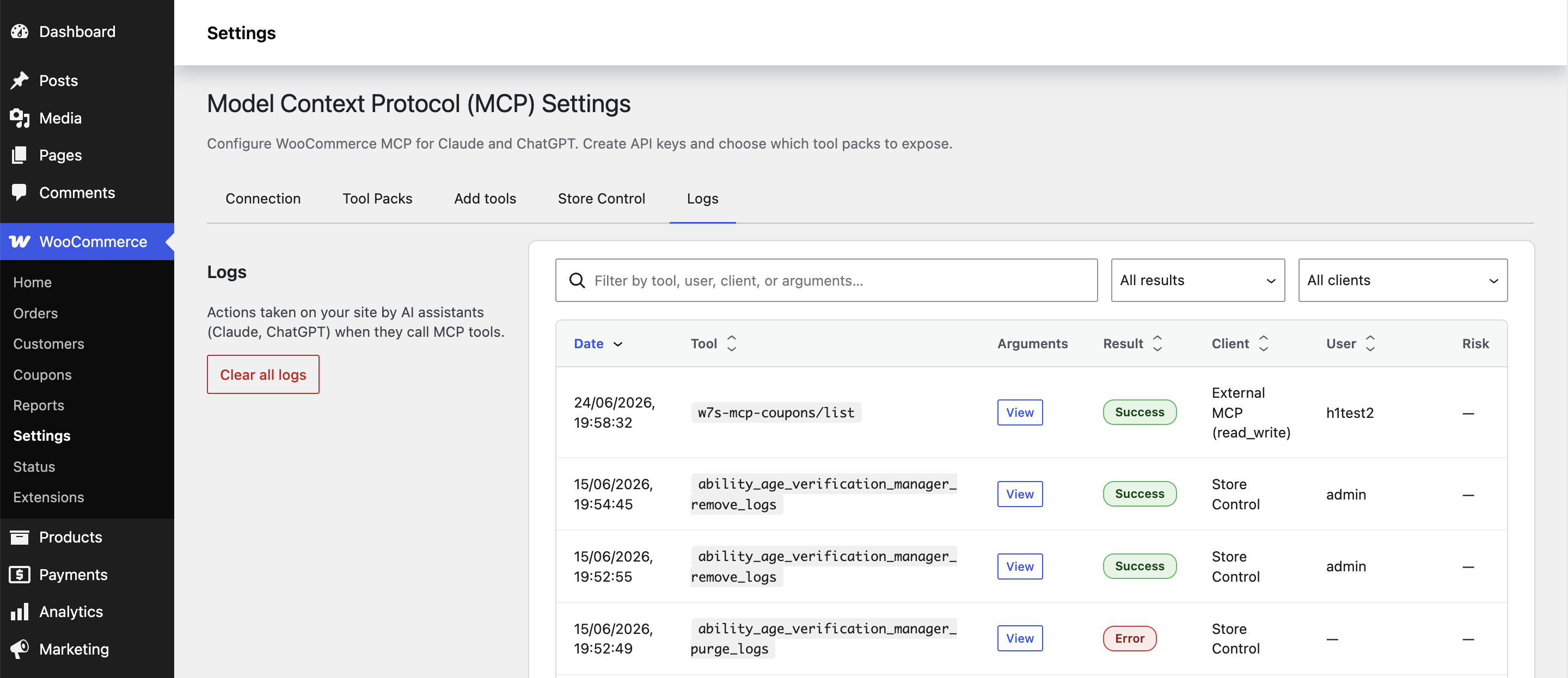
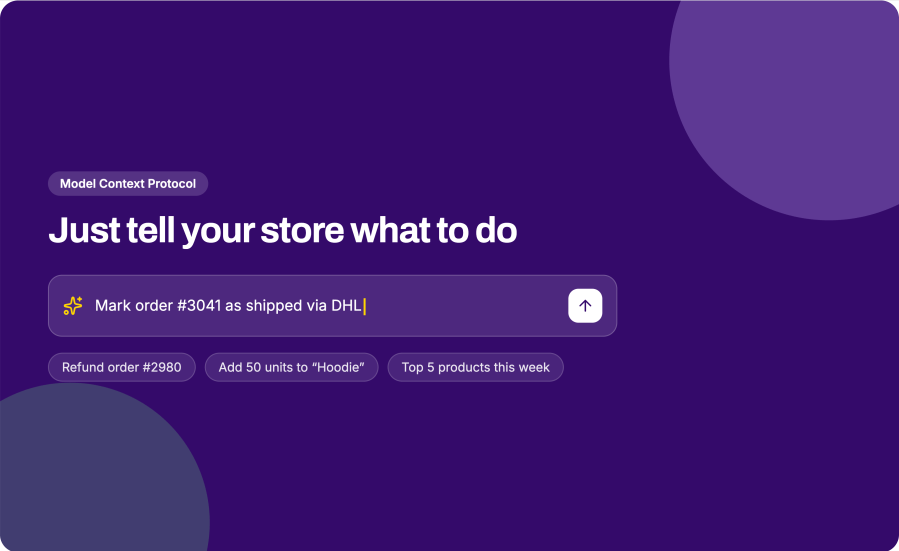
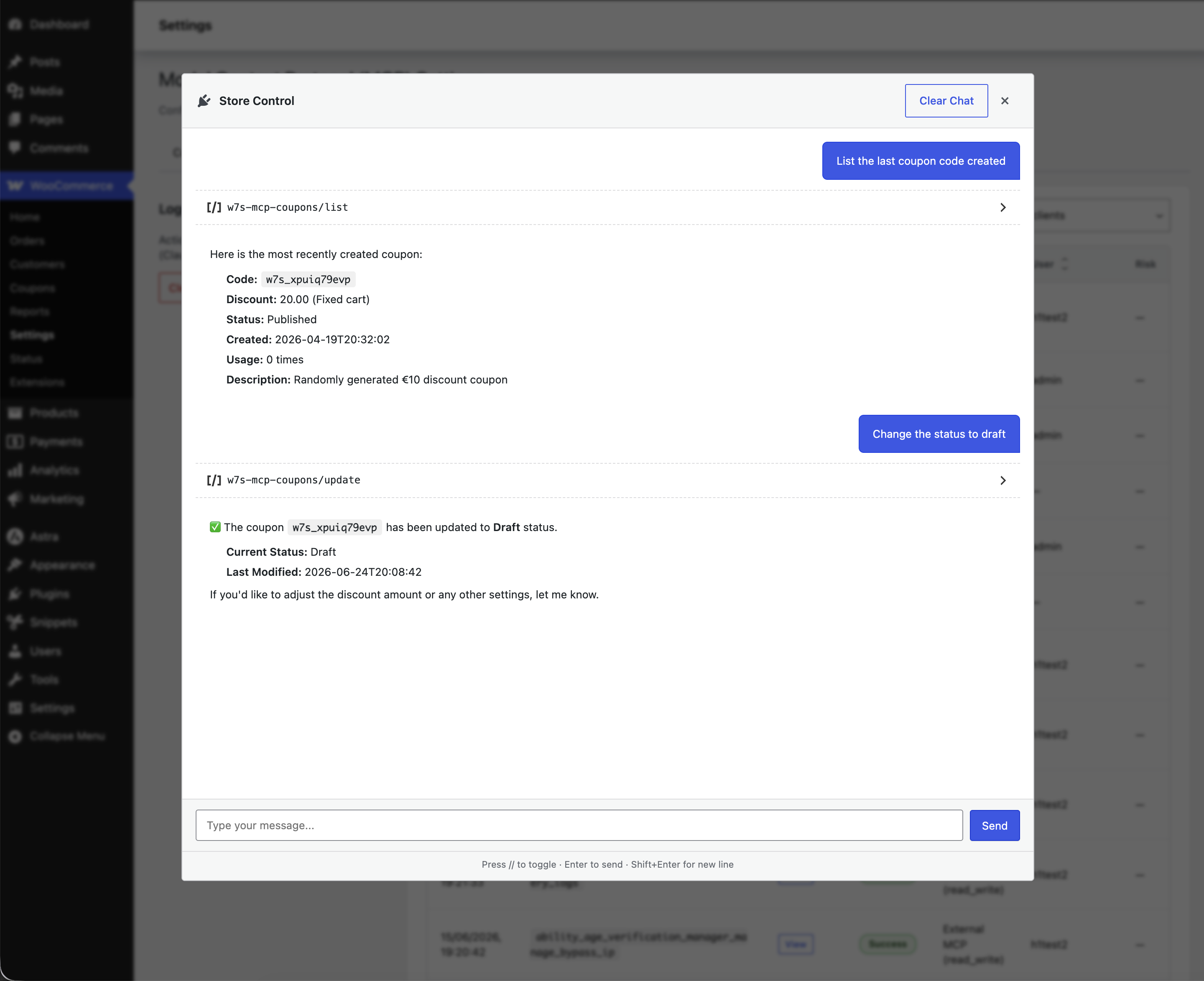
Once connected, you just ask. A few examples of what store owners run every day:
Run MCP tools straight from WP Admin through a built-in chat, without leaving your store.
Several plugins now connect WordPress or WooCommerce to AI assistants. They differ in whether they are built for WooCommerce, whether they can change data or only read it, and how much they ask you to set up.
| Capability | MCP for WooCommerce | WooCommerce built-in MCP | woo-mcp | General WordPress MCP servers (e.g. Royal MCP, Easy MCP AI) |
|---|---|---|---|---|
| Built specifically for WooCommerce | Yes | Yes | Yes | No, WooCommerce is one integration among many |
| Read and write (create, update, delete) | Yes, scoped by your API key | Yes, for the operations it covers | Read-only | Varies by plugin and scope |
| Breadth of store operations | Orders, products, customers, coupons, refunds, tax, shipping, payments, webhooks, reports, plus Subscriptions, Bookings, and Memberships when active | Products and orders | Product and public store data | Broad WordPress coverage; WooCommerce depth varies |
| One-click Claude Desktop config and guided ChatGPT setup | Yes | Manual setup, local proxy required | Setup varies | Varies; some offer OAuth setup |
| Permission scope, encryption at rest, PII-masked logging | Yes | Partial; depends on key permissions | Read-only by design | Varies; some include auth and audit logging |
| Setup without a local proxy or Node.js | Yes | Local proxy required | Unknown | Varies |
| Coverage beyond WooCommerce (content, SEO, analytics) | Yes, scans for 3rd party tools | No | No | Yes |
| Price | $39 | Free but limited | Unknown | Varies |
Where the alternatives are genuinely strong: the built-in WooCommerce feature is free and maintained by Automattic, a read-only connector is a lower-risk choice if you only ever want the assistant to look and never touch, and the general-purpose WordPress servers reach content, SEO, and analytics that a WooCommerce-focused extension does not. MCP for WooCommerce is the right pick when you want full, scoped store control, broad WooCommerce coverage, and a setup that does not need a proxy.
Giving an assistant access to your store should never mean giving it the keys to everything.
Claude and ChatGPT, with one-click config for Claude Desktop and guided setup for ChatGPT. It uses the standard Model Context Protocol, so other MCP-compatible clients can connect as well.
Yes. Each connection runs under a WooCommerce API key, and the key's permission is enforced on every call. A read-only key can search, list, and view but cannot create, update, or delete. You'll want to create the least-privileged key that does the job.
Action logging is optional, and when it is on, personally identifiable information such as emails, addresses, and phone numbers are masked before storage by default. You choose how long entries are kept, and you can clear them any time.
Operations for WooCommerce Subscriptions, Bookings, and Memberships become available when those extensions are installed and active. The extension also supports tool packs registered by other compatible plugins.
The extension caps list-response sizes and sends compact tool listings so remote assistants get manageable payloads. A live Claude session holds an open connection for the length of the session, so on constrained shared hosting, size your PHP workers with that in mind.
Only if you let it. Permissions come from the WooCommerce API key you create: with a read-only key the assistant can analyse and report but cannot change anything, and the restriction is enforced on every request. You can also switch off entire groups of operations, and disabled operations are never offered to the assistant at all. Many merchants start read-only and open up write access later.
Your store talks directly to the AI client you connect, and nothing passes through us. The optional action log stays in your own database, with personal data such as emails, addresses and phone numbers masked before storage.
Categorías
Información de la extensión
Países







