Product Icon

WooCommerce Analytics

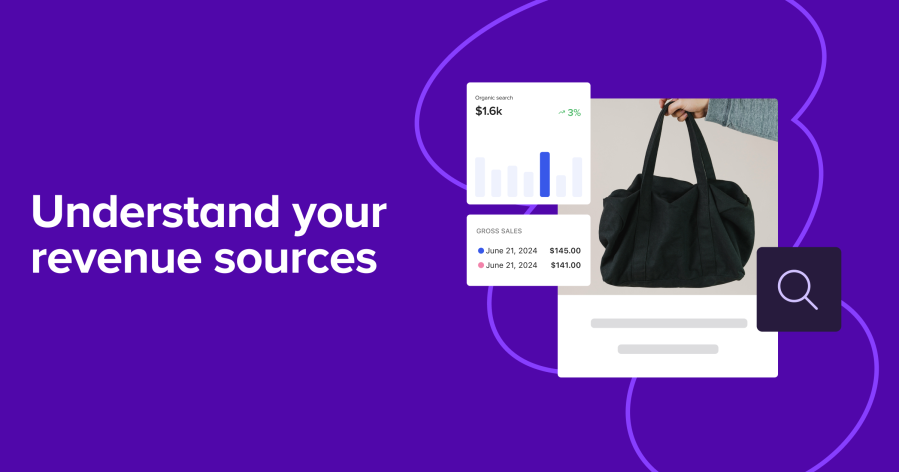
WooCommerce Analytics has advanced order attribution reporting that provides powerful insights into each order’s last-touch data, whether you’re just launching or have thousands of products in your catalog.

Subscription includes

  • Free updates
  • Free customer support

Early Access/Beta Release

This extension is currently in an early access (beta) stage, which means we’re actively working to improve it based on your feedback. While we strive to provide a seamless experience, please note that some features may still be under development, and occasional bugs may occur. This extension is designed for single-currency stores only. Multi-currency functionality is not supported, which may result in inaccurate analytics for stores operating in multiple currencies. Your input is invaluable in helping us enhance the product, so please don’t hesitate to share your feedback or report any issues.


WooCommerce Analytics has advanced order attribution reporting that provides powerful insights into each order’s last-touch data, whether you’re just launching or have thousands of products in your catalog.

What you’ll get

With WooCommerce Analytics, you’ll gain access to five comprehensive order attribution reports that check the last touch of the shopper’s journey and break down your orders by different attribution metrics:

  • Orders by channel: Understand which channels (e.g., organic social, email, referral) drive the most orders to your store.
  • Orders by source: Identify the top sources within channels (e.g., Google, Facebook, Instagram) contributing to sales.
  • Orders by device: Track which devices (e.g., mobile, desktop, tablet) your customers are using to place orders.
  • Orders by campaign: Evaluate which marketing campaigns are the most effective in driving sales.
  • Orders by channel and source: Combine channel and source data for a more detailed view of your order attribution (e.g., see Paid Ads broken down by Google vs. Facebook vs. Instagram ads).

Scale your business

  • Stay ahead of the competition: Identify underperforming channels and devices, and take action to refine your marketing tactics and drive sales.
  • Maximize marketing ROI: Use detailed order attribution data to pinpoint which channels, sources, and campaigns are delivering the best return on investment, and allocate your marketing budget accordingly.
  • Improve customer targeting: Better understand your customers’ behaviors and preferences to tailor your marketing efforts to their needs, boosting conversion rates and customer satisfaction.
  • Make informed decisions with confidence: Make data-driven sales and marketing decisions vs. relying on guesswork.

Identify top performers

Get a quick overview of your top-performing channels, sources, devices, or campaigns and how they contribute to your gross sales. Use these insights to:

  • Optimize marketing spend: Allocate budgets more effectively by identifying top-performing channels and sources to invest in your highest ROI campaigns.
  • Refine targeting strategies: Tailor your messaging or promotions to the most profitable customer segments.
  • Improve customer experience: Optimize the customer journey on the best-performing devices or channels to further enhance the shopping experience.
  • A/B testing and experimentation: Use insights from your top channels to identify ways to improve lower-performing channels and run A/B tests.
  • Inventory and demand planning: Better forecast demand and adjust your inventory planning accordingly.
  • Measure campaign effectiveness: Evaluate campaign performance against historical data and adjust strategies to optimize sales.
  • Sales funnel optimization: Understand which sources or devices drive the most conversions to streamline the sales funnel and remove friction from the purchase process.

Dig deeper using comparisons across metrics

Filter and compare your store’s order attribution data across different channels, sources, devices, or campaigns, and dig into a range of metrics, including gross sales, net sales, refunds, number of orders, coupon usage, fees, shipping costs, new customers, repeat customers, and average order value. Discover what really drives sales for your store and find valuable opportunities for improvement.

Customizable timeframes

Use custom time frames (e.g. promotional periods, holidays, or seasons) to analyze trends and patterns over specific periods.


Get started

  1. Enable Order Attribution tracking in WooCommerce Core
  2. Download and install the WooCommerce Analytics extension
  3. Connect your store and sync your data
Unlock the full potential of your WooCommerce store with the WooCommerce Analytics extension. Gain invaluable insights into your customers’ journeys, optimize your marketing spend, and drive more sales with this essential tool. Start making smarter, data-driven decisions today!

Frequently asked questions

What is an order attribution report, and how can it help my business?

The order attribution report provides insights into where your sales are coming from by tracking the performance of various channels, sources, devices, or campaigns. This helps you understand which strategies are working best, enabling better marketing decisions and higher returns on investment

How can I use this report to improve my marketing strategy?

By identifying your top-performing channels and sources, you can allocate your marketing budget more effectively, focus on high-performing segments, and experiment with underperforming channels to optimize your campaigns.

How frequently is the data in the report updated?

The data in the report is continuously updated as new orders are processed. When a new order is processed, the system syncs and updates the report the next time you view it. This ensures that you always have a current snapshot of your sales performance.

Customer reviews

Average rating 4.1
8 reviews
5 stars, 63% of reviews
4 stars, 13% of reviews
3 stars, 13% of reviews
2 stars, 0% of reviews
1 star, 13% of reviews
8 reviews
  • stalbansflowermarket
    Rated 1 out of 5
    Functionality
    Feb 13, 2026
    Functionality
    Keep showing me this error: "Sorry, you are not allowed to access this page."
    • simplysaru
      Feb 13, 2026
      This seems like a permission issue rather an issue with the WooCommerce Analytics plugin. I've sent you an email to help you with this issue.
  • contactb8419bccaa
    Rated 5 out of 5
    Support
    Sep 13, 2025
    Support
    good
  • anonymized-1698292
    Rated 5 out of 5
    Functionality
    May 22, 2025
    Functionality
    it's painfully slow at first run; for under 1k orders with order attribution it takes over 1h! Hope they will update the update process to be ran via action scheduler or something like that so it can be synced faster! LE: After many months (3 to be exact) the plugin is working properly now and even big stores do not take much to sync (ex. 300k+ orders in around 2-3 hours).
    • Gary Murray
      May 22, 2025
      Thanks for the feedback Eduard. Just wanted to note that we worked with you to fix the slow issues, and have made quite a few improvements to speed up the sync speed since. I'm also glad to see that since this review you've found it to be useful and gave it a 5 star review on WordPress.org: https://wordpress.org/support/topic/works-fine-1614/
  • Denis Gomes
    Rated 3 out of 5
    Functionality
    May 22, 2025
    Functionality
    Looks nice, but I don't really understand why it needs to sync order data to a remote server. All of Woocommerce's analytics run locally, why this one cannot?
    • Gary Murray
      May 22, 2025
      Thanks for the feedback! We sync the data to give you richer insights without slowing down your store. This approach keeps performance high, enables more advanced reports, and allows us to improve features without requiring plugin updates. If you're interested, you can read more in our documentation: https://woocommerce.com/document/woocommerce-analytics/order-attribution-report/#why-synchronize
  • Abdul
    Rated 4 out of 5
    Functionality
    Mar 5, 2025
    Functionality
    Great tool ! Unfortunately it does not support multi currency by WPML. The sales calculations are all wrong ! It treats all orders using one currency !
    • Gary Murray
      May 22, 2025
      Thanks for the feedback. We are aware of the lack of support for WPML in the beta, and will be looking to support multi-currency in the future.

Extension information

  • PHP version required: 7.4
  • Tested with WordPress: 6.8
  • Tested with WooCommerce: 10.3
  • Requires at least WordPress: 6.5
  • Requires at least WooCommerce: 9.5

Countries

  • Worldwide

Related Products

Free download
Rated 2.6 out of 5 stars
Free download
Rated 4 out of 5 stars
Free download
Rated 4 out of 5 stars
Free download
Rated 3.1 out of 5 stars
Free download
Rated 4.3 out of 5 stars
Price $79 annually
Rated 3.4 out of 5 stars
Price $59 annually
Rated 3.1 out of 5 stars
Price $49 annually
Rated 4.1 out of 5 stars
Price $109 annually
Rated 2.8 out of 5 stars