Installazioni attive
900+
Confronto prodotti
L'abbonamento include
Supporto
The Invoice Payment Option extension for WooCommerce enables you to add a new invoice payment method to let customers place orders without making any payment. Display the new payment option based on user roles, product in cart, order amount, quantity, and other conditions.
You can rename the payment method to Pay Later, Pay by Invoice or give it any other name that suits your business requirements. Once the order is placed, the customer will receive the standard WooCommerce order email.
If needed, you can also attach invoice PDF with the order emails. After the order and payment confirmation, you can send a direct payment link using the default WooCommerce feature to let customers pay using the default WooCommerce checkout process. Alternatively, you can choose to receive payment via other channels such as banking checks, cash on delivery, etc.
Allow companies to order now and pay later using invoice-based checkout.
Customers can place bulk orders without upfront payment.
Ideal for wholesale customers using credit-based ordering.
Let verified users skip upfront payment and pay later safely.
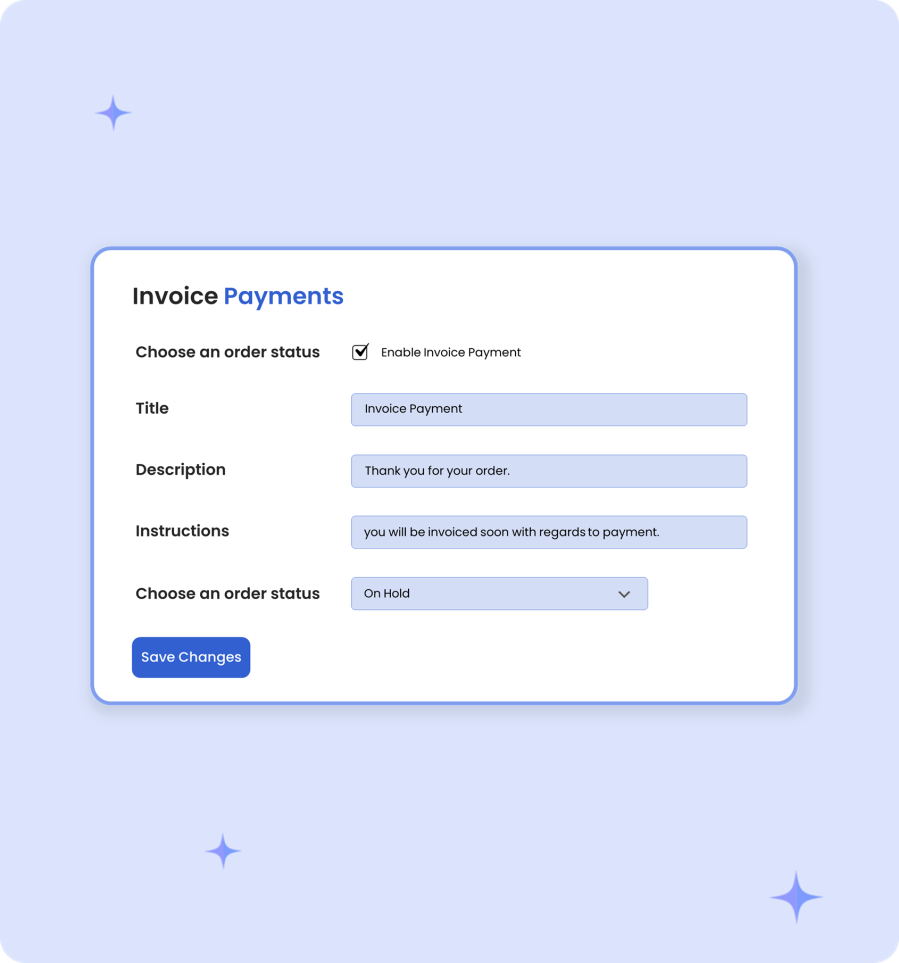
Once the extension is installed, you can configure the newly created invoice payment method from WooCommerce > Settings > Payments. You can customize the label and other details of the payment method. You can also configure the default order status for orders placed using this payment option.
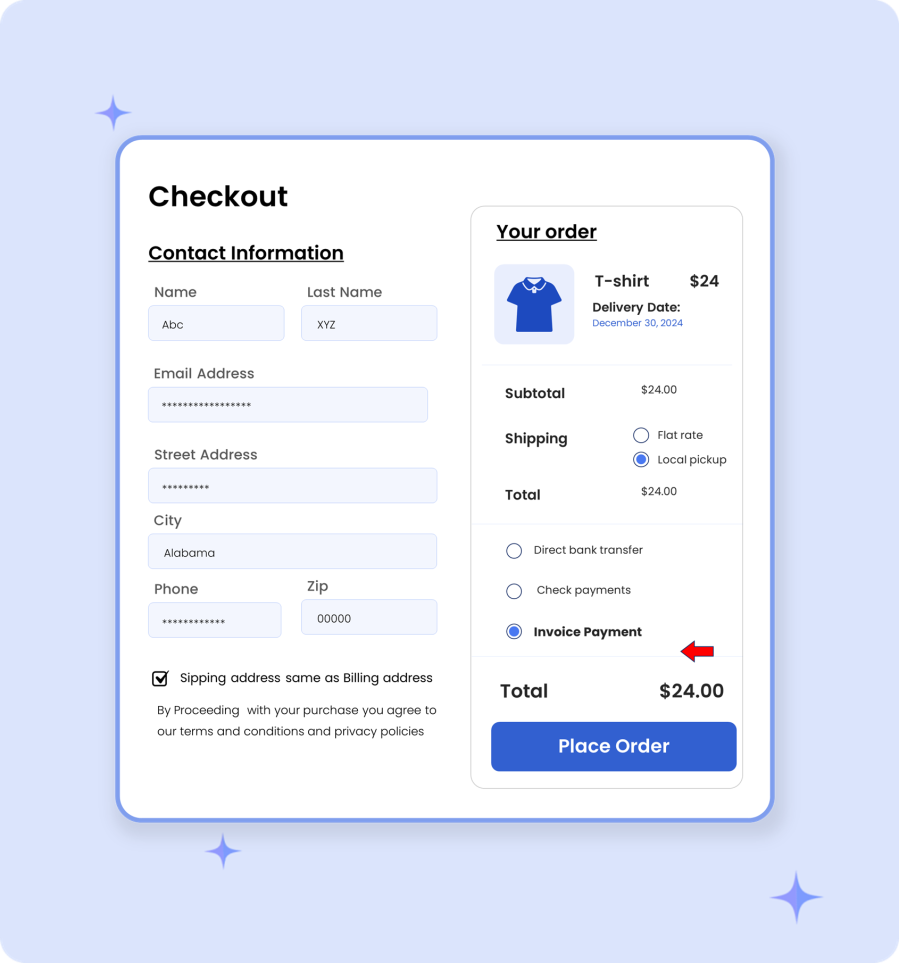
You can automatically display invoice payment option along with other payment methods and allow customers to buy now and pay later.
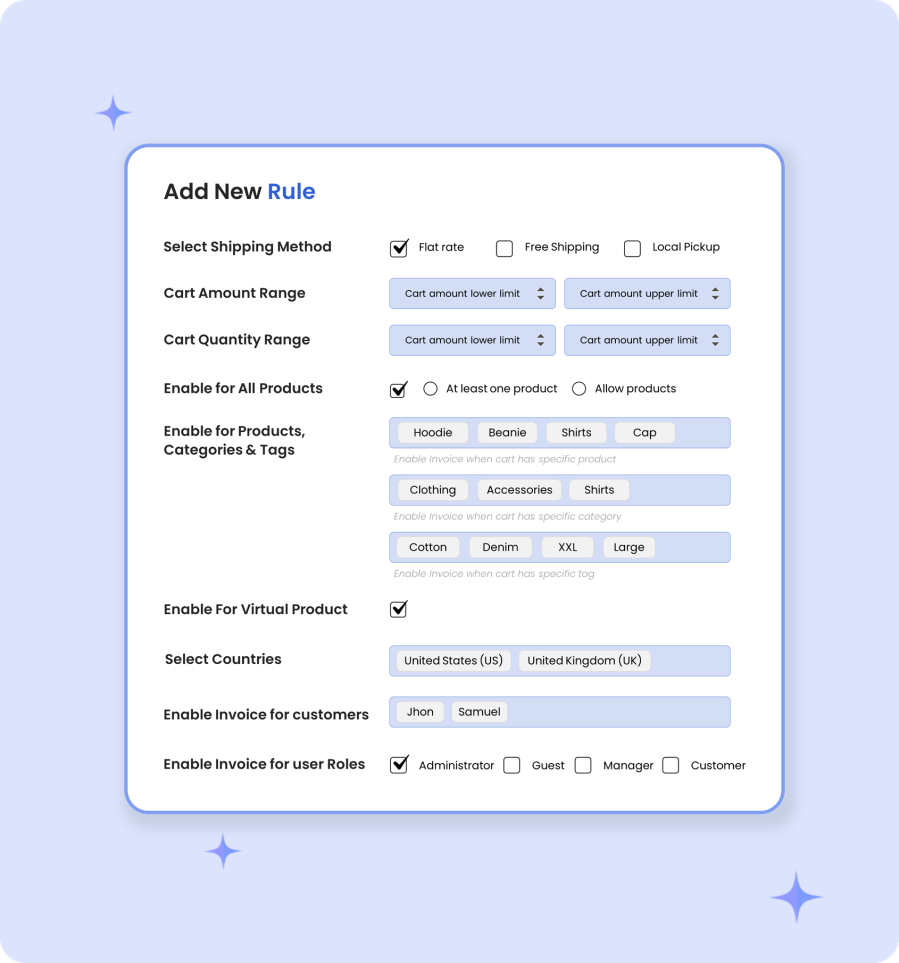
You can create multiple rules to trigger the invoice payment option based on various conditions. While creating a new rule, you can configure the following options:
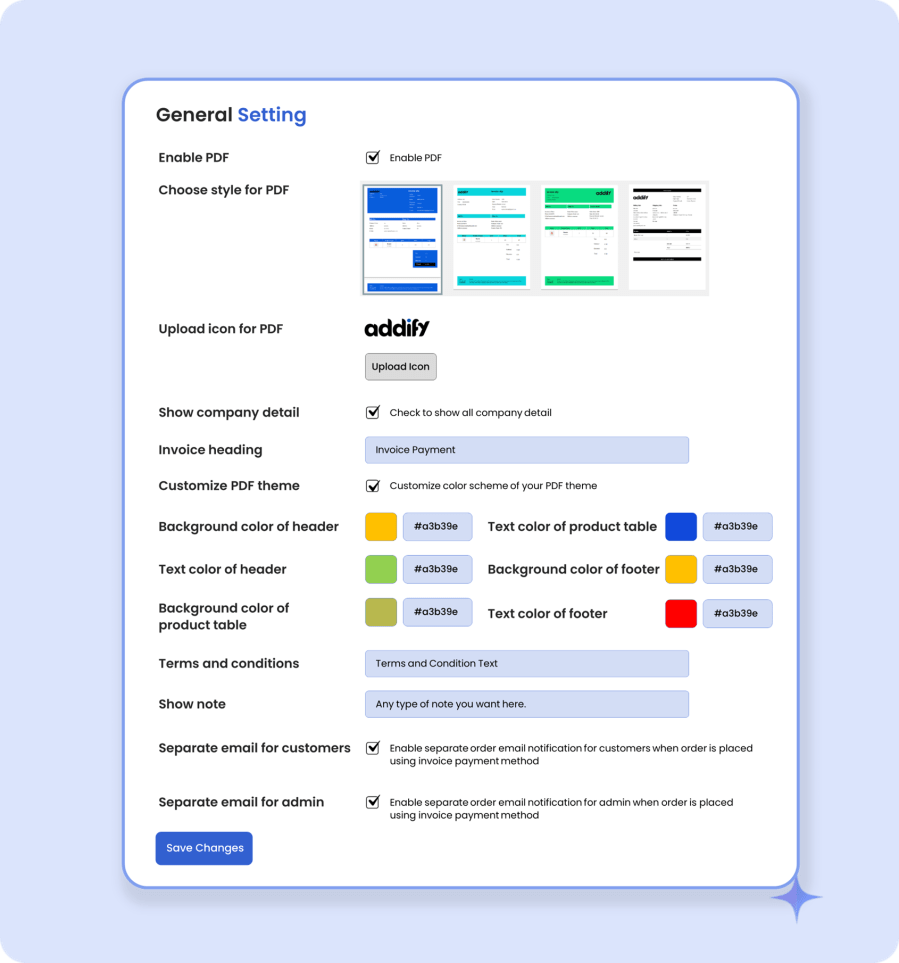
You can attach a customizable PDF invoice with the orders placed using this “Invoice Payment Method”. The extension offers 3 different PDF templates to choose from. You can customize the PDF content and color scheme to match your business needs.
Using the extension settings, you can trigger separate email notifications for both customer and merchants when an order is placed using the invoice payment option.
Categorie
Informazioni sull'estensione
Paesi
Lingue