


Subscription includes
Support
PostHog gives you product‑grade analytics for your WooCommerce store, combining quantitative and qualitative data in one place.
PostHog is a full analytics platform for product teams; this extension turns your WooCommerce store into a first‑class data source for it.
Connect your WooCommerce store to PostHog in minutes. Automatically track ecommerce events, power conversion funnels and A/B tests, and unlock deep customer insights — all without writing code.
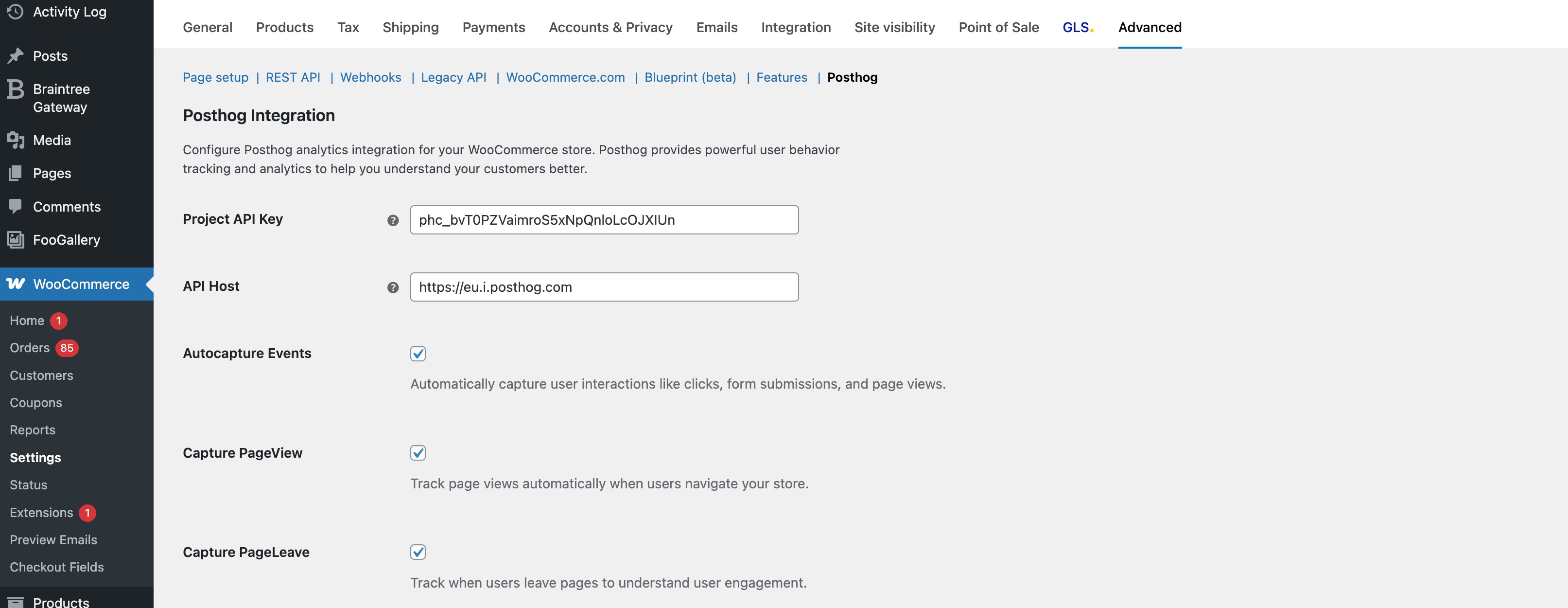
Turning WooCommerce into a truly data‑driven growth engine usually means hand‑rolling tracking code, deciding which events to send, and keeping everything up to date as your store changes. This extension removes that friction by wiring your store directly into PostHog with an opinionated, production‑ready event model. Key actions such as product views, add‑to‑cart events, checkout starts, completed orders, and coupon usage are all captured automatically and sent to PostHog in a clean, structured format.
Because everything is configured from a familiar WooCommerce settings screen, you don’t need to touch your theme or write JavaScript snippets. Simply connect your PostHog project, choose your tracking preferences, and your store begins streaming high‑quality analytics data that is immediately usable in funnels, A/B tests, dashboards, SQL queries, and reports.
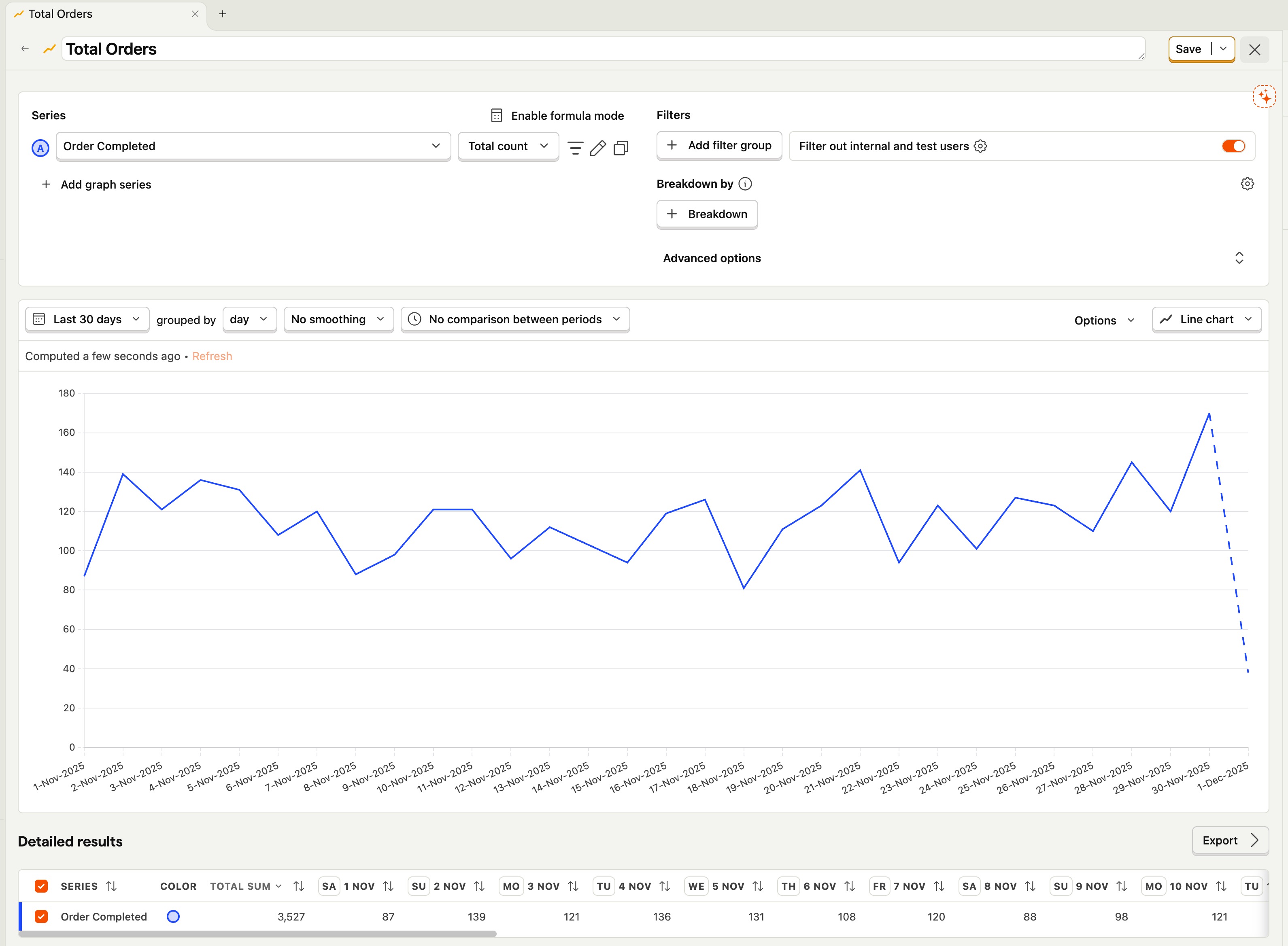
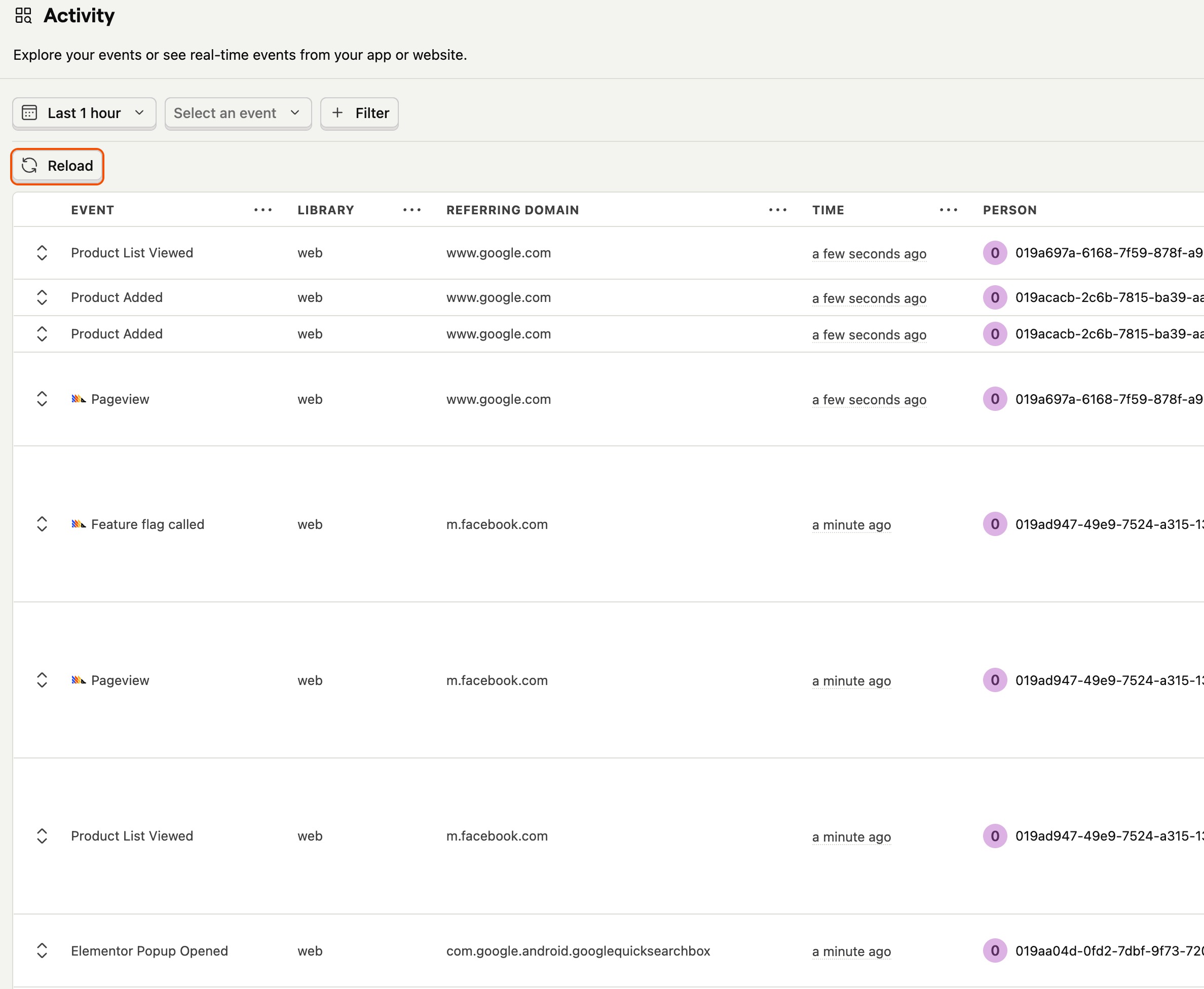
Once this extension is active, your WooCommerce store starts behaving like a first‑class product analytics source. Every important step in the customer journey, from browsing the shop and viewing categories to adding items to the cart and completing checkout, is recorded with rich context. Events carry detailed information about products, orders, carts, and customers, so you can analyze not just whether someone converted, but what they bought, how much they spent, and how their behavior compares to other segments.
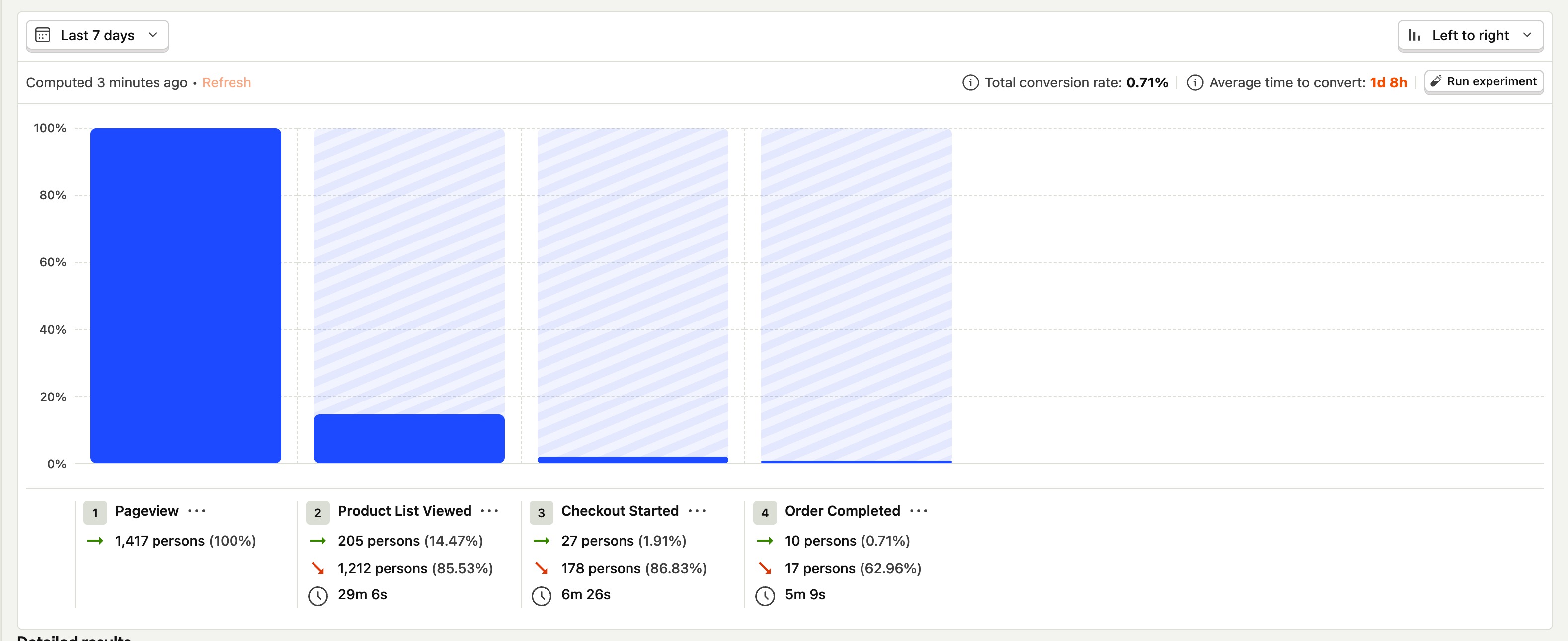
This structured data flows straight into PostHog’s tools. Funnels show exactly where people drop off between viewing a product and placing an order. A/B tests help you compare different versions of product pages, pricing strategies, or checkout layouts. Cohorts and advanced SQL let you explore questions such as which campaigns bring in the highest‑value customers, how repeat buyers behave compared to first‑time purchasers, and which product categories drive the most revenue over time.
At the same time, this extension is careful about performance and privacy. Scripts are only loaded when needed, data collection is optimized to minimize overhead, and you can control what is tracked. Email addresses can be hashed for privacy, administrators are excluded from tracking by default, and you can selectively enable or disable specific event types or PostHog’s autocapture features to match your compliance requirements.
Getting from installation to actionable insights is designed to be straightforward. After installing and activating the extension, open your WooCommerce settings and add your PostHog project API key and API host, whether you are using the US or EU cloud or a self‑hosted instance. Once those details are saved, the extension begins sending events from your store to PostHog without further configuration.
You can then fine‑tune the behavior to match your needs. Within the settings, you decide which events to track, how user identification should work for guests and logged‑in customers, and whether to enable features such as autocapture and page view tracking. From that point onward, you work entirely inside PostHog to build funnels, set up A/B tests, create dashboards, run SQL queries, and watch session replays powered by the data streaming from your store.
In day‑to‑day use, this integration opens up several high‑impact workflows. You can build a funnel from product view to add to cart to checkout start to order completed and immediately see where most shoppers abandon the process. You can then experiment with different checkout layouts, copy, or incentives using PostHog’s A/B testing and feature flags, relying on the extension’s events to measure which variation performs better.
Marketing teams can trace acquisition performance from first click to revenue by combining UTM parameters and traffic sources with order and customer data. It becomes easy to compare channels based on conversion rate, average order value, and lifetime value rather than just clicks. Store owners can identify high‑value segments, such as customers who repeatedly buy from certain categories or respond well to specific promotions, and then tailor campaigns accordingly.
No. The integration is designed to be plug‑and‑play: install the extension, enter your PostHog API key and host in the WooCommerce settings screen, choose your options, and tracking starts automatically—no custom code or theme edits needed. If you want to set up more advanced flows, like deeply customized A/B tests or bespoke tracking beyond the defaults, basic coding skills (or a developer) are recommended to work with PostHog’s APIs and the extension’s hooks/filters.
Not necessarily. PostHog offers a generous free tier that’s more than enough for many small and growing WooCommerce stores. As your traffic and analytics needs grow, you can upgrade your PostHog plan independently of this extension.
This extension automatically tracks key WooCommerce events such as product views, shop/category/tag views, cart views, add‑to‑cart actions (including AJAX/URL adds), checkout started, order/purchase completed, and coupon usage, all enriched with detailed product, order, cart, and customer metadata.
This extension is built to be lightweight and performance‑friendly. Scripts are only loaded when needed, data collection is optimized to minimize overhead, and it’s compatible with modern WooCommerce features like High‑Performance Order Storage (HPOS) so tracking stays fast and reliable as your store scales.
It can, depending on your needs. PostHog focuses on product and behavioral analytics — funnels, A/B testing, cohorts, session replay, heatmaps, and advanced SQL — rather than traditional pageview‑centric reporting. Many stores use PostHog as their primary analytics platform, while others run it alongside tools like Google Analytics.
Yes. The extension exposes WordPress hooks and filters so developers can modify event payloads or add custom events for bespoke flows and integrations. You get a solid default event model plus the flexibility to extend it as your analytics needs evolve.
Yes. You can point the extension at the US or EU PostHog Cloud endpoints, or at your own self‑hosted PostHog instance by configuring the appropriate API host URL in the settings.
Categories
Extension information
Quality Checks
Countries






