Up-sell and Cross-sell at the Variation Level
Research shows that up-selling and cross-selling boost sales and reduces cart abandonment.
The Up-Sells and Cross-Sells for Variations plugin allows you to customize the promotion of products for individual variations.
Without the plugin, you can only promote the same products for all variations in a group.
With the plugin, you can promote different products for each product variation. If you sell a t-shirt that comes in many colors, you can promote different products for each color.
For instance, if you sell a t-shirt that comes in black, white, navy, and pink, you could currently only promote products related to that whole group.
With the Up-Sells and Cross-Sells for Variations plugin, you can promote black pants, black shoes, or a black watch with the black t-shirt. For the other colors, you could offer different product options.
Customize your up-selling with each variation and dramatically boost your sales.
How it works
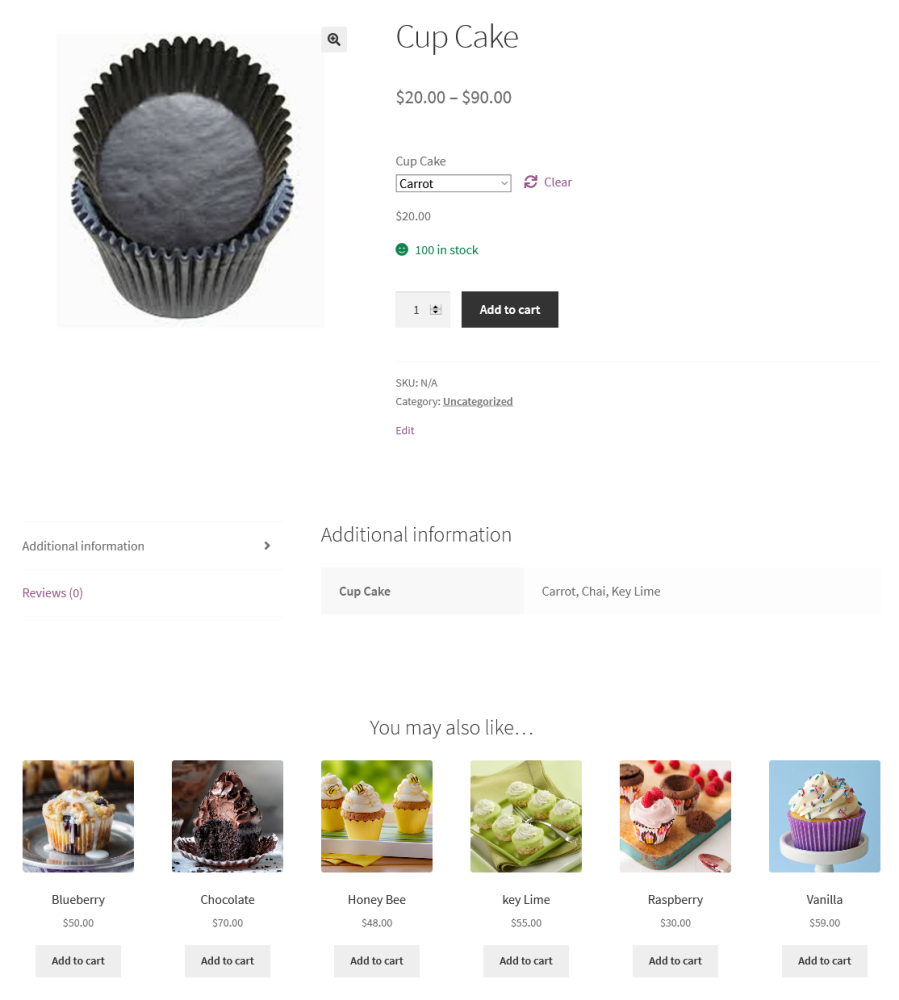
- When a variation is selected, the customer sees the related promoted products for the variation.
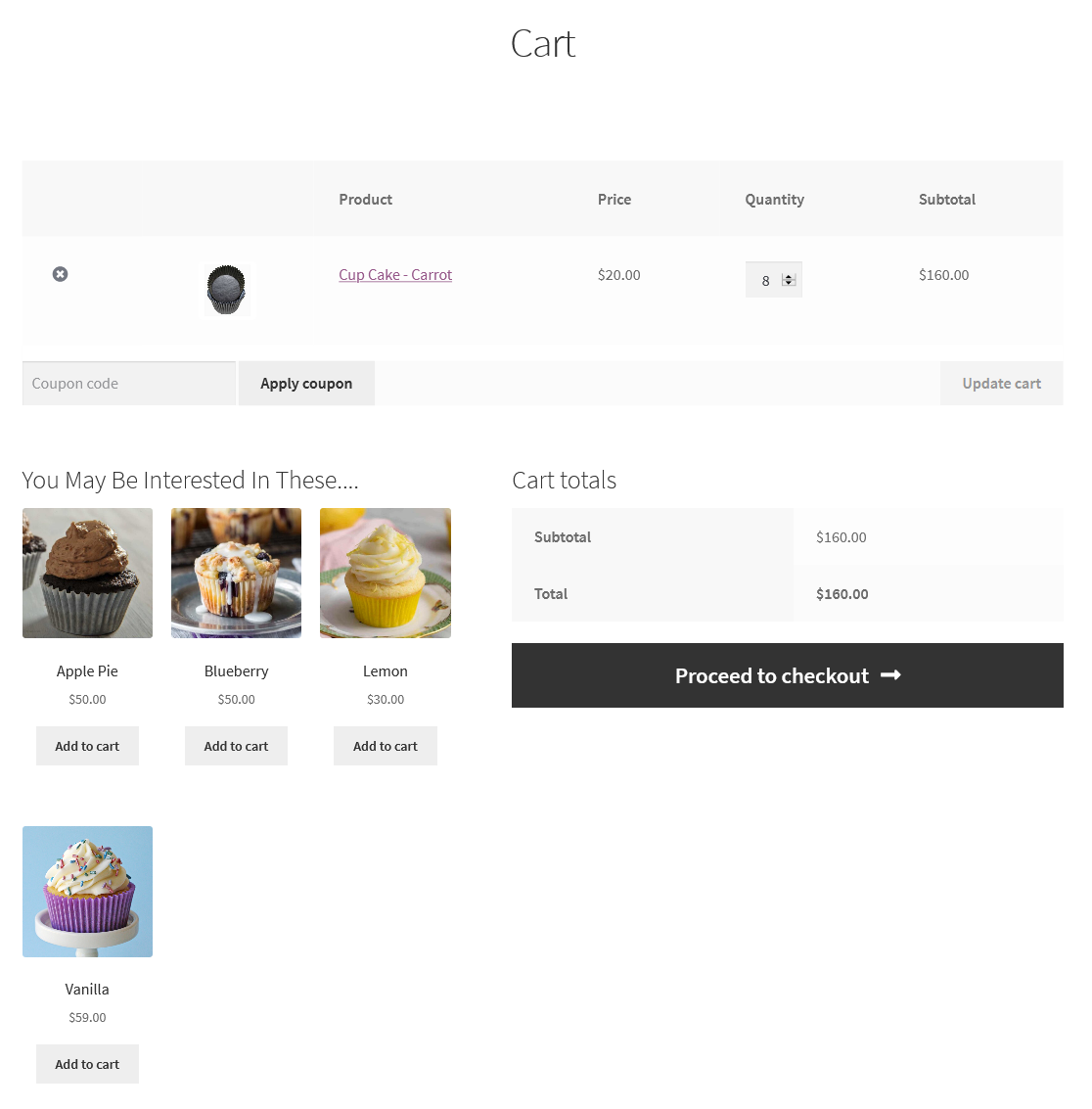
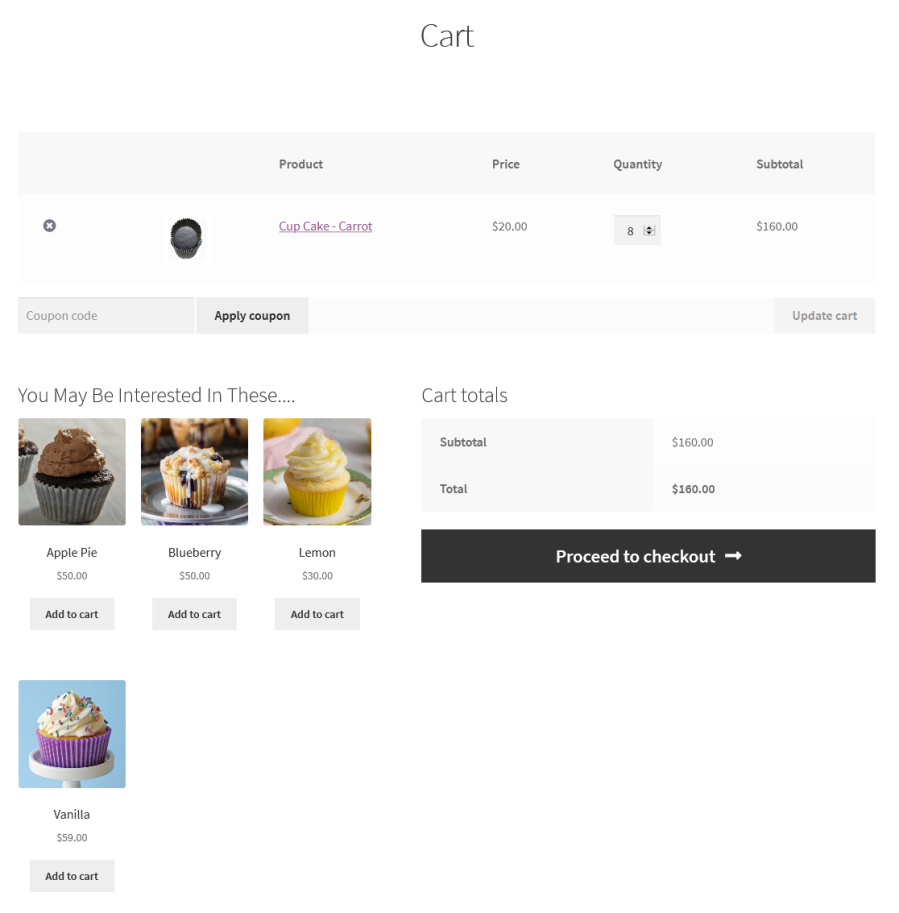
- Promoted products related to variations also display in the customer’s cart.
- The customer has two opportunities to see promotions related to product variations.
Features
- Add up-sell products for individual variations
- Add cross-sell products for individual variations
- Modify the up-sells product query to rearrange items in order by title, ID, date, modified, menu order, or price
- Modify the cross-sells product query to rearrange items in order by title, ID, date, modified, menu order, or price
- Change the number of columns for the up-sells listing section
- Change the number of columns for the cross-sells listing section
- Modify the heading text for the up-sells listing section
- Change the heading text for the cross-sells listing section
Up-Sells general settings
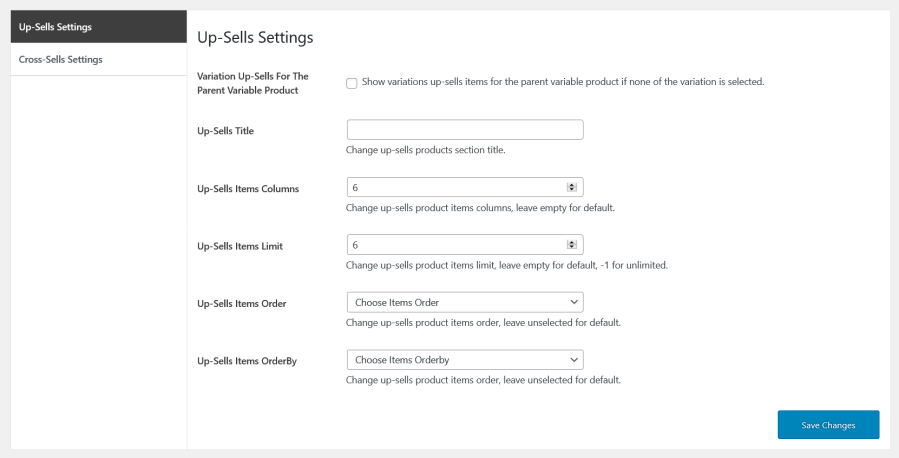
Options in Up-Sells Settings
- When up-sells are not selected for variations, you can choose to display up-sells for the parent product
- Define up-sell titles
- Define the number of up-sell columns
- Set up-sell item limits
- Set up-sell item order by ascending or descending
- Set up-sell item orders by criteria like the item’s title
Cross-Sells general settings
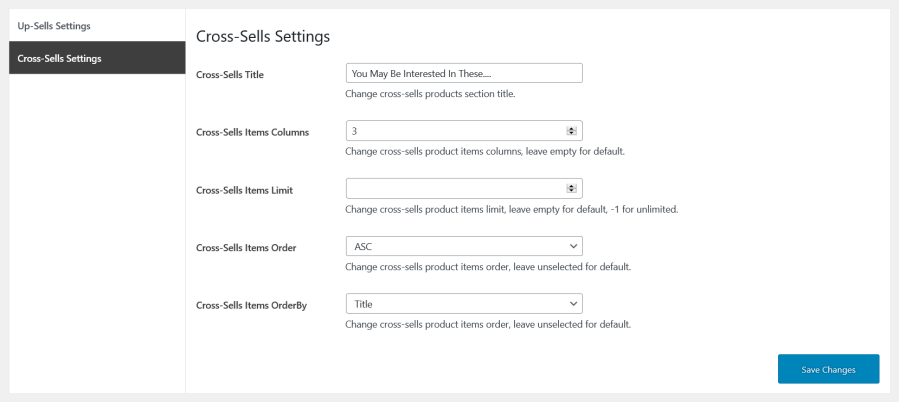
Custom cross-sell setting options
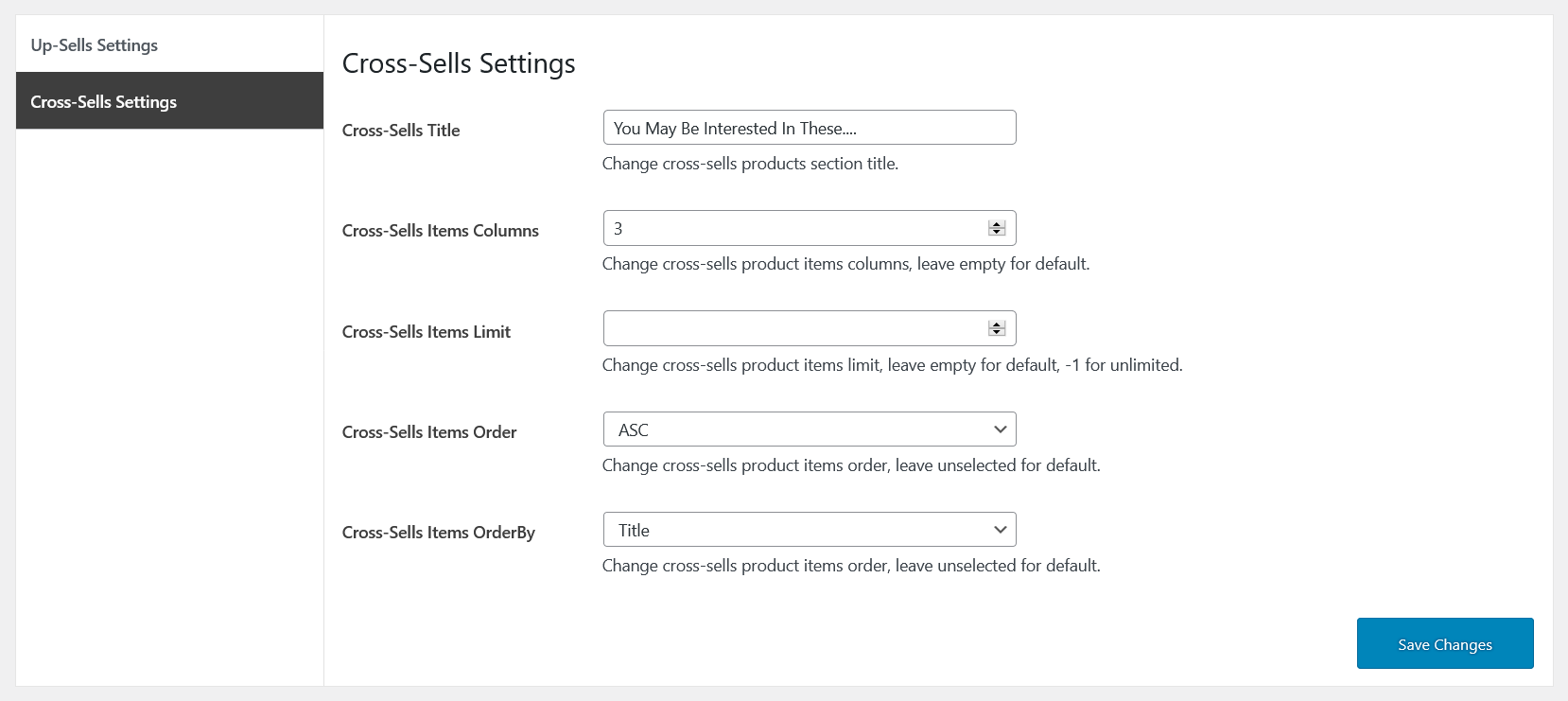
- Define cross-sell titles
- Define the number of cross-sell columns
- Set cross-sell item limits
- Set cross-sell item order by ascending or descending
- Set cross-sell item orders by criteria like the item’s title
Up-Sells and Cross-Sells for Variations
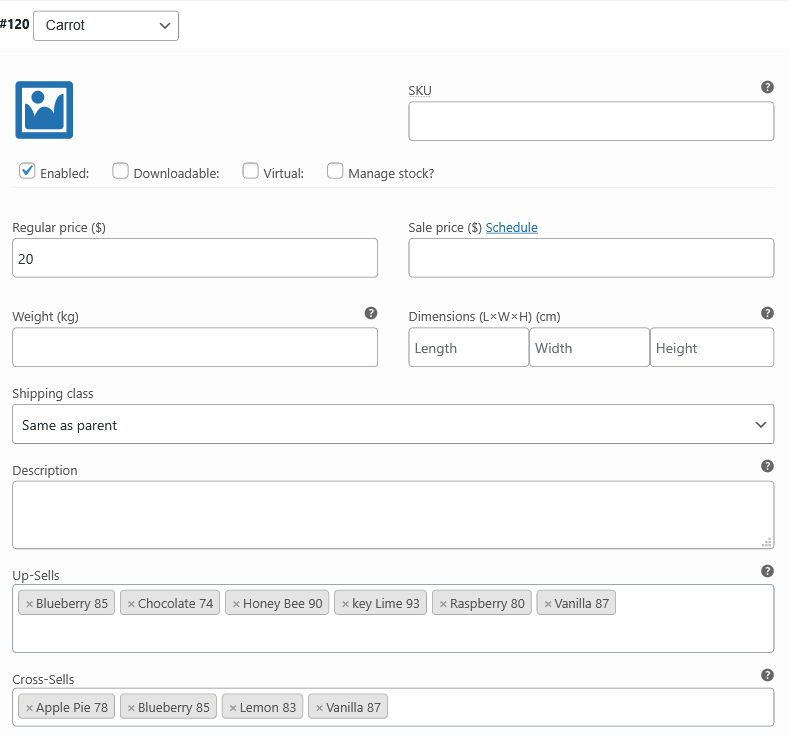
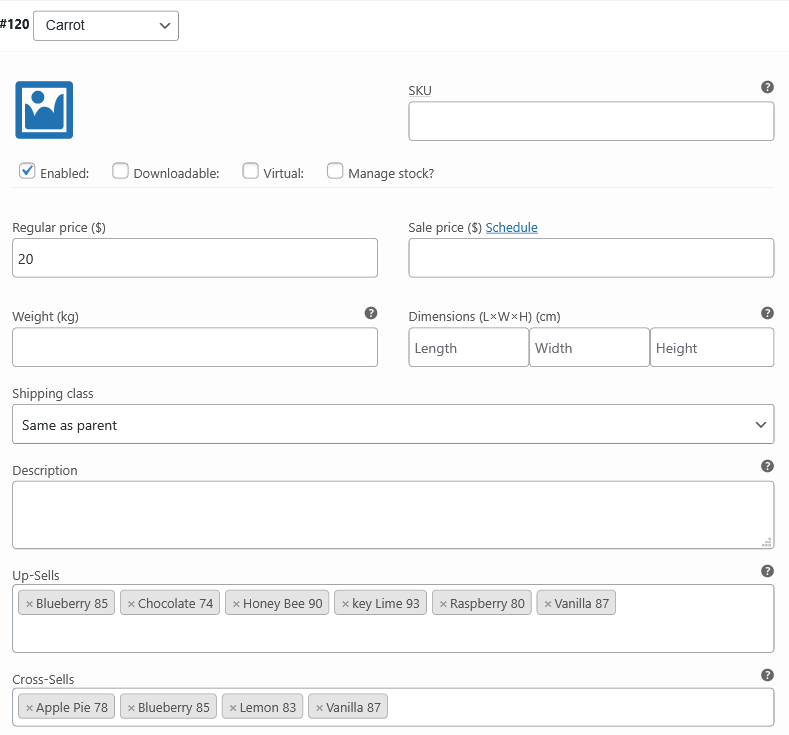
Store owners can configure the Up-Sells and Cross-Sells for Variations at the variations edit tab.
Frontend view of up-sells for variations
Frontend view of cross-sells for variations
How to get started
- Buy Up-Sells and Cross-Sells For Variations.
- Download and install the extension. You can find the installation guide.
- Activate, set up, and configure the extension.