
Active installs
4K+
Product comparison
Subscription includes
Support
Store Credit for WooCommerce keeps the money in your store when a customer needs a refund, an apology or a gift. The credit sits on a store credit coupon tied to their email, and one balance carries from order to order until it’s spent or expires. You choose where credit applies, whether it covers shipping and when it expires. Customers see what they have at checkout and apply it with one click.
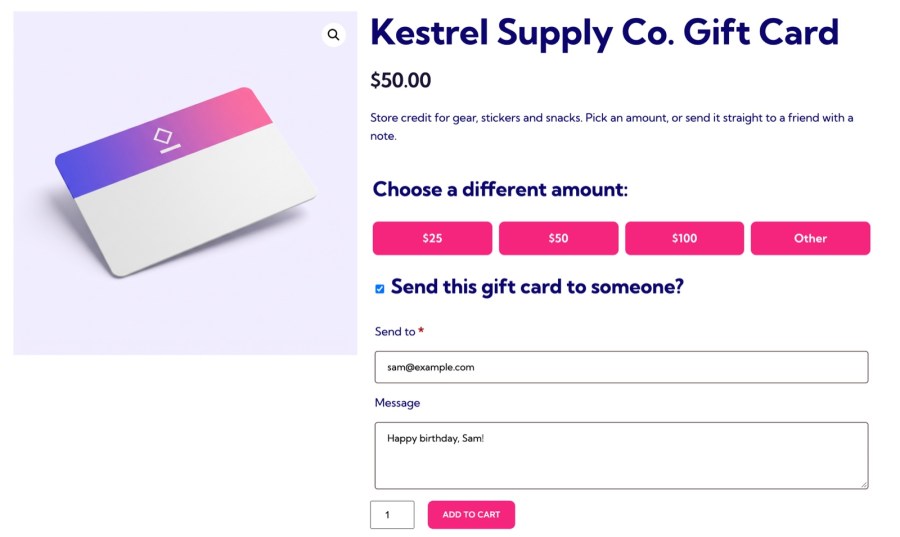
Add a Store credit product with preset amounts, or let customers choose their own between a minimum and maximum you set. A buyer can send the credit to someone else with a personal message, and the recipient gets a code by email, ready to spend. Credit is created when the order reaches Processing or Completed, and an order made up only of credit products completes as soon as it’s paid, so a gift card reaches its recipient without a manual step.
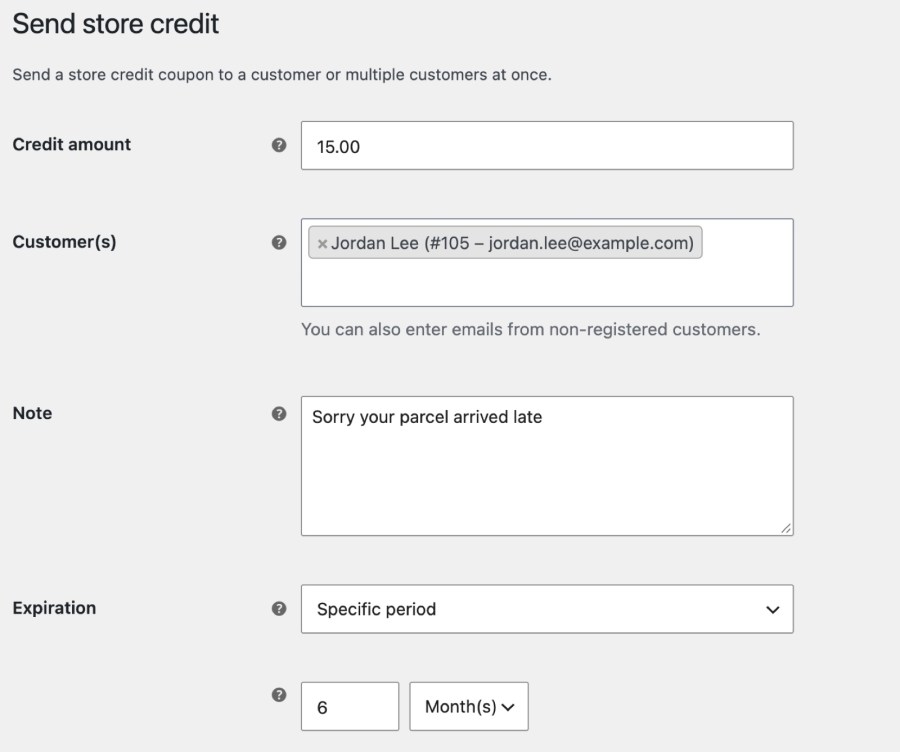
Open WooCommerce » Send store credit, choose a customer or type any email address for a shopper without an account, and add an amount, a note and an expiry. The customer receives an email with a Redeem now button that opens your store with the credit applied, with no code to copy, so the credit is ready to spend the moment they open it. Offering credit instead of a cash refund keeps the money in your store, and a late parcel or a wrong item becomes a reason to order again.
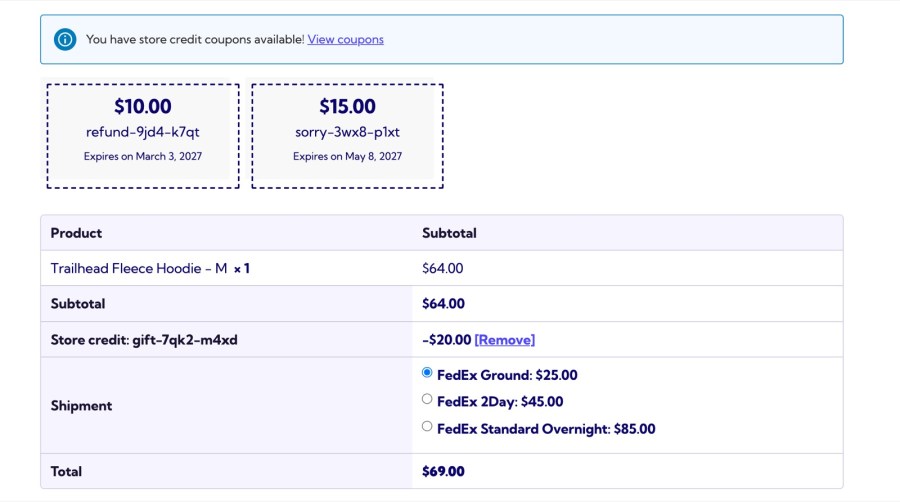
Logged-in customers see their available credit in the cart and at checkout, with the credit that expires soonest listed first, and apply it with one click. It works on the classic pages and the Cart and Checkout blocks, including checkouts without a coupon field, such as CheckoutWC. Credit combines with other coupons, and customers pay any difference with your usual payment methods, so a $50 balance never blocks a $70 order, and nobody has to find a code in an old email.
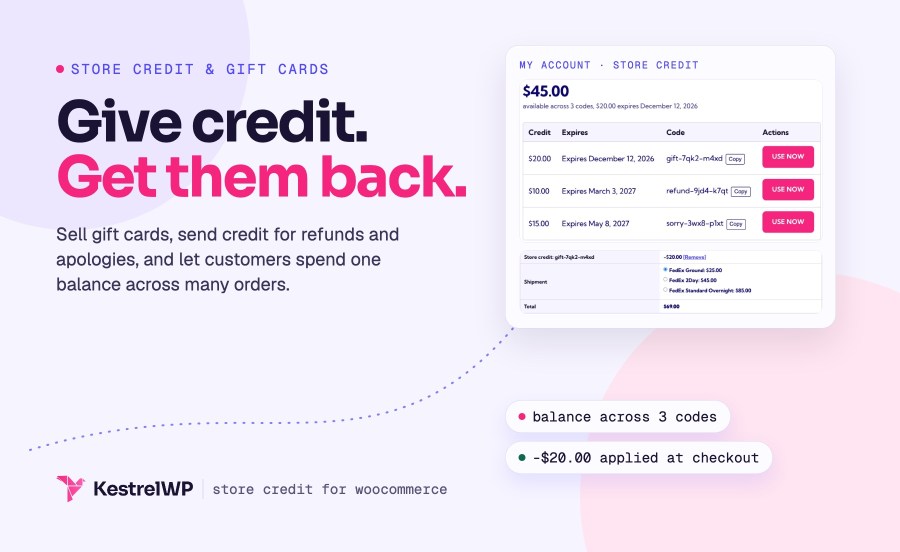
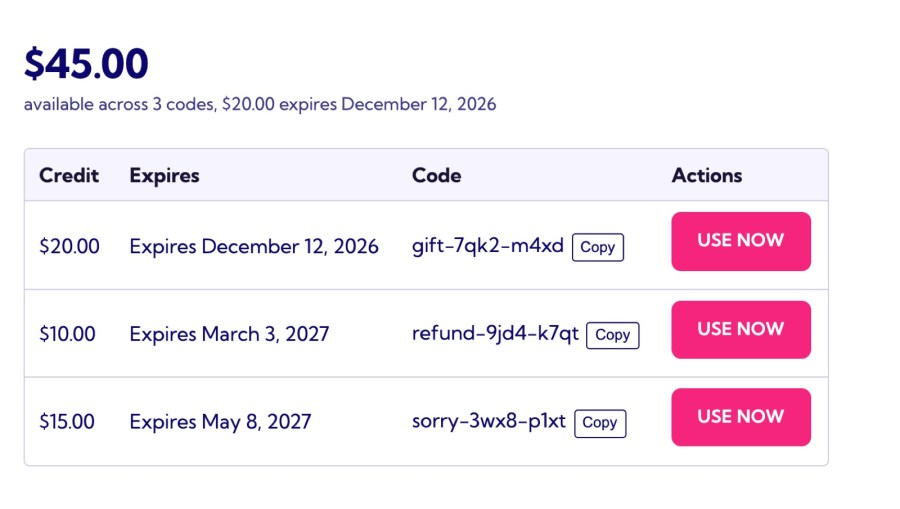
A customer with $50 of credit places a $30 order. The credit covers it, and $20 stays on the coupon for next time. A Store credit page in My Account shows their total balance, how many codes they hold and the next expiry, then lists each code with its expiry, a Copy button and a Use now button that opens your store with the credit applied. Used and expired credit hides itself, so the list shows only what they can spend.
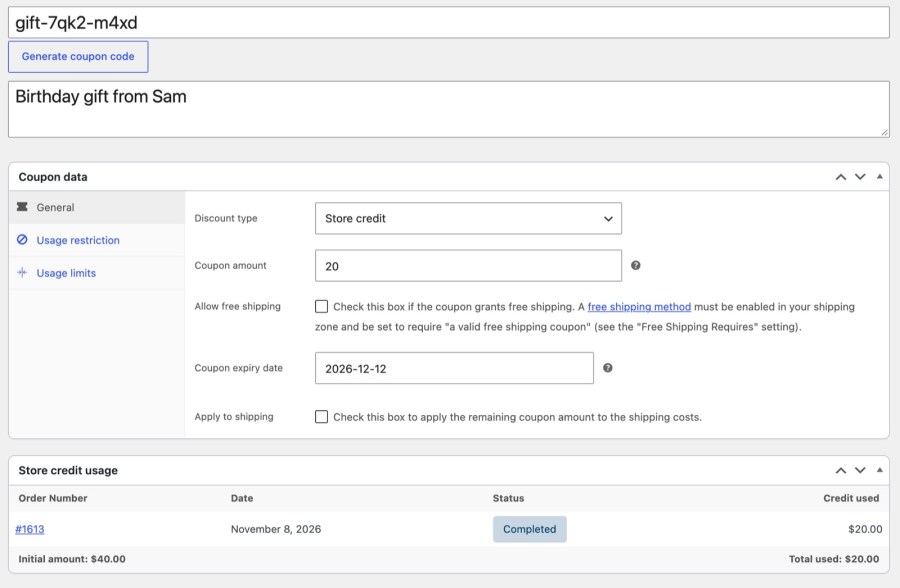
Credit leaves the balance when an order is placed and comes back when the order is cancelled or refunded, so customers aren’t out of pocket when something goes wrong. Each coupon shows the orders that used it and how much was spent, every order carries a Store credit used line, and the WooCommerce REST API includes the amount for your accounting tools. Staff can apply or remove credit on a Pending payment or On hold order from the order screen.
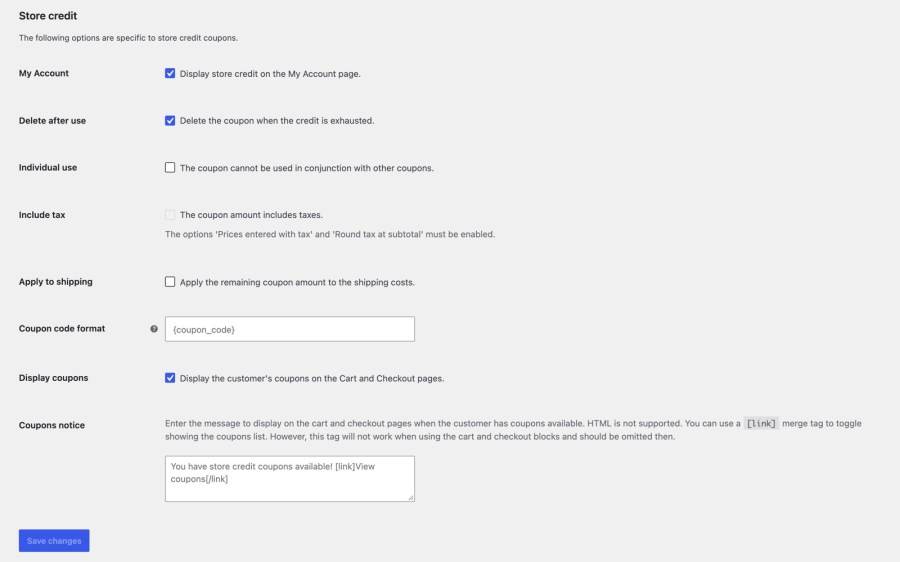
Set the rules once under WooCommerce » Settings » Store credit, and every new coupon follows them. Let leftover credit pay for shipping, and enter amounts with tax included when your store enters prices with tax and rounds tax at the subtotal. Limit credit to products or categories, and it discounts only the matching items. A coupon that’s used up is deleted (moved to the trash) on its own when Delete after use is on, and a later refund restores it. Changing a setting only affects new coupons, so credit you already sent keeps the terms the customer was given.
Both give customers a balance to spend in your store. Store Credit hands out credit as coupons; Account Funds for WooCommerce keeps a wallet for every customer that pays at checkout like a payment method.
Store Credit (this extension)
Account Funds
Store Credit works on its own. If you also want cashback that credits customers automatically, prepaid wallets, or subscription renewals paid from a balance, look at Account Funds for WooCommerce, which keeps a wallet for each customer.
With WooCommerce Subscriptions, credit discounts first orders and manual renewals. Store Credit also works with Avalara AvaTax, PDF Invoices & Packing Slips, WooCommerce Shipping & Tax and WooCommerce Deposits. Read the Store Credit documentation for every setting.
Built and supported by Kestrel, a long-time WooCommerce extension developer.

Choose Store Credit for gift cards, goodwill credit and refunds kept in store: credit is a coupon tied to an email. Choose Account Funds for WooCommerce for automatic cashback, wallets customers top up, and automatic subscription renewals paid from a balance. The comparison above sets them side by side.
Yes. Add a Store credit product with preset amounts, or let customers choose an amount between a minimum and maximum you set. The buyer can send the credit to another email address with a personal message, and the recipient gets a code by email.
Yes, but they share one code and one balance, so credit one customer spends is gone for the others. To give each customer their own credit, send it to one customer at a time.
Yes. Send credit to any email address, and the guest enters the code in the coupon field. At checkout, WooCommerce checks that the billing email matches the address the credit was sent to.
No. With WooCommerce Subscriptions, credit discounts first orders and manual renewals, but it isn't a payment method, so it can't pay automatic renewals. For renewals paid from a balance, use Account Funds.
Yes. Store Credit supports the Cart and Checkout blocks and High-Performance Order Storage. On checkouts without a coupon field, such as CheckoutWC, customers apply credit from the list of their available coupons.
Extension information
Quality Checks
Works with
Countries