

Active installs
900+
Product comparison
Subscription includes
Support
Software Add-on for WooCommerce creates a license key for every copy of your software you sell. When an order is completed, each key is tied to the order and the customer’s activation email, added to your WooCommerce order emails and listed under WooCommerce » License Keys. Your app calls a small HTTP API to activate, deactivate, check and reset licenses. It handles keys and activations on simple products, which keeps setup short, and it works with the Cart and Checkout blocks and High-Performance Order Storage.
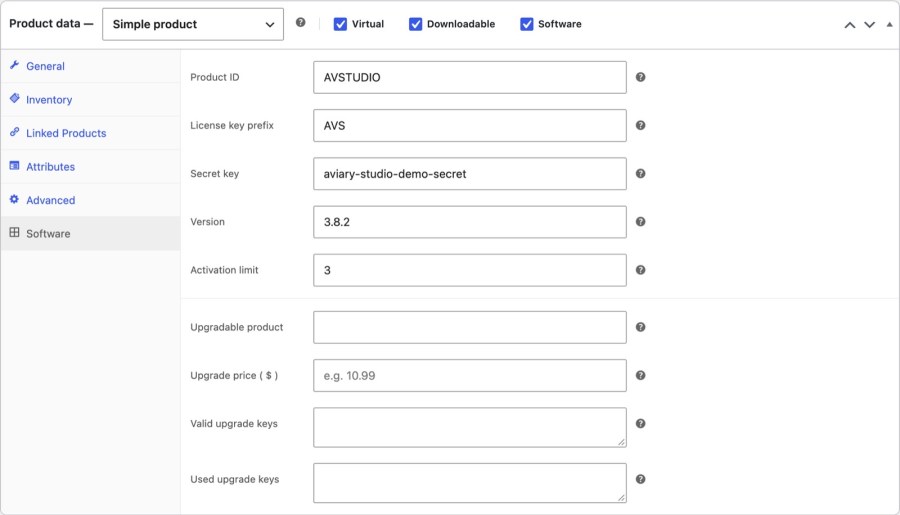
Tick Software on a simple product and a Software tab appears in Product data. Give the product an ID your app will send, an optional key prefix, a secret key for the key-generation request, a version and an activation limit. Leave the limit blank for unlimited. Combine it with Downloadable and customers can download the file right after they buy, so selling a desktop app or a web app license works like selling any other product in your store, and nothing about your checkout changes.
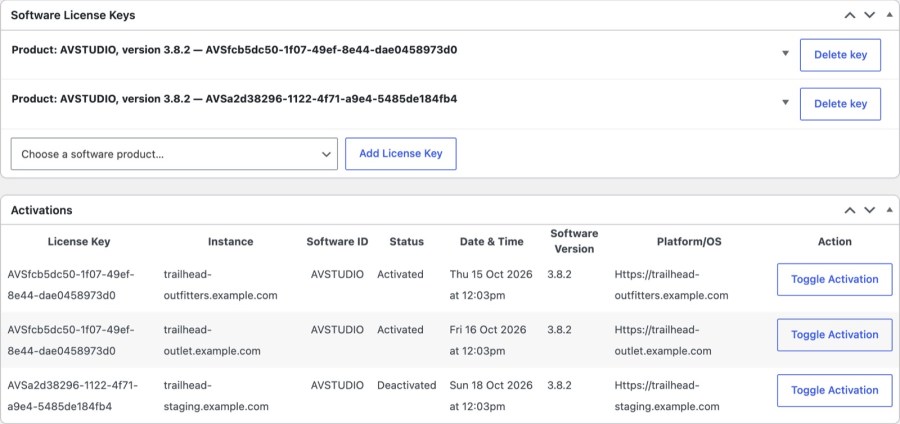
When an order is Completed, each unit bought gets its own key with its own activation limit, tied to the order and the billing email. To use the account email instead, turn on License email in WooCommerce » Settings » Products » Software. Guest orders still use the billing email. Renewal orders from WooCommerce Subscriptions don’t create new keys, so a customer who buys three copies holds three keys, each with its own activation count. Each key is checked against the limit you set on the product, so a single purchase can’t quietly run on a whole office.
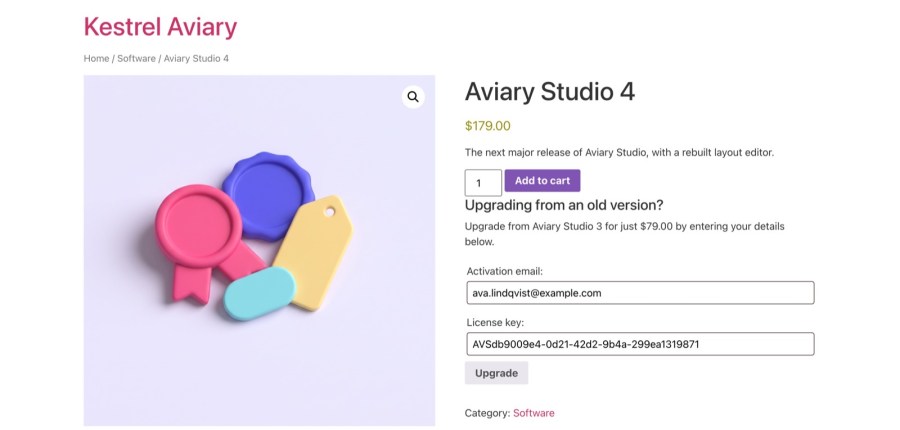
Add an Upgrade price to a product and customers can enter an older license key and their activation email on the product page to buy at that price. You decide who qualifies: paste the eligible keys into Valid upgrade keys, comma separated, and an upgrade key is checked against that list. When the upgrade order is placed the key moves to Used upgrade keys, so a loyal customer gets a better price once and your list stays tidy. Upgrades are limited to one per cart item.
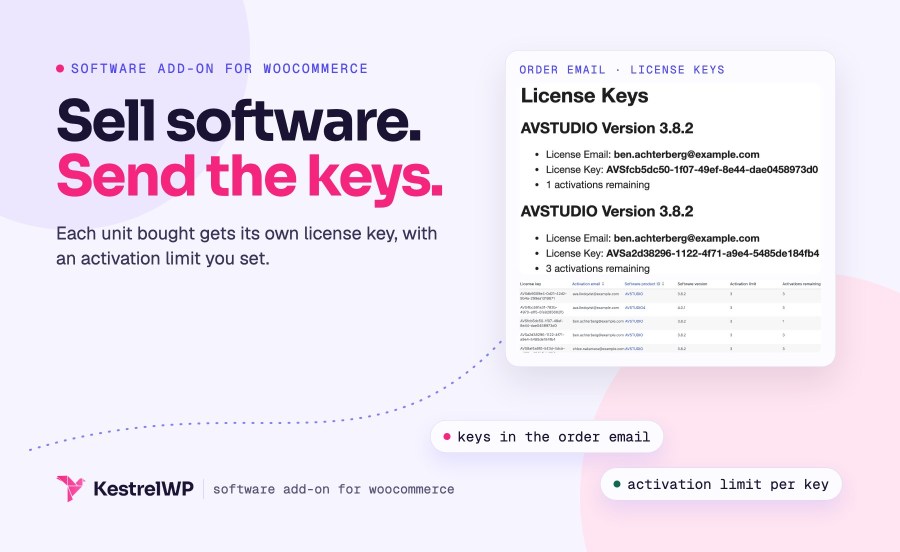
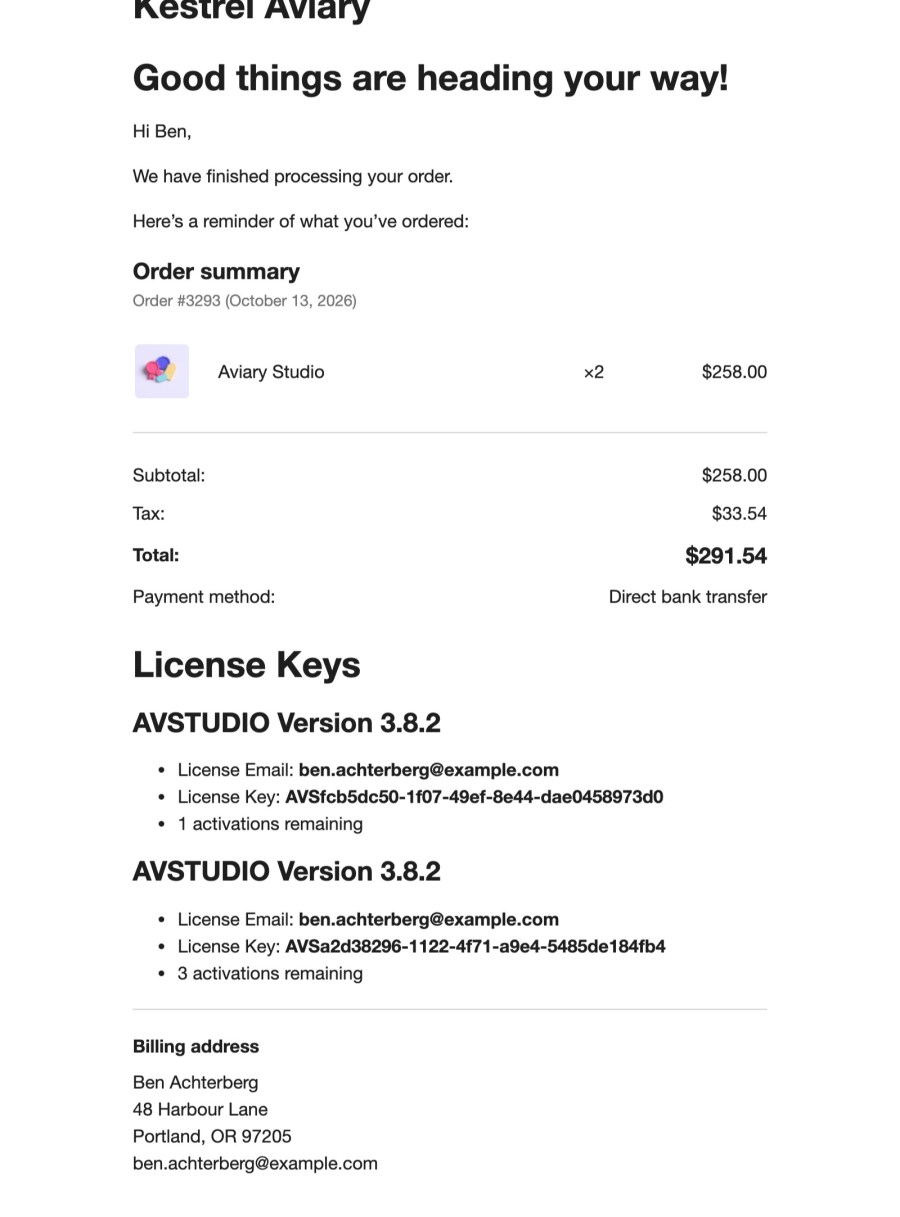
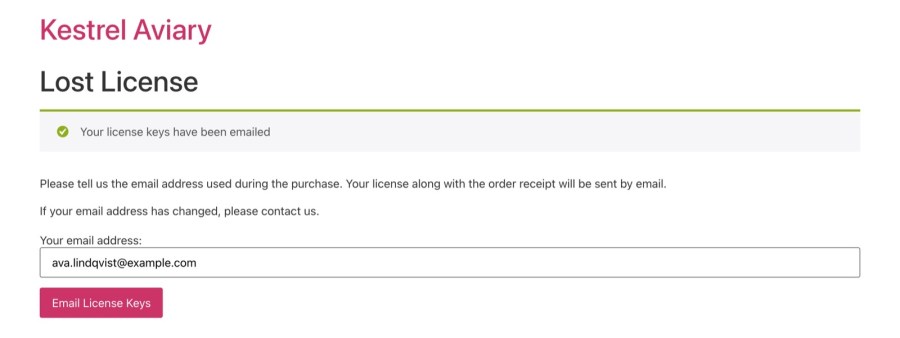
Keys appear under the order table in WooCommerce order emails once they exist, starting with the Completed order email, with the license email, the key and activations remaining. A Lost License page (/lost-license, created on install) lets a customer enter their email and get all matching keys by email, so a lost key becomes a form submission instead of a support ticket. It works on block themes, and customers don’t get a keys list in My Account. Your app can then validate every key it receives with the license API, using generate_key, activation, deactivation, activation_reset and check requests.
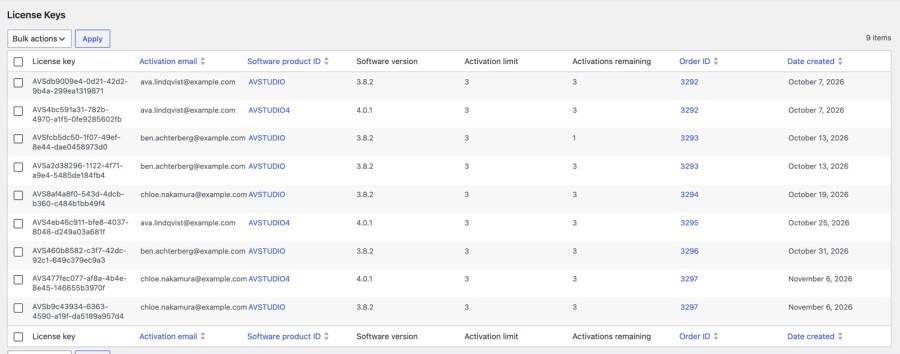
WooCommerce » License Keys lists every key with its activation email, product ID, version, activation limit, activations remaining, order and date. Delete is the bulk action, and deleting a key removes its activations. Each order has a Software License Keys box where you edit a key’s details, add keys or delete them, and an Activations box where you switch each activation on or off, so you can cut off one install without touching the rest. Keys you already hold elsewhere can be loaded from a CSV under Tools » Import, so a move to this plugin doesn’t mean reissuing them.
Both Software Add-on and API Manager sell license keys from WooCommerce. Software Add-on generates a key for each copy sold and answers a small API. API Manager adds licensing for plugins and themes: activations per product, expiry and renewals, update delivery and My Account pages.
| API Manager | Software Add-on (this extension) | |
|---|---|---|
| Best for | Plugins, themes, apps and SaaS that need activations, renewals and updates | Simple license keys for downloadable software and web apps |
| Products | Simple and variable products, simple and variable subscriptions | Simple products only |
| License keys | One key per customer, one per product per order, or both | One key per copy sold, tied to the order and the activation email |
| Activation limits | Per product or variation, limited or unlimited | One limit per product; blank means unlimited |
| Expiry and renewals | Expiry per product, renewal emails and a Renew button, or follow a subscription | Keys don’t expire or follow a subscription |
| Update delivery | Serves the plugin or theme file from your store, with expiring download links | Not an update server |
| Customer view | License keys and Licensed downloads pages in My Account | Keys in order emails and a Lost License page |
| Moving over | Can answer Software Add-on API requests and import its licenses and activations | Not applicable |
Software Add-on works on its own, and it grows with you. When your software needs update delivery, renewals, variable products or a keys page in My Account, API Manager for WooCommerce picks up where keys end: it can answer Software Add-on API requests and import its licenses and activations, so your customers and your software carry on without a reissue. Recurring fees work too: WooCommerce Subscriptions can charge them, although Software Add-on licenses don’t follow the subscription.
?wc-api=software-api to activate and check licensesBuilt and supported by Kestrel, a long-time WooCommerce extension developer. Not sure which plugin fits? Contact Kestrel support.

Use Software Add-on when all you need is a key and an activation count. It makes one license key per copy sold and answers a small API, for simple products. When you need update delivery for plugins and themes, renewals, variable products or My Account pages, step up to API Manager for WooCommerce, which can import your licenses.
Yes. Every key is listed under WooCommerce » License Keys with its order and the customer's activation email, and you can manage activations from the order. Customers get their key in the Completed order email, and the Lost License page emails them every key under their activation email if they lose it. License keys linked to a customer’s orders are included in WordPress personal data exports and erased when you process an erasure request.
No. Software Add-on creates and checks keys, and it isn't an update server. API Manager for WooCommerce delivers update files with license checks, and it can answer Software Add-on API requests, so you can move over without changing your software.
Yes. Set an upgrade price, the name of the product being upgraded and a list of eligible keys. Customers enter an eligible key and their activation email on the product page. The list is yours to maintain, because keys aren't looked up in your license table automatically.
You can charge recurring fees with WooCommerce Subscriptions, but licenses don't follow the subscription. A key stays active after the subscription ends, renewal orders don't create new keys, and you deactivate activations by hand. For licenses that follow subscriptions, use API Manager.
Yes. Your app can generate keys, activate, deactivate, reset and check them with requests to ?wc-api=software-api and gets JSON back. It works on simple products only, so variable products need API Manager.
Categories
Extension information
Quality Checks
Countries







