

Product comparison
Subscription includes
Support
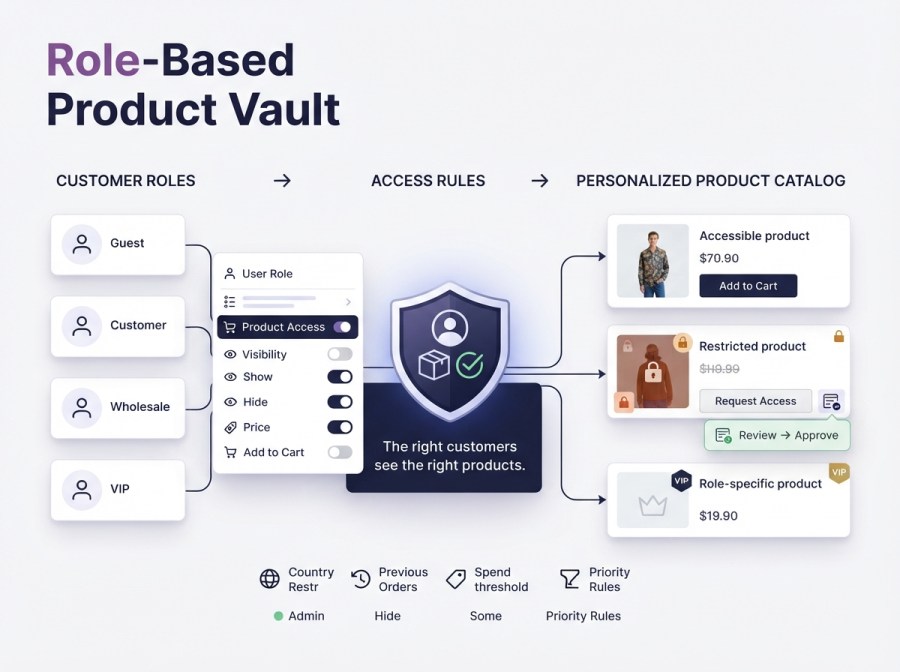
Role-Based Product Vault gives WooCommerce store owners full control over who sees what. Hide products, categories, pricing, and purchase access by user role, customer location, or order history perfect for wholesale stores, B2B portals, VIP programs, and members-only shops.
NEW: Beyond hiding and showing, the plugin includes a complete Access Request system: when a product is restricted, customers can submit a request for approval instead of hitting a dead end. You review, approve, or deny requests from a dedicated admin dashboard turning restricted products into a lead-generation and account-verification tool.
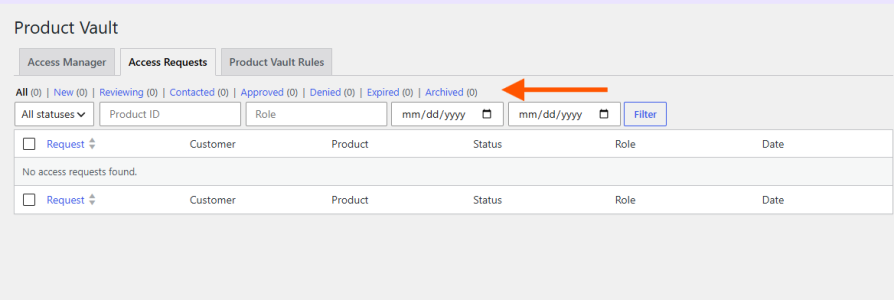 – View customer, product, and assigned role for every request
– IP address and user-agent logging for each submission
– Automatic email notifications for request created, approved, and denied
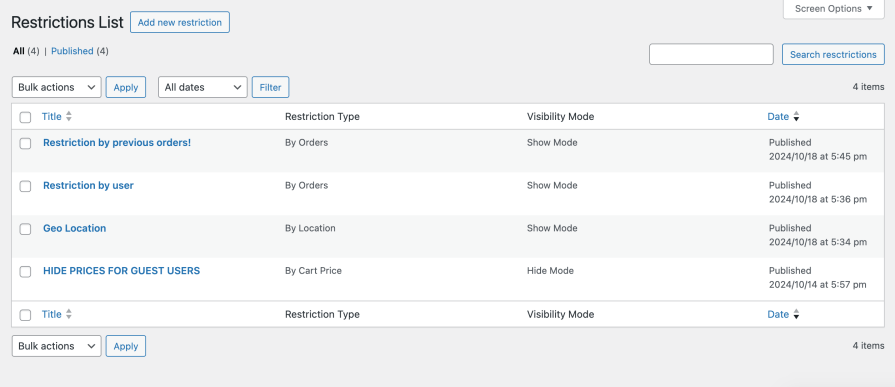
You can set your restriction rule name and set priority for the rule (rules with higher priority will be applied first). For example, restrict access to a product variation for non-wholesale customers, or display unique pricing only to logged-in users.
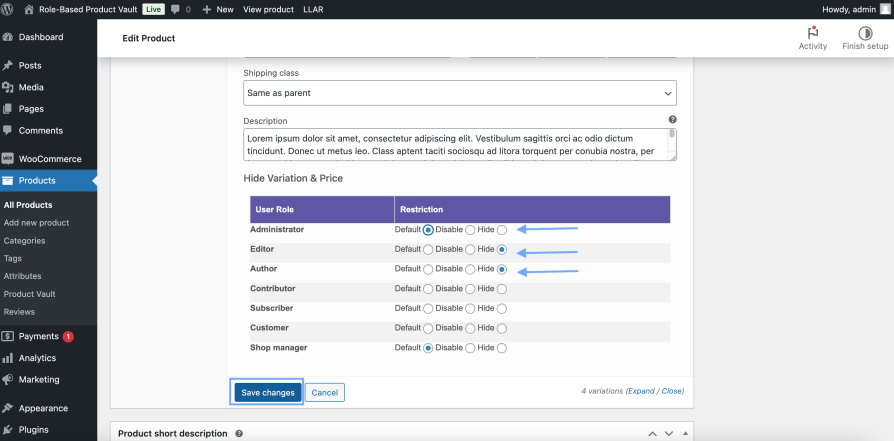
You can set variations visibility and disable them by user role. This is especially helpful for B2B WooCommerce stores where only business accounts can access special variants or pricing.
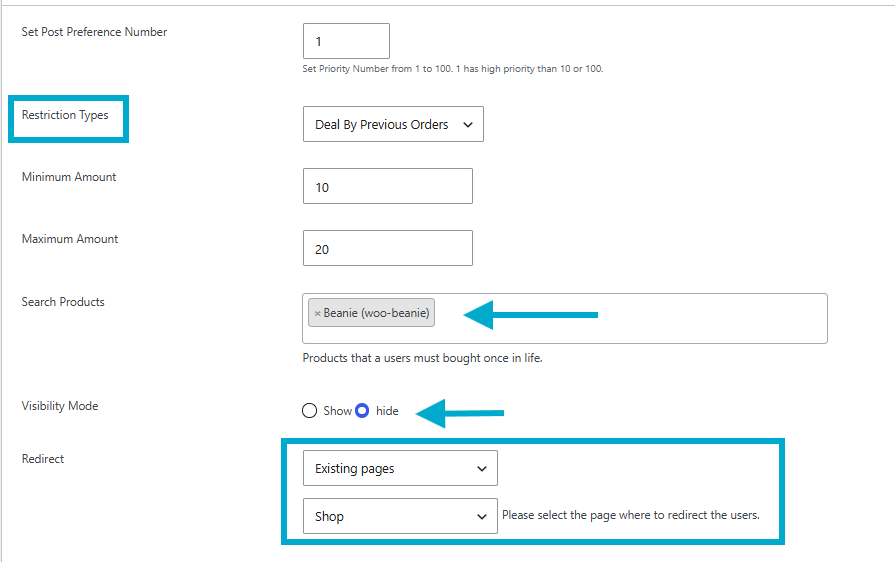
Set rules based on what a customer has already bought or how much they’ve spent. Hide new-arrival products from first-time shoppers, or unlock exclusive items once a customer crosses a spend threshold or has purchased specific products before.
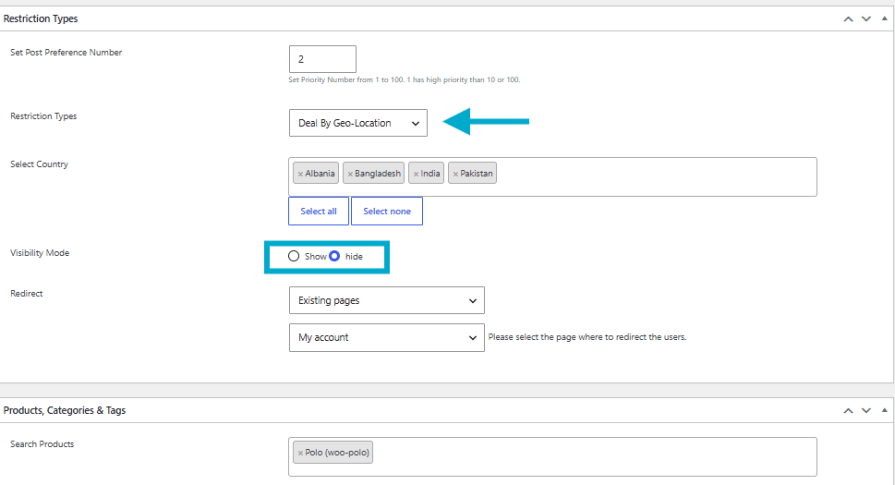
Control visibility using automatic geolocation. Hide specific products, categories, or pricing from shoppers in selected countries; useful for regional compliance, shipping restrictions, or exclusive market launches.
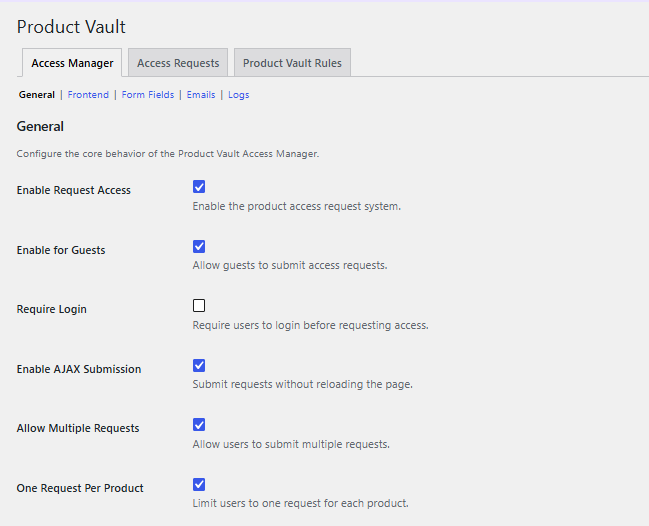
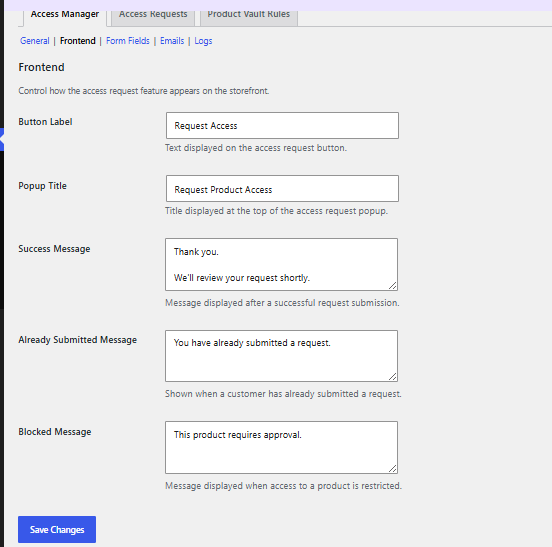
Instead of a dead-end “not available” message, restricted products can show a Request Access button. Customers fill out a short form and their request lands in your admin dashboard for review. Approve, deny, or contact them directly, all from one place.
This turns product restrictions into a lead-generation tool: you capture exactly who’s interested in your wholesale or restricted catalog, instead of just blocking them.
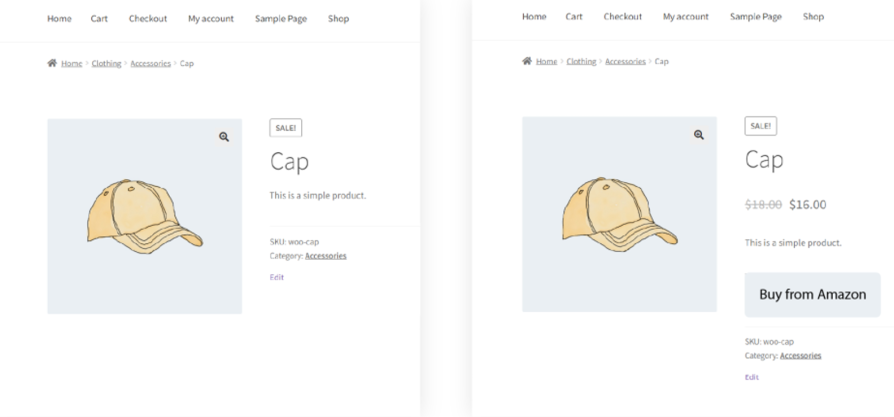
Controlled display of products, prices, and buttons based on active restrictions, ensuring a clean and personalized storefront.
Yes. Create a rule targeting the role(s) you want restricted, and hide the price entirely or replace it with custom text, a login prompt, or a redirect link.
Yes. Set a rule to hide or disable the Add to Cart button for specific roles, and replace it with custom text or a link to another page.
Yes. The plugin uses automatic geolocation to detect a customer's country and apply rules that hide products, prices, or Add to Cart accordingly.
Yes. Variations can be hidden or disabled individually by user role, so you can restrict specific options without hiding the whole product
Yes. You can hide products from first-time shoppers, or unlock them once a customer has ordered before or spent above a set amount.
Create as many rules as you need and assign priority levels. When rules overlap on one product, the rule with the highest priority is applied.
You choose: show custom replacement text, redirect them to another page, or if enabled, show a Request Access button so they can apply for access.
It's a built-in workflow that lets customers request access to restricted products through a customizable form. You review each request in your admin dashboard and approve, deny, or contact the customer directly.
Yes, this is a toggle in settings. You can also choose to allow multiple requests per product if that fits your workflow better.
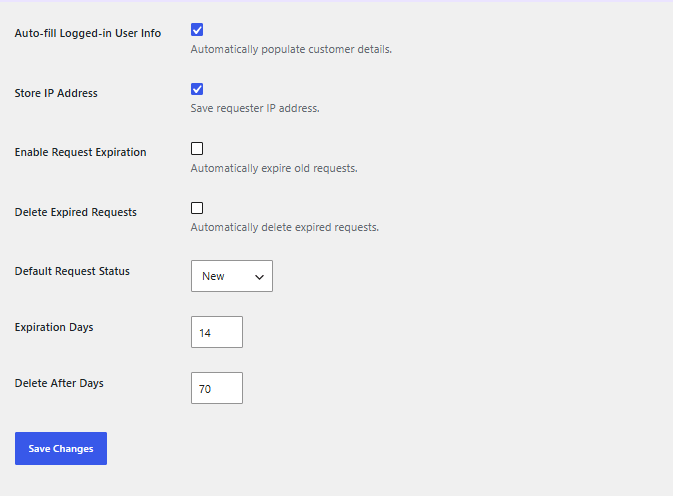
Yes. You can enable automatic expiration after a set number of days, and optionally auto-delete expired requests.
Extension information
Quality Checks
Compatibility
Countries







