

Subscription includes
Support
Recover lost sales with Back in Stock notifications, and capture and convert price-sensitive shoppers with Price Drop alerts and Recovery Offers.
What if your customers got instant alerts when their favorite product came back?
Or what if your customers got instant alerts when price drops on a product they want?
With the Smart Stock Notifications for WooCommerce extension, recover lost sales with Back in Stock notifications, and capture and convert price-sensitive shoppers with Price Drop alerts and Recovery Offers.
With the Smart Stock Notifications for WooCommerce extension, you don’t just recover lost opportunities —
you turn them into loyal, repeat buyers.
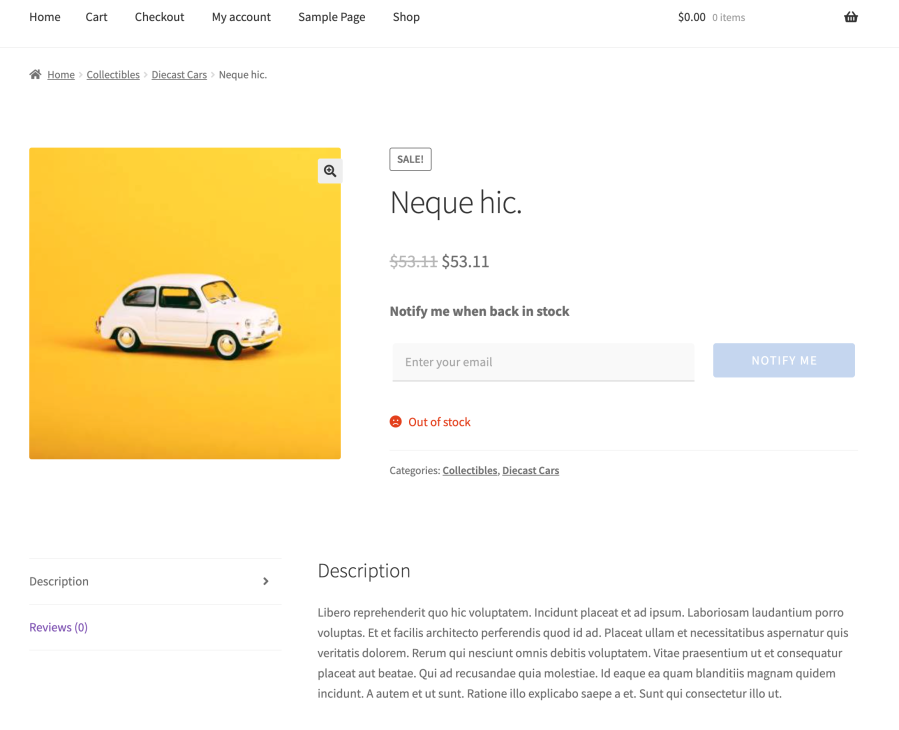
Let customers subscribe for Back in Stock notifications on out-of-stock products, then automatically alert them when those products come back in stock. This helps recover lost sales from shoppers who were ready to buy but found the product out of stock.
Reduce lost sales from silent exits.

Capture demand from high-intent, price-sensitive shoppers directly on product pages.
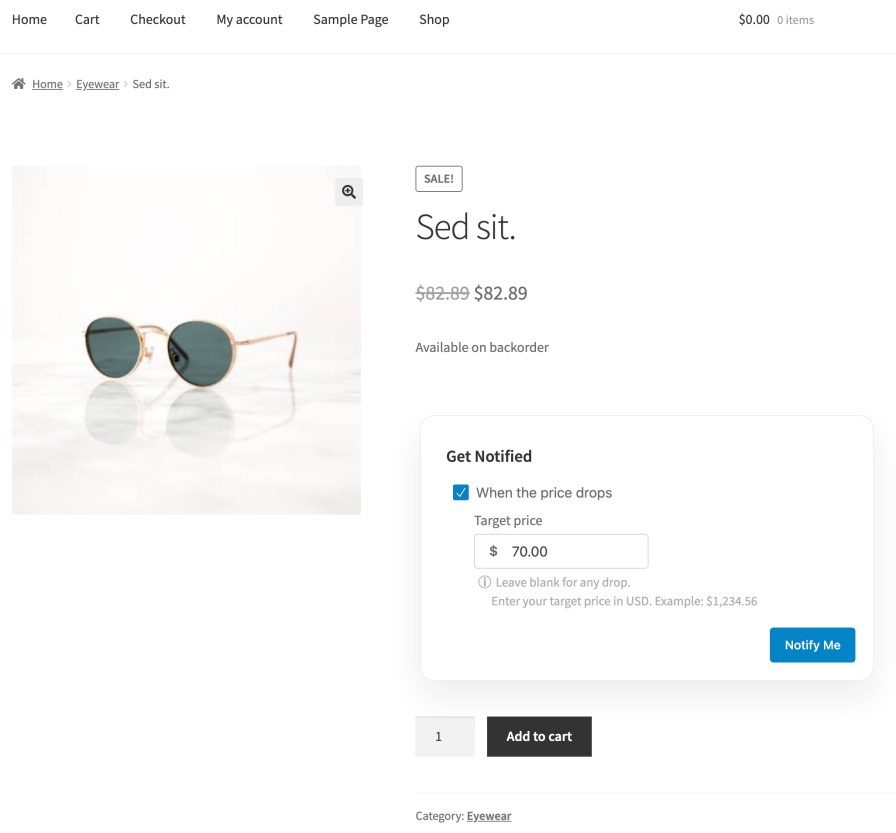
Let shoppers subscribe for Price Drop alerts and optionally set a target price. When the price drops, Smart Stock Notifications automatically alerts them so they can return at the right time.
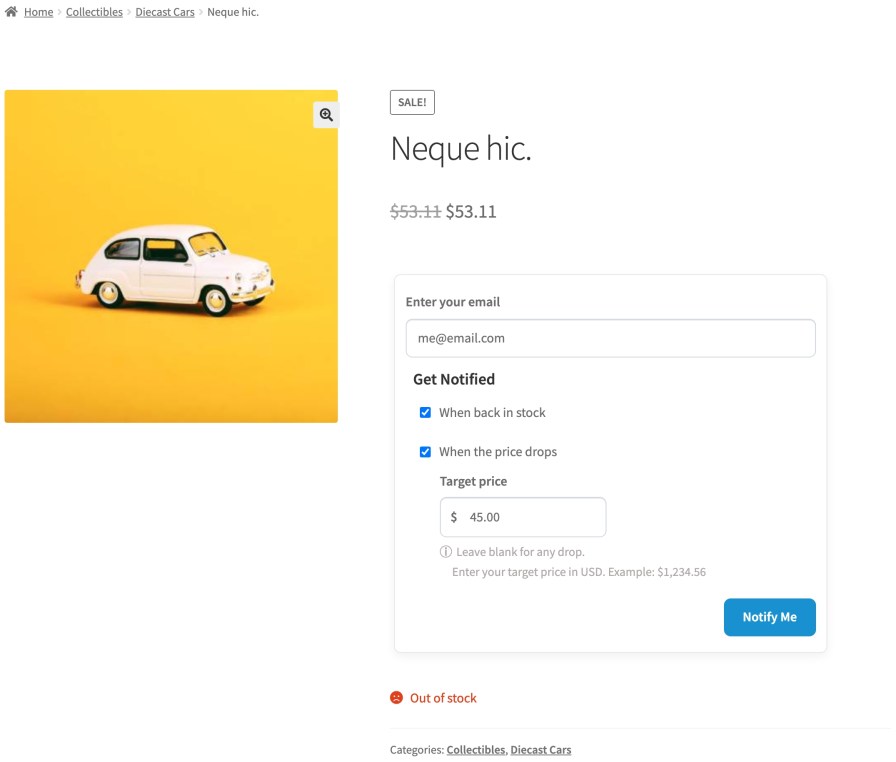
Support both Back in Stock and Price Drop notifications in one storefront experience when it makes sense for the product and your setup.
This gives stores a more flexible way to capture different kinds of buying intent from the same page.
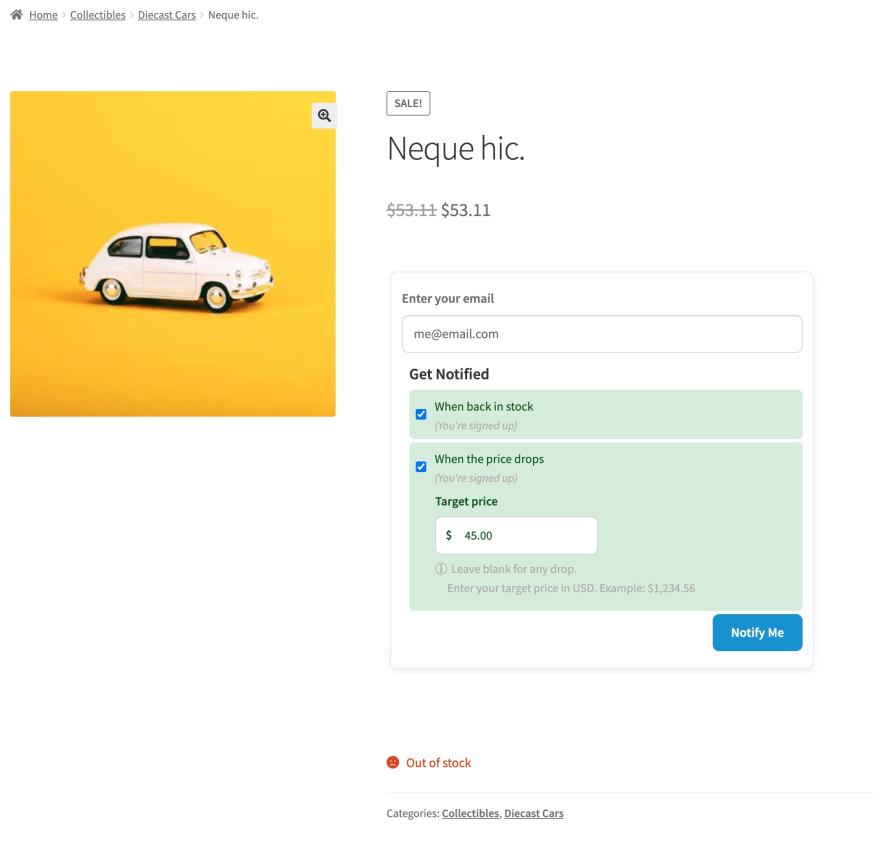
Clear Signed-Up State
Recovery Offers help you recover sales opportunities from shoppers who are interested, but waiting for a better price.
For eligible Price Drop requests that meet your Recovery Offer policy (admin configurable), merchants can generate targeted coupon offers, send them at the right time, and manage the full offer lifecycle from the admin dashboard.
This adds a powerful conversion layer on top of Price Drop demand capture.
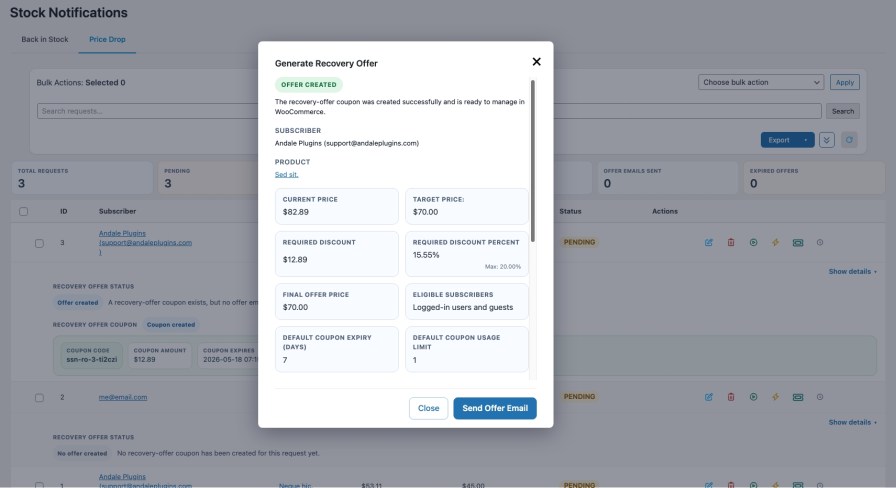
Recovery Offers are manageable from the admin workflow, not just from a modal
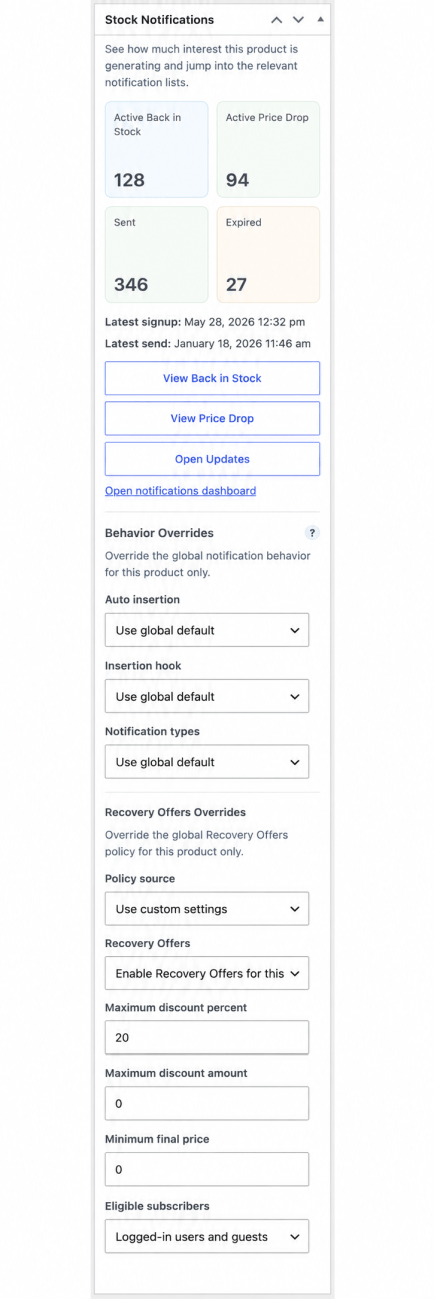
Recovery Offers can be overridden at the product level, including whether Recovery Offers are enabled for a specific product, the maximum discount percent, the maximum discount amount, the minimum final price, and the eligible subscriber scope.
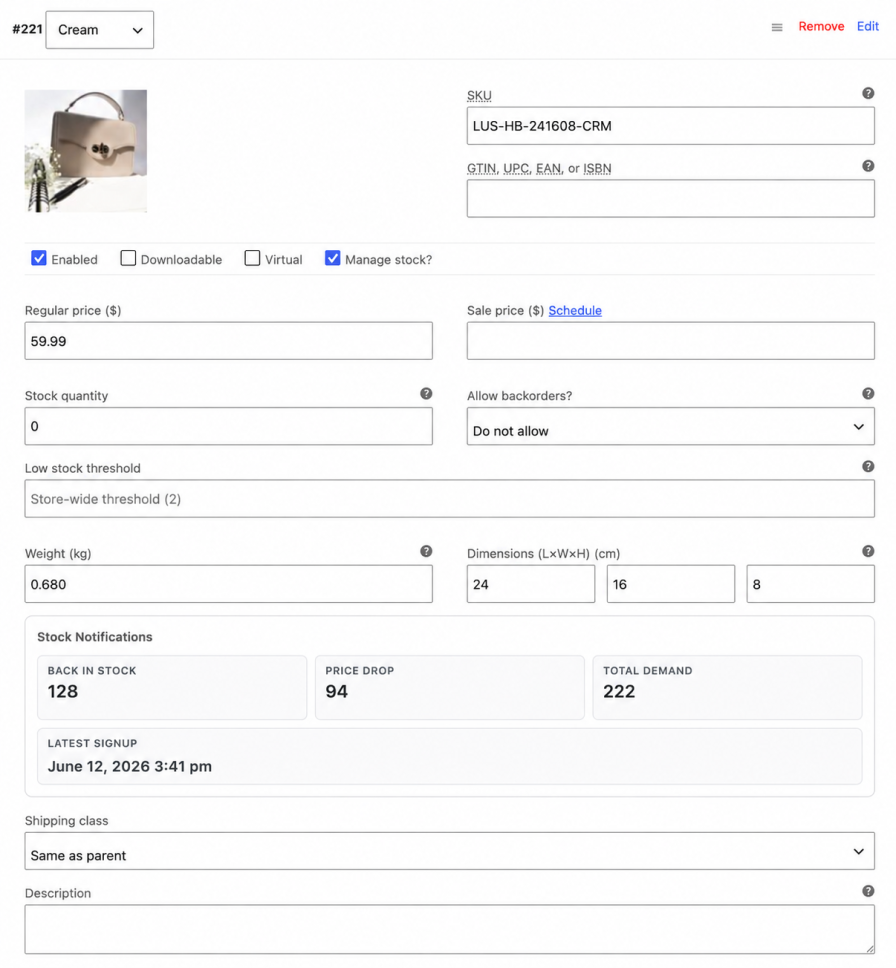
For variable products, store managers can also review variation-level subscriber demand directly inside the WooCommerce variation editor, helping them see which variations are generating the most Back in Stock and Price Drop interest.
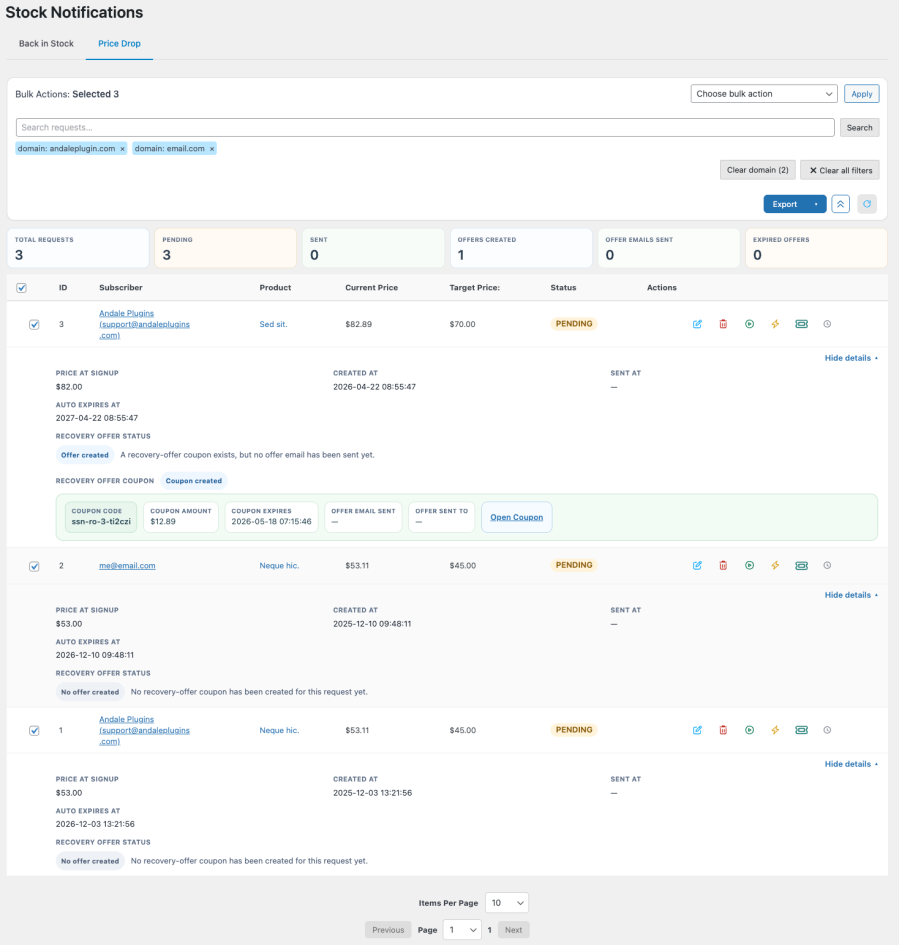
Smart Stock Notifications gives your team practical admin tools for working with demand after it has been captured.
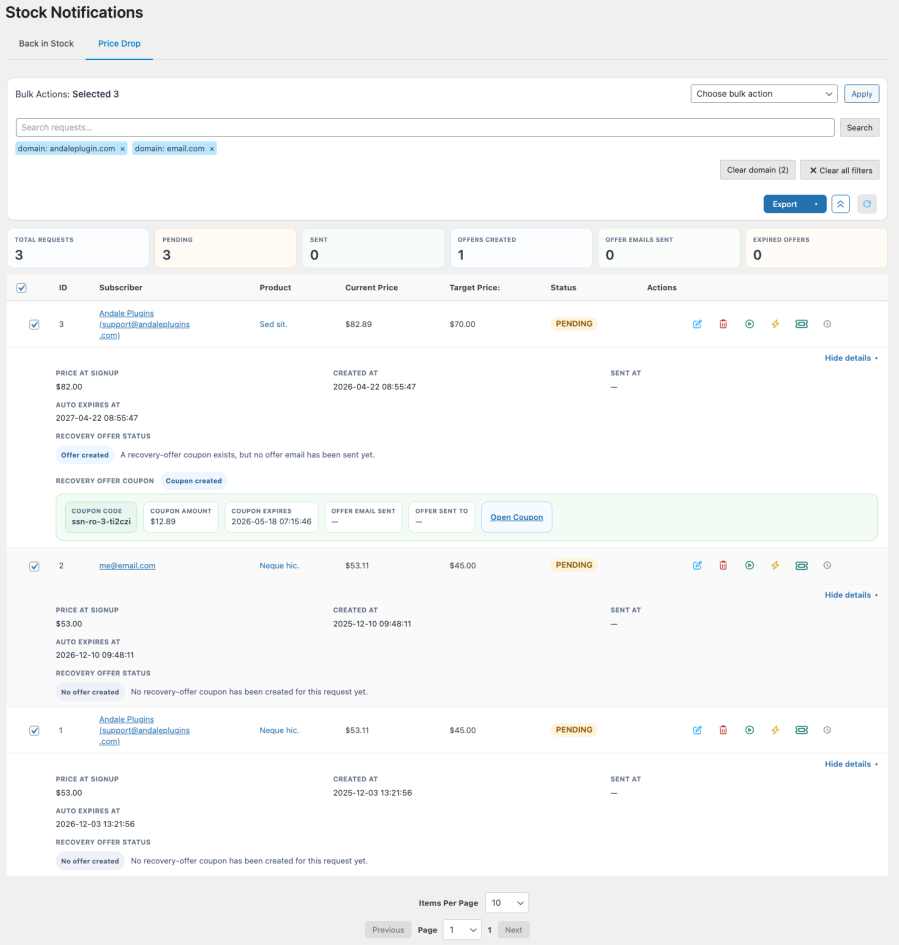
Review request details, take row-level actions, monitor statuses, and manage Recovery Offer activity from one operational view.
This makes the plugin useful not only on the storefront, but also in day-to-day admin workflows.
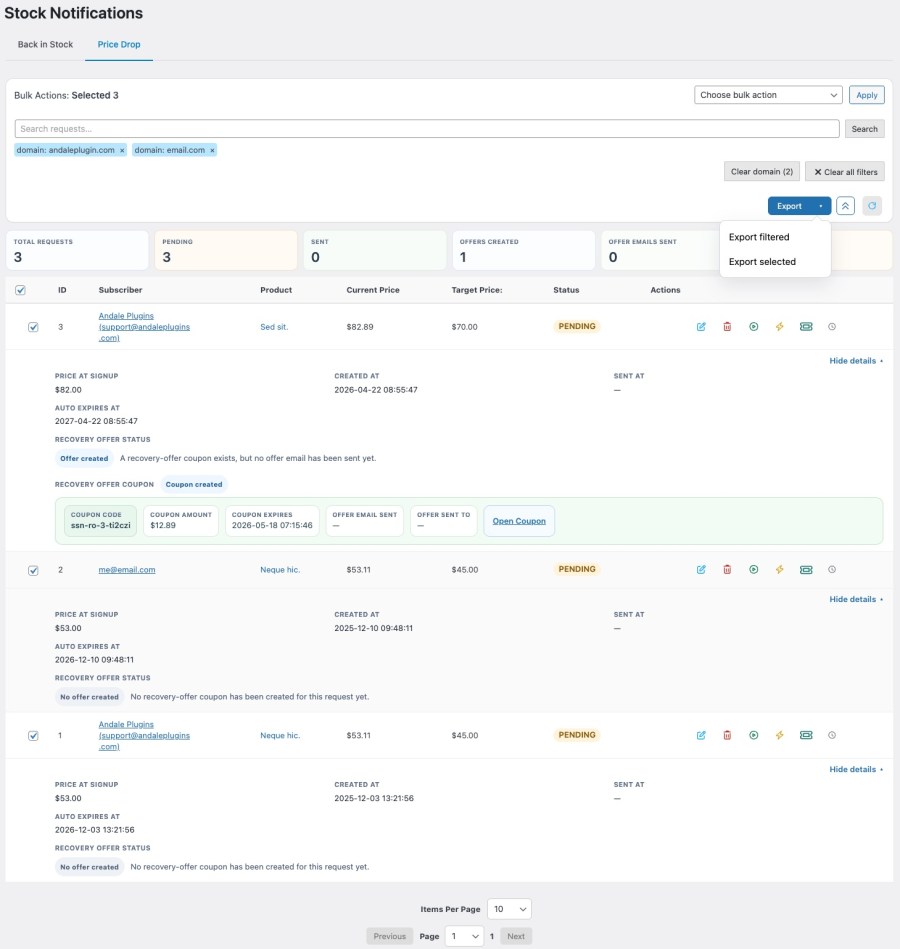
Keep waiting subscribers informed while they wait. The Product Communications Workspace lets store managers review active subscriber demand for a product, save expected availability and price context, send update emails, and track recipient-level results from a dedicated admin workspace.
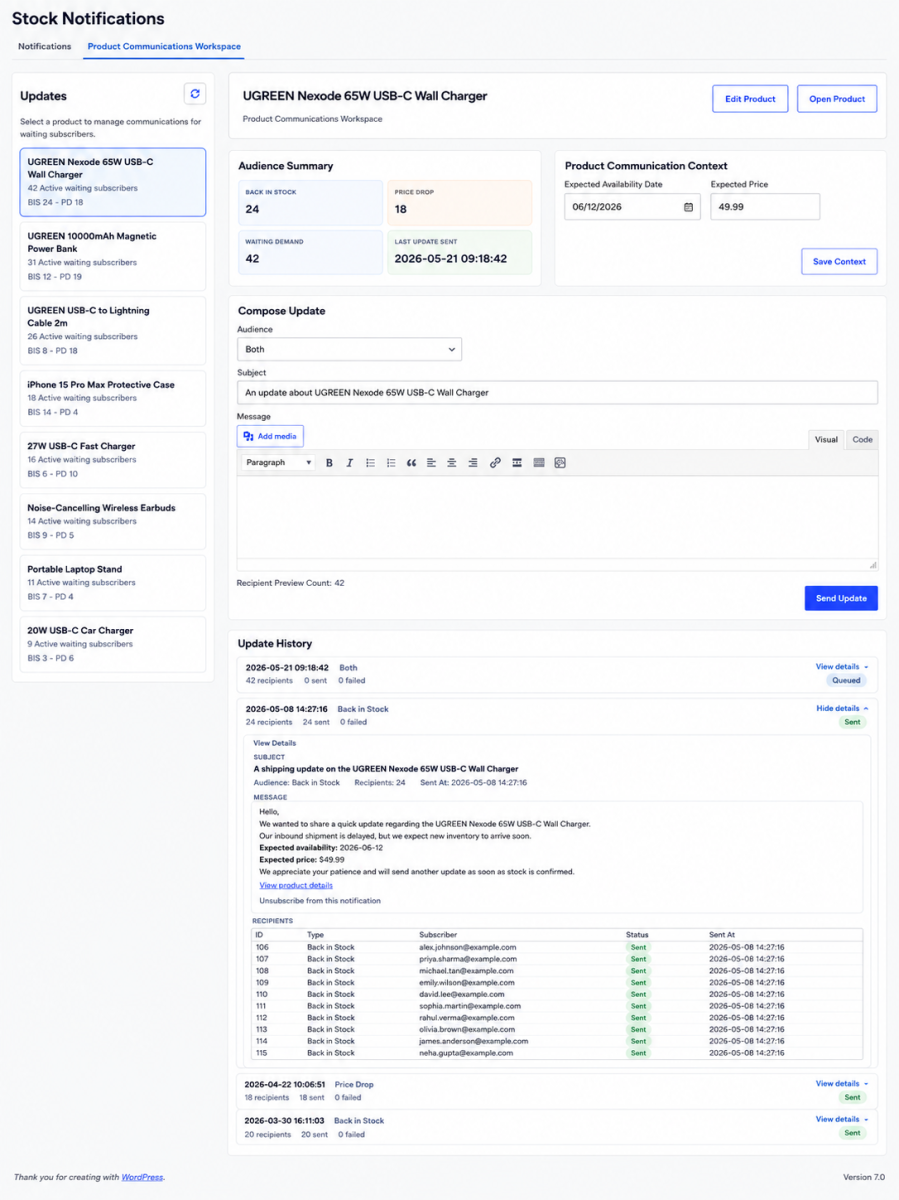
Export filtered or selected request data directly from the admin table and use summary counts to keep track of what is happening across your notification pipeline.
This gives teams a cleaner way to work with subscriber demand, operational follow-up, and Recovery Offer activity.
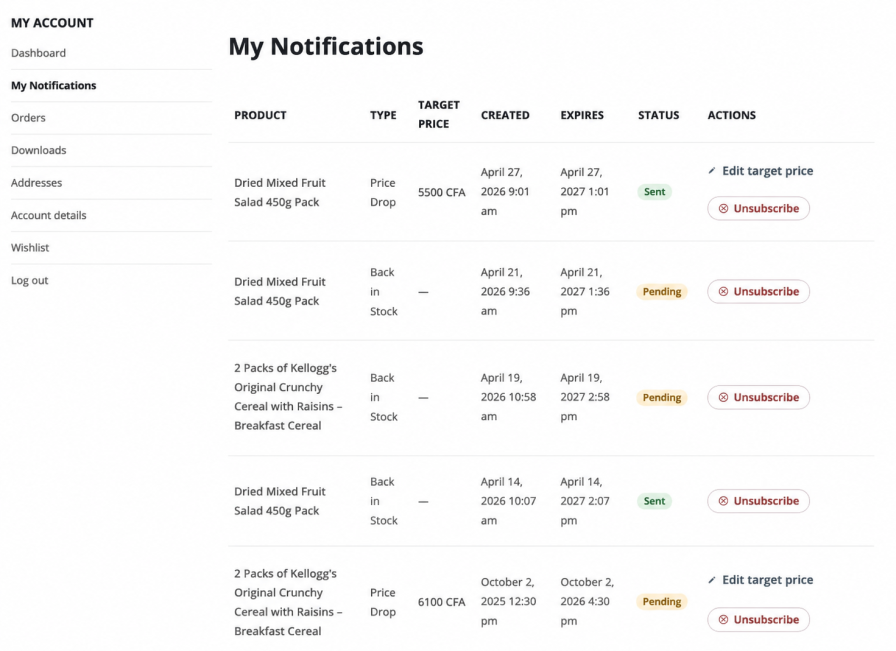
Customers can manage their own notification preferences from their account area, including unsubscribing and updating Price Drop target prices.
That keeps customers in control while reducing avoidable support requests.
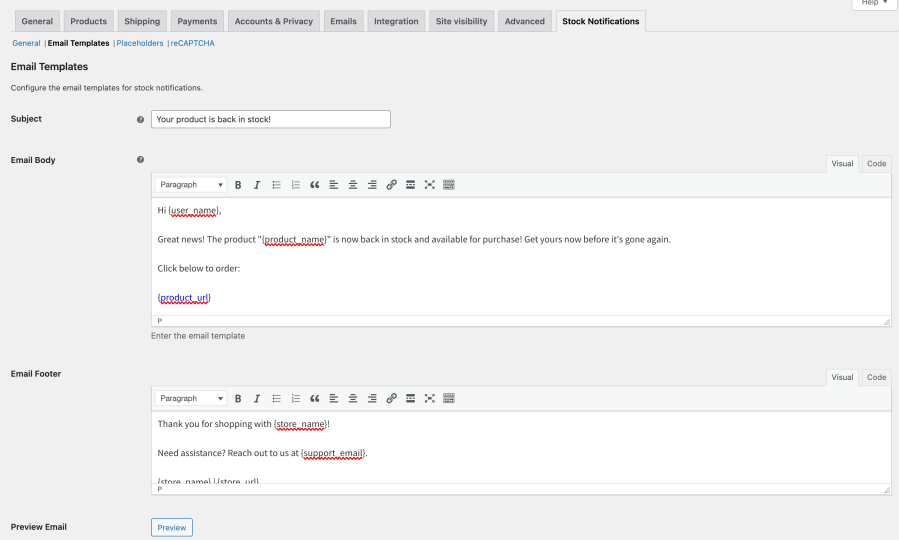
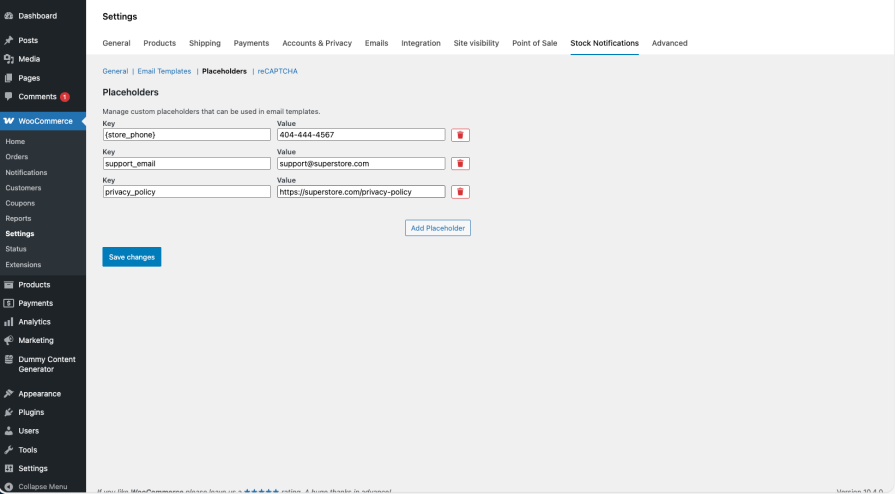
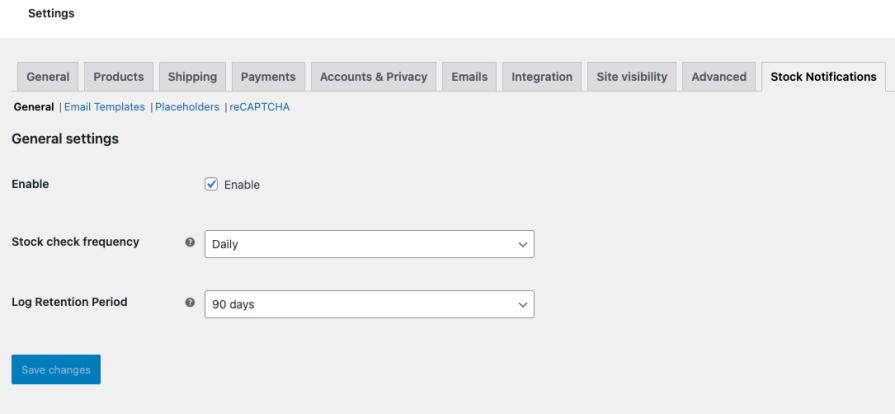
Edit your notification content directly from the plugin settings and tailor emails with dynamic placeholders such as product and store details. You can also define custom placeholders to make your messages more specific to your brand and support workflow.
Look professional and stay on-brand.
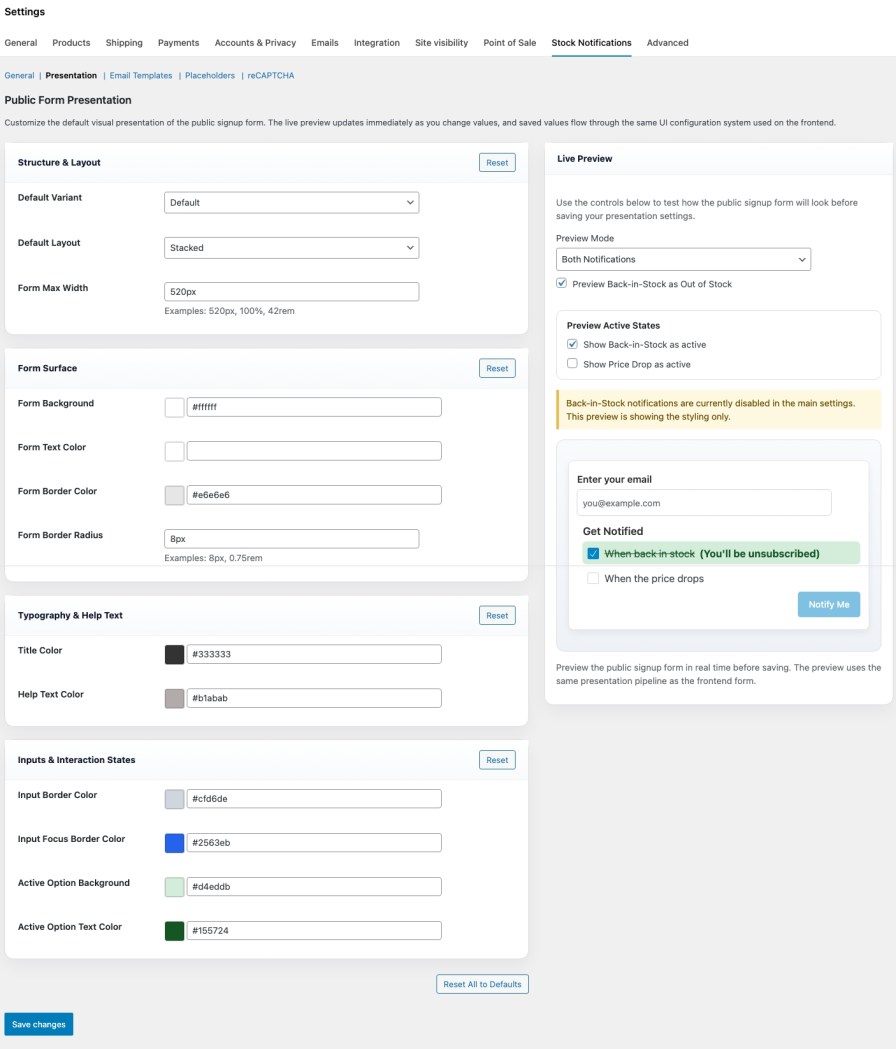
Customize the look, layout, and presentation of your notification signup forms so they feel like a natural part of your storefront.
Preview changes before saving, fine-tune the signup experience, and give shoppers a cleaner, more branded way to subscribe.
Review notification activity at the product level, jump into the relevant request lists, and override global behavior directly from the product editor.
Recovery Offers can be overridden at the product level, including whether Recovery Offers are enabled for a specific product, the maximum discount percent, the maximum discount amount, the minimum final price, and the eligible subscriber scope.
That gives merchants more intentional control over how notifications appear and behave across the catalog.
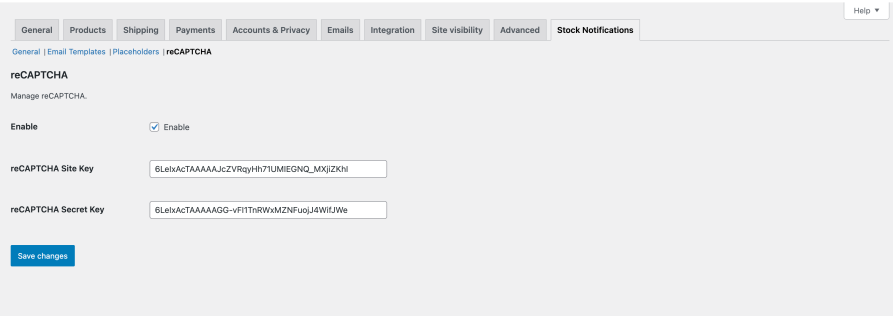
Built-in bot protection keeps bots out of your notification list.
No bots, no clutter — just high-intent shoppers.
Activate it and go — for themes that honor the supported WooCommerce product page hooks, your shoppers can subscribe to back-in-stock and price-drop alerts right away. Zero setup. Zero fuss.
Turn stockouts and price-watch interest into future sales — instantly.
“We used to manually email customers when stock came back. Now it’s automatic. Our conversions are up, and our support time is down.”
— Feedback from early user testing
Stockouts and price hesitation are inevitable. Losing sales because of them doesn’t have to be.
Your customers can subscribe to stock alerts right from the product page:
No shortcodes or manual placement needed — it works out of the box.
Smart Stock Notifications currently supports:
Both notification types can be enabled independently, and the signup experience can be rendered together or separately depending on your settings and placement choice.
Customers can subscribe directly from the product page when a product is out of stock.
This helps you recover lost sales from shoppers who were ready to buy but found the product out of stock.
Shoppers can subscribe for Price Drop alerts directly from the product page.
This helps you capture and re-engage price-sensitive shoppers waiting for a better price.
Recovery Offers add a conversion layer on top of Price Drop demand capture.
For eligible Price Drop requests that meet your Recovery Offer policy, you can:
This helps you recover more sales from high-intent shoppers who did not buy at the original price.
Yes.
You can customize notification emails directly from the plugin settings.
Pro tip: keep your notification emails on-brand by matching your store’s tone, content, and branding, with no coding required.
Yes.
Smart Stock Notifications supports both simple and variable WooCommerce products across both Back in Stock notifications and Price Drop alerts.
For variable products, store managers can also review variation-level subscriber demand directly inside the WooCommerce variation editor, helping them see which variations are generating the most Back in Stock and Price Drop interest.
Yes.
Guests can subscribe without creating an account, and logged-in customers are supported too.
Yes.
Customers can manage their notification preferences from their account area, including:
This reduces support overhead and gives customers more control.
Yes.
You can customize your signup form look and feel directly from the plugin settings.
For deeper customization, the plugin also provides stable frontend hooks and styling targets for developers.
Yes.
You can review product-level notification activity and override global behavior directly from the product editor.
This includes product-level control over storefront notification behavior, as well as product-level Recovery Offers overrides such as whether Recovery Offers are enabled, the maximum discount percent, the maximum discount amount, the minimum final price, and the eligible subscriber scope.
This lets you tailor notification and recovery behavior for specific products without changing the store-wide defaults.
Yes.
The admin area includes practical tools for working with notification demand after it has been captured.
You can:
Yes.
Admins can export:
This makes it easier to work with subscriber demand, reporting, and operational follow-up outside the dashboard when needed.
Yes — reCAPTCHA (v3) support is built in.
No bots. No clutter. Just real shoppers.
No major setup is required for themes that honor the supported WooCommerce product page hooks.
Zero setup. Zero friction. Instant results.
For themes that do not honor the supported WooCommerce product page hooks, you can manually place the signup form where you want it using the plugin shortcode. See the Manual Placement section of the documentation.
Extension information
Quality Checks
Countries







