
Variation Monster for WooCommerce allows you to control where the variation table appears on the single product page, so you can match it perfectly with your store layout and design.
Available Variation Table Positions
↑ Back to topYou can choose from the following placement options:
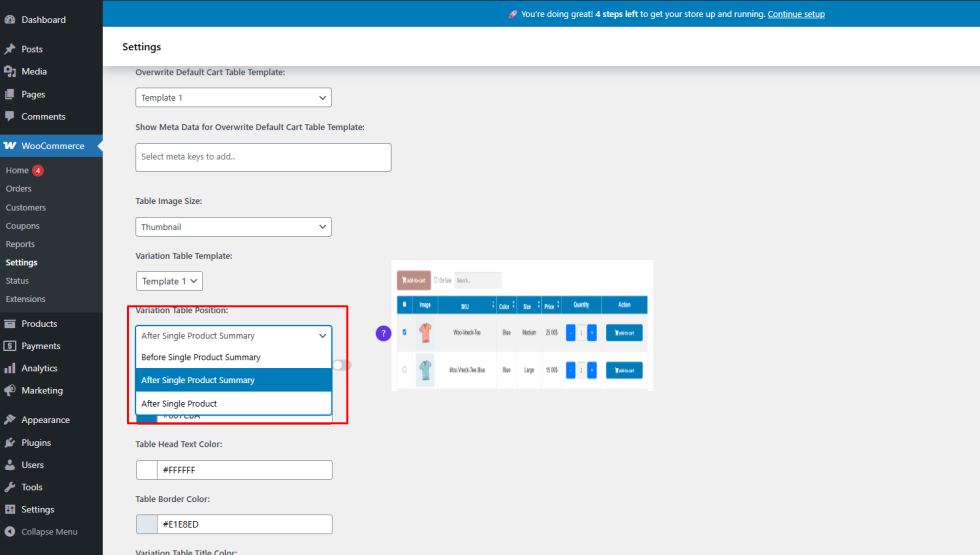
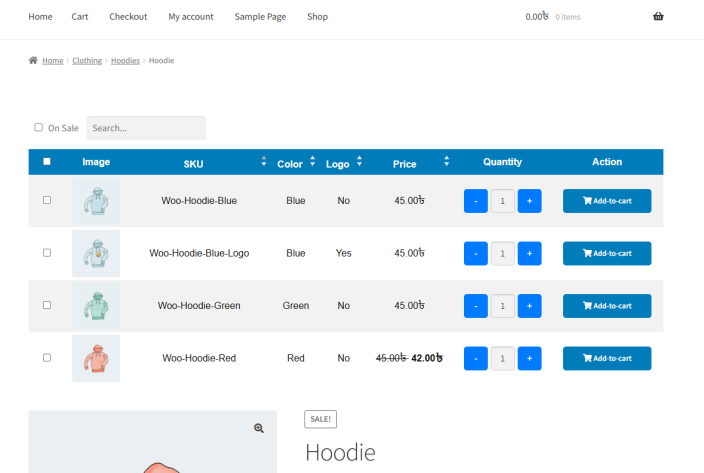
- Before Single Product Summary
Displays the variation table above the product summary section. - After Single Product Summary
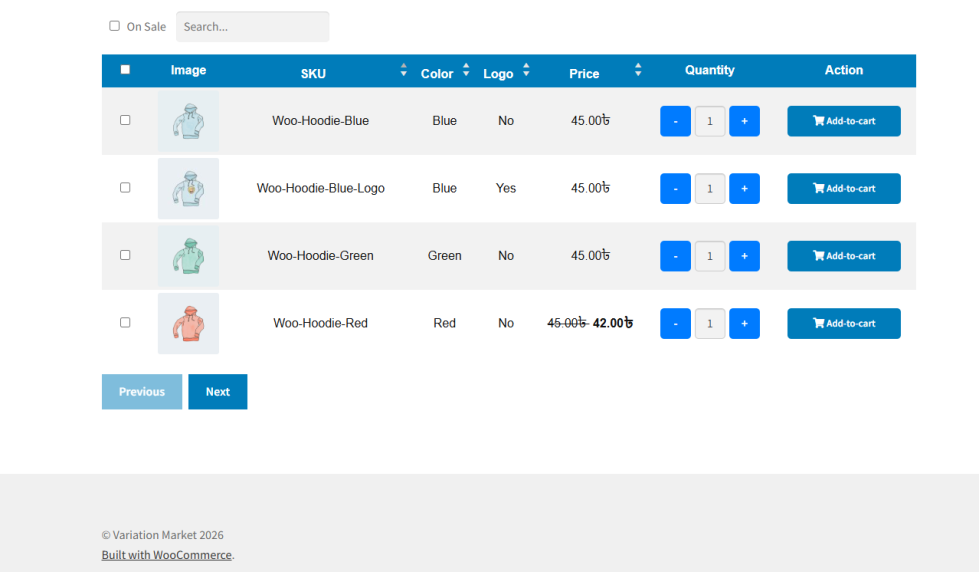
Displays the variation table below the product summary section. - After Single Product
Displays the variation table at the very bottom of the product page.
How to Configure the Position
↑ Back to top- Go to WooCommerce → Settings → Variation Monster
- Open the Variation Table section
- Find Variation Table Position
- Select your preferred position
- Save the settings
Frontend Result
↑ Back to topOnce configured:
- The variation table will appear in the selected position on all applicable single product pages
- The layout will remain clean and consistent with your theme
- Customers can easily view and interact with variations
Why This Is Useful
↑ Back to top- Better control over product page layout
- Improved user experience
- Flexibility to match different theme designs