

Subscription includes
Support
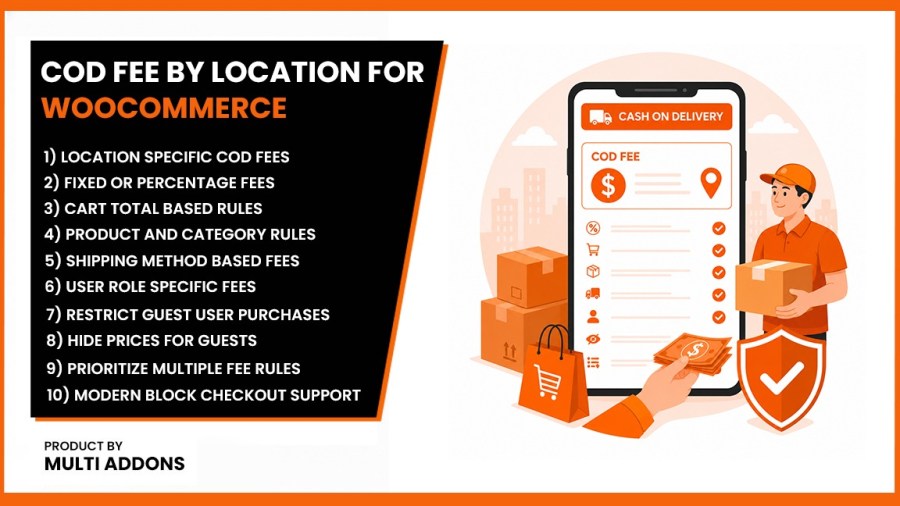
COD Fee by Location for WooCommerce — Add Cash on Delivery Surcharges by Zip Code, City, or Country want to add a cash on delivery fee in WooCommerce? By default, WooCommerce has no built-in way to charge extra for Cash on Delivery orders — you need a dedicated plugin. COD Fee by Location lets you set a fixed or percentage-based COD surcharge, automatically applied based on your customer’s zip code, city, state, or country, so you recover shipping and handling costs on the orders that actually cost you money.
Whether you need to charge a flat $5 fee for specific zip codes, a 10% premium for international orders, or want to exclude COD entirely for high-risk products, this plugin provides the advanced, rule-based infrastructure your store needs to maximize profitability.
COD Fee by Location is fully compatible with WooCommerce’s High-Performance Order Storage (HPOS) and the newer Blocks-based checkout, so the surcharge recalculates instantly via AJAX the moment a customer enters their address — no page reload, no legacy checkout dependency.
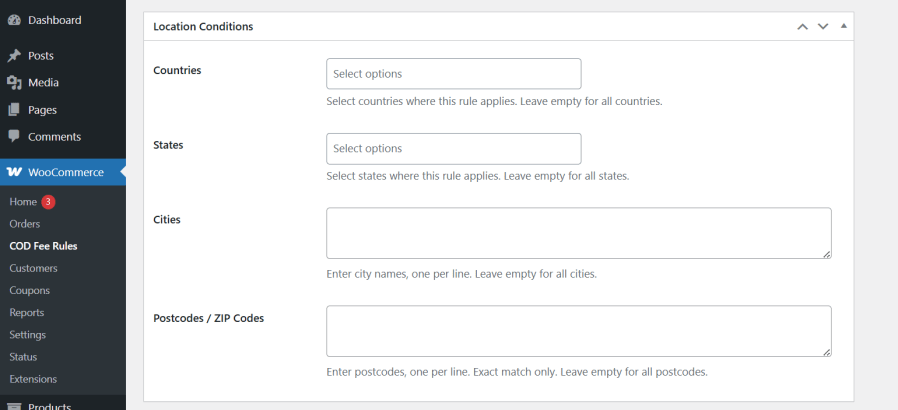
Stop applying a one-size-fits-all Cash on Delivery charge. With COD Fee by Location, you can add a cash on delivery fee based on zip code, city, state, or country — matching the surcharge to what COD orders actually cost you to fulfill in each area.
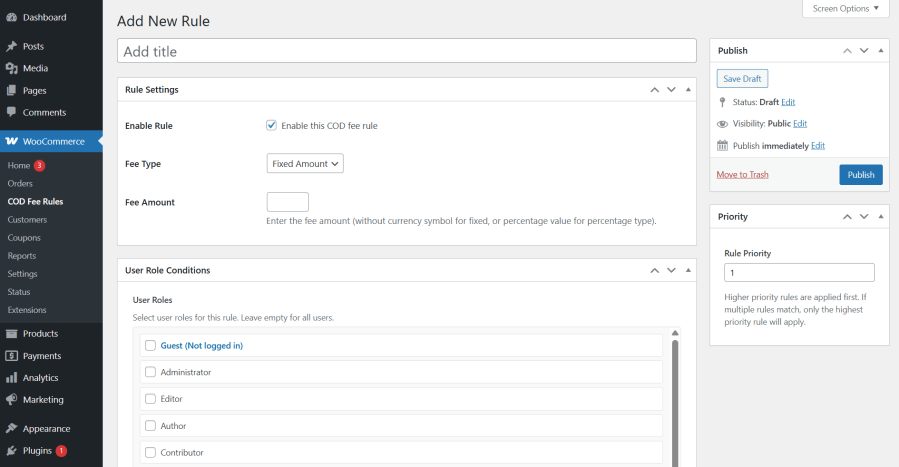
Choose exactly how your cash on delivery extra charge is calculated, and whether it’s taxable, so every COD order reflects your real costs.
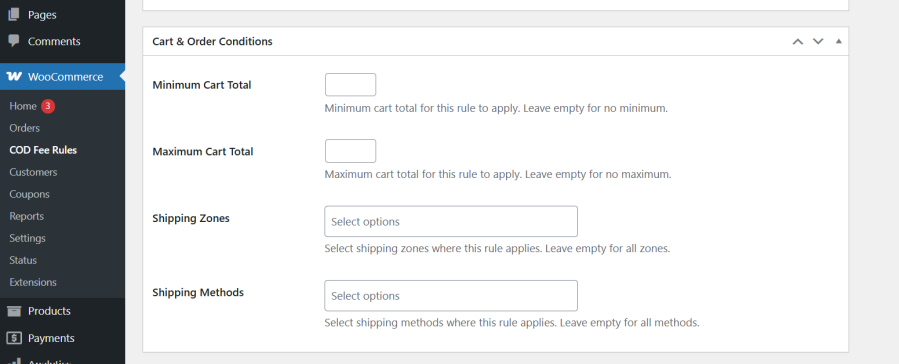
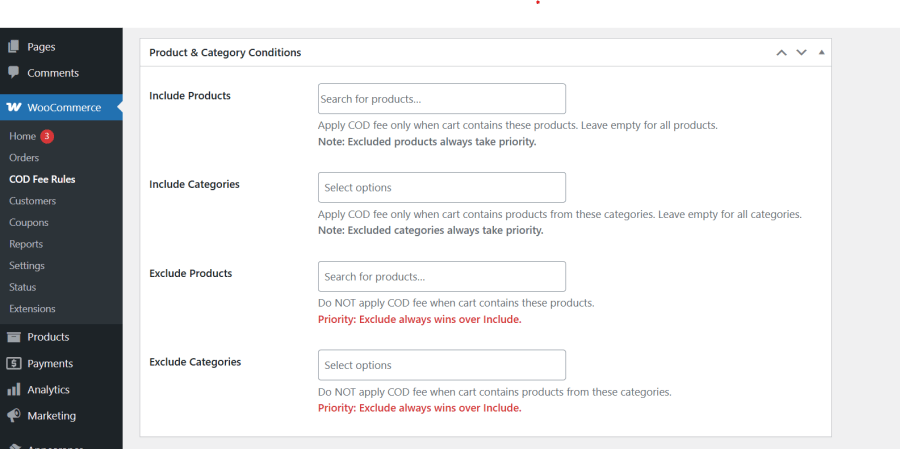
Go beyond location. Trigger your WooCommerce COD fee only when specific cart conditions are met, so you’re not overcharging customers who don’t need it.
When a customer matches more than one rule — say, a general country-level fee and a more specific city-level fee — COD Fee by Location uses a priority system to decide which one applies.

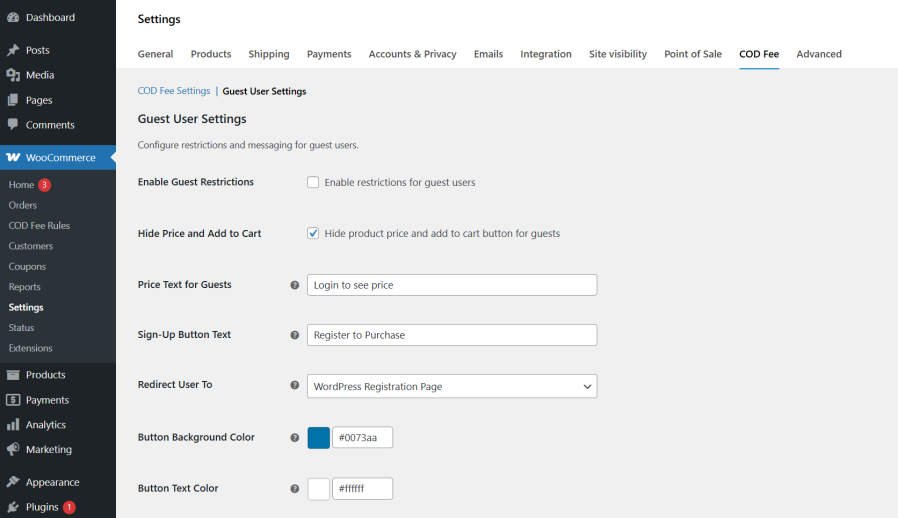
Control exactly who can see and use your COD option — useful for stores managing retail vs. wholesale pricing, or reducing risk from unauthenticated orders.
Built on modern WooCommerce architecture, so it keeps working as WooCommerce evolves.
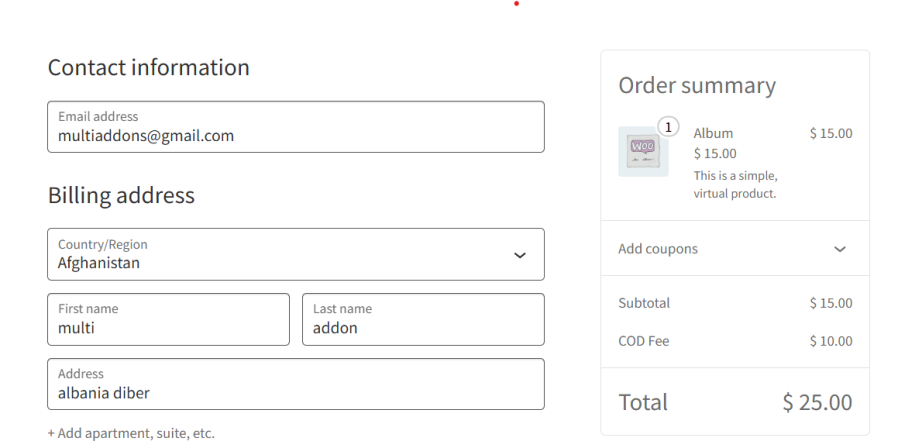
Most WooCommerce COD fee plugins only support country-level pricing — which isn’t precise enough if your actual delivery costs vary by city, state, or zip code. COD Fee by Location adds that missing layer of geographic precision, letting you set a cash on delivery surcharge down to the exact postcode, while staying fully compatible with the modern WooCommerce Blocks checkout that many older COD plugins still break or don’t properly support.
Built to be lightweight, it strictly follows WooCommerce’s latest performance standards — including full HPOS compatibility — and runs on a priority-based rule engine that resolves overlapping COD fees automatically, so your pricing logic never conflicts. Whether you need a flat handling fee, a percentage-based surcharge, or fully conditional rules by product and cart total, COD Fee by Location gives you complete control over your Cash on Delivery process — protecting your margins and covering your real logistics costs on every order.
No — WooCommerce has no built-in feature to add a COD surcharge. Store owners need a dedicated plugin like COD Fee by Location to automatically apply a fixed or percentage-based fee based on the customer's location.
Yes, absolutely! While most plugins only allow basic country-level pricing, COD Fee by Location is built for precise geographic targeting. You can easily create a rule to add a flat handling fee (e.g., $5) or a percentage surcharge specifically for targeted zip codes, postcodes, cities, or states. You can even paste a bulk list of zip codes to instantly apply the fee to your entire local delivery zone.
Yes. Our advanced conditionals engine allows you to trigger the COD extra charge only when specific items are in the cart. You can set up inclusion rules (apply the fee only if "Electronics" are purchased) or exclusion rules (waive the COD fee if a high-margin product is in the checkout). This ensures you protect your profit margins perfectly.
Our plugin includes a powerful Guest Restrictions module explicitly designed for this. You can easily hide product prices from logged-out users, disable the "Add to Cart" button for guests, and replace the price with a fully customizable "Login to View Price" call-to-action button. This not only minimizes your COD shipping risks but also drastically drives up user registrations on your store!
Yes, 100% compatible. Unlike older plugins that break modern themes, COD Fee by Location was built to seamlessly support the React-based WooCommerce Blocks Checkout and the Store API. It instantly recalculates the COD surcharge via AJAX when a customer updates their address, without requiring a page reload. It is also fully declared and tested for High-Performance Order Storage (HPOS) for lightning-fast database performance.
COD Fee by Location uses an intelligent Priority System to handle complex pricing structures. When you create your surcharge rules, you simply assign them a numerical priority. If a customer in "New York" matches both your general "USA ($2 Fee)" rule and your specific "New York ($5 Fee)" rule, the plugin will automatically apply the rule with the highest priority. You are always in complete control of your checkout pricing.
Categories
Quality Checks
Countries







