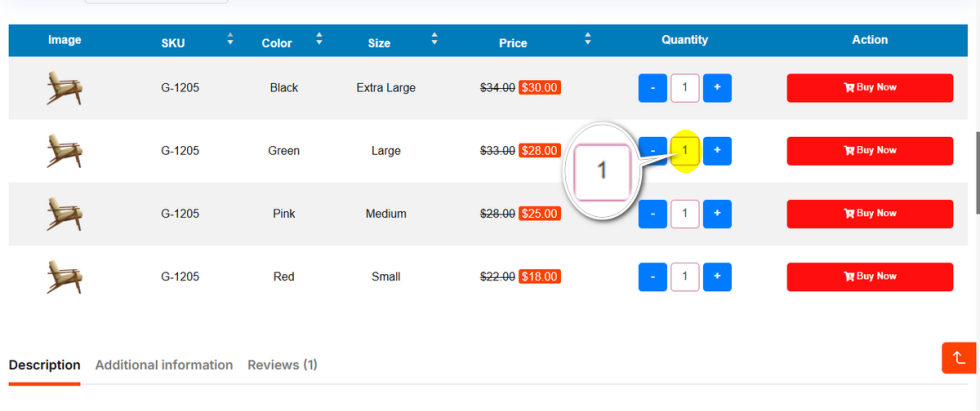
The quantity selector is often overlooked in standard WooCommerce styling, but it is vital for bulk orders in the Variation Table.
This option lets you apply a custom background color to the plus (+) and minus (-) buttons found in the quantity input field inside the variation table of a variable product.
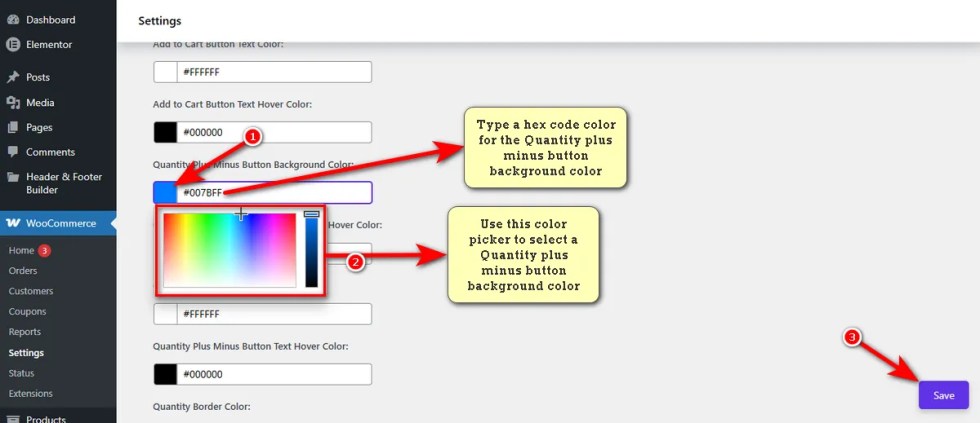
These buttons ensure that these small functional elements match your overall theme.
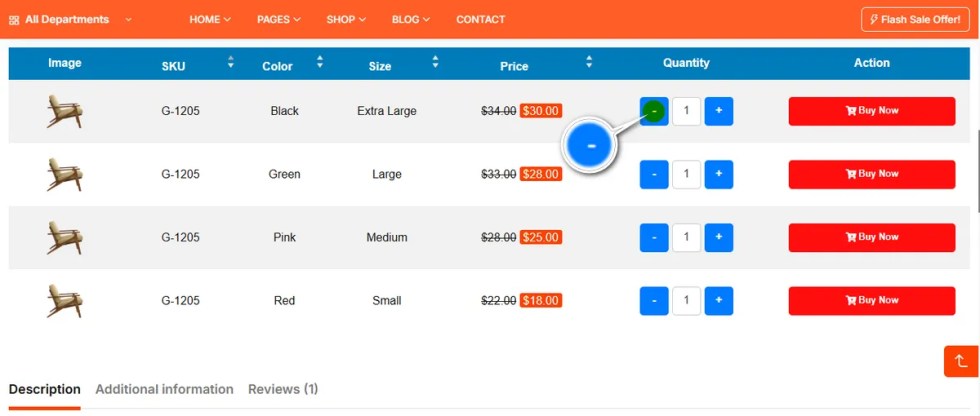
Quantity Plus Minus Button Background Hover Color
↑ Back to topMake your quantity controls feel responsive.
This setting changes the background color of the plus and minus buttons when a user hovers over them.
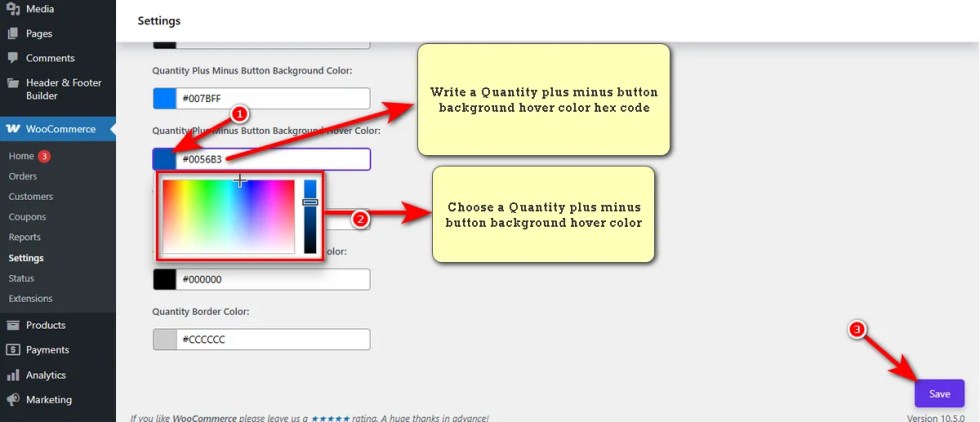
It confirms to the user that the button is clickable and ready to adjust the item count.
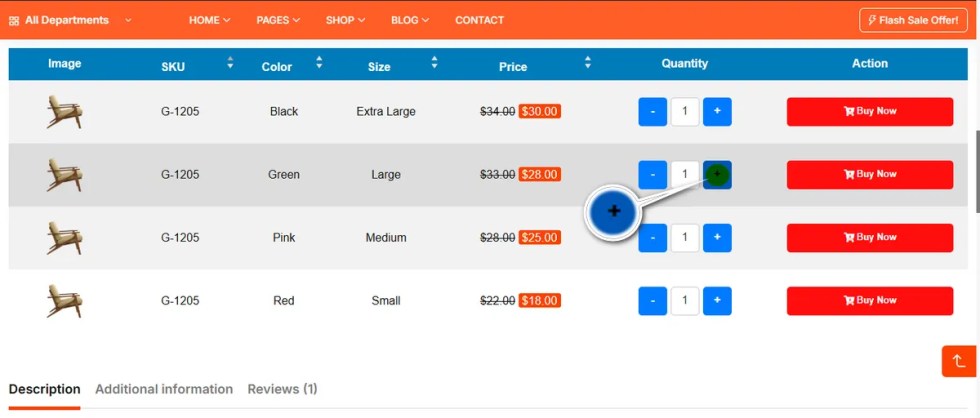
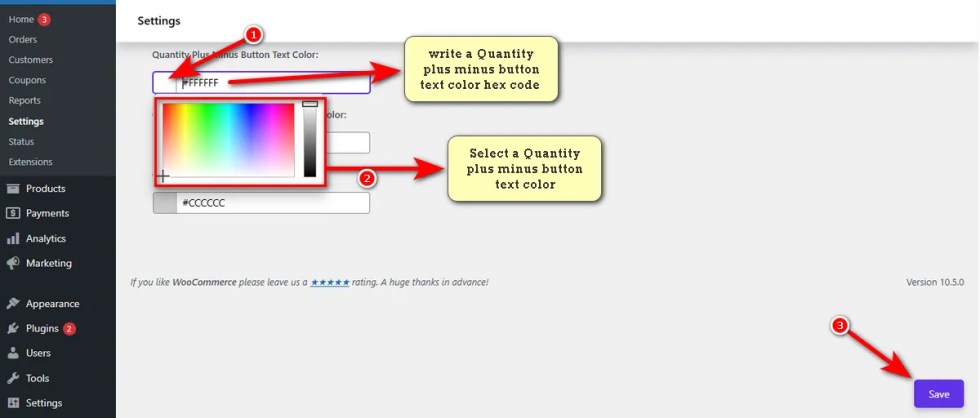
Quantity Plus Minus Button Text Color
↑ Back to topThis controls the color of the actual plus (+) and minus (-) symbols inside the buttons.
Select a color that contrasts well with your button background to ensure users can clearly see which button increases or decreases the quantity.
Here’s the effect you can view on a variable product detail page’s table.
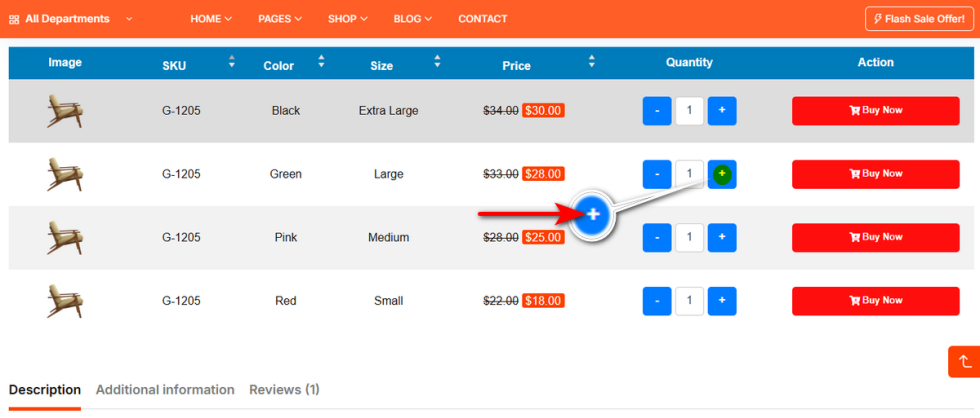
Quantity Plus Minus Button Text Hover Color
↑ Back to topYou can also animate the symbol color during interaction.
Use this setting to change the color of the plus and minus symbols when the button is hovered.
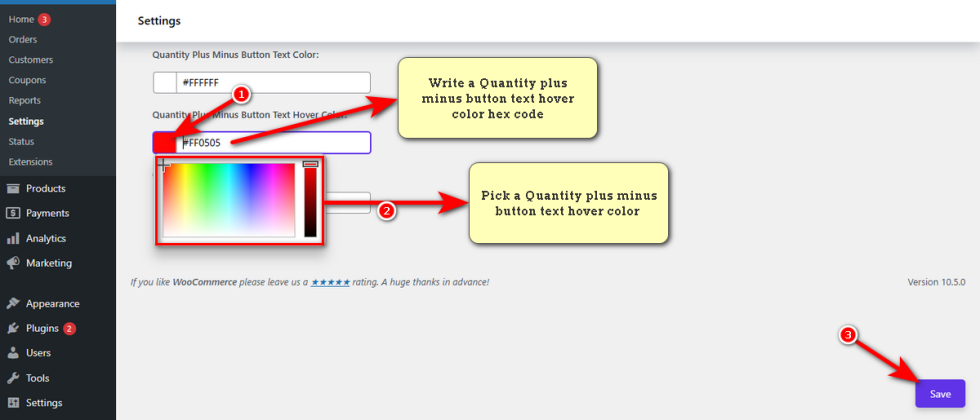
This adds a polished, professional touch to the micro-interactions on your product page.
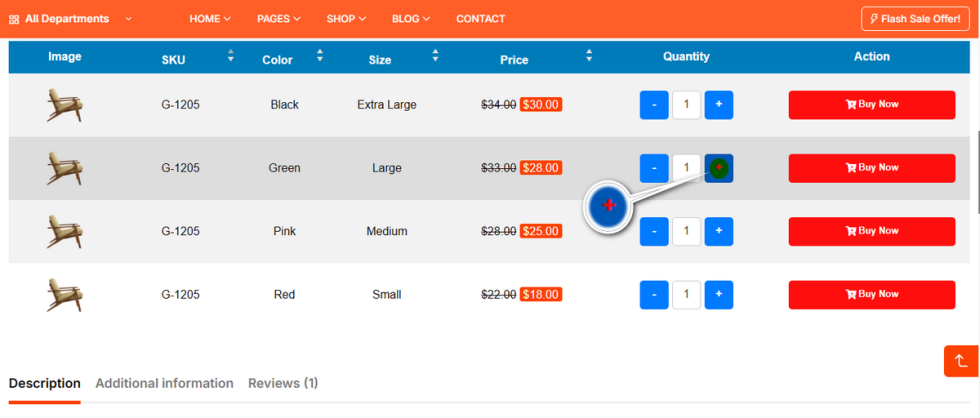
Quantity Border Color
↑ Back to topThe border defines the shape of your quantity input box.
This setting allows you to change the color of the border surrounding the quantity field.
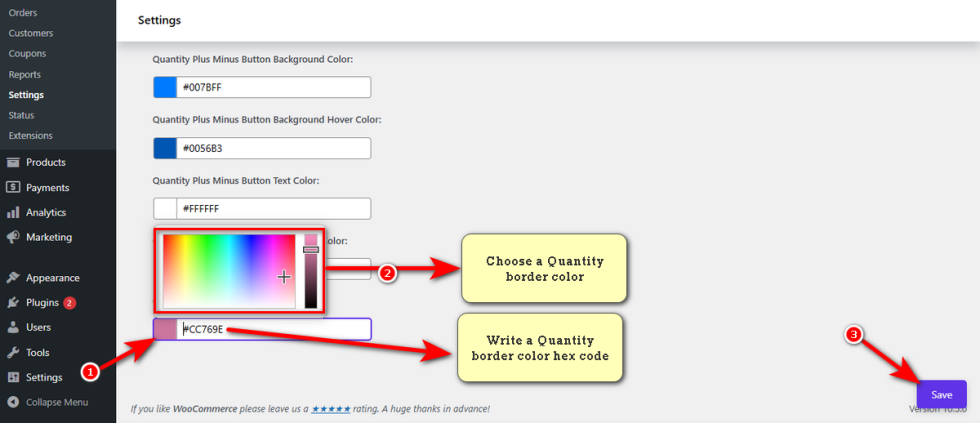
A subtle border color can make the input look clean, while a bold color can make it pop against the background of your Variation List.