
Product Icon

Cart Free Gift for WooCommerce

Automatically add a free gift to the cart when the customer reaches a spending threshold, and boost your average order value.
Choose a billing option
$29
Save 20%
$58 $46.40

Product comparison

Subscription includes

  • Product updates and improvements
  • Customer support
  • 30-day money-back guarantee

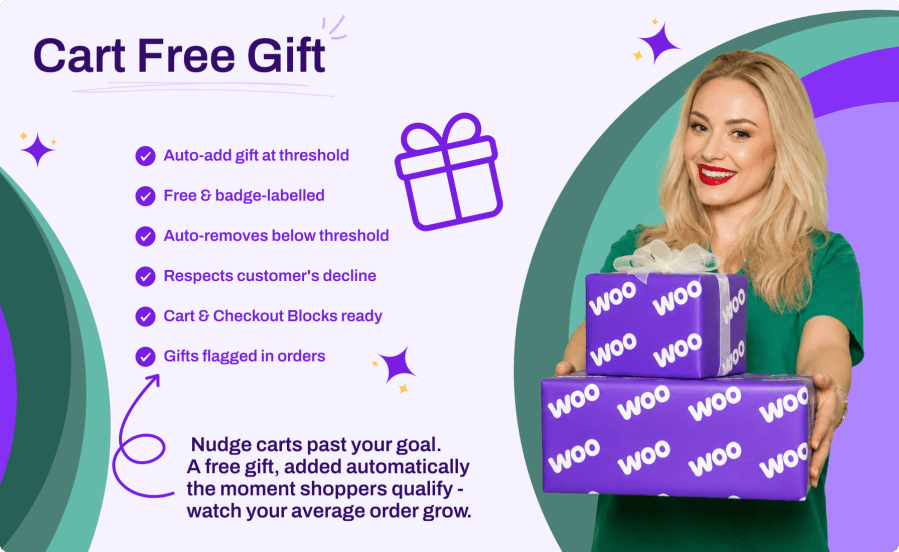
“Spend X and get a free gift” is one of the highest-converting incentives in ecommerce: it gives customers a concrete reason to add one more item and push their cart over the line. Cart Free Gift brings that incentive to WooCommerce with zero configuration overhead: pick a gift product, set a cart subtotal threshold, and the plugin does the rest. The gift is added automatically at a price of zero, locked to a quantity of one, and clearly labelled with a badge, so customers always know it is a reward. Drop back below the threshold and the gift is removed again; remove the gift yourself and the plugin respects that choice for the rest of the session. It works identically with the classic cart and checkout and with the Cart and Checkout blocks.

Key Benefits

  • Raise Average Order Value – Give customers a concrete reason to spend a little more and unlock their reward
  • Zero Configuration Overhead – One gift product, one threshold, and the engine handles adding and removing automatically
  • Never Feels Like a Bug – The gift line is labelled with a badge, priced at zero, and locked to quantity one
  • Respects the Customer – If a customer removes the gift, it is not forced back into their cart

Main Features

  • Automatic Gift Engine – Adds the gift the moment the qualifying subtotal reaches the threshold, no customer action needed
  • Automatic Removal – Removes the gift when the cart drops back below the threshold (optional; turn it off to let the gift stay once earned)
  • Tamper-Proof Gift Line – Quantity locked to one and price locked to zero on every totals calculation, with an extra validation pass at cart and checkout
  • Customer Decline Handling – Removing the gift counts as a decline for the session; the “Undo?” link restores it
  • Coupon-Aware Threshold – Optionally subtract coupon discounts from the subtotal before comparing it to the threshold
  • Tax-Aware Subtotal – The qualifying subtotal follows how your store displays prices (including or excluding tax)
  • Customizable Badge & Notice – Edit the gift badge label and the one-time unlock notice text, or turn the notice off
  • Cart & Checkout Blocks Support – The engine runs through the Store API, and the gift label appears as item data on block-based carts
  • Order Line Flagging – Gifted lines carry hidden and visible order item meta so admins can identify them on every order
  • Modern React Settings – Clean settings screen with a searchable gift product picker and a live status card, under WooCommerce > Settings > Products
  • Checkout Guard – A cart can never consist of the free gift alone
  • WooCommerce HPOS Compatible – Works with both traditional and High-Performance Order Storage

Set It Once, Runs Forever

Choose a published simple product as the gift, set a cart subtotal threshold, and flip the master switch. From then on the engine watches every cart: it adds the gift when the threshold is crossed, keeps the line free and at quantity one, and removes it when the cart no longer qualifies. No rules to build, no coupons to manage.

A Gift That Cannot Be Gamed

The gift line is normalized on every totals calculation: quantity forced back to one, price forced back to zero. A second validation pass on the cart and checkout pages removes stale gift lines, re-checks the threshold, and blocks checking out a cart that contains only the free gift.

Polite by Design

Some customers do not want the gift, and that is fine. When a customer removes the gift line themselves, the plugin records a decline for the session and stops re-adding it, even while the cart still qualifies. The standard WooCommerce “Undo?” link brings it back and cancels the decline.

Classic and Blocks, Same Behavior

The engine hooks into totals calculation, so it runs for classic shortcode pages, AJAX cart updates, and the Store API used by the Cart and Checkout blocks. Classic carts show the badge next to the item name; block carts show a “Gift: Included free with your order” row on the gift line.

How It Works

  1. Install & Activate – Upload the plugin and activate it in WordPress
  2. Pick a Gift & Threshold – Go to WooCommerce > Settings > Products > Cart Free Gift, search for a simple product, and set the cart subtotal threshold
  3. Customize the Messages – Adjust the gift badge label and the one-time unlock notice, or keep the defaults
  4. Enable the Plugin – Flip the master switch and save; the status card confirms the gift is READY
  5. Watch Carts Grow – Customers unlock the gift automatically, and gifted lines are flagged on the resulting orders


Frequently asked questions

What happens if a customer removes the free gift from the cart?

The plugin treats that as the customer declining the gift and does not add it back automatically during the same session. The standard WooCommerce "Undo?" link restores the gift and cancels the decline, and once the cart drops below the threshold and later climbs back above it, the gift is offered again.

What happens when the cart drops below the threshold?

By default the gift is removed automatically, so a cart can never check out with an unearned gift. If you prefer a friendlier policy, turn the auto-remove option off and the gift stays in the cart once it has been unlocked for the session.

Does it work with the Cart and Checkout blocks?

Yes. The gift engine runs for the Store API used by the Cart and Checkout blocks, and the gift is surfaced as an item data row on the gift line, so block-based carts display it correctly alongside the classic shortcodes.

Can the gift product still be bought normally?

Yes. Only the automatically added line is flagged as the free gift; the same product can sit in the cart as a regular paid line at its normal price and quantity. Flagged gift lines are the only ones locked to quantity one and priced at zero.

Which products can be used as the gift, and are coupons counted?

Any published, purchasable, in-stock simple product can be the gift (variable, grouped, and external products are not supported). Coupon handling is up to you: with "Include coupon discounts" enabled (the default), discounts are subtracted from the subtotal before it is compared to the threshold.

Related Products

Price $79 annually
Rated 3.4 out of 5 stars
Price $279 annually
Rated 3.2 out of 5 stars
Price $59 annually
Rated 3.1 out of 5 stars
Price $109 annually
Rated 2 out of 5 stars
Price $109 annually
Rated 2.7 out of 5 stars
Price $49 annually
Rated 4.1 out of 5 stars
Price $109 annually
Rated 2.3 out of 5 stars
Price $109 annually
Rated 2.6 out of 5 stars
Price $109 annually
Rated 2 out of 5 stars
Use of your personal data
We and our partners process your personal data (such as browsing data, IP Addresses, cookie information, and other unique identifiers) based on your consent and/or our legitimate interest to optimize our website, marketing activities, and your user experience.




