

Product comparison
Subscription includes
Support
Build a real bundle yourself — no setup required. It’s the same plugin in both, simply styled for two very different stores.
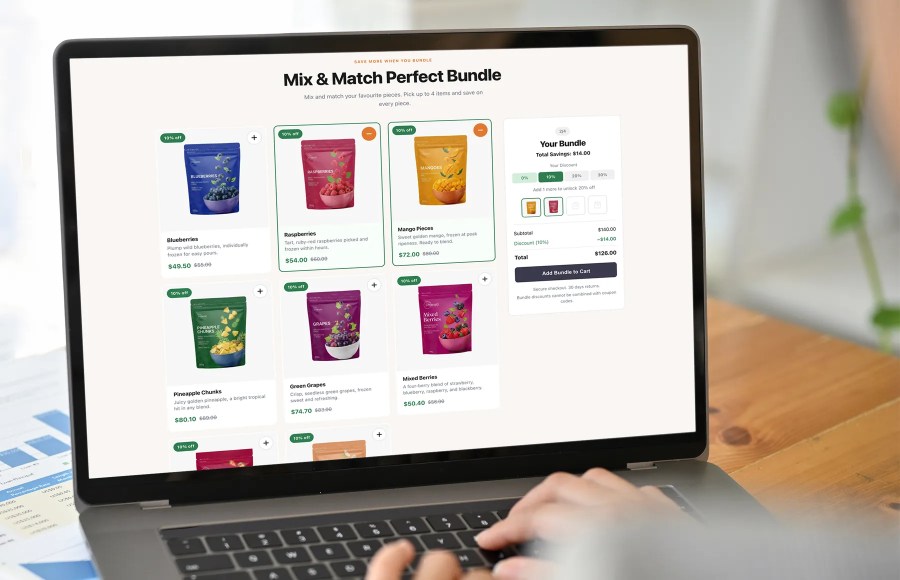
Most product bundle builders for WooCommerce are an afterthought: a list of products bolted onto a standard product page with a checkbox next to each one. Mix & Match Bundle Builder with Tiered Discounts for WooCommerce was designed from the ground up as a conversion experience.
The result is a modern editorial-quality layout: large product cards with photography front and center, a live bundle summary panel that updates in real time, and a discount tier progress bar that creates genuine urgency. Customers always know what they have, what they are saving, and how close they are to the next discount.
The whole layout is built to help your products sell.
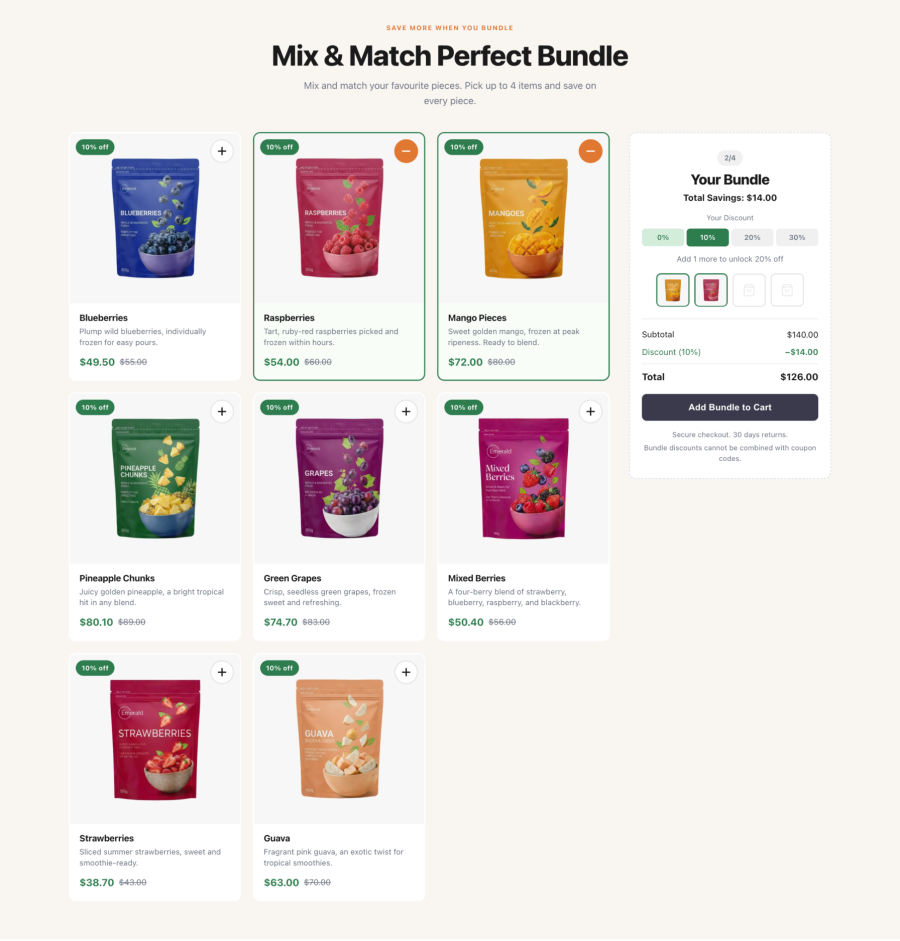
The most powerful conversion mechanic in the plugin is the tiered discount system. Customers see exactly how many more items they need to unlock a bigger saving, and that number drives action. A visual slot tracker and a live subtotal update the moment an item is added, so shoppers keep building instead of abandoning the cart.
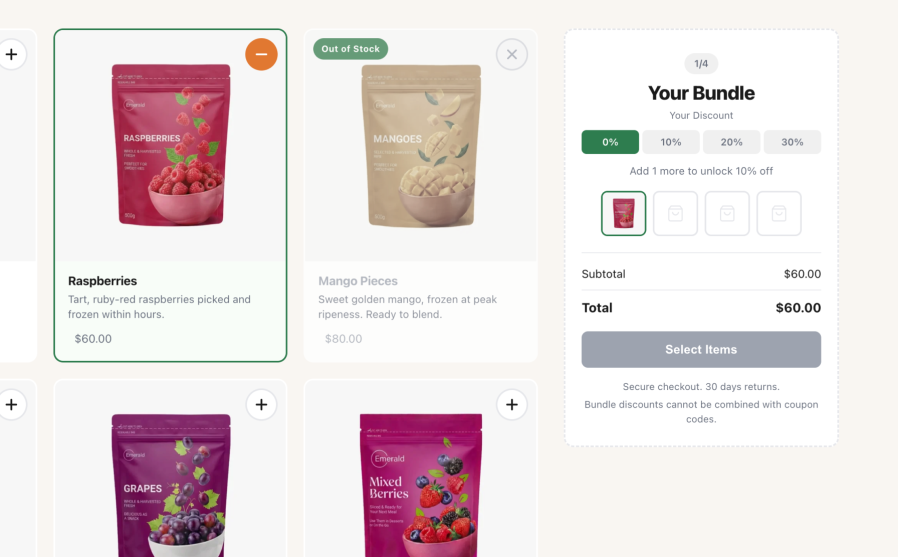
Every visual detail in the frontend has been considered for conversion:
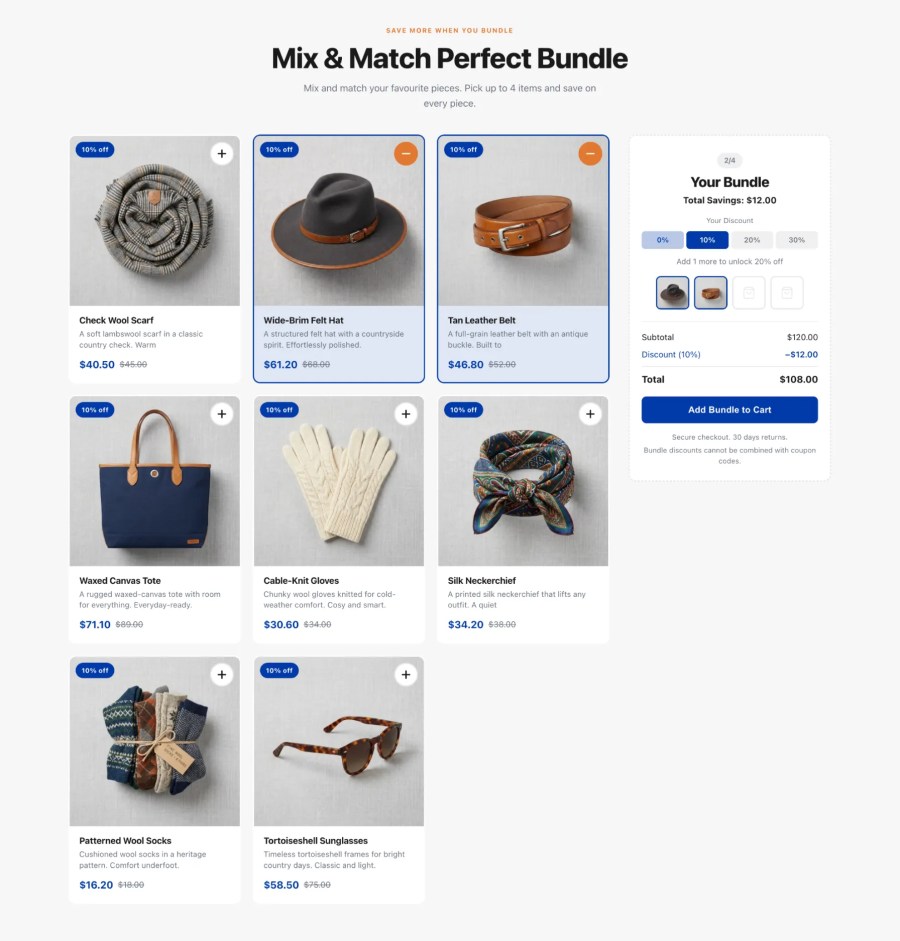
Any store that sells in sets, kits, or multiples can put the bundle builder to work. A few examples:
Because a bundle is not tied to a product page, you can place it wherever it sells best: a dedicated landing page, a campaign page, or even inside a blog post. Each bundle behaves like a self-contained section you drop into any page or post.
Site managers can set up a complete mix and match products bundle in minutes. No developer required.
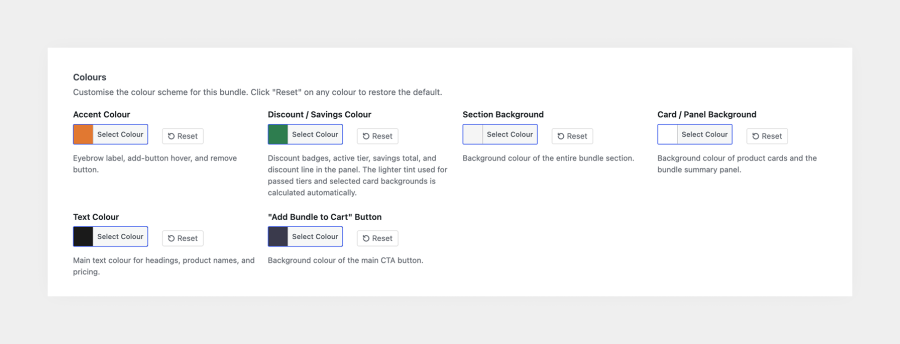
Every bundle has its own independent color scheme. Choose your colors from a visual picker and the entire bundle updates instantly: cards, badges, tier indicators, the CTA button, and more.
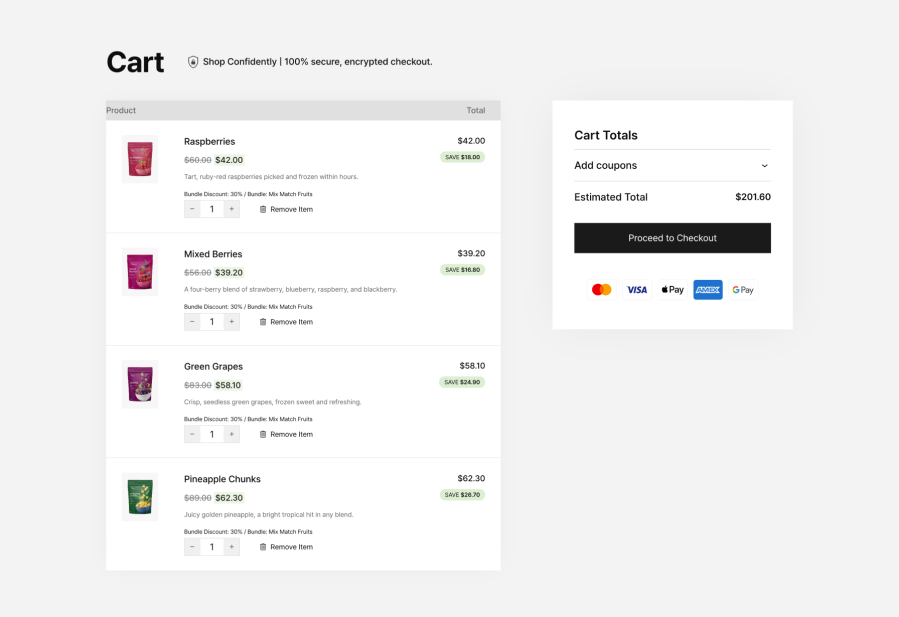
The cart experience is as considered as the frontend:
Most mix and match tools focus on the product data model. Mix & Match Bundle Builder focuses on the storefront: a conversion-first product grid, a live summary panel, and automatic tiered discounts you can drop onto any page with a shortcode or Gutenberg block. Customers watch their savings update in real time as they build the bundle.
You define the tiers. Each tier sets a percentage discount for a minimum number of items, so the saving grows as customers add more — for example, 2 items = 10% off, 3 items = 20%, and 4 items = 30%. The discount applies to every item in the bundle, updates live as customers build it, and works well for buy-more-save-more, bulk, and quantity-based pricing on a curated set of products.
The bundle works with simple, purchasable products, so variable products are not supported directly. If you search for a variable product in the admin, it appears grayed out with a clear explanation. To include a specific size or color, save that variation as a standalone simple product in WooCommerce, then add it to the bundle.
Variable products need a variation selected before they can be added to a cart. The bundle builder adds products directly with no variation picker, which keeps the build-your-own experience fast and frictionless for shoppers.
Yes. The bundle discount applies on top of a product's existing sale price, so customers get both the sale price and the bundle saving.
Anywhere on your store. Add a bundle to any page or post with the [bundle_builder] shortcode (classic themes) or the Bundle Builder block (block themes). For best results, set the page template to full width.
Yes, create as many bundles as you need, and place more than one on the same page. Each bundle has its own products, discount tiers, colors, and settings, and each instance works independently.
Yes. Each bundle has its own color scheme - accent, savings, section and card backgrounds, text, and button - so you can match it to your brand or run different color schemes across different bundles.
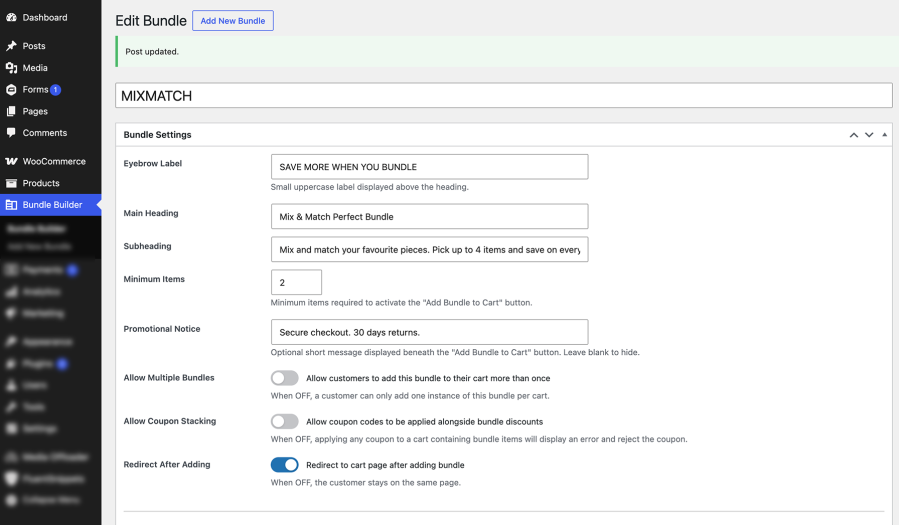
Yes. Set a minimum number of items a customer must add before checkout, and the highest discount tier sets the maximum bundle size.
This is configurable per bundle and disabled by default. Enable "Allow multiple bundles" in the bundle settings if your use case needs it.
Also configurable per bundle and disabled by default, which protects your discount margins. Enable "Allow coupon stacking" on a specific bundle if you want to permit it.
The bundle revalidates automatically and adjusts the discount to the next applicable tier. If the remaining items fall below the bundle's minimum, checkout stops with a clear message asking the customer to restore or replace an item.
WooCommerce calculates tax using your existing tax settings. The bundle discount applies to each item's price before tax, so WooCommerce charges tax on the discounted price.
Yes. It works with any standard WooCommerce-compatible theme, in both classic (shortcode) and block themes, and you set the bundle's colors to match your design.
Yes. The extension is fully compatible with High-Performance Order Storage and declares compatibility on activation.
Yes. Bundle items render correctly in the WooCommerce Cart and Checkout Blocks, as well as the classic shortcode cart and checkout.
Yes. It includes a .pot template in the /languages/ folder and works with standard translation tools such as WPML and Loco Translate.
No. The CSS and JavaScript load only on pages that contain a bundle, not site-wide, and there are no jQuery or third-party framework dependencies on the front end.
Categories
Extension information
Countries







