

Active installs
100+
Subscription includes
Support
Quick Checkout for WooCommerce allows users to complete purchases quickly with the following tools:
1. Buy Now Button
Customers can skip the cart page and quickly complete a purchase by using the Buy Now button.
2. Multiple Addresses
Customers can save multiple addresses in their account, saving time at checkout by choosing from their saved addresses instead of inputting a new one.
1. Reduces Cart Abandonment
Offering ways to quickly complete a purchase can help reduce cart abandonment.
2. Offers Convenience to the Users
Customers who are in a hurry can quickly complete their purchase by using the Buy Now buttons and pre-saved addresses.
The Buy Now button will be visible on the following pages:
– Shop page, category page, and tag pages
– Single product Pages

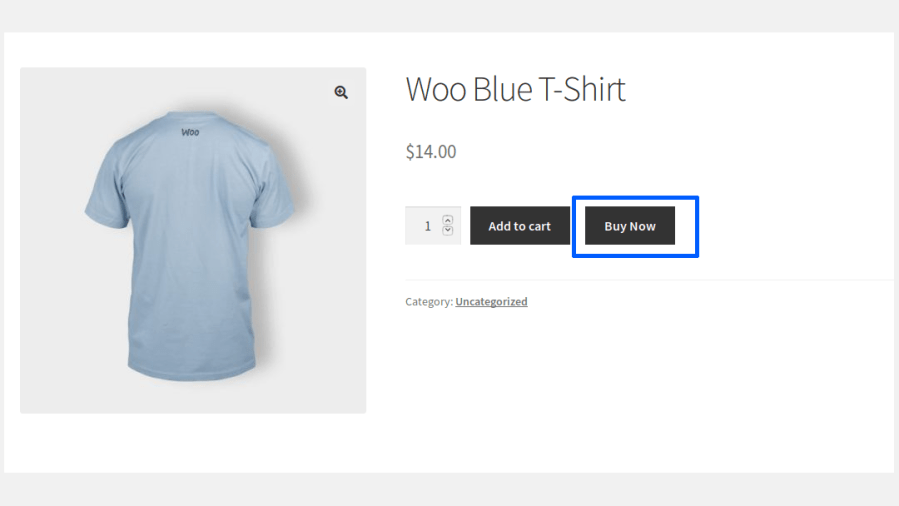
Users can also update the quantity from the checkout page.
Customers purchasing a Variable Product from the Shop or Category pages can select their preferred variation from a variation picker popup before proceeding.
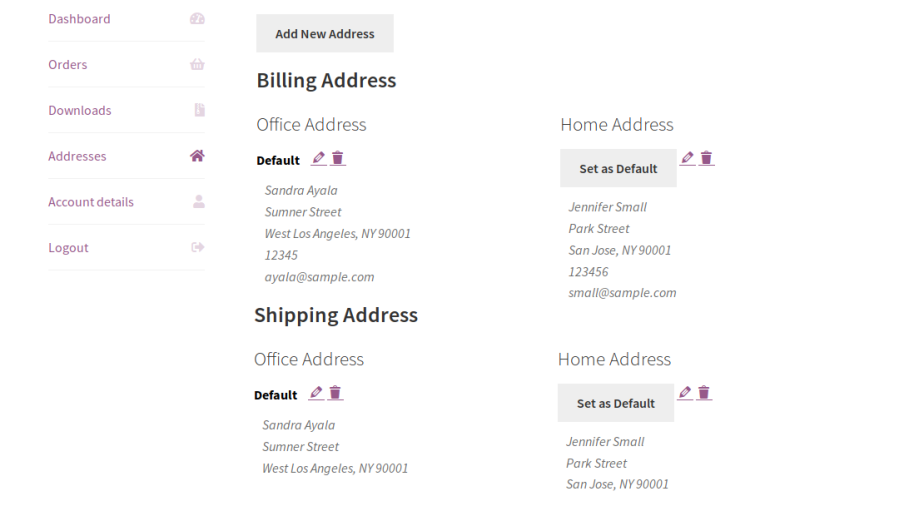
Registered users can add multiple addresses to their address book from their My Account > Addresses section by clicking Add New Address.

Users can add multiple billing & shipping addresses based on their needs.
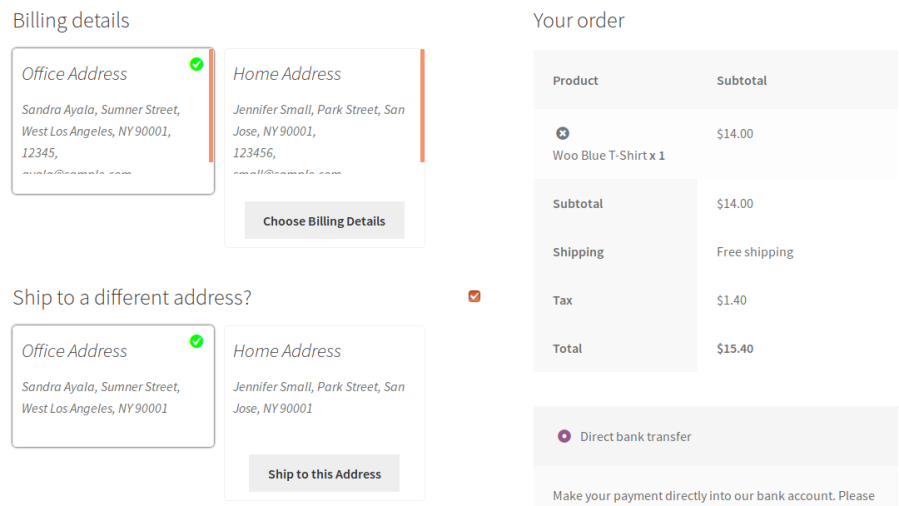
During checkout, users can choose their preferred address from the list of addresses displayed for both billing and shipping.
The site admin can view the addresses saved by their customers from the Quick Checkout > Multiple Address > Saved Address.
Admins can also add and edit customer addresses directly from the backend, and use the saved address picker on the order edit screen to select a customer’s saved billing or shipping address. Billing and shipping details entered on an order are automatically saved to that customer’s address book.
Reduce the number of steps required to complete a purchase by allowing customers to skip the Cart page and proceed directly to Checkout with a single click. Deliver a faster shopping experience and help improve conversion rates.
Control how the Buy Now button behaves across your WooCommerce store. Display it for selected products, categories, tags, and brands while customizing its appearance to match your storefront. Customers purchasing variable products can select their preferred variation from a popup directly on the shop and category pages.
Allow customers to save multiple billing and shipping addresses within their account, making repeat purchases faster and more convenient.
Provide customers with a dedicated address book to organize their billing and shipping addresses. They can easily add, edit, delete, and manage saved addresses directly from the My Account page.
Choose how saved addresses are displayed during checkout with multiple built-in layouts. Present addresses in a clear and user-friendly format to simplify address selection.
Display the Buy Now button anywhere on your WooCommerce store using the built-in shortcode generator. Easily integrate quick checkout into landing pages, product promotions, and custom store layouts.
Let guest shoppers check out faster by remembering their name, email, phone, and address for future purchases. Configure how long details are retained and let customers opt-in with a Remember Me checkbox, or have an account automatically created and logged in after their Buy Now purchase.
Track the performance of the Buy Now button with a dedicated Analytics tab showing clicks, conversions, and revenue generated.
Manage customer addresses directly from the WordPress admin. Add or edit saved addresses, and select a customer’s saved billing or shipping address right from the order edit screen.
Minimum PHP version: 5.6
Categories
Extension information
Quality Checks
Countries
Languages







