

Active installs
800+
Product comparison
Subscription includes
Support
A paid eBook, report, course workbook, or template can be forwarded, reposted, or shared with an entire team in seconds. Sending the same unmarked file to every customer makes unauthorized sharing difficult to discourage and almost impossible to trace.
PDF Watermark for WooCommerce automatically creates a protected copy of your document when a customer downloads it. Add identifying customer details, your branding, and optional document restrictions without manually preparing a separate file for every order.
PDF Watermark for WooCommerce helps stores protect valuable downloadable content, including:
The protected file is generated when the customer downloads it. Your original document remains unchanged in your media library.
Generic files are easy to pass around. A personalized watermark connects the downloaded document to the customer or order that received it, helping discourage casual sharing and making distributed copies easier to identify.
Add dynamic information to your text watermark using:
Personalized watermarking also works with guest customer downloads, so buyers do not need to create an account before their files can be protected.
Choose the watermark style that best fits your content and brand. Add personalized text, a logo or branded image, or use both together.
Control how your text watermark looks and where it appears. Available options include:

Add your logo or another branded image to your downloadable files. Adjust its opacity, alignment, and placement so your brand stays visible without distracting from the document.
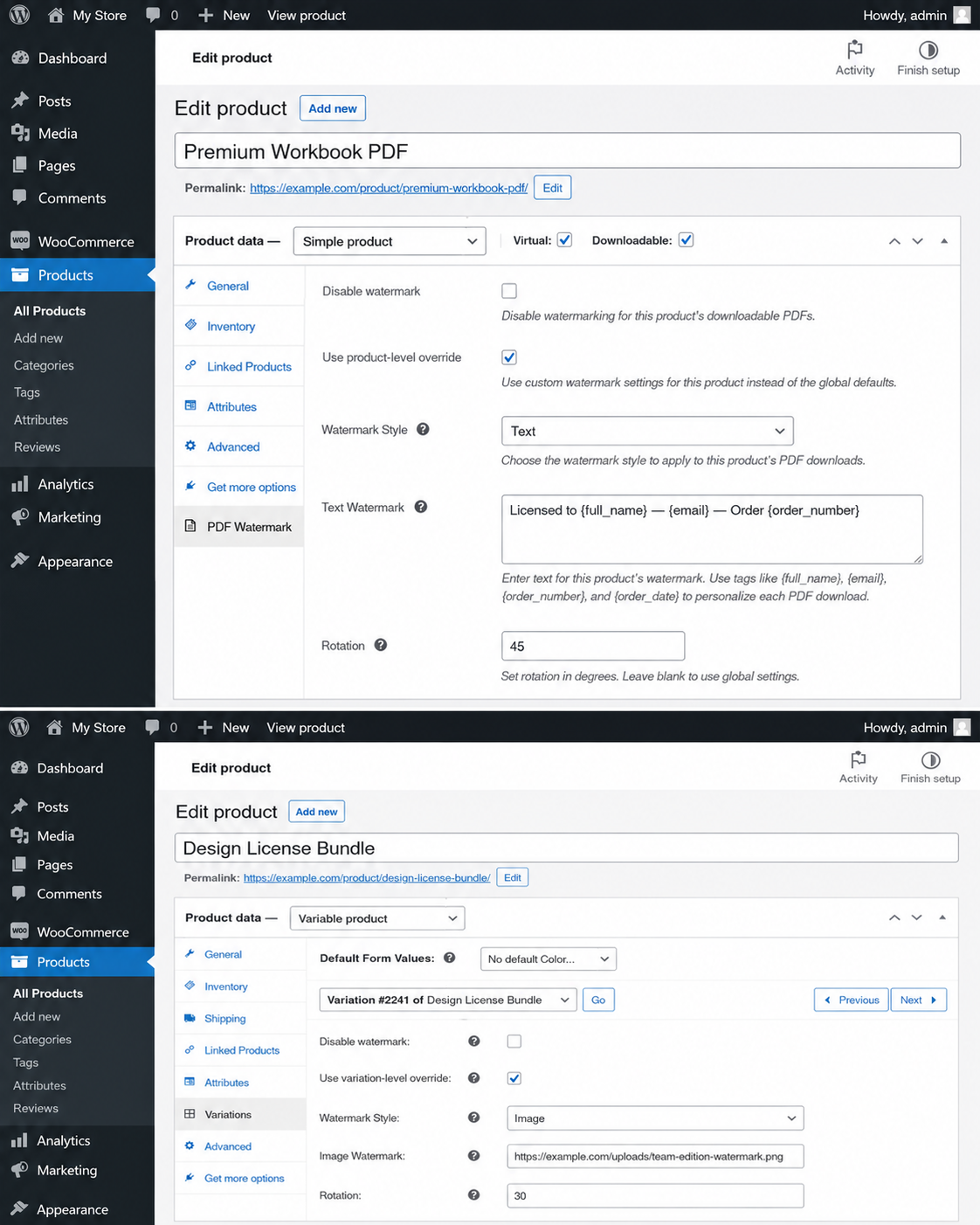
A single global watermark may not suit every item in your catalog. Start with store-wide settings, then override them for individual downloadable products.
You can also apply separate settings to individual product variations. This is useful when you sell different editions, licenses, packages, or file types from the same product page.
Protect the document without placing a watermark on every page. Choose the option that works best for the design and purpose of each file:
Use the built-in preview tool to check the current watermark, placement, and styling before customers download the document.
A visible watermark can discourage sharing, while access controls and PDF permissions can make common forms of unauthorized use more difficult.
Require customers to enter either their email address or order number before opening the protected PDF. The password is tied to information the customer already received with their order.
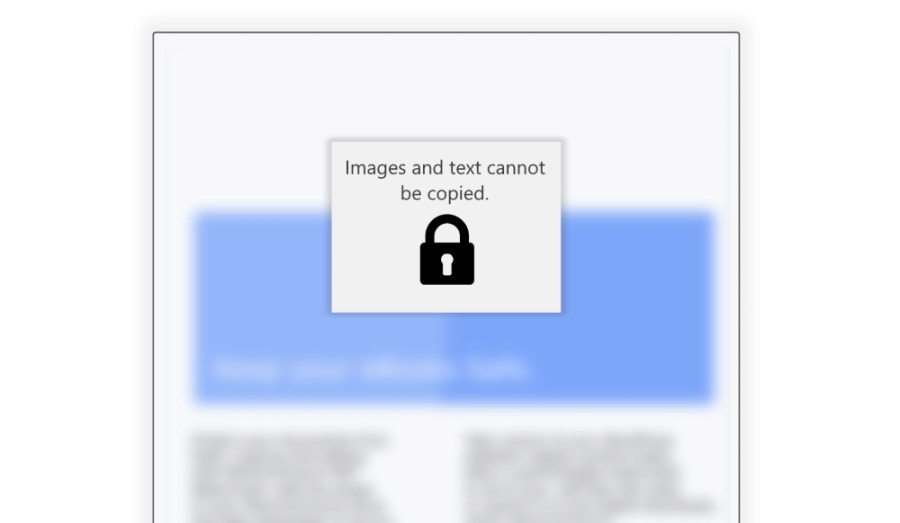
Apply PDF permissions that help prevent users from copying or extracting text and images in supported PDF readers.
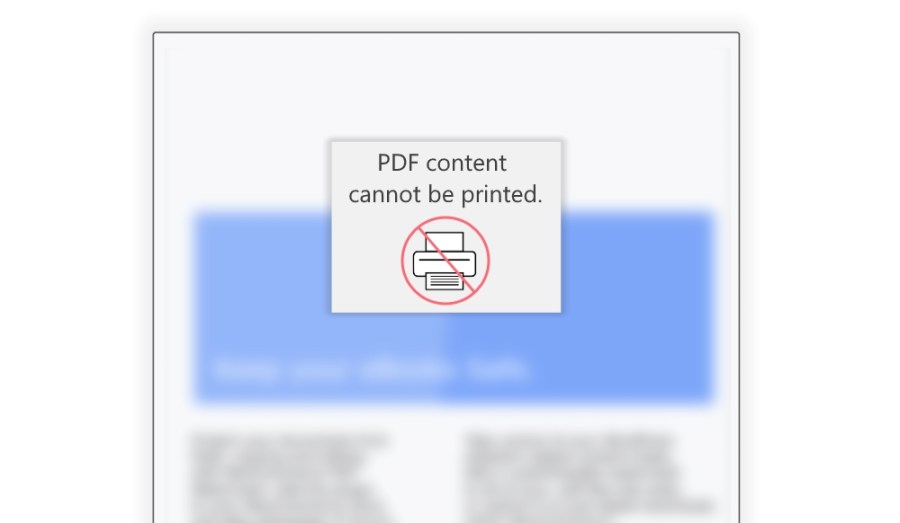
Disable standard print functionality in supported PDF readers when your licensing terms allow digital access but not printed distribution.
Apply permissions that help prevent customers from editing document content, adding annotations, or changing form fields. These settings can be enabled independently, allowing fillable forms to remain usable when form restrictions are not selected.
PDF permissions depend on the reader used to open the document. They are designed to discourage common misuse, but no digital protection method can guarantee that content will never be reproduced.
Create text watermarks containing international characters with Unicode-compatible fonts such as Arial or DejaVu Sans. You can also upload a custom TTF font when your language or branding requires additional character support.
The extension supports PDFs containing internal navigation links and fillable forms. It also includes optional EPUB watermarking for stores that sell eBooks in both PDF and EPUB formats.
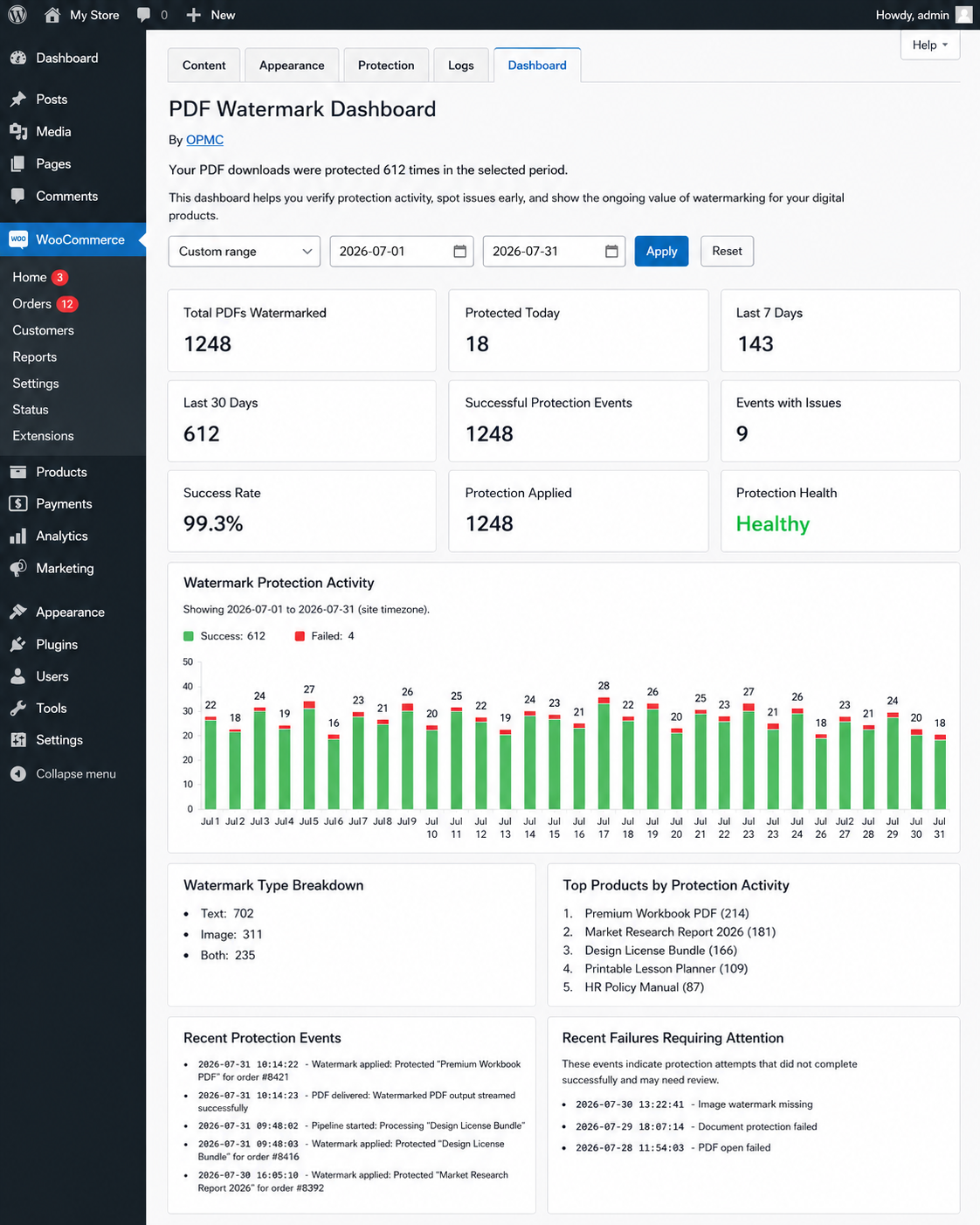
The PDF Watermark Dashboard gives you a clear view of protection activity across your store. Use it to confirm that downloads are being processed successfully and identify files that may need attention.
Dashboard reporting includes:
Configurable activity logging provides additional detail when you need to investigate an incompatible file or share information with support.
Organized settings guide you through the main setup areas: watermark content, appearance, document protection, and logs. Status indicators show whether a basic watermark is configured and whether additional protection settings are enabled.
Start with a simple text or image watermark, preview the result, and add advanced controls only when your products require them.
Some documents open normally on a computer but contain unusual font, encoding, or export settings that make them difficult for other software to process.
If the issue continues, review the recent activity logs or contact WooCommerce support for help investigating the file and extension settings.

OPMC has been building WooCommerce extensions that solve operational problems for real merchants since 2014. Our products are designed around practical store workflows, with a focus on reliability, straightforward setup, and useful features that help protect your business. When you need support, you’re dealing with a team that understands WooCommerce and the challenges of running an online store.
The extension creates a protected copy when the customer downloads the file. It can add personalized text, an image watermark, or both, along with optional password and document restrictions. Your original file remains unchanged.
Yes. A watermark can automatically include the customer’s name, username, email address, order number, order date, store name, or store URL. Personalized watermarking also works for guest customer downloads.
Yes. Choose a text watermark, an image watermark, or both. Text can be customized with fonts, colors, opacity, positioning, rotation, borders, and shadows. An image watermark can be used to display your logo or other branding.
Yes. Set global defaults for your store, then override the watermark text, image, type, or rotation for an individual product. Separate settings can also be applied to product variations, and watermarking can be disabled for a specific product or variation.
Yes. Display the watermark on every page, the first or last page, alternate pages, selected page numbers, or every page except selected pages. A preview tool lets you check the appearance and position before saving your final settings.
Yes. You can require the customer’s email address or order number as the password used to open the PDF. You can also apply permissions that restrict copying, printing, editing, annotations, and form changes in supported PDF readers.
Yes. Unicode-compatible and custom TTF fonts can be used for international text. The extension supports PDFs with internal links and fillable forms, and optional watermarking can also be enabled for EPUB files. Some EPUB readers may require an internet connection to display an image watermark.
The built-in dashboard reports successful protection events, failures, success rate, watermark types, top protected products, and recent issues. Activity logs provide additional diagnostic information when a file does not process as expected.
PDF Watermark automatically creates a protected copy of your document when a customer downloads it. It can add identifying customer details, display your branding, and apply document restrictions without changing the original file stored in your media library.
The extension supports downloadable PDFs as well as optional watermarking for EPUB files.
Yes. Watermarks can automatically include:
Customer first or last name
Customer full name
Username
Email address
Order number
Order date
Store name
Store URL
This makes each downloaded file identifiable and helps discourage customers from casually sharing purchased content. Personalized downloads also work for guest customers.
Yes. Your global settings can apply a text watermark, an image watermark, or both.
Text watermarks can be customized with different fonts, sizes, colors, opacity levels, alignments, offsets, rotation, capitalization, borders, and shadows. Image watermarks can be used to add your logo or another branded graphic.
Yes. You can create global watermark settings for your store and then override them for individual downloadable products.
You can also apply separate settings to individual product variations. This allows you to use different watermark text, images, or rotation settings for different products, editions, licenses, or file types. Watermarking can also be disabled for a specific product or variation.
Yes. You can display the watermark on:
A built-in preview tool lets you check the watermark’s appearance and positioning before customers download the document.
Yes. You can require customers to enter either their email address or order number before opening the PDF.
You can also apply permissions that help restrict copying, printing, editing, annotations, and form-field changes in supported PDF readers.
These controls make common forms of unauthorized use more difficult, but no PDF protection system can guarantee that digital content will never be copied or reproduced.
Yes. PDF Watermark supports Unicode text, including character sets such as Greek and Cyrillic, when used with a compatible font such as Arial or DejaVu Sans.
You can also upload a custom TTF font for additional language support or to match your brand. The extension warns you when watermark text contains Unicode characters that are not supported by the selected font.
PDFs containing internal navigation links and fillable forms are also supported. Form filling remains available unless you specifically enable the setting that restricts annotations and form changes.
The built-in PDF Watermark Dashboard shows protection activity across your store, including:
You can review activity from the last seven or 30 days or select a custom date range. Configurable logging also provides additional information for troubleshooting failed or incompatible documents.
Extension information
Quality Checks
Countries








