
Product Icon

Social Login for WooCommerce

Enable Social Login for seamless checkout and account creation.
Choose a billing option
$99
Save 20%
$198 $158.40

Subscription includes

  • Product updates and improvements
  • Customer support
  • 30-day money-back guarantee

Enable Social Login for Seamless Checkout and Account Creation

Any checkout process introduces leaks in your conversion funnel – tightening up those leaks increases conversion rate and improves your sales. Account creation and entering checkout information can cause these leaks, and WooCommerce Social Login can help you patch them.

When a customer first visits your site, you can simplify checkout by allowing them to check out as a guest. However, this introduces friction for customers that want to purchase from your store more than once (and hopefully many of them do!). They’ll have to create yet another username and password.

WooCommerce Social Login makes this process as easy and secure as possible – customers can log into your site using their Facebook, Twitter, Google, Amazon, LinkedIn, PayPal, or Disqus accounts instead of creating a new user account credentials.
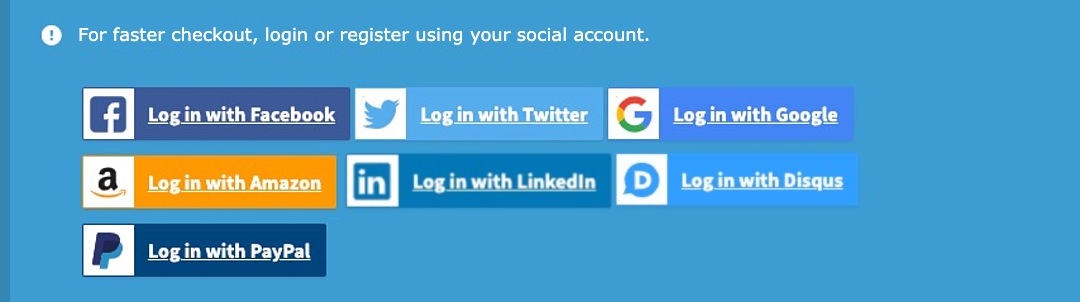
List of login tiles for social networks.

Why Use WooCommerce Social Login?

  • Connect your store’s customer accounts with Facebook, Twitter, Google, Amazon, LinkedIn, PayPal, and Disqus
  • Offer to link accounts on the “Order Received” page for easier checkout in the future
  • Make account access and checkout easy and seamless – customers don’t need to remember another username and password
  • Reduce friction for repeat purchases – customers typically stay signed into social networks, which means they sign back into your site with one click.
  • Improve security and increase trust by using social sign-on
  • Over 77% of consumers prefer social login when using an eCommerce site.
  • Social sign-in can therefore lead to increased conversion rates – here’s an example with over 10% increase.
  • Customers prefer social sign-in for security and personalization.
  • 90% of people have encountered social login before, and more than half of people use it.
  • Social accounts are tied to a WordPress user account so that accounts can be accessed even if social accounts are unlinked.
  • View reporting on linked accounts and see which customers have added accounts from the “Users” list
  • Works with Product Reviews Pro to show login buttons when adding, voting on, or watching reviews NEW

Link Social Accounts to User Accounts

New customer accounts that are created with social login will automatically be linked to the appropriate networks.

Social Login My Account Tiles

Existing Socials will also be able to connect their accounts to social networks when logging in or via the “My Account” page at any time. You can even invite logged in users to link their accounts after checkout for faster purchase in the future. Simply enable Social login buttons on the Thank You page.
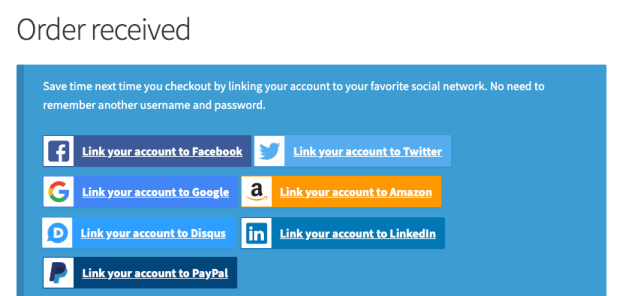
Order Received Social Tiles

If using Product Reviews Pro, you can even display login buttons in the Product Reviews Pro login forms.
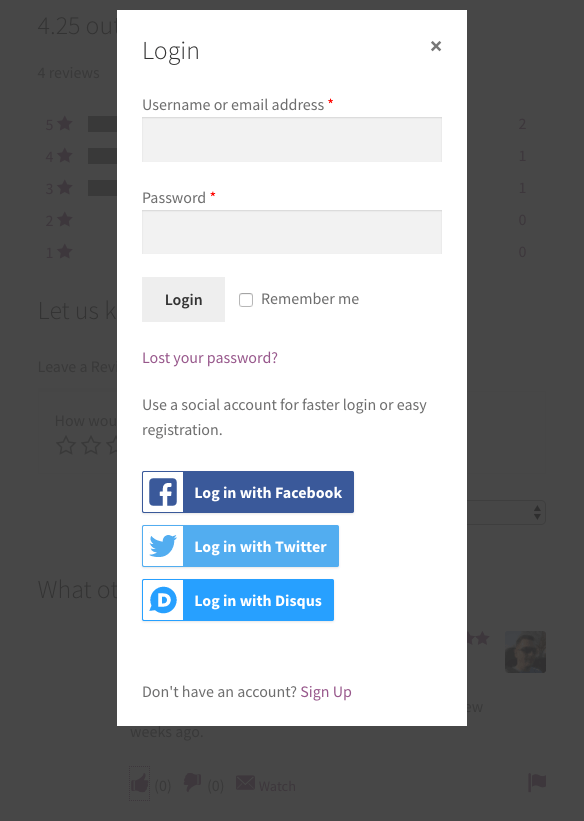
WooCommerce Social Login Product Reviews Pro Modal

Monitor Social Logins

You can view a new “Social Registration” report when this plugin is active, which will allow you to view the number of linked user accounts for each social network:
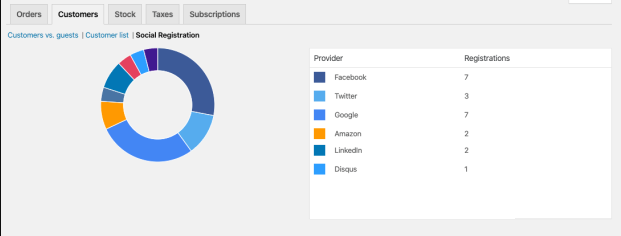
Social Login Reporting Screen

You can also view this information by visiting your “Users” list, where you’ll see a new column for “Social Profiles”.
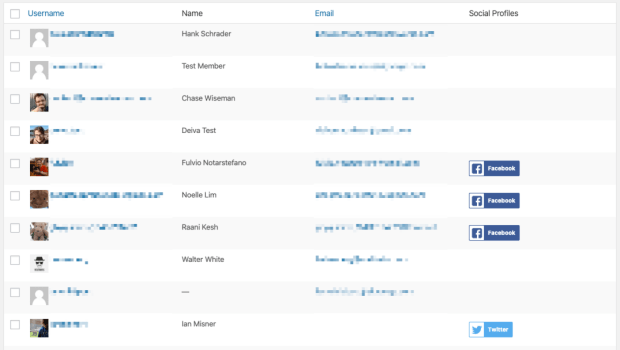
Social Login accounts setup per user

Provide Account Management Tools

Customers will always be able to link or unlink social accounts from your site by visiting the “My Account” page:
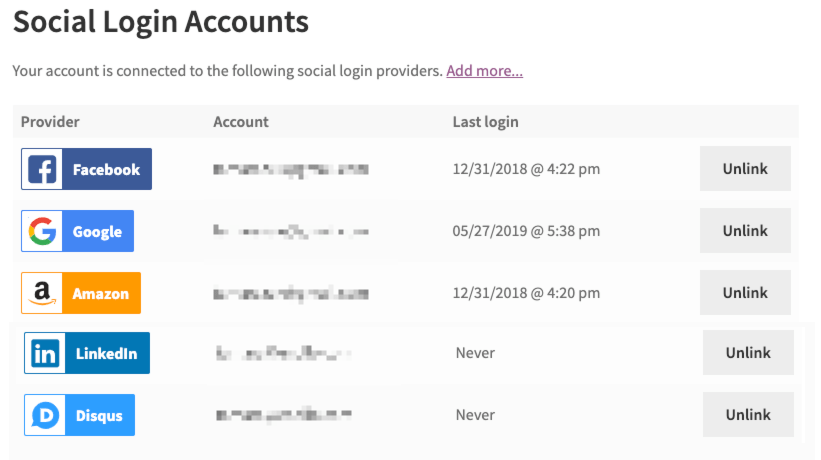
Social Login Accounts List

Make Your Shopping Experience Smoother

Use WooCommerce Social Login to reduce friction when checking out or creating user accounts. Returning customers can log into your site with as little as one click if they’ve linked a social profile. Not only can customers easily log into your site without remembering another set of login credentials, but they’ll be able to breeze through purchasing and checkout with their new account, and you’ll benefit from increased trust and security.

How to Get Started

  1. Buy this extension 🙂
  2. Download, install, and activate in your WooCommerce store
  3. Check out our documentation to connect your site to social networks
  4. Enable networks for your social login under settings
  5. That’s it! Sit back and enjoy streamlined, easy social login!

Need any more reason to buy? When you purchase a SkyVerge-developed extension, you’re getting the highest quality extensions for your WooCommerce store. Gain peace of mind by knowing that when you purchase our products, your store’s performance is as important to us as it is to you.


Customer reviews

Average rating 4.3
10 reviews
5 stars, 50% of reviews
4 stars, 30% of reviews
3 stars, 20% of reviews
2 stars, 0% of reviews
1 star, 0% of reviews
10 reviews
  • idartshop
    Rated 3 out of 5
    Functionality
    Dec 10, 2024
    Functionality
    Amazon link is broken, it redirects to amazon pay.
    • SkyVerge
      Dec 26, 2024
      Hello, thank you for the review of our plugin! Sorry that the Amazon link isn’t working as expected. If you haven’t already reached out to our support team on this, can you https://woocommerce.com/my-account/contact-support/ to look into this further? - S.M.
  • royalmond
    Rated 3 out of 5
    Jun 6, 2020
    It is working but limited.
    Supported Social media channels are limited. Shortcode is too limited. For example, you can't send back customer where they login unless they are in checkout. So if customer login in some single product page, after logging in they directed to my account page or homepage, which increase cognitive load. Bad UX.
  • Zappy
    Rated 5 out of 5
    May 25, 2020
    Ran into a problem with social login not showing in the login pop-up page. Simon made sure that it was solved. I already knew the plugin would be good but what impressed me was the excellent service provided by Simon.
    Only one improvement would be that when the user selects a social login, instead of taking the user's whole page and redirecting it to Facebook login, have a small window with the login page to Facebook. In other words, reducing the size of the windows and keeping the website running in the background.
  • PAALS
    Rated 4 out of 5
    Jul 26, 2019
    Except for Twitter, it was easy to setup with the instructions provided. Will definitely make it easier for our customers to create and manage their Woocommerce accounts (one less password to remember). Great support from Tamara to get the Twitter issue resolved. Twitter is very sensitive to back=slashes in URL's. You must include the final back-slash in every URL you enter or Twitter will throw an error.
    Twitter instructions need to emphasize the importance of the final back-slash in URL's.
  • USM Tech
    Rated 4 out of 5
    Jun 27, 2019
    This is a good reliable plugin. I use it to enable Facebook and Google login. They keep up well with changes so that it keeps working. The shortcode now redirects back to the intended page upon login, which is an improvement.
    Integration with WooCommerce Memberships has an error in which the checkbox to toggle this on the restriction messages does not work. You can work around this by including the social login button shortcode in the restriction messages.

Extension information

  • WordPress version required: 5.2
  • WooCommerce version required: 3.6.0
  • PHP version required: 7.4
  • Tested with WordPress: 6.9
  • Tested with WooCommerce: 10.4.2
  • Requires at least WordPress: 5.6
  • Requires at least WooCommerce: 3.9.4

Compatibility

  • Cart & checkout blocks
  • High performance order storage (HPOS)

Countries

  • Worldwide

Languages

Danish, English (United States), Estonian, Finnish, French (France), Italian, Japanese, Spanish (Spain)

Requirements

  • Store admins must have an account on the social network(s) they'd like to connect to their store.
  • cURL must be enabled on your server by your hosting company (usually enabled by default)

Related products

Price $279 annually
Rated 3.2 out of 5 stars
Price $199 annually
Rated 4 out of 5 stars
Price $49 annually
Rated 2.7 out of 5 stars
Price $109 annually
Rated 4.6 out of 5 stars
Price $29 annually
Rated 3.5 out of 5 stars
Price $49 annually
Rated 3.8 out of 5 stars
Price $119 annually
Rated 3.5 out of 5 stars
Price $79 annually
Rated 4.2 out of 5 stars
Price $99 annually
Rated 4.7 out of 5 stars
