
Create Performance Max campaigns to promote your products across Google Search, Maps, Shopping, YouTube, Gmail, the Display Network, and Discover feed, and help grow your business.
You can connect your Google Ads account, choose a budget, and launch your campaign right from your WooCommerce dashboard. Track performance, review campaign analytics, and access automated reports so you can monitor performance all in one place.
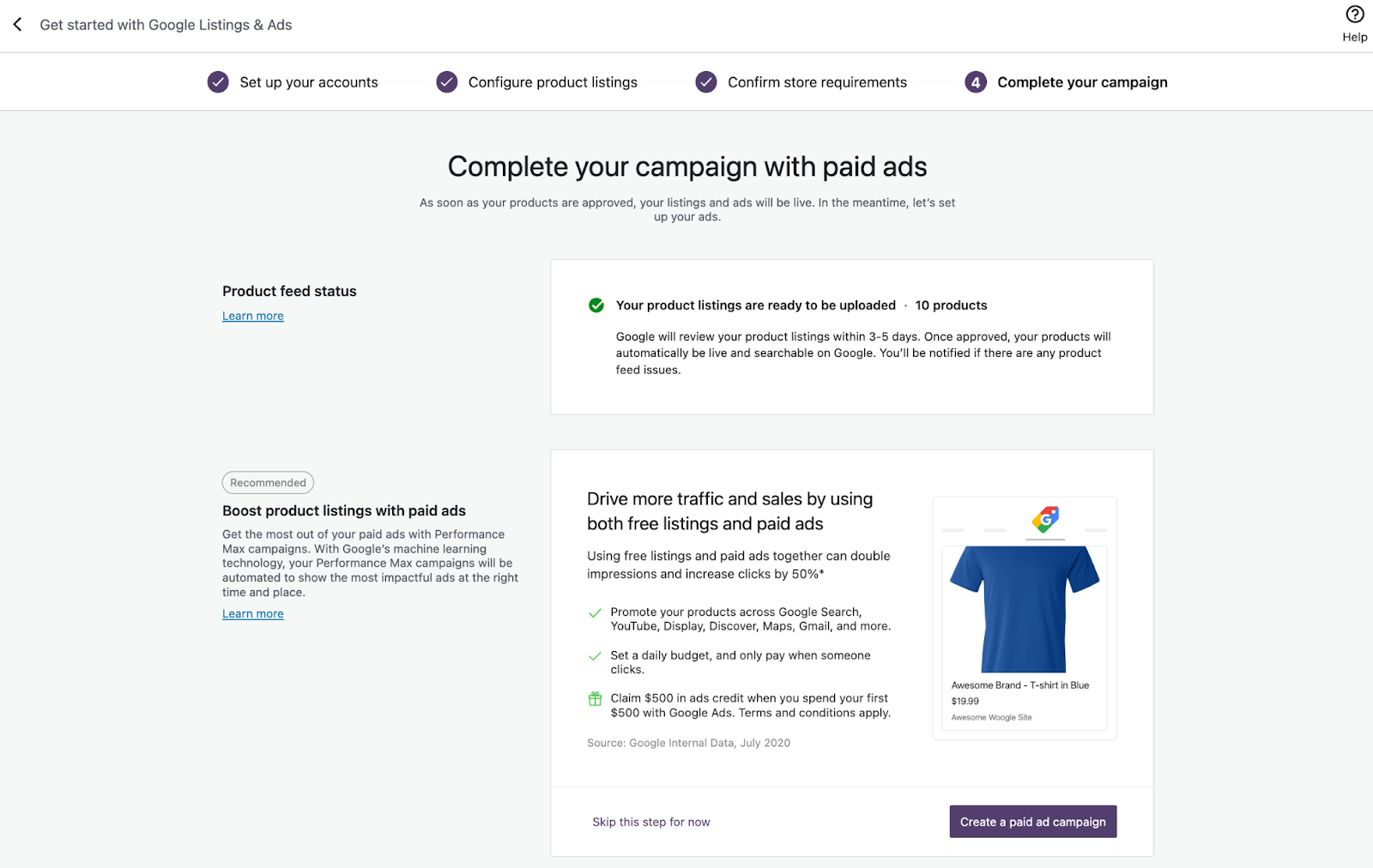
Once you launch your Performance Max campaign, Google’s machine learning will optimize your ads so they appear at the right time and place to boost store traffic and sales. You can edit or pause your campaign at any time but we recommend you allow at least 15 days for your campaign to optimize before making any changes.
New to Google Ads? Choose a sign-up offer to jumpstart your first campaign
↑ Back to topGetting started is easier with the help of a Google Ads credit. You have the flexibility to choose one of three offers* that fits your monthly budget and grow at your own pace. Offer for new advertisers only.
How does it work?
↑ Back to topAfter completing the extension setup, create a Performance Max campaign using the following steps:
- From Marketing > Google for WooCommerce in WP Admin, under Performance (Paid Campaigns) click Add paid campaign.
- Create a new Ads account, or choose from a list of existing accounts to create your campaign.
- Define your audience by choosing the countries where you want your product ads to appear.
- Choose your budget; you will be prompted with a recommendation based on the countries you are targeting.
- Add your billing information in the Google Ads pop-up window that appears.
- Once complete, return to Google for WooCommerce to complete ad setup and launch your Performance Max campaign.
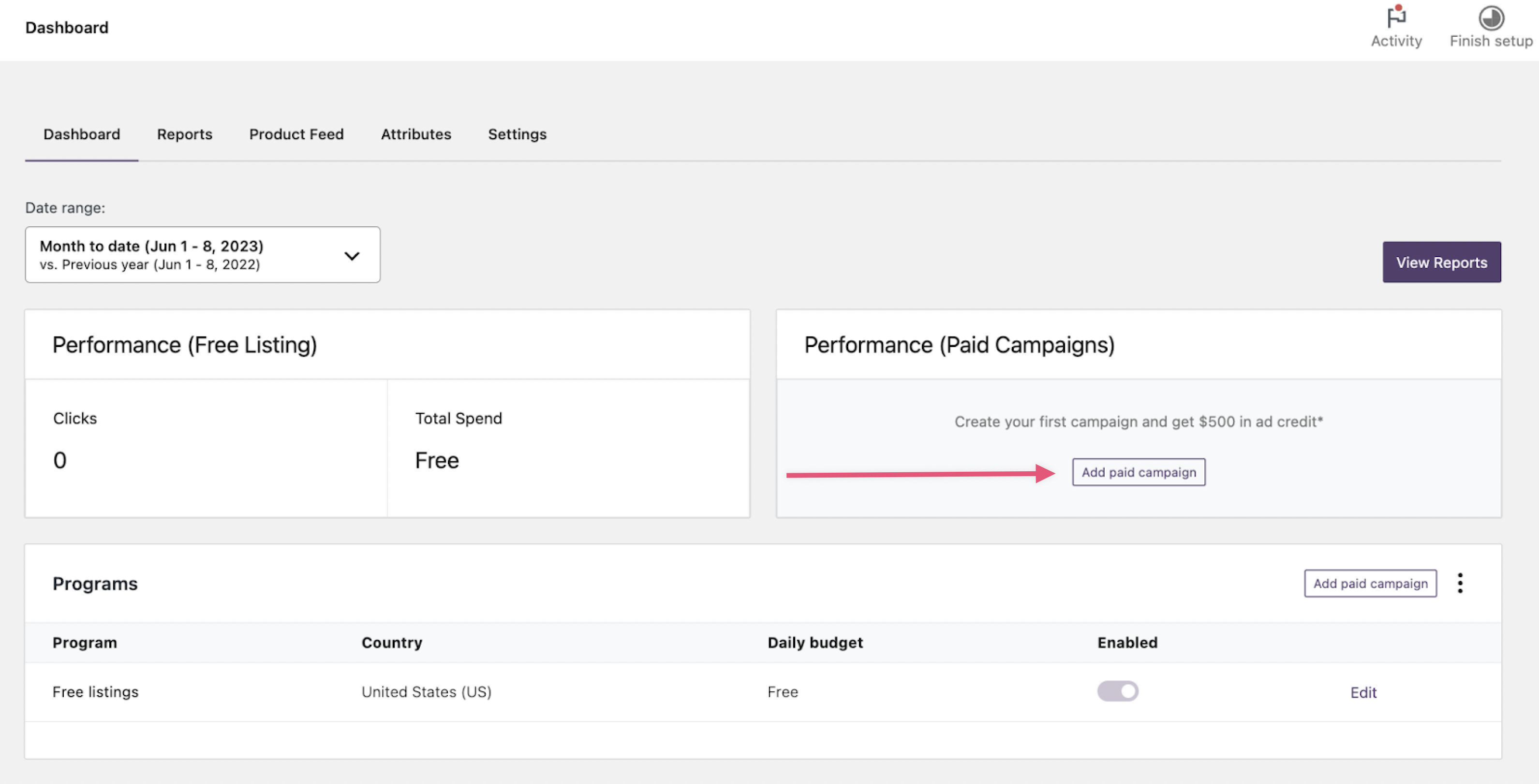
Earn promotional ads credit as a new advertiser
↑ Back to topWhen you create a new Google Ads account through Google for WooCommerce, a promotional code will be automatically applied to your account. Get $500 USD in ad credit* when you spend $500 USD within your first 60 days. You can edit or cancel your campaign at any time.
* Ad credit values vary; see full terms and conditions.