
The Orders Report provides insight into your store’s orders. The Orders table includes a Payment method column, which is also included when you download the report as a CSV file.
After updating to WooCommerce 11.3, payment methods for existing Analytics orders are populated in the background. Until that update finishes, payment methods for some older orders may be missing from the table and filter results. Orders with no saved payment method can still show a blank value. If a payment gateway is no longer installed, the report shows its stored ID instead of its name.
By default, orders with non-excluded statuses are listed by order date descending. Excluded statuses can be edited on the Settings page.
Refunded orders cannot be excluded from the orders report. Refunded orders have two rows in the report: one for the date of the original order and one for the date of refund.
Advanced Filters
↑ Back to topTo filter by payment method, go to Analytics > Orders. Under Show, select Advanced filters, then select Add a filter and choose Payment method. Choose Is or Is Not, select a payment method, and select Filter. The report updates to show matching orders.
The advanced filters allow adding multiple filters to the report. These filters can be applied in two ways:
- All – Orders must match all filters to be included in the report
- Any – Orders must match one or more filters to be included in the report
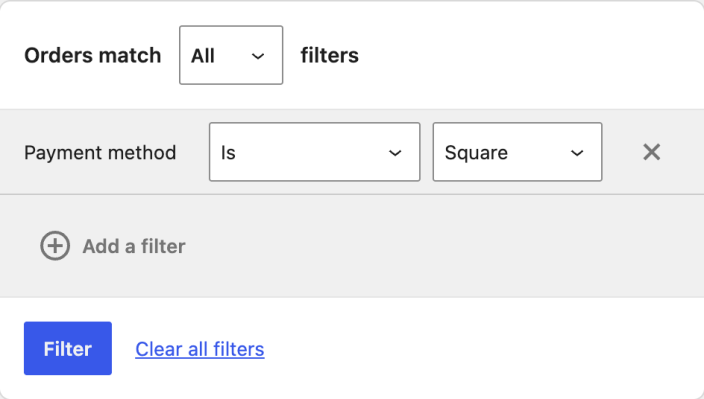
The following fields can be used for filtering:
- Order Status
- Products
- Coupon Codes
- Customer Type
- Payment method
- Refunds
- Tax Rates
- Product Attribute (can be used multiple times)
Report Sorting
↑ Back to topThe report table allows sorting by the following columns:
- Date
- Items Sold
- Net Sales
By default, the report shows the most recent orders.