Product Icon

Dynamic And Role Based Pricing for WooCommerce

Offer role-based cart discounts for a better shopping experience.
Choose a billing option
$49
Save 20%
$98 $78.40

Subscription includes

  • Product updates and improvements
  • Customer support
  • 30-day money-back guarantee

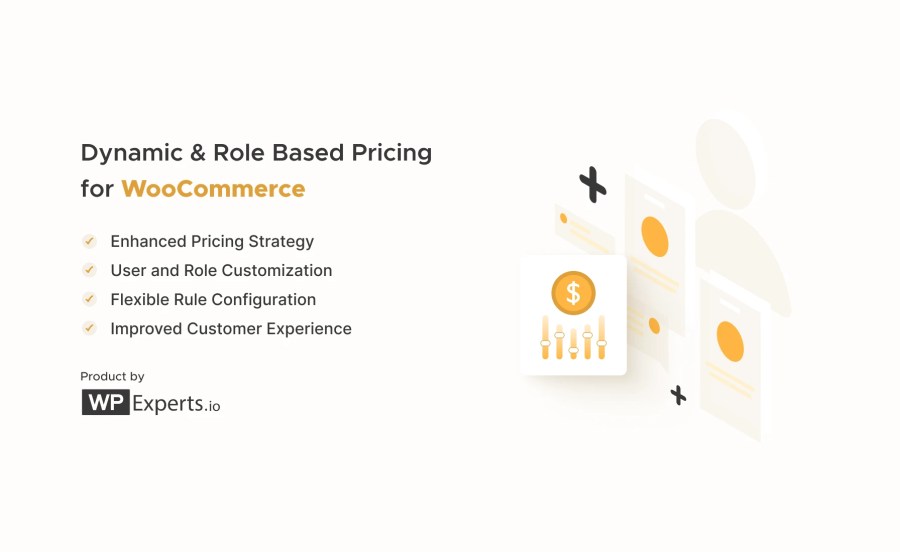
  • Enhanced Pricing Strategy: Use various pricing types, including fixed prices, percentage increases or decreases, and fixed increases or decreases.
  • User and Role Customization: Pricing can be tailored based on specific user roles or usernames, enabling personalized pricing experiences for different customer segments.
  • Flexible Rule Configuration: Multiple rules can be set up with priorities and conditions, such as minimum and maximum quantities and optional start and end dates, allowing for highly customizable pricing scenarios.
  • Product and Category Inclusion/Exclusion: Admins can include or exclude specific products and categories from pricing rules, giving precise control over which items are affected by dynamic pricing.
  • Improved Customer Experience: Dynamic pricing information is displayed on product pages via tooltips, and prices are updated in the cart and at checkout, providing transparency.

Optimize your WooCommerce store’s pricing strategy with Dynamic and Role-Based Pricing for tailored and dynamic pricing based on user roles and attributes.

Elevate your WooCommerce store’s pricing strategy with Dynamic and Role-Based Pricing for WooCommerce. Empower your business to offer personalized pricing experiences based on user roles and attributes, ensuring every customer’s seamless and tailored shopping journey. Experience unparalleled flexibility and precision in your pricing approach, revolutionizing your e-commerce setup for optimized sales and customer satisfaction.
Features

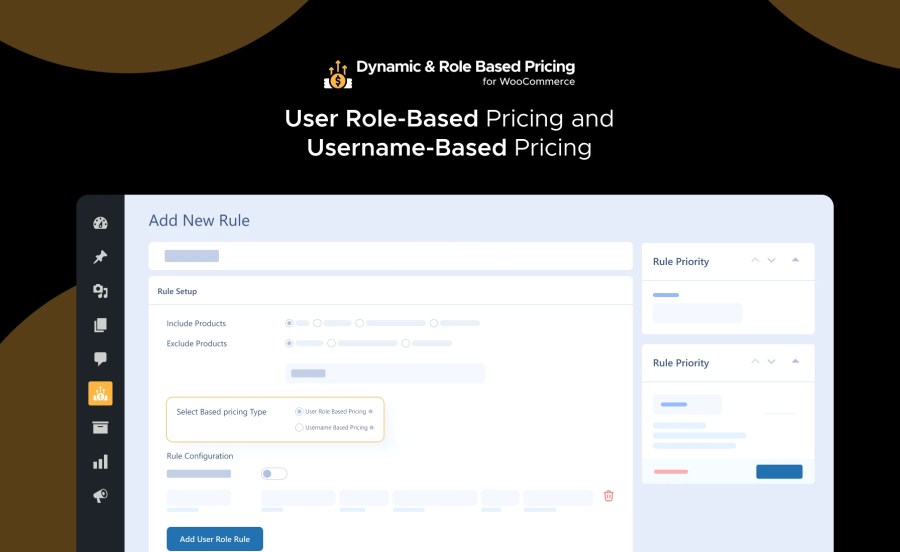
User Role-Based Pricing and Username-Based Pricing

User Role Based Pricing and Username Based Pricing Feature

  • Tailored Pricing: Set specific prices based on user roles (e.g., wholesale, agent, retail, subscribers) or individual usernames. This allows for personalized pricing strategies that cater to different customer segments.
  • Role Management: Manage various user roles with unique pricing rules, ensuring each customer sees prices relevant to their user category.

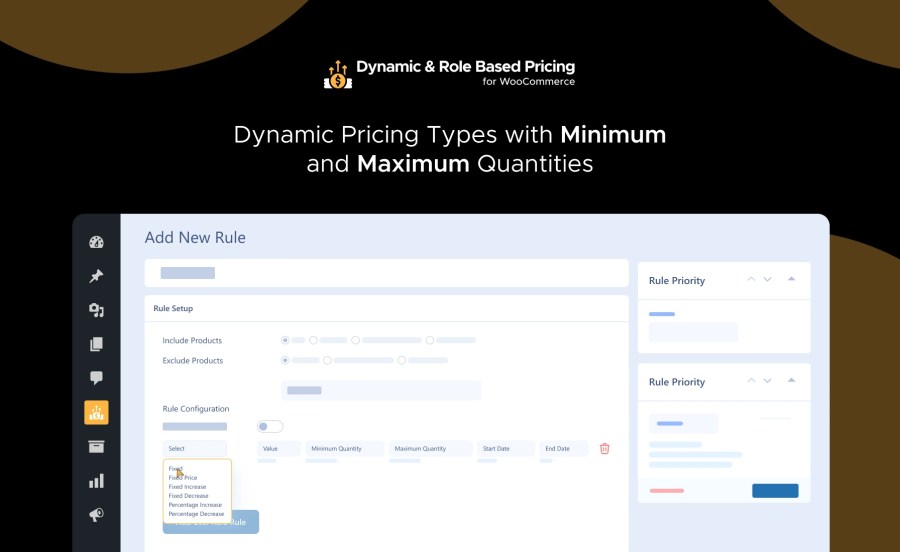
Dynamic Pricing Types with Minimum and Maximum Quantities:

Dynamic Pricing Types with Minimum and Maximum Quantities Feature

  • Fixed Price: Assign a specific price to a product, regardless of the original price.
  • Fixed Increase: Add a fixed amount to the original product price, useful for handling additional costs like customizations.
  • Fixed Decrease: Subtract a fixed amount from the original product price, ideal for offering discounts.
  • Percentage Increase: Increase the original product price by a percentage, useful for marking up prices for certain customer segments.
  • Percentage Decrease: Decrease the original product price by a percentage, perfect for providing percentage-based discounts.

Enable/Disable Toggle Button for Rules

Enable/Disable Toggle Button for Rules

Take full control of your pricing setup with a simple toggle switch. Instantly activate or deactivate any pricing rule without deleting or modifying it—perfect for seasonal discounts or temporary promotions.
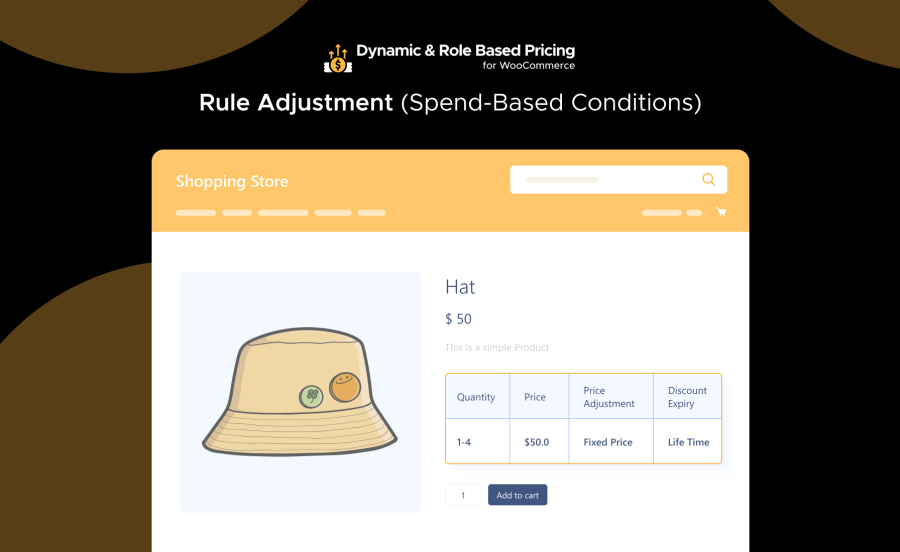
Rule Adjustment (Spend-Based Conditions)

Rule Adjustment (Spend-Based Conditions)

Make your pricing smarter by applying extra conditions based on customer spending history. Reward loyal customers or create exclusive offers for high-value buyers with targeted price adjustments.

Flat Price

Flat Price

Set a single fixed price for any product—no tiers, quantities, or complex structures. Ideal for creating straightforward promotions or fixed-rate deals for specific users or roles.
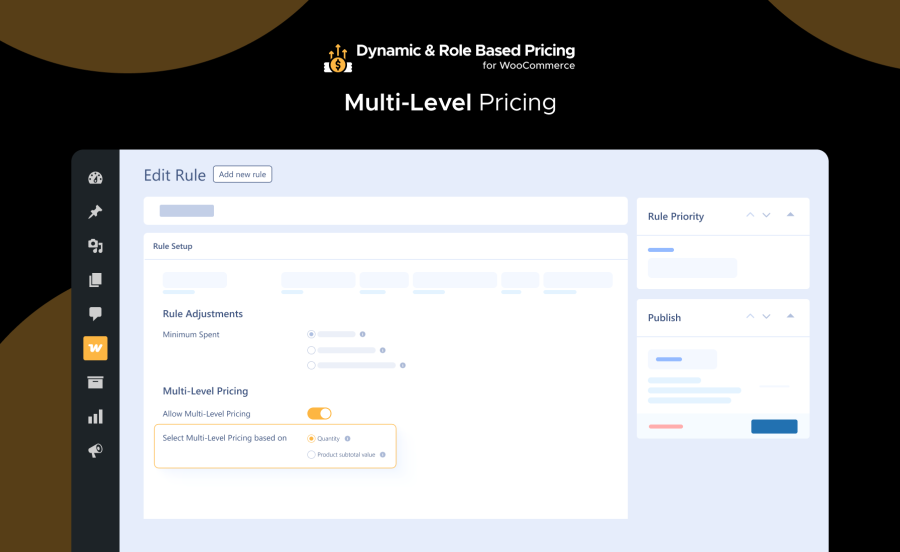
Multi-Level Pricing

Multi-Level Pricing

Enhance Flat Price rules with additional discount levels. Apply extra discounts when customers meet specific criteria, such as reaching a minimum quantity or subtotal—unlocking deeper, smarter incentives.

Quantity-Based Multi-Level Pricing: Automatically reward customers with extra discounts when their purchase quantity meets defined thresholds. Great for bulk buyers and wholesale customers.

Product Subtotal Value-Based Multi-Level Pricing: Apply layered discounts based on the total product subtotal. Once customers reach the required spending amount, they instantly receive additional savings.
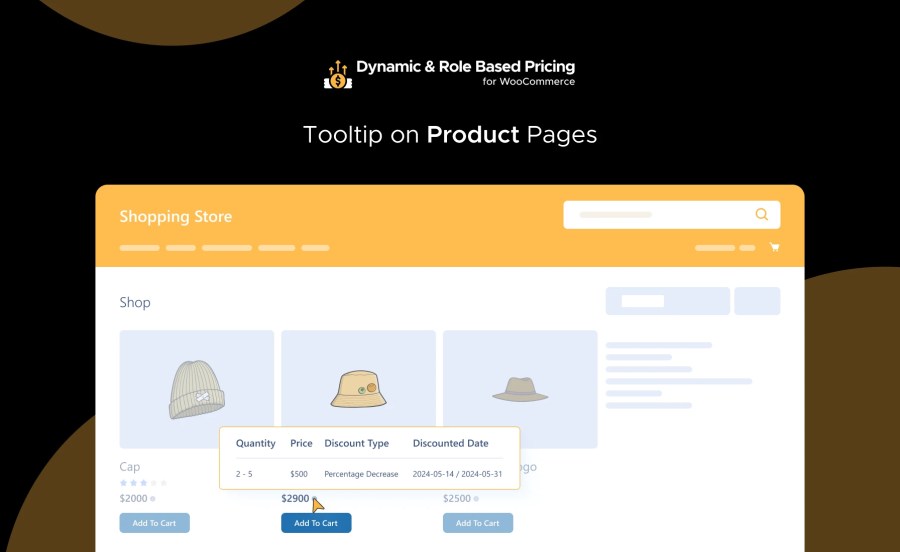
Tooltip on Product Pages:

Tooltip on Product Pages Feature

  • Dynamic Pricing Information: Display clear and concise dynamic pricing details via tooltips on product pages. Customers can easily see how prices are calculated based on the rules applied to them.
  • Enhanced Transparency: Improve customer trust by providing detailed information on how prices are determined directly on the product page.

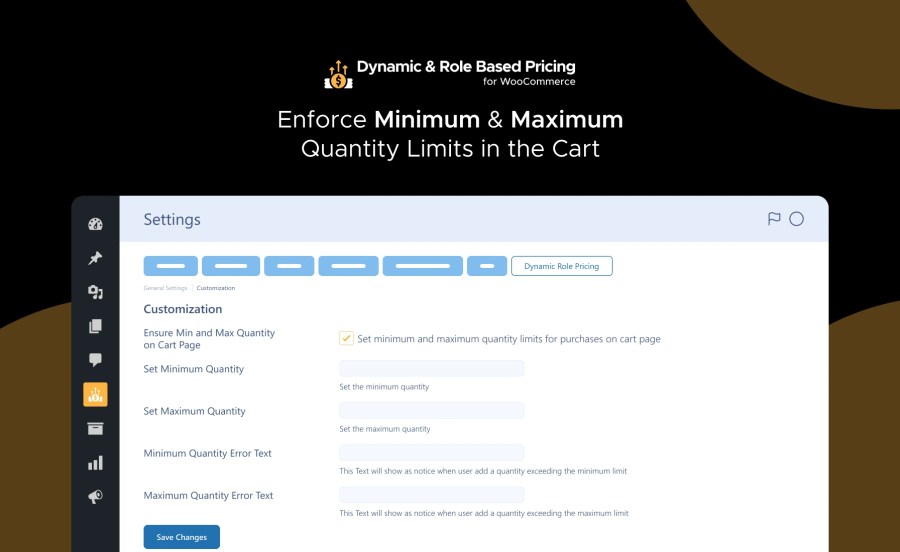
Enforce Minimum and Maximum Quantity Limits in the Cart:

Enforce Minimum Maximum Quantity Limits in the Cart Feature

  • Quantity Control: Set specific minimum and maximum quantity limits for products in the cart, ensuring orders meet your desired purchase criteria.
  • Order Management: Automatically enforce these limits during the checkout process, helping manage inventory and preventing over or under-ordering.

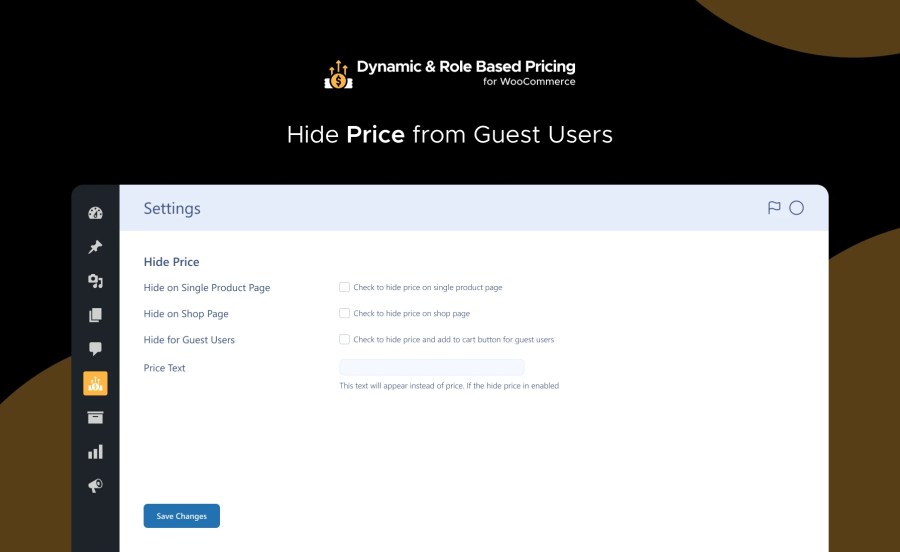
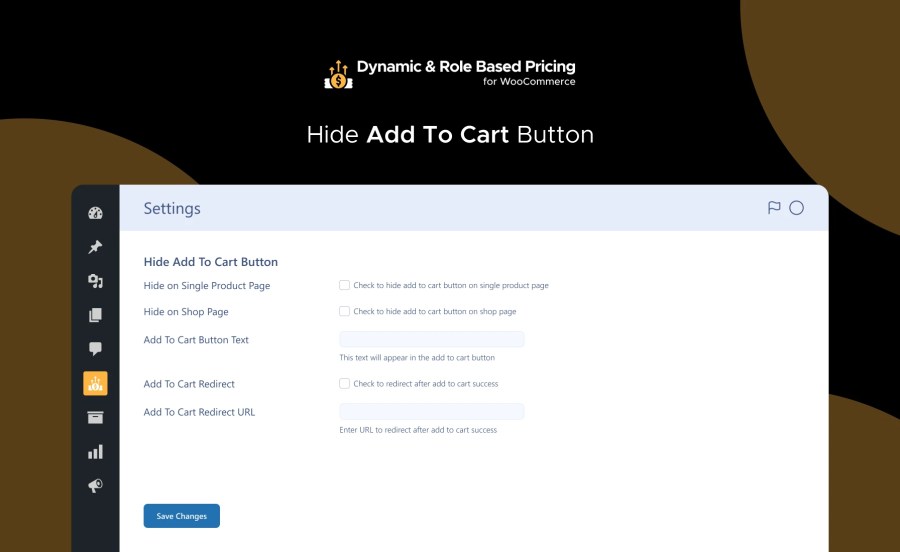
Hide Prices & Add to Cart Button from Guest Users:

Hide Price from Guest Users Feature

Hide Add To Cart Button Feature

  • Customizable Visibility: Choose to hide prices and the “Add to Cart” button for guest users, encouraging them to create an account or log in to see prices.
  • Custom Text Display: Customize the text displayed when prices are hidden, providing instructions or incentives for users to sign up or log in.

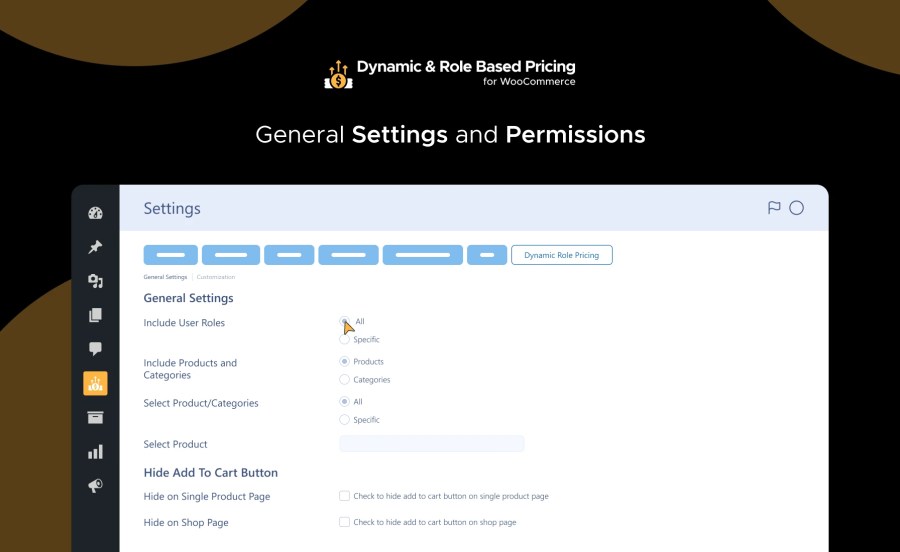
General Settings and Permissions:

General Settings and Permissions Feature

  • Visibility Management: Control product and category visibility, customize the “Add to Cart” button, and set redirect URLs to enhance user experience and sales strategies.

Why Choose Dynamic and Role-Based Pricing for WooCommerce:

Personalized Pricing:

Tailor your pricing strategy to different customer segments, offering personalized pricing to enhance customer satisfaction and loyalty.

Increased Conversions:

With dynamic pricing options and clear tooltip displays, you can provide customers with transparent pricing information, reducing purchase hesitation and increasing conversions.

Enhanced User Experience:

Enforce quantity limits and hide prices for guest users, creating a streamlined and customized shopping experience that caters to individual preferences.

Flexible Pricing Strategies:

Choose from a range of dynamic pricing types and configure pricing rules based on user roles and attributes, giving you the flexibility to adapt your pricing strategy to changing market conditions.

Get Dynamic and Role-Based Pricing for WooCommerce Today!

Dynamic and role-based pricing allows you to take control of your pricing strategy and unlock new possibilities for your WooCommerce store. With personalized pricing options, transparent tooltip displays, and enforced quantity limits, you can create a seamless shopping experience that drives conversions and fosters customer loyalty.

How to Get Started

  1. Buy Dynamic and Role-Based Pricing for WooCommerce.
  2. Download and install the extension. You can find the installation guide here.
  3. Activate, set up, and configure the extension.

Read the technical documentation to set up Dynamic and Role-Based Pricing for WooCommerce today.


Frequently asked questions

Can I set different prices for different user roles with this extension?

Yes, Dynamic and Role-Based Pricing for WooCommerce allows you to set custom pricing tiers based on user roles, offering tailored pricing to specific customers.

What types of dynamic pricing options are available with this extension?

This extension offers various dynamic pricing types, including Fixed Price, Fixed Increase, Fixed Decrease, Percentage Increase, and Percentage Decrease, providing flexibility in adjusting prices.

How does the tooltip display feature work?

The tooltip display feature showcases dynamic pricing information on product pages, offering transparency and clarity to customers about pricing variations based on their user role or username.

Can I enforce minimum and maximum quantity limits in the shopping cart?

Yes! Dynamic and Role-Based Pricing for WooCommerce allows you to enforce minimum and maximum quantity limits in the cart, ensuring adherence to your pricing strategy and preventing over-purchasing or under-purchasing.

Customer reviews

Extension information

  • PHP version required: 7.4
  • Tested with WordPress: 6.8
  • Tested with WooCommerce: 10.3
  • Requires at least WordPress: 4.9
  • Requires at least WooCommerce: 4.0

Compatibility

  • Cart & checkout blocks
  • High performance order storage (HPOS)

Countries

  • Worldwide

Related Products

Offer add-ons like gift wrapping, special messages or other special options for your products.

Offer personalized product bundles, bulk discount packages, and assembled products.

Add shipment tracking information to your orders.