Active installs
1K+
Product comparison
Subscription includes
Support
Enhancer for WooCommerce Subscriptions adds new features to WooCommerce Subscriptions such as Buy Now/Subscribe, updating prices for existing users, a cancel delay, preventing cancel before specific days of renewal, auto-renewal reminder, expiry reminders, manual renewal reminder and separate shipping cycle for subscriptions.
Subscription Price for Existing(Old) Subscriptions ensures existing subscribers pay the current subscription price at renewal. If the price has gone up, the increased price offers additional revenue for the site.
The Subscription Cancel Delay feature allows you to customize the date customers may start cancelling their subscriptions once they’ve subscribed. This prevents users from cancelling their subscription just before the first renewal to take advantage of subscription pricing.
Auto-Renewal Reminder emails alert users to their subscription renewal due date well in advance, so that customers can ensure their payment method has sufficient funds, leading to more successful subscription renewals.
In WooCommerce Subscriptions, if multiple shipping has to be processed for each renewal of the subscription, then the admin has to manually track and manually process it. It is not possible to set separate shipping cycle for subscriptions.
Using the Separate Shipping Cycle feature, it is possible to set different shipping cycle for subscriptions. A separate shipping cycle can be configured directly for each subscription product. Users will be notified by email when their shipping cycle order is processed.

In WooCommerce Subscriptions, users can only subscribe to predefined subscription products. If the user wants to proceed with a one-time purchase, then it is not possible. Admin may need to create a separate product to achieve this. Enhancer for WooCommerce Subscriptions allows you to give your users the ability to subscribe to simple, variable, bundled and composite products so that users will have the option to subscribe to the products as well as buy them once as per their needs.


Given the default behaviour of WooCommerce Subscriptions, any price change will appear for new subscription orders. Existing subscribers will continue to pay the previous price until they cancel their subscription or it expires. This feature ensures existing subscribers pay the current subscription price.
Let’s say a customer purchased a subscription for $10 per month. Now, the site admin updates the price to $15 per month for new users. If you choose to have existing subscribers pay the latest price, all the existing subscribers will be notified by email about the price change, which will apply to their next renewal.


In WooCommerce Subscriptions, users cannot subscribe to products on the cart level. Because of this limitation, users cannot add multiple products to the cart and purchase them as a single subscription. Enhancer for WooCommerce Subscriptions allows your users to add multiple products to their cart and purchase them as a single subscription.

In WooCommerce Subscriptions, users can cancel their subscription whenever they want—even immediately after receiving the order. This can often be a loss for your business because users generally subscribe to a product to get an up-front discount by paying the subscription price compared to the one-time purchase price.
Using the Subscription Cancel Delay feature, you can prevent your users from cancelling their subscriptions for a fixed duration that you customize.

The cancel button appears once the subscription’s cancellation waiting period has expired.

In WooCommerce Subscriptions, your users can cancel their subscription plan anytime they want. But, if you want to allow users to cancel their subscriptions only after a specified time following their renewal, then using the Allow Cancellation After Specific Days of Renewal feature it is possible.
In WooCommerce Subscriptions, users can cancel their subscriptions whenever they want. Users can even cancel the subscriptions a few minutes before subscription renewal.
Using the Prevent Cancelling Before Specific Days of Renewal feature, you can prevent unwanted inconvenience and losses. Once configured, the users can cancel their subscriptions until the configured threshold date. After that, cancellation will only be available during the next renewal cycle.
For Automatic Renewals with WooCommerce Subscriptions, the charge is attempted on the due date. If the attempt is successful, the user will be charged and the subscription will be renewed.
By default, users are not notified about their renewal. Because of that, some users might forget to add funds to their payment source, and the renewal fails. You can customize the date you send the Auto Renewal Reminder to improve renewal success.
In WooCommerce Subscriptions, users who subscribe to manually renewing subscriptions will not be notified in advance about their subscription renewal.
If users are notified in advance about their subscription renewal, they can make their renewal payment before the renewal date, preventing the subscription from being placed on hold.
In WooCommerce Subscriptions, when the trial is about to expire, users will not be notified in advance.
Using the Trial Expiry Reminder Email feature, you can configure when reminder emails should be sent to users before the trial expires.
In WooCommerce Subscriptions, when a user’s limited-duration subscription is about to expire, the user is not notified in advance.
You can customize the date on which you send the Subscription Expiry Reminder to alert customers and encourage them to renew.
Based on the configuration, this email will be sent to the customer regarding their subscription expiry.

In WooCommerce Subscriptions, you can send multiple email reminders to your users. However, the same email content will be sent for all reminders.
Using Multiple Templates for Reminder Emails, you can create separate email templates for each reminder and send different content.
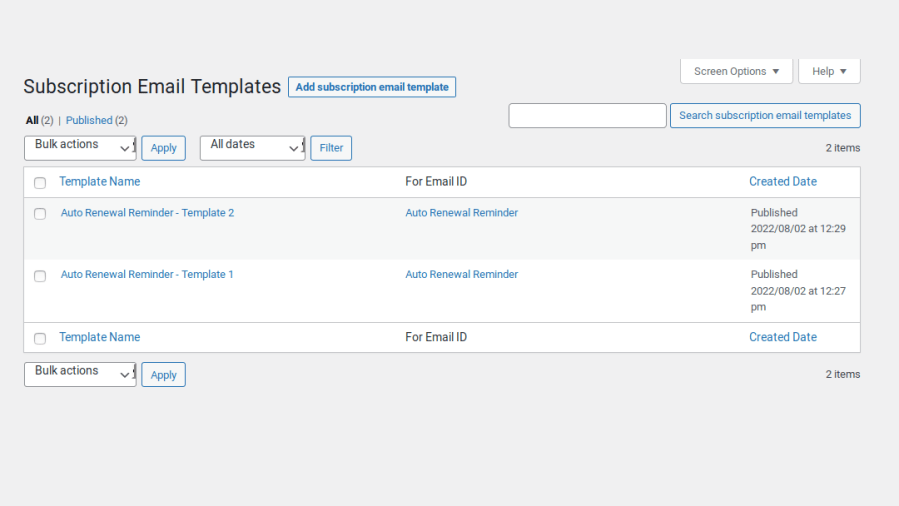

In WooCommerce Subscriptions, if a trial is configured for a product, customers can use the trial any number of times.
Using the Limit Subscription Trial feature, you can restrict customers from using the trial of a product more than once.
In WooCommerce Subscriptions, if the subscription purchase is limited to one and a customer purchases one variation of a variable product, they cannot purchase another variation.
Using the Limit Subscription in Variant Level feature, subscription limits can be applied at the variation level, allowing customers to purchase other variations.
In WooCommerce Subscriptions, users can switch to a different subscription plan anytime they want.
Using the Allow Subscription Switching After a Delay feature, you can permit switching only after a configured waiting period for new and renewed subscriptions.
In WooCommerce Subscriptions, users can switch to a different subscription plan anytime they want.
Using the Prevent Switching Before Specific Days of Renewal feature, you can restrict subscription switching during the configured period before renewal.
Option for the site admin to disable the following reminder emails on Product Level:
Minimum PHP version: 5.6
Plugins: WooCommerce Subscriptions
Enhancer for WooCommerce Subscriptions helps you to have more control and earn more revenue from the subscriptions offered on your site.
Price Update feature works if the subscriptions are placed using payment methods which supports “amount changes” subscription feature. To check this, go to “WooCommerce > Settings > Payments” and in “Automatic Recurring Payments” column hover the question mark symbol(?) for the respective payment method. If “amount changes” is listed under “Subscription features”, then it means the payment method is supported for price update feature.
By default, shipping fulfillment orders won’t be created for the old subscriptions which are already running before installing the "Enhancer for WooCommerce Subscriptions" plugin. If you want orders to be created for old subscriptions, then go to the edit product page and enable the “Separate shipping cycle for old subscriptions” checkbox so that from the next renewal onward, the shipping fulfillment orders will be created for the old subscriptions.
Yes, notification emails can be sent for all subscriptions.
Yes, the new price can be updated for all subscriptions.
No, price update feature works only when there is an update in the Regular/Sale price of the product.
The Day by which the reminder email to be sent has to be mapped correctly in “WooCommerce > Settings > Subscriptions > Reminder Emails” and in edit template has to be the same. If you have set 3 days before settings and 2 days before in the template, then a reminder email from the template won’t be sent. Instead, the default template content which was set in “WooCommerce > Settings > Emails” will be sent.
Categories
Extension information
Quality Checks
Compatibility
Countries
Languages