

Subscription includes
Support
Automatically add country-specific fees or discounts to keep your international pricing accurate and profitable. Charge extra for selected countries or reward customers from specific regions directly on the cart and checkout page, with full control over how charges are displayed and applied.
With support for country codes, user roles, specific products, categories, and customizable labels, this plugin gives you full control over your global pricing strategy. It integrates seamlessly with WooCommerce and applies fees or discounts in real time on the cart and checkout page based on the customer’s shipping country.
You can apply surcharges or discounts across the entire store, selected products, or specific categories.

The country base surcharge plugin Allow or extra fee/discount visibility based on user roles like Customers, Wholesalers, or Shop Managers. You can also control whether guest users (not logged in) see these charges.

You can change the label shown on the cart page for both surcharges and discounts.

You can create as many rules as needed using:
As soon as the user selects their shipping country in the cart or checkout, the plugin automatically checks your rules and applies the relevant extra shipping fee or discount.

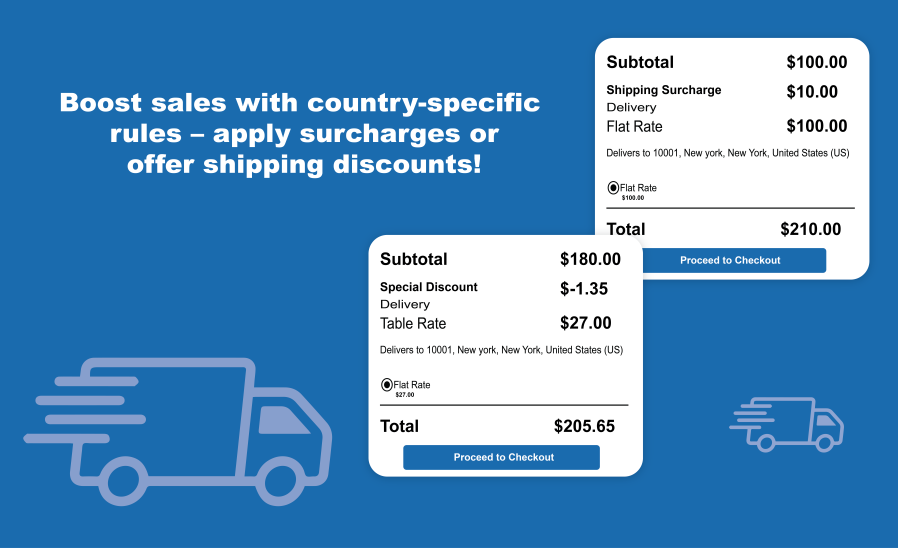
If a user from the US adds products to their cart, and a rule is set to add a $10 Shipping surcharge, it will appear in the cart total as “Shipping Surcharge: $10.

If a user from the United Kingdom adds products to their cart, and a rule is set to offer a $10 shipping discount, it will appear in the cart total as “Shipping Discount: -$10”

The plugin applies the surcharge or discount based on the shipping country selected by the customer during cart and checkout.
Yes, you can create multiple rules by setting country names, codes, fee/discount types, fixed and percentage values individually.
Yes, the Country-Based Cart Surcharge plugin allows you to target the entire shop, selected products, or specific categories. If a selected product or a product from a selected category is in the cart, and the customer enters a shipping country address, the appropriate shipping surcharge or discount will be automatically applied.
Absolutely. You can set visibility rules based on user roles or allow guest users as well.
You can choose between a fixed shipping fee/discount or a percentage-based one, depending on your business needs.
Yes, the applied shipping fee or discount will be clearly visible on the Cart and checkout page after they enter their shipping address.
Yes, the country base cart surcharge plugin lets you set your own custom label for both surcharge and discount messages.
Yes, it is regularly tested and compatible with the latest WooCommerce and WordPress versions.
Extension information
Quality Checks
Countries






