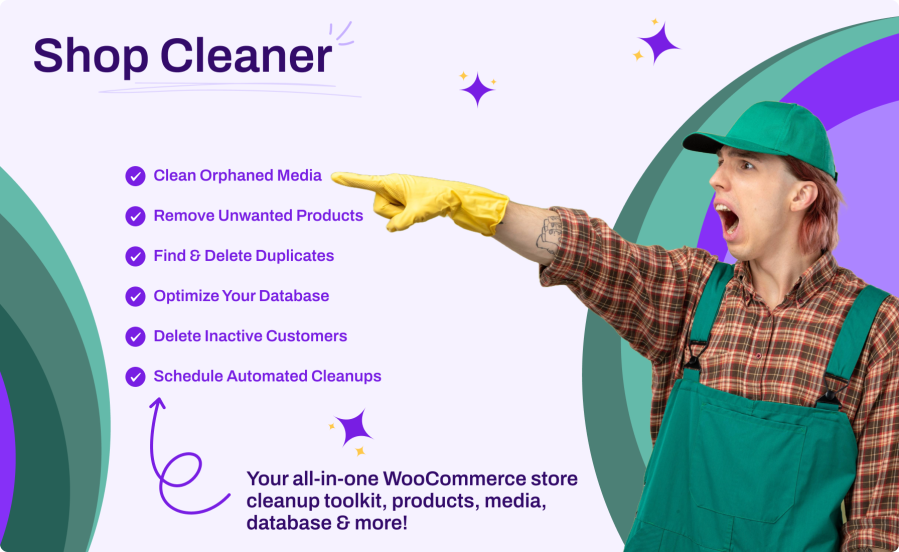
Product Icon

Shop Cleaner for WooCommerce

Stop juggling multiple plugins to keep your store clean. Shop Cleaner handles products, duplicates, orphaned media, inactive customers, expired coupons, and database bloat — all from one powerful interface inside WooCommerce settings.
Choose a billing option
$39
Save 20%
$78 $62.40

Subscription includes

  • Product updates and improvements
  • Customer support
  • 30-day money-back guarantee


Key Benefits

  • All-In-One Cleanup – Products, duplicates, orphaned media, inactive customers, and database optimization in a single plugin
  • Reclaim Performance – Remove stale data, expired transients, orphaned post meta, and unused sessions that slow down your store
  • Set It and Forget It – Schedule automated daily, weekly, or monthly cleanups with full operation logging
  • Safe by Design – Trash before delete, confirmation dialogs, batch processing, and a complete audit trail of every operation

Main Features

  • Product Cleanup with Advanced Filters – Filter by type, status, stock level, category, tag, date range, and price range
  • Duplicate Product Finder – Detect duplicates by title, SKU, or both with grouped previews
  • Orphaned Media Detection – Find product images no longer used as featured images or in galleries
  • 7 Database Cleanup Types – Orphaned variations, orphaned post meta, empty categories, empty tags, expired transients, expired coupons, and expired sessions
  • Customer Cleanup – Remove customers with zero orders or only failed/cancelled orders
  • Scheduled Automation – Daily, weekly, or monthly automated cleanups via WP-Cron
  • Full Operation Logs – Complete history with filters, pagination, and cleanup statistics
  • Modern React Interface – Fast, intuitive admin UI built with WordPress components

Smart Product Cleanup

Filter your product catalog with precision. Narrow down by product type, status, stock level, category, tag, creation date, and price range. Preview matching products with thumbnails, SKUs, and prices before taking action. Move to trash for safe recovery or permanently delete — with optional automatic image removal.

Duplicate Product Finder

Duplicate listings confuse customers and create inventory headaches. Scan your catalog by title, SKU, or both to instantly surface duplicate groups. Preview every match, choose to keep the oldest or newest version, and clean up the rest in one click.

Orphaned Media Cleanup

Over time, product images become detached from their listings — still on your server, still eating storage. Shop Cleaner identifies images attached to products but no longer used as featured images or in galleries. Preview orphaned files with thumbnails and file sizes, then delete selectively or in bulk.

Database Optimization

Your WooCommerce database accumulates clutter: orphaned variations with no parent product, stale post meta, empty categories and tags, expired transients, old coupons, and abandoned sessions. Scan each type individually, see exact counts, and clean them up with one click.

How It Works

  1. Install & Activate – Upload the plugin and activate it in WordPress alongside WooCommerce
  2. Navigate to Settings – Go to WooCommerce > Settings > Advanced > Shop Cleaner
  3. Scan & Preview – Use the tabbed interface to scan products, duplicates, media, database, or customers
  4. Review & Clean – Preview results with full details, then trash or permanently delete with batch processing
  5. Automate (Optional) – Enable scheduled cleanups to keep your store clean automatically

Powerful Product Filters

Target exactly the products you want to remove:

  • Product Type – Simple, variable, grouped, or external products
  • Status – Published, draft, pending, or private products
  • Stock Status – In stock, out of stock, or on backorder
  • Category & Tag – Filter by any product category or tag
  • Date Range – Remove products created before a specific date
  • Price Range – Set minimum and maximum price thresholds
  • Batch Processing – Configurable batch size (10–100 items) to prevent server timeouts

Complete Database Optimization

Seven cleanup types to keep your database lean:

  • Orphaned Variations – Product variations whose parent product no longer exists
  • Orphaned Post Meta – Metadata entries referencing posts that have been deleted
  • Empty Categories – Product categories with zero assigned products
  • Empty Tags – Product tags with zero assigned products
  • Expired Transients – Stale WooCommerce transient cache entries
  • Expired Coupons – Coupons past their expiration date
  • Expired Sessions – Abandoned WooCommerce customer sessions

Customer Database Cleanup

Keep your user database clean and manageable:

  • No-Order Customers – Find and remove customers who never placed an order
  • Failed-Order Customers – Identify customers with only failed or cancelled orders
  • Date Filtering – Target customers registered before a specific date
  • Role Protection – Administrators and shop managers are always excluded by default
  • Safe Deletion – Customer content is reassigned to an admin before account removal
  • Preview Before Action – Review usernames, emails, order counts, and registration dates before deleting

Built for Safety

Every feature is designed with data protection in mind:

  • Trash First – Move products to WordPress trash by default for easy recovery
  • Confirmation Dialogs – Configurable prompts before any permanent deletion
  • Batch Processing – Small batches prevent server timeouts on large stores
  • Abort Any Operation – Cancel an in-progress cleanup at any time
  • Complete Audit Trail – Every operation is logged with details, filters used, and the user who triggered it
  • Admin Protection – The current user and admin accounts are never deleted during customer cleanup

Automated Scheduling

Set up recurring cleanups and let the plugin do the work:

  • Three Frequencies – Run scheduled cleanups daily, weekly, or monthly
  • Selective Actions – Choose which cleanup types to include: products, media, database, or customers
  • Product Filters – Apply your saved product filters to scheduled product cleanups
  • Automatic Logging – Every scheduled run is fully logged for review
  • Log Retention – Configurable retention period keeps your logs manageable (default: 30 days)

Full Operation Logs

Track every cleanup action with confidence:

  • Detailed Records – Operation type, action taken, items affected, and item details for every run
  • Filter & Search – Filter logs by operation type and date range
  • Cleanup Statistics – Total operations, total items affected, and breakdowns by type
  • Pagination – Browse large log histories with full pagination support
  • Configurable Retention – Set how long logs are kept (1–365 days)

Seamless Integration

Works perfectly with your existing WooCommerce setup:

  • WooCommerce HPOS – Fully compatible with High-Performance Order Storage
  • WooCommerce Settings – Integrated directly into WooCommerce > Settings > Advanced
  • Any Payment Gateway – Works alongside any WooCommerce payment gateway
  • Any Theme – No frontend output — works with any WordPress or WooCommerce theme
  • REST API – Full REST API for programmatic access to all cleanup operations
  • Translation Ready – Fully internationalized and available in 19 languages

Frequently asked questions

Is it safe to use on a live store?

Yes. Shop Cleaner moves products to trash by default so you can restore them anytime. Permanent deletions require explicit confirmation, everything is processed in small batches to avoid server issues, and every operation is logged with full details for your records.

Will the plugin slow down my store?

Not at all. Shop Cleaner only runs when you trigger a cleanup or when a scheduled task executes. It adds zero overhead to your storefront or daily admin operations.

What happens to customer data when I delete inactive accounts?

All customer content (posts, comments) is reassigned to an administrator account before the user is deleted. Administrators and shop managers are always protected and can never be accidentally removed.

Can I automate cleanups so I don't have to do it manually?

Yes. You can schedule automated cleanups to run daily, weekly, or monthly. Choose which cleanup types to include, products, media, database, or customers, and the plugin takes care of the rest with full logging of every scheduled run.

Does it work with WooCommerce HPOS (High-Performance Order Storage)?

Fully compatible. Shop Cleaner automatically detects whether your store uses HPOS or the legacy post-based order storage and adapts its queries accordingly. No configuration needed.

Customer reviews

Related Products

Price $79 annually
Rated 3.4 out of 5 stars
Price $59 annually
Rated 3.1 out of 5 stars
Price $109 annually
Rated 2.8 out of 5 stars
Price $49 annually
Rated 4.1 out of 5 stars
Price $109 annually
Rated 2 out of 5 stars
Price $109 annually
Rated 2.3 out of 5 stars
Price $109 annually
Rated 2 out of 5 stars
Price $109 annually
Rated 2.6 out of 5 stars
Price $109 annually
Rated 2.3 out of 5 stars




