

Subscription includes
Support
Checkout Field Editor and Manager for WooCommerce is a powerful plugin that lets you easily customize your checkout page with a drag‑and‑drop form builder, helping you collect exactly the information you need from customers and optimize conversions.
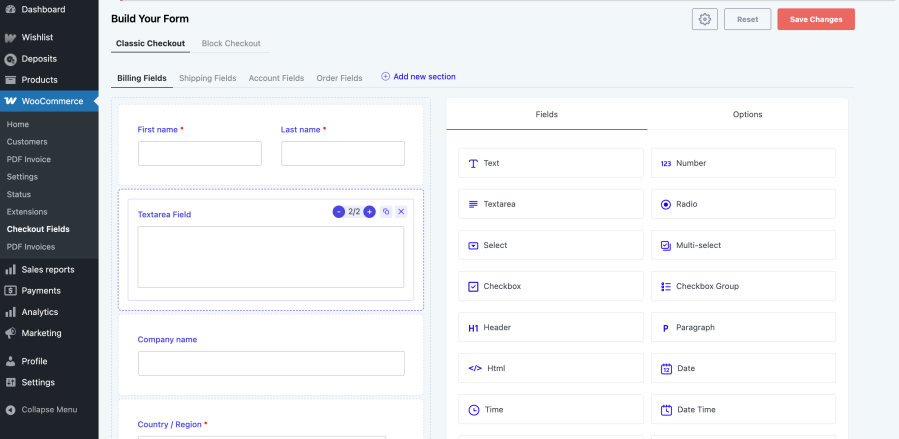
Design your checkout form visually using a simple drag‑and‑drop interface, rearranging, editing, and grouping fields in seconds.

Add a wide range of field types, including text, password, phone, email, number, textarea, select, multiselect, radio group, checkbox, checkbox group, color picker, date, time, datetime, file upload, heading, paragraph, label, Google place select, image group, toggle switch, URL, and color group.
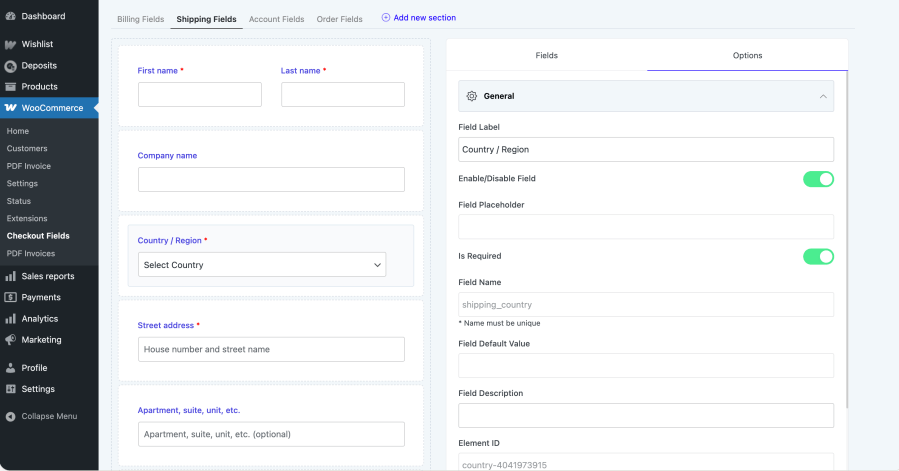
Modify or hide default WooCommerce checkout fields like first name, last name, company, address, and more, while adding entirely new fields where needed.
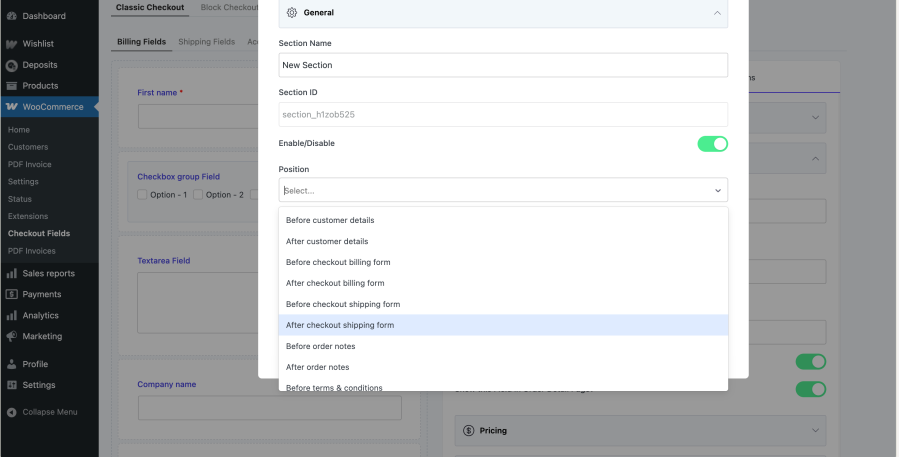
Create custom sections and place them in 13+ different positions on the checkout page, such as before or after customer details, billing form, shipping form, and order notes.
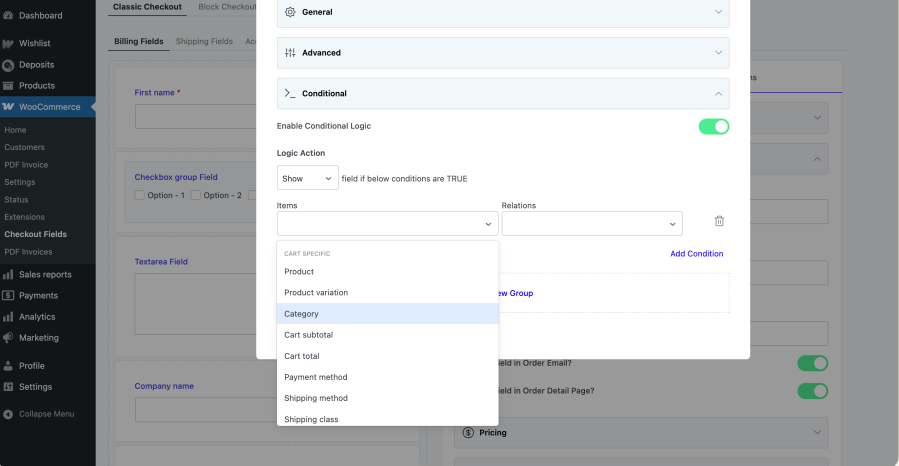
Show or hide fields and sections based on other field values, products or categories in the cart, user role, payment method, shipping method, cart subtotal, or cart total, enabling highly contextual checkout flows.
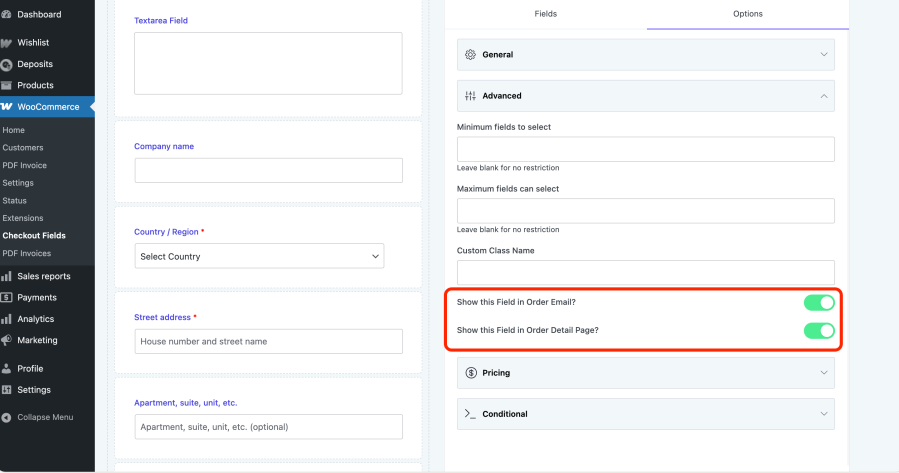
Control whether each field appears in the order emails and order details page, so admins and customers always see the most relevant information.
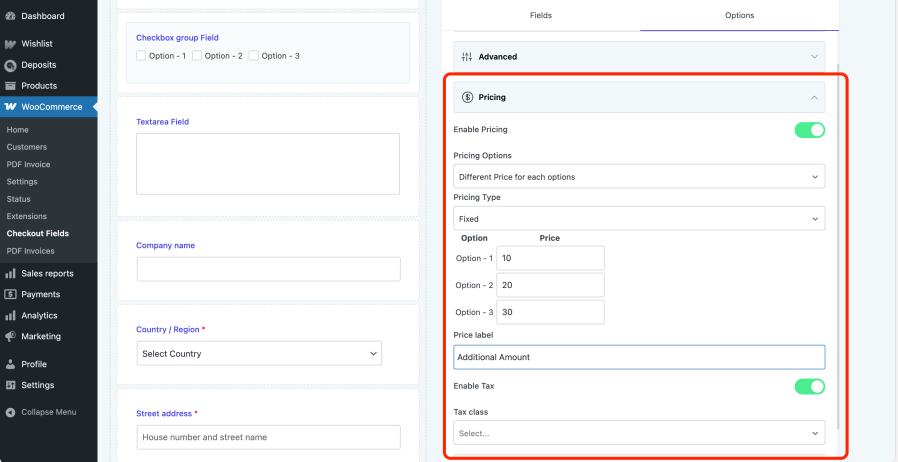
Attach additional fees to specific options a customer chooses, using fixed amounts or percentages of cart contents total, cart subtotal, subtotal excluding tax, or a custom formula.
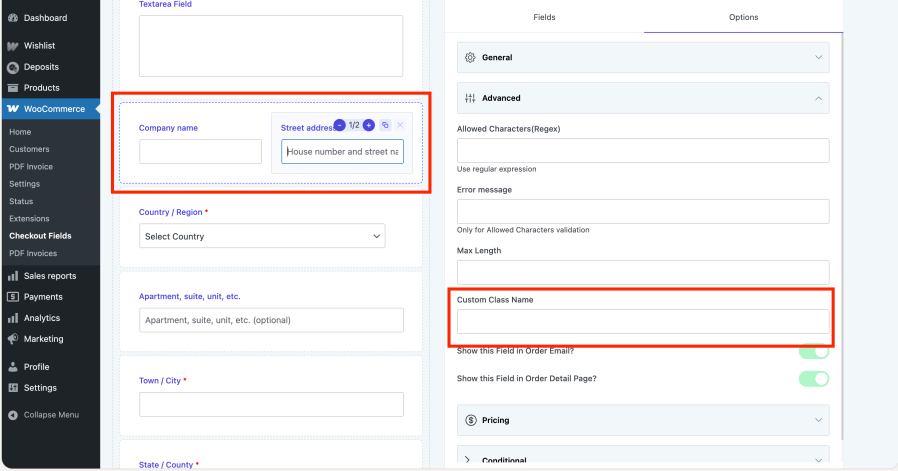
Use 2‑column layouts to display fields in half or full width, and assign custom CSS classes to individual fields and sections for complete design control.
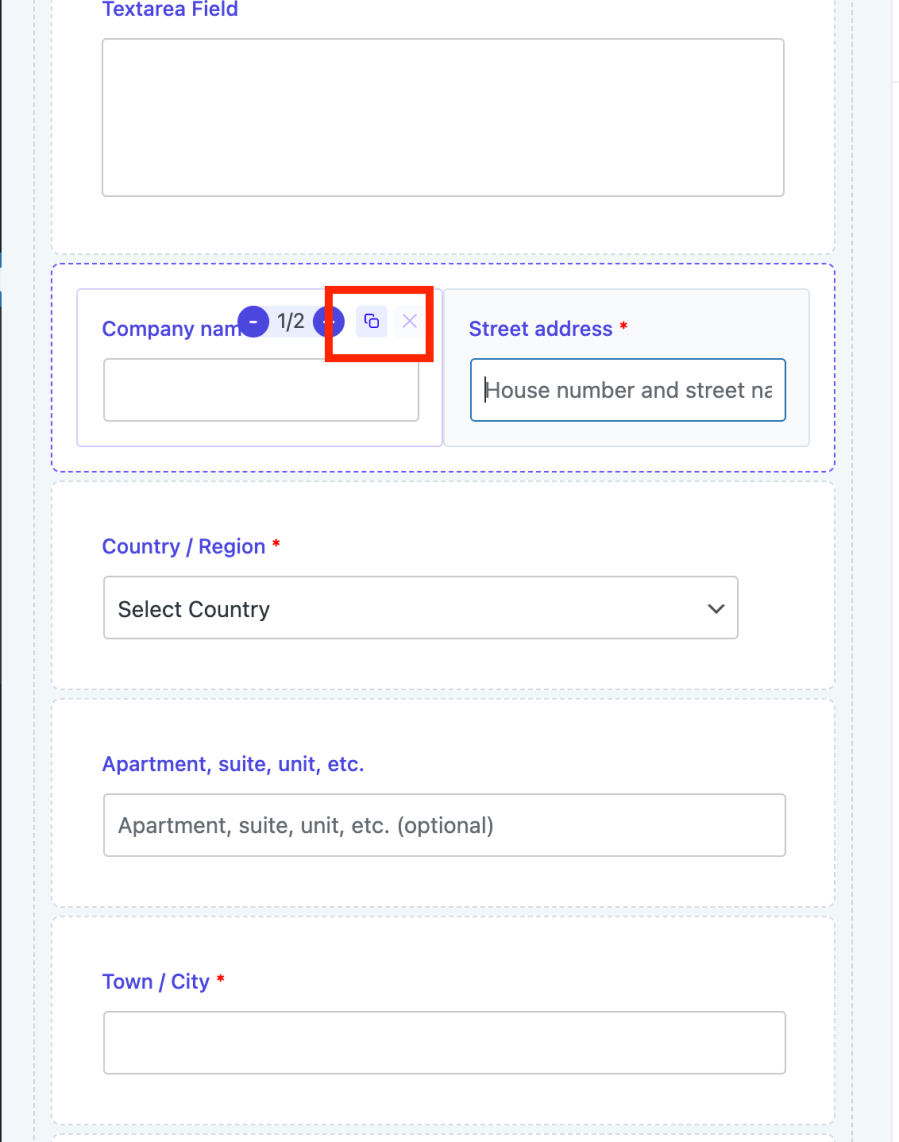
Save time by duplicating existing fields and sections with a single click, preserving all their settings and conditions.
The plugin works seamlessly with WPML and Polylang so you can localize every checkout field label and message for multilingual stores.
Yes, you can edit, hide, or disable all default WooCommerce checkout fields like first name, last name, company, address, and more. The plugin also allows you to add completely new custom fields to collect additional customer information.
Yes, the premium version includes advanced conditional logic that lets you show or hide fields and sections based on other field values, products or categories in the cart, user roles, payment methods, shipping methods, cart subtotal, or cart total.
Yes, the plugin is fully compatible with WPML and Polylang, allowing you to translate all checkout field labels and messages for multilingual WooCommerce stores.
Yes, you can attach optional fees to specific checkout field options. These fees can be fixed amounts or percentages based on cart total, subtotal, or custom formulas, and can be included in tax calculations.
No coding required! The plugin features an intuitive drag-and-drop form builder that lets you add, edit, rearrange, and customize checkout fields visually from the WordPress admin dashboard.
Quality Checks
Countries







