Product Icon

Add-On Image Mapper for WooCommerce

Show a new product image when shoppers pick a WooCommerce Product Add-Ons option like color, material or design. No code, works on mobile.
Choose a billing option
$39
Save 20%
$78 $62.40

Subscription includes

  • Product updates and improvements
  • Customer support
  • 30-day money-back guarantee

Change the Product Image When Shoppers Pick a Product Add-Ons Option

Shoppers want to see what they are buying. Add-On Image Mapper shows the right product image the moment a customer picks an option from WooCommerce Product Add-Ons, such as a color, material, finish or design.

Already using WooCommerce Product Add-Ons? Add live image previews for your existing add-ons without switching plugins or rebuilding your options. Link an image to an option (or a combination of options) on the product edit screen, and you are done.

Requires: the official WooCommerce Product Add-Ons extension.
Key Features

  • Live Image Swap: The main product image changes as soon as a shopper selects a mapped add-on option.
  • Map Option Combinations: Link one image to a single option (Color: Red) or to a combination (Color: Red + Material: Leather).
  • Works With Your Existing Add-Ons: Choose from the add-on groups and options you already set up in Product Add-Ons.
  • Dropdowns, Radio Buttons & Checkboxes: Image switching works with the common Product Add-Ons choice fields.
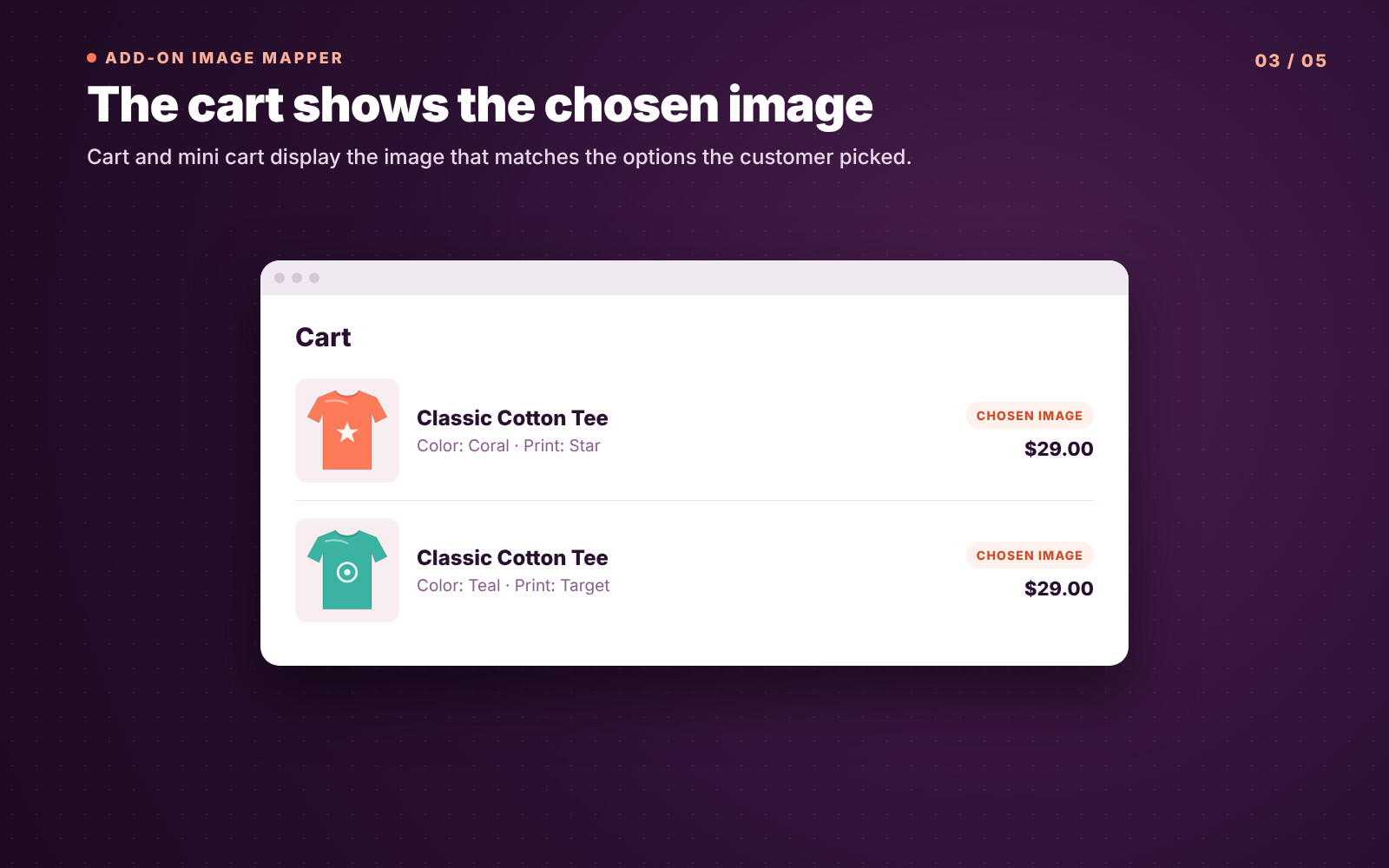
  • Selected Image in the Cart: The cart and mini cart show the image of the option the customer chose.
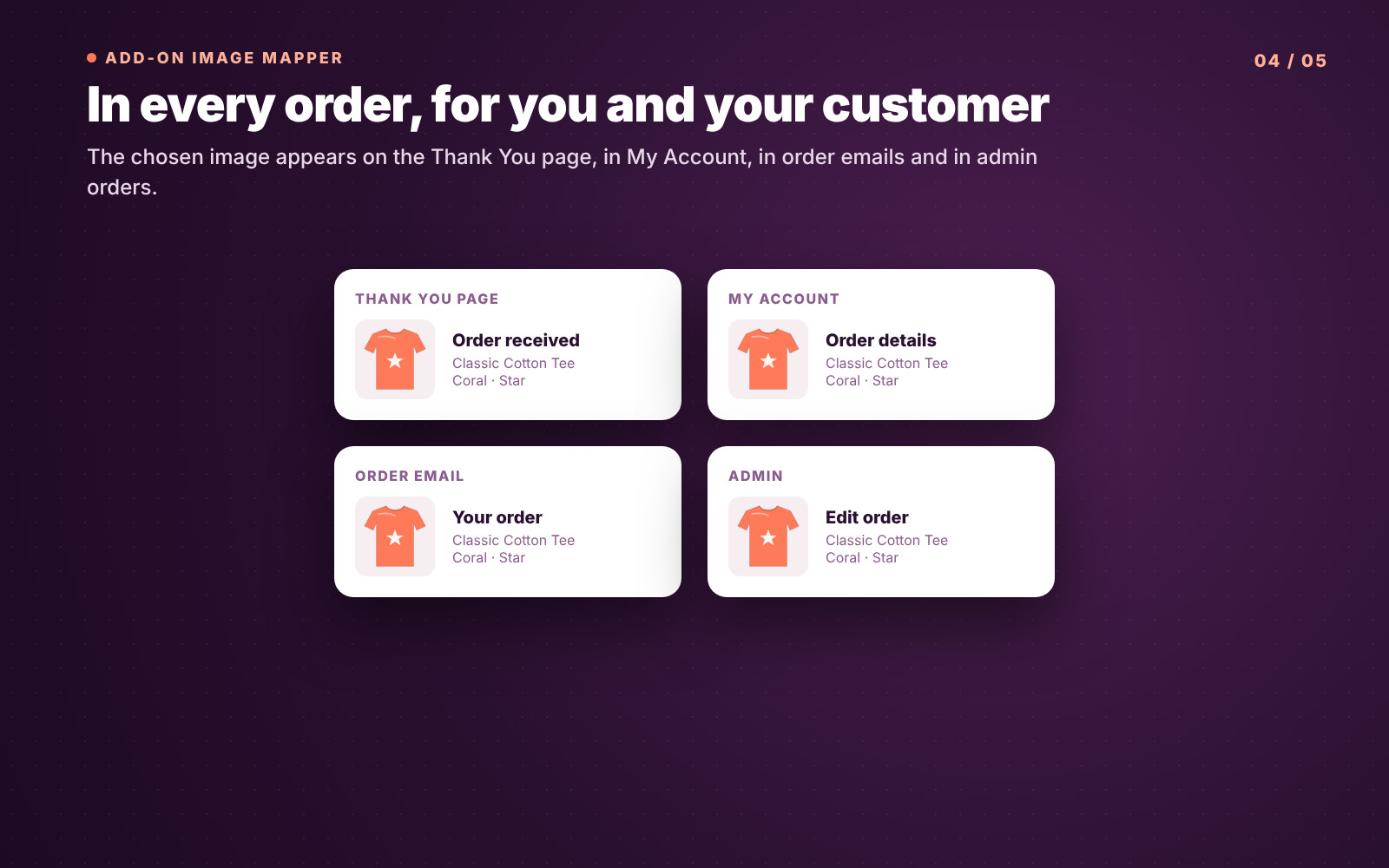
  • Selected Image in Orders & Emails: The chosen image appears on the Thank You page, in My Account order details and in order emails.
  • Clear Orders for Your Team: Admin order screens show the selected image next to each item, so you ship the right version.
  • Mobile-Friendly: Works on phones, tablets and desktops.
  • No Coding: Set everything up in a simple box on the product edit screen.

How It Works

  1. Set Up Your Add-Ons: Create your options in WooCommerce Product Add-Ons as usual (for example, Color: White, Coral, Teal).
  2. Add a Mapping Row: In the Add-On Image Mapper box on the product, pick one or more add-on options.
  3. Choose the Image: Select the image from your Media Library for that option or combination.
  4. Save: Shoppers now see that image when they pick those options, and it follows the item to the cart and order.


Who Is It For?

  • Clothing & Accessories – Show each color or print as the shopper picks it.
  • Furniture & Home Decor – Show fabrics, finishes and wood types.
  • Jewelry – Show metals, stones and engraving styles.
  • Gifts & Print-on-Demand – Show the design or packaging the customer chose.
  • Custom & Made-to-Order Products – Make complex options easy to understand.

WooCommerce admin order details showing mapped product add-on images

See It Before You Buy It

When shoppers can see the option they picked, they buy with more confidence and you get fewer “wrong color” questions and returns. Your team also sees exactly which version to make or ship.


Frequently asked questions

Does this extension work with the official WooCommerce Product Add-Ons extension?

Yes, the Add-On Image Mapper for WooCommerce is specifically built to integrate seamlessly with the official WooCommerce Product Add-Ons extension.
Can I assign multiple images to a single add-on option?

Currently, each add-on option maps to a single image. Support for multiple images or image galleries per option may be added in future releases.

Will this extension work with variable products?

The extension primarily targets simple products with add-ons. Variable products are supported but image switching is focused on the selected add-on options rather than variations.

Are the selected images shown in the cart and checkout?

Yes, the extension saves the selected image with the cart item, so customers and store admins can see the correct product image throughout the purchase process.

Is this extension compatible with the latest version of WooCommerce?

Yes, the extension is tested and compatible with WooCommerce version 6.0 and above.

Can I customize the extension behavior?

Some advanced customizations may require developer assistance. We recommend consulting the extension support or documentation for guidance.

If you have more questions or need personalized help, please contact us using the Get support link.

Extension information

  • PHP version required: 7.4
  • Tested with WordPress: 6.9
  • Tested with WooCommerce: 11.2.1
  • Requires at least WordPress: 5.9
  • Requires at least WooCommerce: 6.0

Works with

Countries

  • Worldwide

Related Products

Price $279 annually
Rated 3.9 out of 5 stars
Price $79 annually
Rated 3.4 out of 5 stars
Price $59 annually
Rated 3.1 out of 5 stars
Price $109 annually
Rated 2.8 out of 5 stars
Price $109 annually
Rated 2 out of 5 stars
Price $49 annually
Rated 4.1 out of 5 stars
Price $109 annually
Rated 2.5 out of 5 stars
Price $199 annually
Rated 4 out of 5 stars
Price $39 annually
Rated 2.8 out of 5 stars
Use of your personal data
We and our partners process your personal data (such as browsing data, IP Addresses, cookie information, and other unique identifiers) based on your consent and/or our legitimate interest to optimize our website, marketing activities, and your user experience.