Advanced User Role Product Manager for WooCommerce
Take full control of product visibility in your WooCommerce store with Advanced User Role Product Manager. Easily show or hide products, categories, and tags based on user roles—perfect for B2B stores, membership sites, wholesale catalogs, and private product access systems.
This powerful WooCommerce product visibility plugin provides powerful per-product visibility settings, bulk management tools, redirect logic, content replacement, and complete user-role detection (including Guest and multi-role users). Ideal for modern WooCommerce stores needing advanced catalog control with this WooCommerce user role visibility plugin.
Why Choose This WooCommerce Product Visibility Plugin?
This WooCommerce product visibility plugin is trusted by thousands of stores worldwide for managing role-based product access. Whether you need to hide products from guests, show wholesale-only products to B2B customers, or create membership-exclusive catalogs, this WooCommerce hide products by role plugin gives you complete control.
Key Features:
Product Visibility Control
This WooCommerce product visibility by role plugin offers comprehensive visibility management:
- Set role-based visibility on each product using a dedicated meta box
- Choose “Visible to roles” or “Invisible to roles” (mutually exclusive)
- Supports all WordPress user roles, including Guest users
- Works seamlessly with variable products (controlled at the parent level)
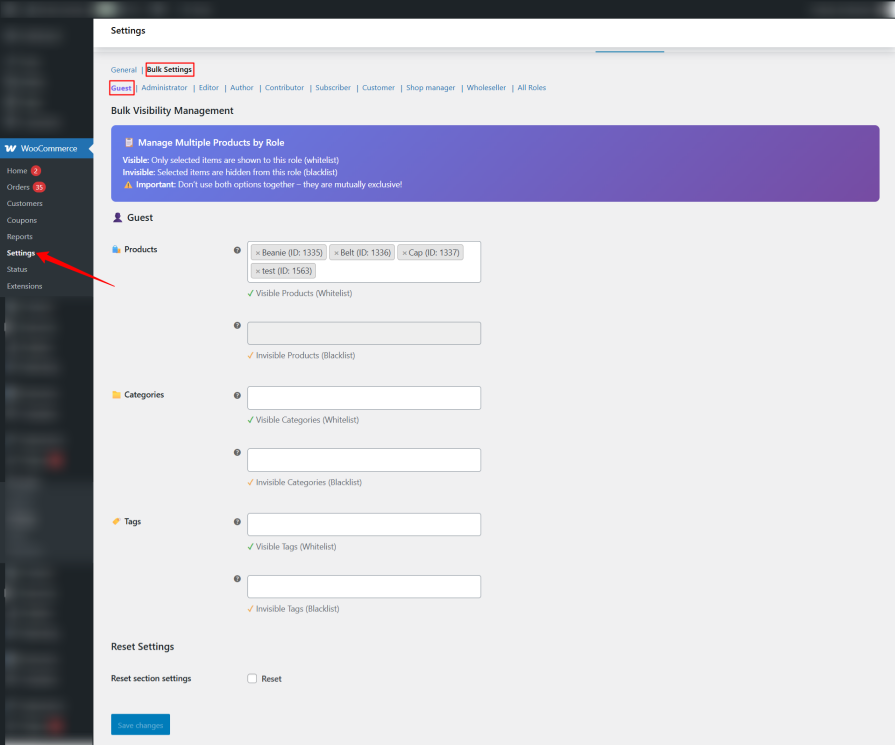
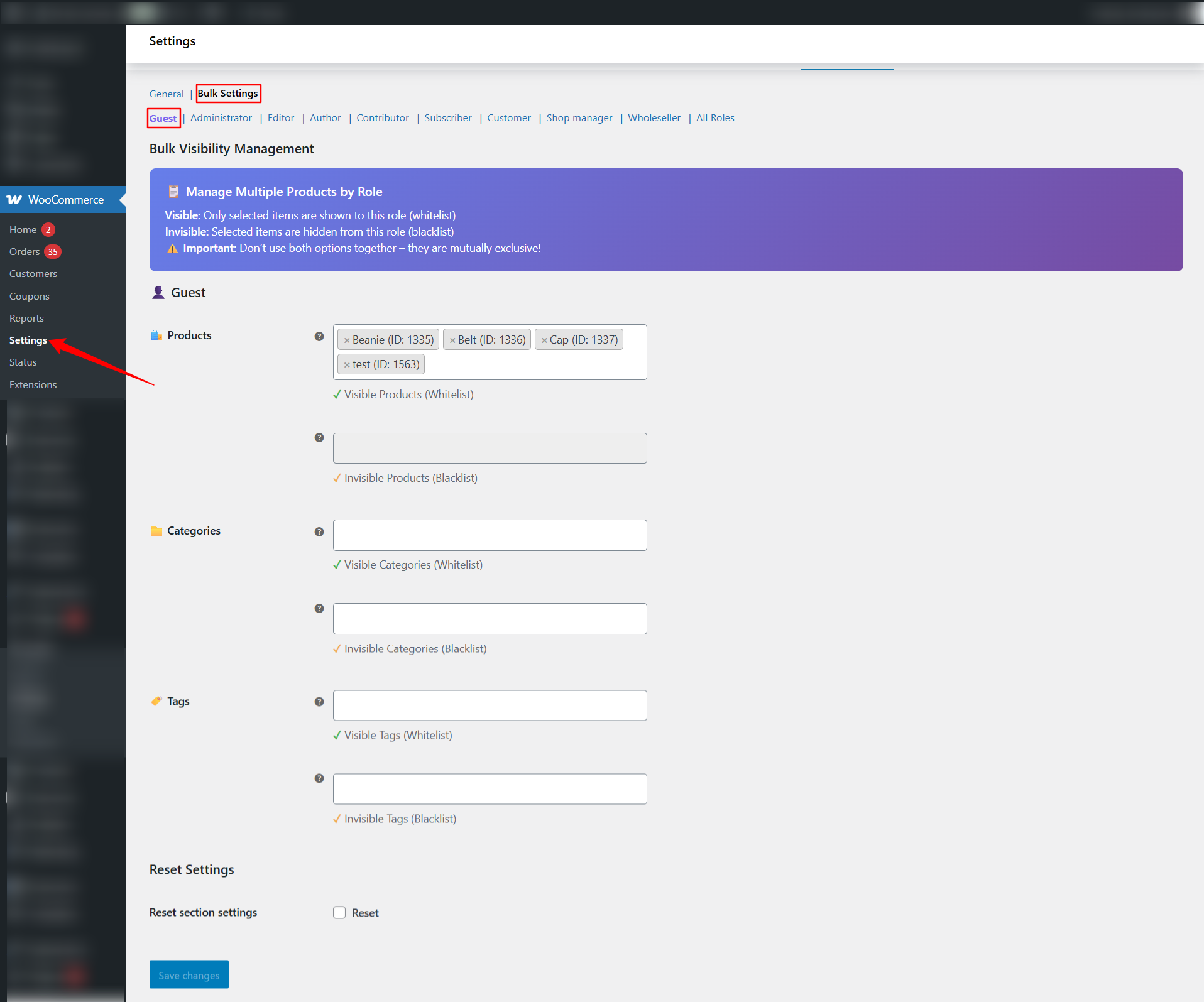
Bulk Management Tools
Manage multiple products efficiently with this WooCommerce product visibility plugin:
- Apply visibility rules to multiple products at once
- Manage category visibility by role
- Manage tag visibility by role
- One-click “Hide all products for selected roles.”
- Organized subsections for each user role
Flexible Hide Options
Control how products are hidden with this WooCommerce hide products plugin:
- Hide from shop catalog and search results
- Make products non-purchasable for restricted roles
- Completely hide via query modification (404 handling)
- Hidden products remain inaccessible via direct URL
Advanced Content & Navigation Control
Customize the experience for restricted users with this WooCommerce product access control plugin:
- Global or per-product custom redirect URL for restricted users
- Replace product description with custom content
- Replace short description for hidden roles
- Hide navigation menu items based on visibility rules
- Hide restricted categories and tags from frontend listings
Admin Enhancements
Streamline your workflow with admin features in this WooCommerce user role product manager:
- Bulk Edit integration
- Quick Edit integration
- User Role visibility column in product list
- Filter which user roles appear in settings
- Modern gradient UI with intuitive layout
- Optimized for fast workflow and configuration
Perfect For
- WooCommerce product visibility plugin
- WooCommerce hide products by role
- WooCommerce user role visibility plugin
- WooCommerce restrict products by role
- WooCommerce product visibility by role
- WooCommerce hide categories by role
- WooCommerce user role product manager
- WooCommerce product access control
- WooCommerce hide products plugin
- WooCommerce role based product visibility
Ideal Use Cases
This WooCommerce product visibility plugin is perfect for:
- B2B / Wholesale Stores – Show wholesale-only products to logged-in wholesale accounts with this WooCommerce restrict products by role plugin
- Membership Sites – Display exclusive products for members using this WooCommerce user role visibility plugin
- Private Catalogs – Keep products hidden from the public
- Retail + Wholesale Hybrid – Separate catalogs for different user types
- Role-Based Access Stores – Assign visibility rules to custom roles
- Multi-tier access – Show different products at each membership level
Benefits
- Complete Control: Hide or show products, categories, and tags based on user roles with this WooCommerce product visibility plugin
- Save Time: Bulk management tools let you apply visibility rules to multiple products at once
- Better Security: Completely hide products from restricted users, even via direct URL access
- Flexible Options: Choose from multiple hide methods – catalog, search, non-purchasable, or complete 404
- Custom Experience: Replace content or redirect restricted users to custom pages
- Easy Management: Modern UI with bulk edit, quick edit, and visibility columns for efficient workflow
- Guest Support: Control visibility for logged-out users (guests) as well as logged-in users
Final Thoughts
Take complete control of your WooCommerce product catalog with this powerful WooCommerce product visibility plugin. Whether you’re running a B2B store, membership site, wholesale catalog, or private product access system, this WooCommerce user role visibility plugin gives you the tools to show or hide products, categories, and tags based on user roles with advanced per-product and bulk settings.
Get started today and transform how you manage product visibility in your WooCommerce store!