

Subscription includes
Support
AfroIT Messaging Workflows for WooCommerce — Pro extends the free AfroIT Messaging Workflows for WooCommerce plugin.
Requires the free plugin 1.1.0 or later.
With this plugin, merchants can:
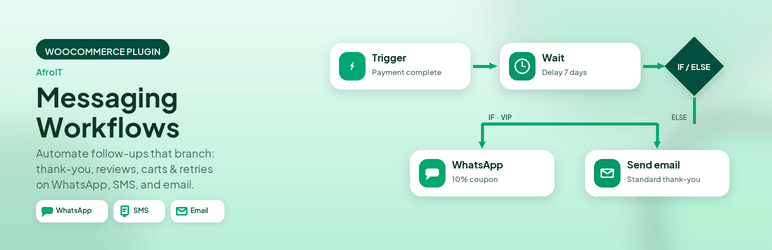
Combine triggers, conditions, and actions (including Wait, Send WhatsApp, Send SMS, and Send Email) to build flows that match your store’s policies and marketing goals.
Workflows run on your WordPress site. This plugin is designed specifically for WooCommerce and compatible with WooCommerce High-Performance Order Storage (HPOS). It is not supported on a WordPress Multisite.
A workflow is a saved automation rule in your store. Each workflow has four main parts:
Workflows are active or inactive. Only active workflows are evaluated when a trigger fires.
Actions run in sequence. Each action can also have its own condition. If that condition fails, the action is skipped. The following actions are available in the Pro version of the plugin.
This delays execution of the workflow for a specified period of time.
You can define and approve your WhatsApp messages template within the plugin. Only Meta-approved templates can be used in workflows to send WhatsApp messaging.
Create a Twilio account and configure your credentials in the plugin to be able to send SMS messages to customers.
You can select pre-defined Email templates to send email messages to customers.
Add a Branch step that evaluates a condition to true or false. The corresponding path in the Branch would then be executed. Each path can contain a series of actions including Wait, Send WhatsApp, Send SMS, Send Email, and Stop actions. Nested Branch actions are not supported but would be supported in the future.
Under a certain condition the execution of the workflow can be stopped by adding a “Stop” Action.
In addition to the Workflow actions explained above, the plugin also offers the following features:
The merchant has an overview to see carts that were abandoned and later paid for, including recovered revenue.
Each order is counted once. Only paid orders are included. On-hold and other unpaid orders, such as a bank transfer that has not cleared, are left out. Cancelling an order removes it from recovered carts and recovered revenue. A partial refund reduces that revenue to the amount still paid. A full refund removes the order, the same as a cancellation.
You can set how many minutes of inactivity should pass before a shopping cart is considered abandoned (default is 60).
Before workflows can send WhatsApp messages, Emails or SMS reliably, complete the following (also summarized under WooCommerce → Messaging Workflows → Settings → Prerequisites):
business_management, whatsapp_business_management, whatsapp_business_messaging.Yes, if you intend to send WhatsApp messages. You need an approved WhatsApp Business Account and approved templates.
Only if you use the Send SMS action.
Yes. Configure WooCommerce email templates and use **Send Email** actions only. Meta and Twilio are required only for WhatsApp and SMS.
Check that the workflow is Active, the trigger matches what happened, **conditions** pass, and any Wait steps have had time to complete. For abandoned carts, confirm tracking consent (if enabled), that an email or phone was captured, and that about 60 minutes have passed since last cart activity. Use Workflows → Executions to inspect runs.
Placeholders such as {{billing_phone}}, {{phone}}, {{user_email}}, and order-related data. For abandoned-cart emails, {{cart_recovery_url}} links to cart restore. See the template variables documentation.
Categories
Extension information
Quality Checks
Countries






