

Subscription includes
Support
AI Chatbot and Assistant connects your store to OpenAI to answer customer questions using your own products and documents, not generic responses. Train the assistant with uploaded PDFs, DOCX, or TXT files, plus indexed product data, so every reply reflects your store’s actual content. Customers can ask about products, check their own orders, and get help without waiting for a human.
When a conversation needs a personal touch, human takeover lets admins step in and reply directly, without the customer restarting the chat. Email alerts, full conversation logs, and a searchable conversation manager keep you fully informed of every interaction.
AI Chatbot and Assistant works with OpenAI API key. Choose from gpt-4o, gpt-4o-mini, gpt-4.1-mini, or gpt-3.5-turbo to power chat responses. A built-in connection test confirms your API key is active before the assistant goes live, so you can launch with confidence.
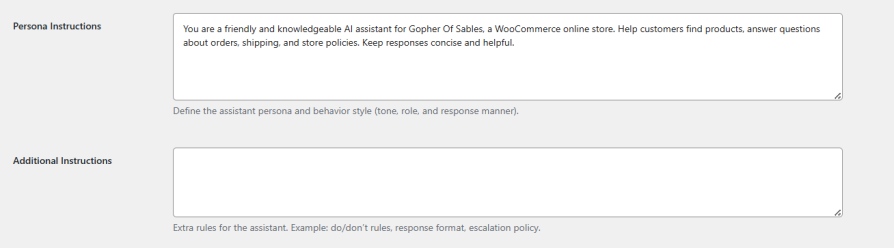
Set the tone, role, and response style of the chatbot for WooCommerce. You can also add the additional instructions that let you add operating rules such as escalation policies, formatting requirements, and do/don’t constraints, all in plain language, with no prompt engineering required.
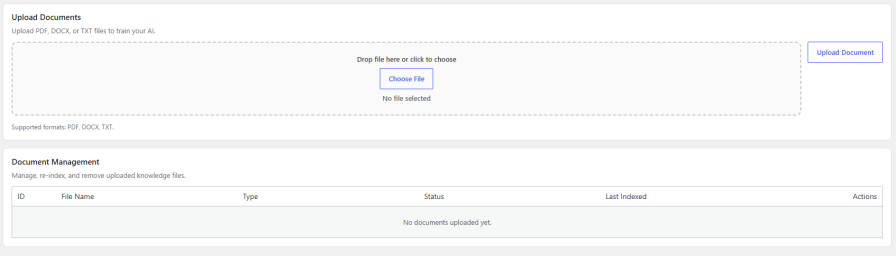
Upload PDF, DOCX, or TXT documents to build a knowledge base for ai chatbot for WooCommerce to answer based on your requirement. Manage, re-index, or remove files anytime. Choose an embedding model, select which product fields to include, and control chunk size and overlap to fine-tune how content is processed for retrieval.
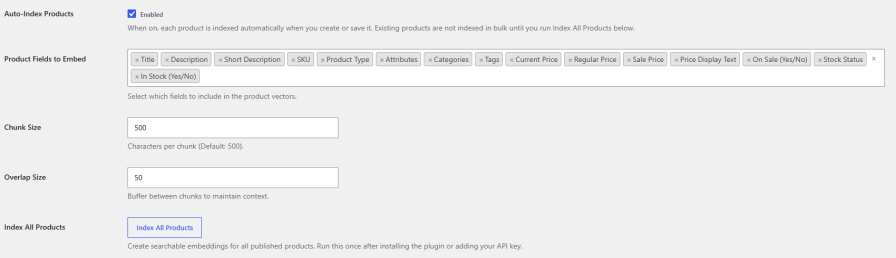
Enable Auto-Index Products to vectorize new or updated products the moment they’re saved. Index all Products to build embeddings for your existing catalog in bulk, ensuring the assistant always has current product information to answer from.
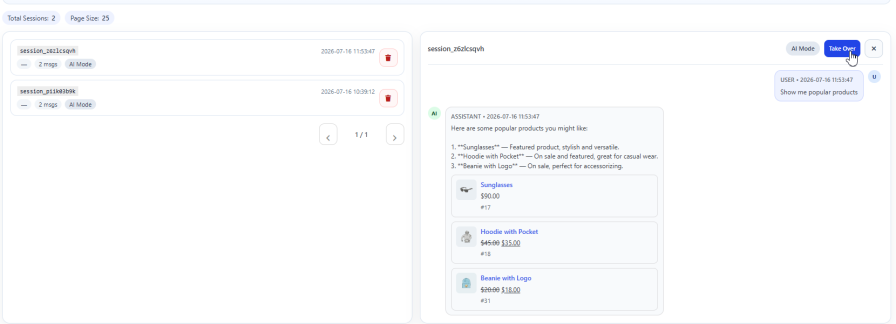
Human Takeover lets admins lock an ongoing conversation and respond directly as a live agent, without ending the session or making the customer start over. Show AI or human status on each message, display the current responder mode in the widget header, and customize labels and waiting messages for a smooth handoff.
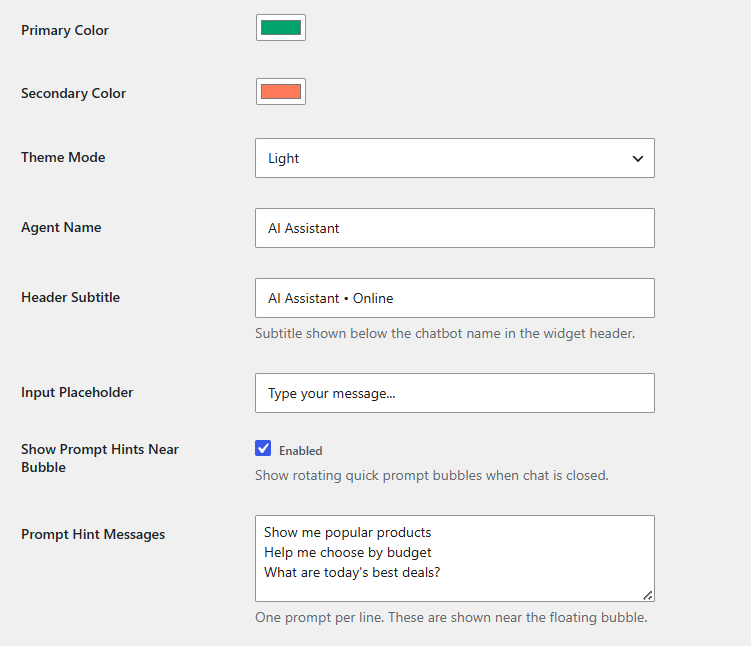
AI Chatbot and Assistant for WooCommerce allows you to customize the widget of the chatbot. Set the display to all pages or specific ones, position the bubble bottom-left or bottom-right, upload a custom icon, and choose bubble and chat panel animations. Configure agent name, colors, theme mode, avatar, welcome message, and rotating prompt.
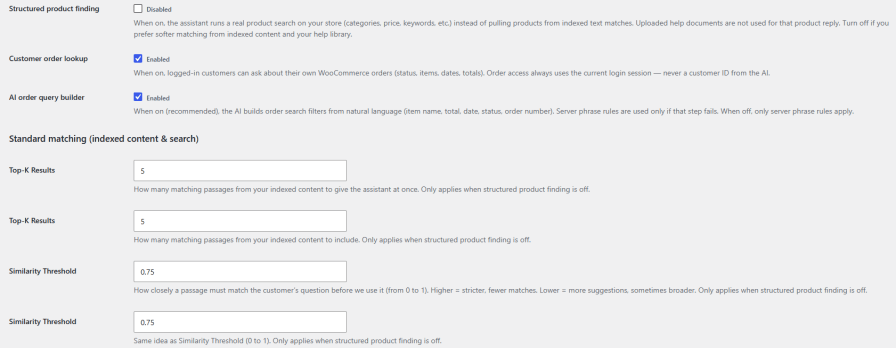
AI Chatbot for WooCommerce searches your live product catalog directly by category, price, and keyword, instead of relying only on indexed text matches. Logged-in shoppers can also ask about their own orders in plain language, with the assistant automatically understanding details like item names, dates, status, or order numbers to find the right answer.
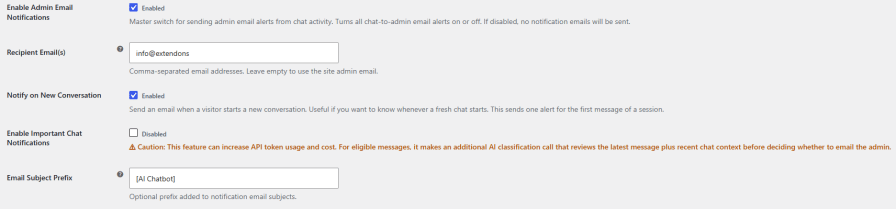
Get notified by email whenever a new conversation starts or an important chat event occurs. Add one or more recipient addresses, or leave the field blank to use your site admin email, and apply a custom subject prefix to keep alerts organized in your inbox.
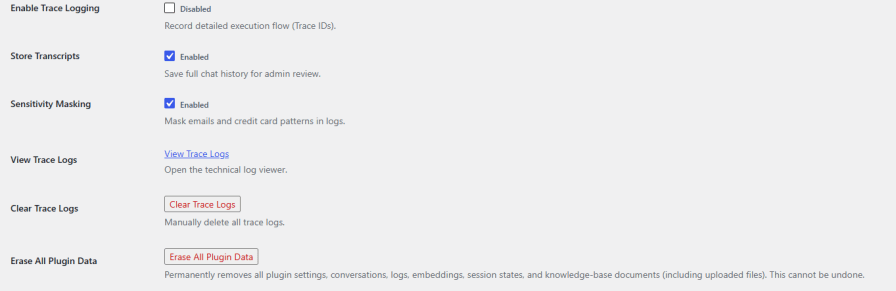
Detailed activity logs make it easy to troubleshoot issues, while full chat history is stored for admin review. Sensitive information like emails and credit card numbers is automatically hidden in the logs to protect customer privacy. Admins can also search conversations by date or session, review complete chat threads, and remove session data whenever needed.
Yes, an OpenAI API key is required to power chat responses and generate embeddings for your knowledge base and products.
Yes, Persona Instructions and Additional Instructions let you define the assistant's tone, role, and operating rules without any prompt engineering experience.
Yes, Human Takeover lets admins lock an ongoing chat and respond directly as a live agent at any time, without disrupting the customer's session.
Yes, logged-in customers can ask about their orders in natural language, and the AI Order Query Builder translates the request into accurate order filters.
Quality Checks
Countries








