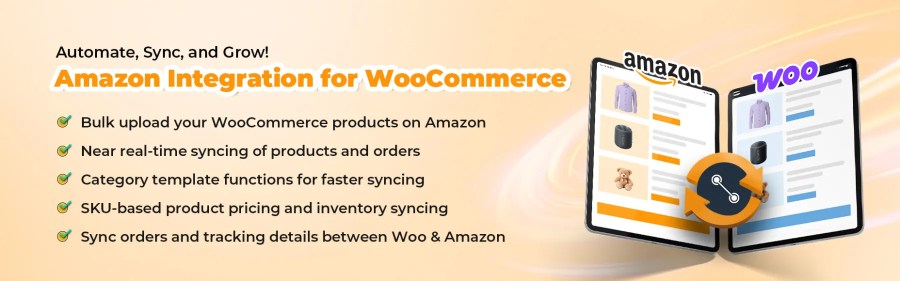
WooCommerce to Amazon extension — your doorway to an efficient selling experience. Upload listings, sync products, manage orders, and boost your sales — all from a single integration.
Connect WooCommerce to Amazon and streamline your sales operations. Access automated functions, advanced category mapping, and intuitive management systems from an easy-to-use interface. Over 15K+ active sellers choose the Amazon integration for WooCommerce to scale their business.
This WooCommerce and Amazon integration helps you manage products, inventory, and orders via live syncing, eliminating the need to juggle multiple platforms.
WooCommerce Amazon Integration features
Bulk upload your WooCommerce product to Amazon within a few clicks
Manage product feeds efficiently for seamless integration with Amazon.
Keep track of orders and shipping information across WooCommerce and the Amazon marketplace.
Multi-account compatibility to help you link multiple Amazon seller accounts of different regions.
Easily list branded products using barcodes on Amazon with the automatic ASIN sync feature
Keep your stock and orders updated automatically to prevent overselling and bad customer experience.
Access accurate and quick product upload on Amazon with category mapping and template profiling.
Avoid duplicate listings and manage your stock easily by linking products through SKUs.
Ensure consistency for product descriptions and translations across both WooCommerce and Amazon.
Use ASINs to ensure precise product matches and quick uploads on Amazon.
Benefits of using Amazon for WooCommerce
Backed by CedCommerce’s 14+ years of experience in supporting 60K+ eCommerce businesses
Easy onboarding process with expert guidance to set up your account
Customization options and custom add-ons as per your business needs
24/7 customer support
Guaranteed product enhancement and improvements to ensure marketplace update compatibility
White-glove services that catered to your business growth
Complete data security with CedCommerce’s encryption protocols
Transport Layer Security (TLS 1.3), and robust AES 256 encryption
FAQs
1. What is the best way to sync my WooCommerce store with Amazon?
The best way to sync WooCommerce with Amazon is by using a dedicated WooCommerce to Amazon integration extension (like Amazon for WooCommerce integration), ensuring smooth product uploads, live stock updates, and order synchronization.
2. How do I use WooCommerce to sell on Amazon and other marketplaces?
With the Multichannel for WooCommerce integration, you can easily sync your WooCommerce store with multiple marketplaces, including Amazon, Walmart, Etsy, and eBay; and manage all your sales channels from one central location.
3. Is there a free trial plan for the WooCommerce Amazon integration?
Yes, there is a 7-day free trial period available for the WooCommerce Amazon integration.
Customer reviews
Average rating
3.8
64 reviews
5 stars, 64% of reviews
5
64%
4 stars, 5% of reviews
4
5%
3 stars, 3% of reviews
3
3%
2 stars, 5% of reviews
2
5%
1 star, 23% of reviews
1
23%
64 reviews
Newest
All categories
ORALTEC S.R.L.
Rated 5 out of 5
Support
Feb 27, 2026
Support
Great support!
snappydesu
Rated 2 out of 5
Functionality
Jan 15, 2026
Functionality
Long story shot, it works and they are flexible with custom plugin but their attitude of support changed once the fee is paid. Had to change review to get their attention, fortunatelly they got back and fixed all issues with the customization. I had to spend so much time and effort to get them to work on. Very poor communcation.
Eventually, I had to make it work myself as their support is just terrible and dev guy does not what he is doing. The plugin itself works for universal usage but if you need customization, recommend not to pay them and just hire someone to make it happen.
royalwestco
Rated 1 out of 5
Support
Dec 25, 2025
Support
1. It says Free download ( Requires 3rd party subscription ) but when you install this, they will charge you without your authorization for subscription. I wanted to try the plugin functionality and they charged me and even when i noticed and requested a refund still didnt recieved it after 1 month !! although it says [ 30-day money-back guarantee ]
2. I submitted a ticket to solve the problem and recieved a reply from support 10 days after which means you cannot rely on support in case you really need it.
mohmmedhammad1988
Rated 5 out of 5
Ease of use
Sep 19, 2025
Ease of use
very easy and helpful
vrumcreative
Rated 2 out of 5
Support
Sep 16, 2025
Support
We requested a refund for the subscription we took out as the plugin doesn't meet our requirements. Our request was within WooCommerce's 30 day window. The developers are very slow to respond to refund requests as it has been 2 weeks since my initial request! Avoid this company like the plague as they're reluctant to offer any refunds. Additionally, you raise a ticket, they respond once and then they don't respond to any future emails or are very slow to do so. I needed to raise an additional ticket for my refund to get a response, I am yet too receive the refund I requested.
We and our partners process your personal data (such as browsing data, IP Addresses, cookie information, and other unique identifiers) based on your consent and/or our legitimate interest to optimize our website, marketing activities, and your user experience.