
Product comparison
Subscription includes
Support
It’s usually not a bug. When you add a new attribute, import products in bulk, or update your catalog, WooCommerce can skip creating a combination, like Blue in Medium, without any warning. No error. No red flag. The option is just missing.
Checking for this by hand means opening every product and comparing every attribute, one by one. Across a catalog with hundreds of products, that’s not realistic.
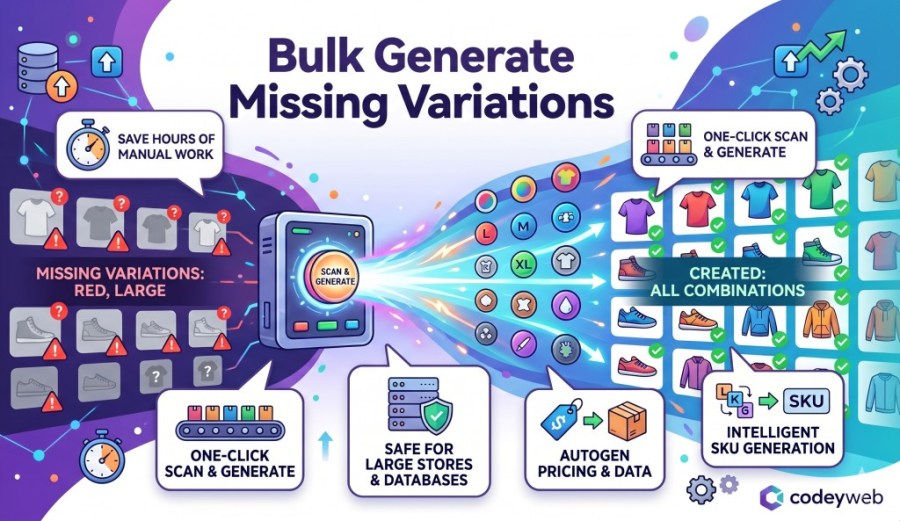
Bulk Generate Missing Variations scans your entire catalog, shows you every missing combination, and creates them all in one action.
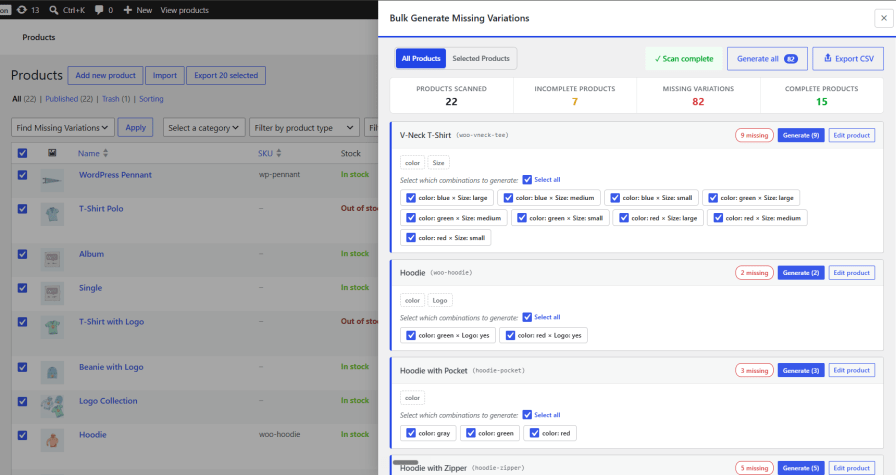
Check only the products you’re worried about — no need to scan your whole store
Select specific products straight from the product listing page and run a targeted scan using bulk actions. No need to process your entire store when you already know where the gaps are. Works with both custom attributes and global product attributes.
Background scanning & generation
Scans and generates variations behind the scenes using a safe queue engine. You can close the tab or keep working – it runs without you. Batch sizes auto-adjust to prevent PHP timeouts and server crashes, even on large catalogs with thousands of products.
Auto-copy price, weight & shipping class
Choose to automatically inherit price, weight, and shipping class from existing sibling variations when generating. Skip the manual field-filling and have new variations ready to sell the moment they’re created.
Export missing combinations as CSV
Download the full list of missing variation combinations before generating anything. Use it for review, approval workflows, or re-import later with additional metadata like custom pricing or product data.
View & manage past scans
Every scan is saved to a dedicated admin page. Go back to any previous result, review what was found, re-generate, or re-export, without running a fresh scan from scratch.
Other tools help you edit variations you already have, or display them nicely to shoppers. Neither one tells you what’s missing.
Install it once. Never hunt for missing variations again.
Two different things can cause this. One is a display issue i.e. no price set, wrong product type, or a caching problem. The other is that the variation was never created in the first place. This plugin solves the second case: it finds combinations that don't exist yet and builds them for you.
Yes. It uses a background queue that processes variations in small batches, preventing memory exhaustion and PHP execution‑time limits.
The background processing runs in low‑priority batches, keeping front‑end performance fast even on large stores.
No. The plugin only creates missing variations, existing ones remain untouched.
Extension information
Quality Checks
Countries







