

Subscription includes
Support
Launching a new WooCommerce store? Adding a new product line? Managing a large catalog? One task that every store owner dreads is tagging products one by one through the WordPress admin. It’s tedious, repetitive, and completely unnecessary.
Bulk Tag Creator is the only WooCommerce extension that gives you four powerful options to build and manage your full tag structure — manual bulk entry, CSV import, and now inline bulk editing with find & replace — all from a single screen, in a fraction of the time.
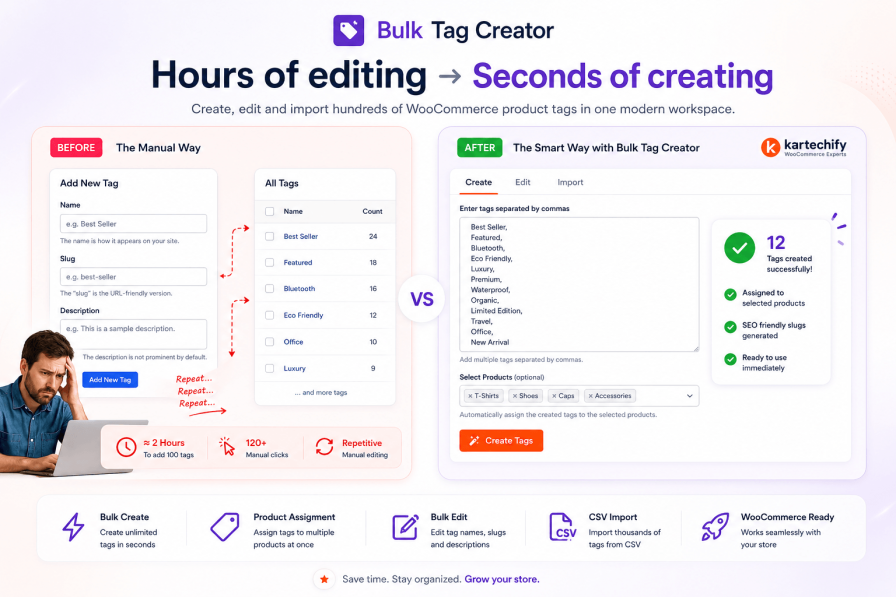
Most store owners don’t realise how much time product tagging actually takes — until they’ve spent hours clicking through products one by one.
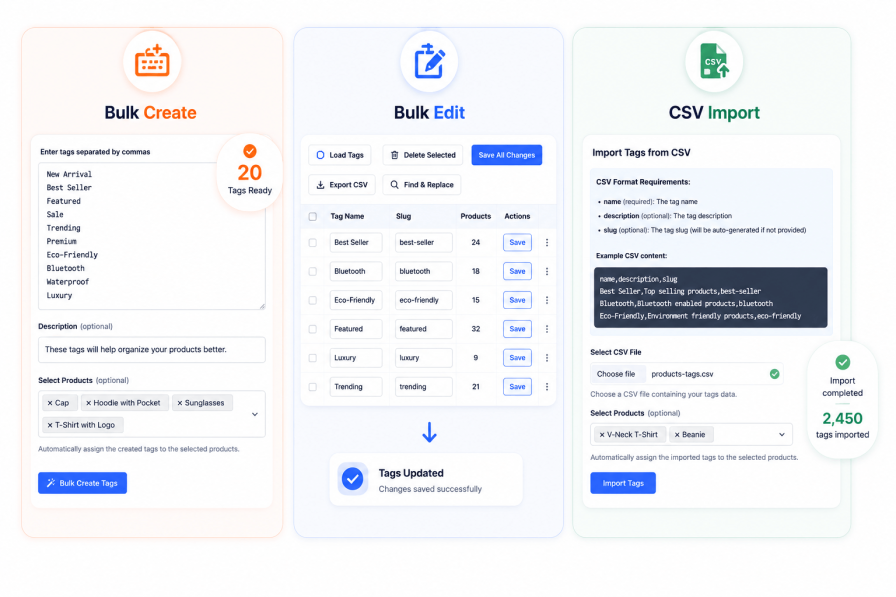
Unlike other WooCommerce tag tools that offer only one method, Bulk Tag Creator adapts to however you prefer to work. Whether you’re a hands-on store owner, a spreadsheet lover, or someone who wants to quickly add tags on the fly — there’s a workflow for you. Plus, with the new Bulk Edit tab, you can manage and update existing tags just as fast as you created them.
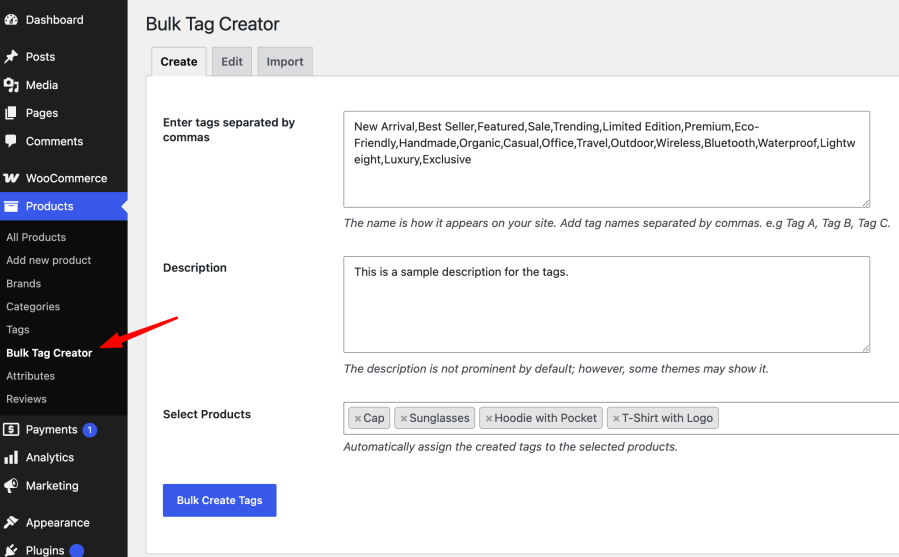
Already know which tags you need? Type or paste all your tags at once, separated by commas, hit Create, and they’re all done — with optional descriptions set in one go.
Summer Sale,Organic,Best Seller,New ArrivalSummer Sale,Organic,Best Seller,New Arrival,Limited Edition,Eco-Friendly,Handmade,Premium
→ 8 perfectly formatted tags, created in one click, ready to assign to your products.
Already have your tags in a spreadsheet — or migrating from another platform? Upload a CSV and your entire tag list is created instantly, with names, descriptions, and slugs all preserved.
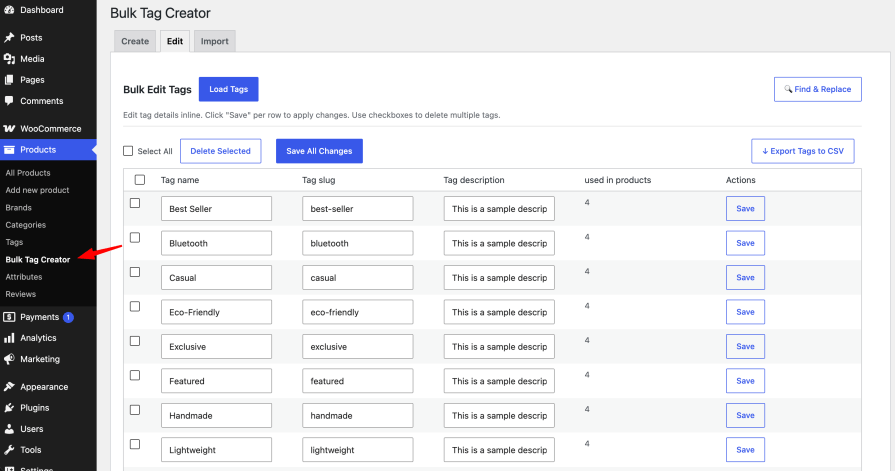
Creating tags is just the beginning. As your store grows, you’ll need to rename, clean up, and refine your tag structure. The new Bulk Edit tab puts complete control of your entire tag list at your fingertips — all from one powerful, inline-editing table.
Creating tags is only half the job. Normally, you’d then have to go through each product and manually assign it to the right tags. Bulk Tag Creator eliminates that second step entirely.
Here’s how different store owners use Bulk Tag Creator from day one:
product_tag taxonomy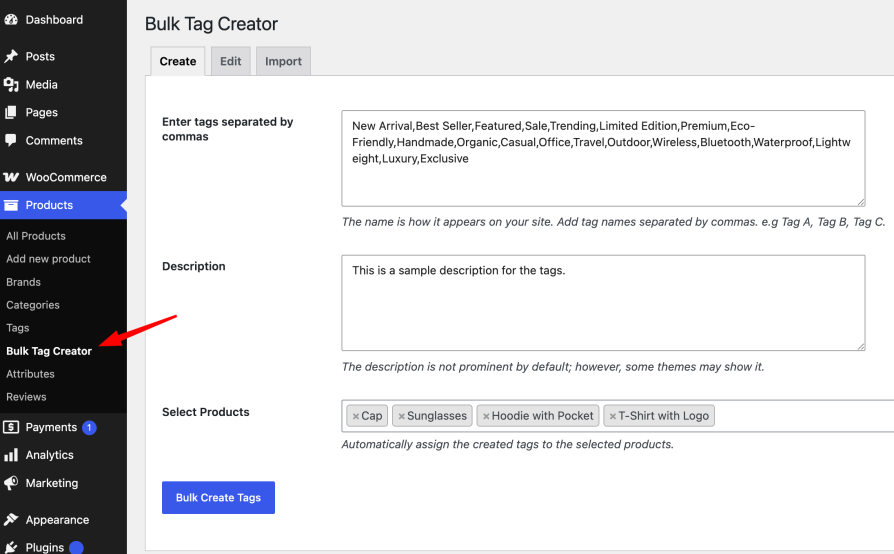

Yes! Bulk Tag Creator integrates seamlessly with your existing product tags. It can import, create, edit, and manage tags — it never deletes or overrides existing data unless you explicitly choose to.
Absolutely. Bulk Tag Creator works with the standard product_tag taxonomy, so it’s fully compatible with all WooCommerce themes, page builders, and other plugins that work with product tags.
Tag creation is permanent — but you can always delete tags you don’t need. The Bulk Edit tab includes a confirmation prompt for deletions, preventing accidental removal. We also recommend taking a backup before performing major operations.
There is no limit. You can create hundreds or even thousands of tags in a single operation using Manual Entry or CSV Import. For the best experience, we recommend keeping bulk operations under 500 tags per batch.
Not at all. The interface is designed for store owners of all technical levels. If you can copy and paste text, or upload a CSV file, you can use Bulk Tag Creator.
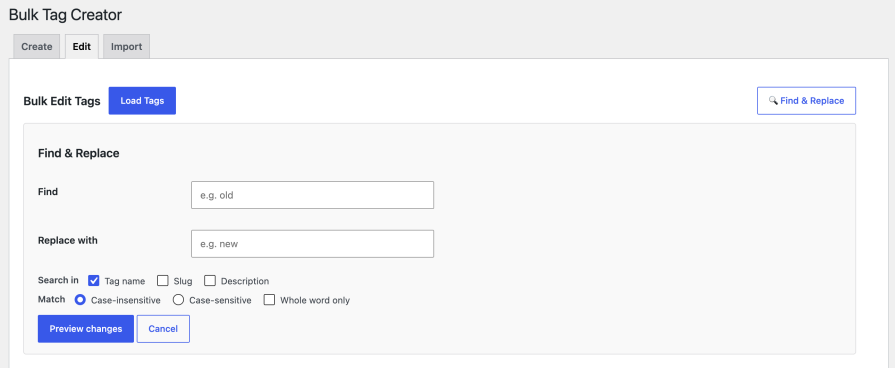
The Find & Replace tool searches across tag names, slugs, and descriptions (you choose which fields). It supports case-sensitive and whole-word matching, giving you full control. Preview all changes before applying, so you always know what’s being updated.
Yes! The Bulk Edit tab includes an Export to CSV button. Your entire tag list (ID, name, slug, description, product count) is downloaded as a CSV file for backup, analysis, or migration.
Every hour you spend manually adding and editing product tags is an hour not spent on what actually grows your store — finding products, marketing to customers, and making sales.
Bulk Tag Creator gives that time back. Whether you type, import, or use the powerful Bulk Edit tools — your entire tag structure is done before your first coffee break.
Save hours of repetitive work by creating, organizing, and updating product tags in bulk. Whether you’re launching a new store, expanding your catalog, migrating existing data, or managing a mature store, Bulk Tag Creator helps you build and maintain a well-tagged store faster and more efficiently.
Need another reason to choose us? Bulk Tag Creator is developed by Kartechify, a trusted WooCommerce extension developer known for delivering reliable solutions backed by dedicated customer support.
Check out our other best-selling and popular plugins on WooCommerce.
You can create tags in bulk manually or via CSV import.
Yes. During manual entry or CSV import, simply select multiple products to apply the tags to.
No. The extension checks if a tag already exists and skips duplicates.
All WooCommerce product types are supported: simple, variable, grouped, etc.
This version only supports the creation and assignment of tags. Tag removal may come in a future release.
Extension information
Quality Checks
Countries







