

Subscription includes
Support
Shipping delays and unclear delivery times are a common source of frustration for online shoppers. Customers often abandon carts or contact support when they don’t know when their orders will arrive, which can hurt sales and damage trust.
The Estimated Delivery Date and Time for WooCommerce plugin solves this problem by displaying accurate delivery estimates throughout the shopping journey. From product pages and shop archives to the cart, checkout, and order confirmation pages, the plugin keeps customers informed with clear, customizable messages. It also supports special cases like out-of-stock and backordered products, configurable days off, and flexible display positions, helping store owners reduce support queries, increase conversions, and build customer confidence.
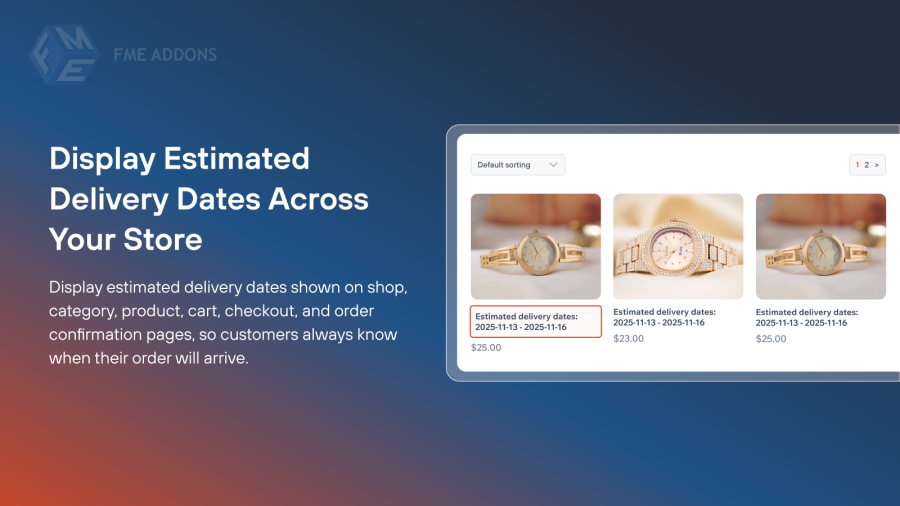
Display estimated delivery dates on shop and category pages, individual product pages, cart and checkout pages (for each item or combined), and the order confirmation page. This ensures customers always know when to expect their purchases.
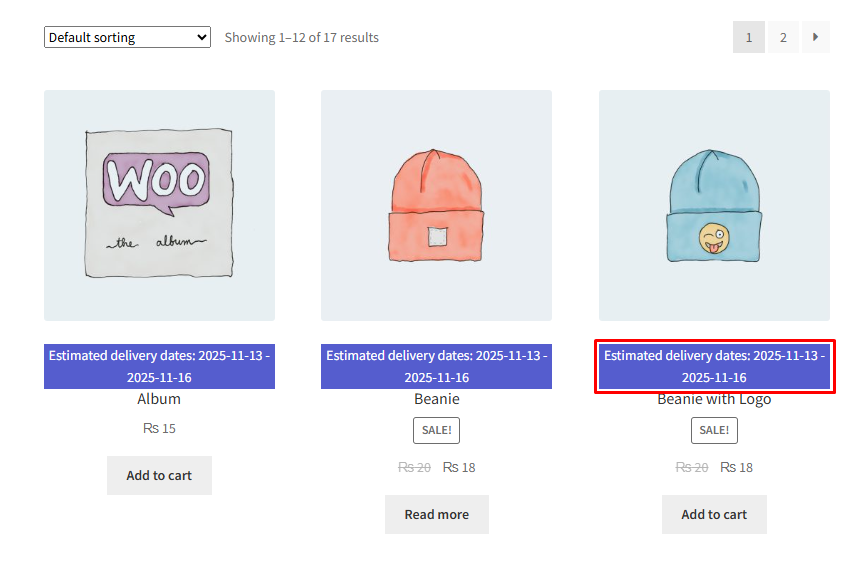
Keep customers informed by displaying the estimated delivery time on multiple pages across your store. By displaying the expected delivery time, you can improve user experience, manage customer wait times, and reduce customer support costs.
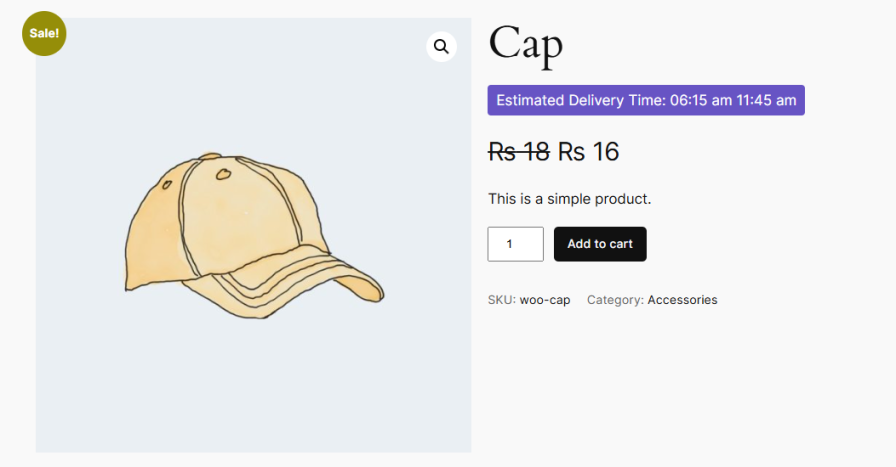
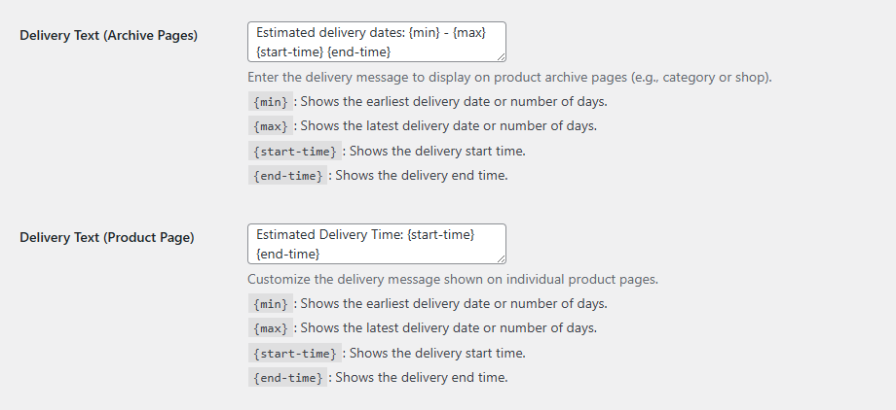
Customize delivery messages using {min} and {max} or {start-time} and {end-time} placeholders for date and time, respectively. Set separate messages for out-of-stock or backordered products. You can also include delivery dates in order confirmation and follow-up emails for complete transparency.
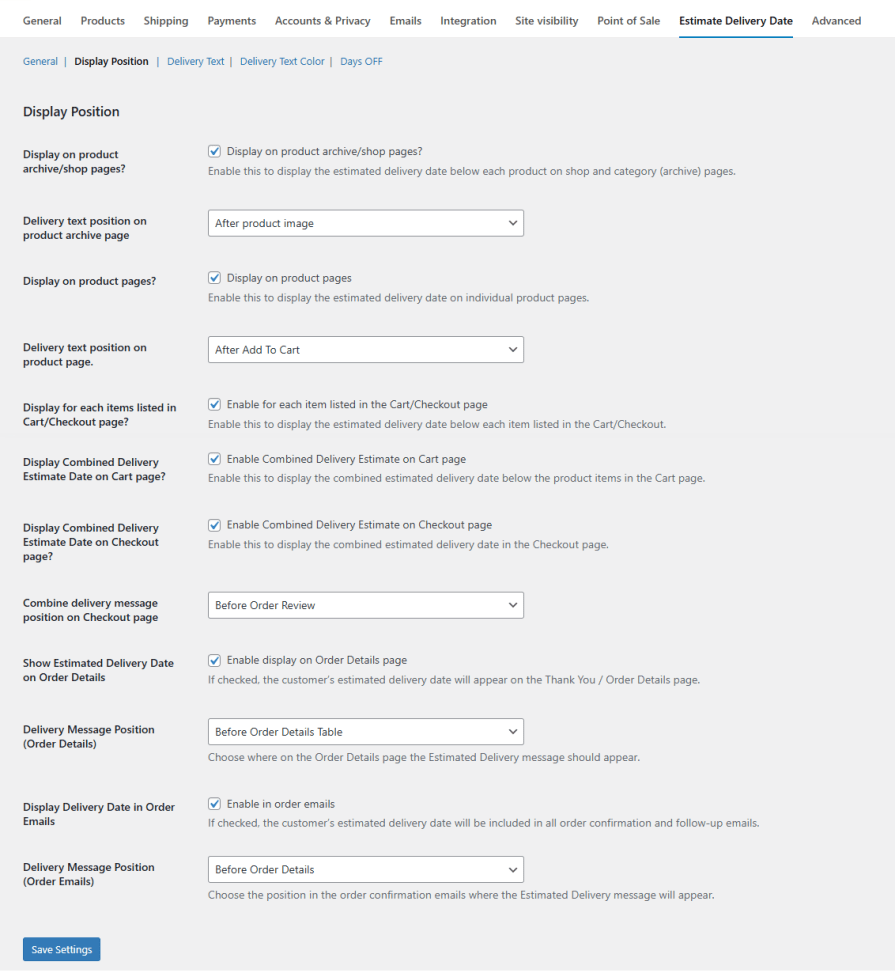
Choose where delivery messages appear: after product images, titles, or add-to-cart buttons on shop pages, and before or after key sections on product, cart, checkout, and order pages. This ensures your delivery information is always visible.
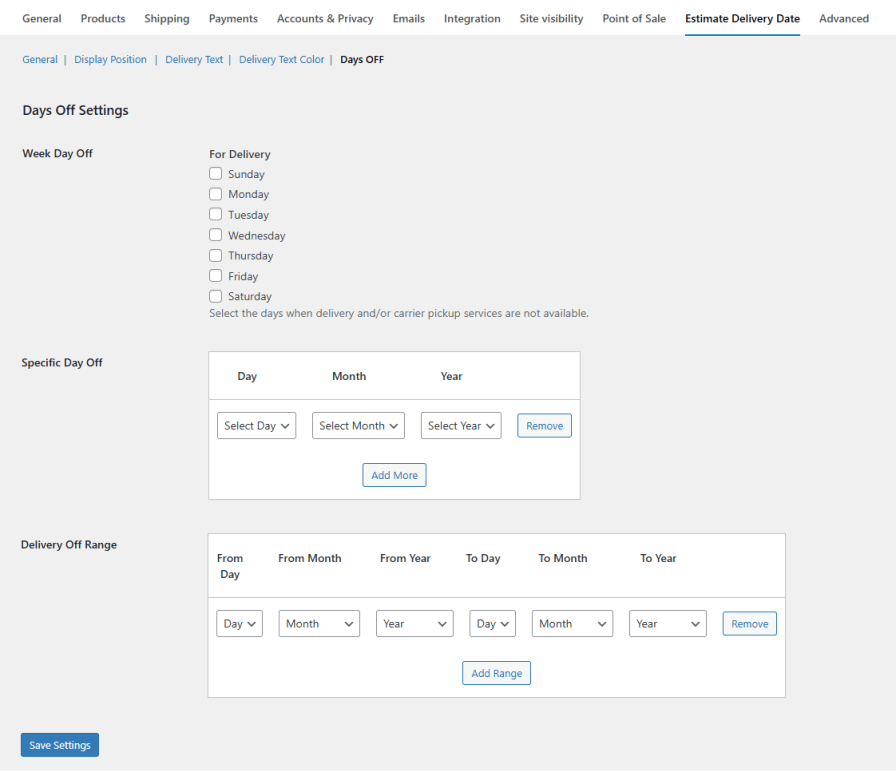
Set minimum and maximum delivery days for products, including separate timelines for special cases. Exclude delivery on specific weekdays, holidays, or date ranges to provide accurate estimates.
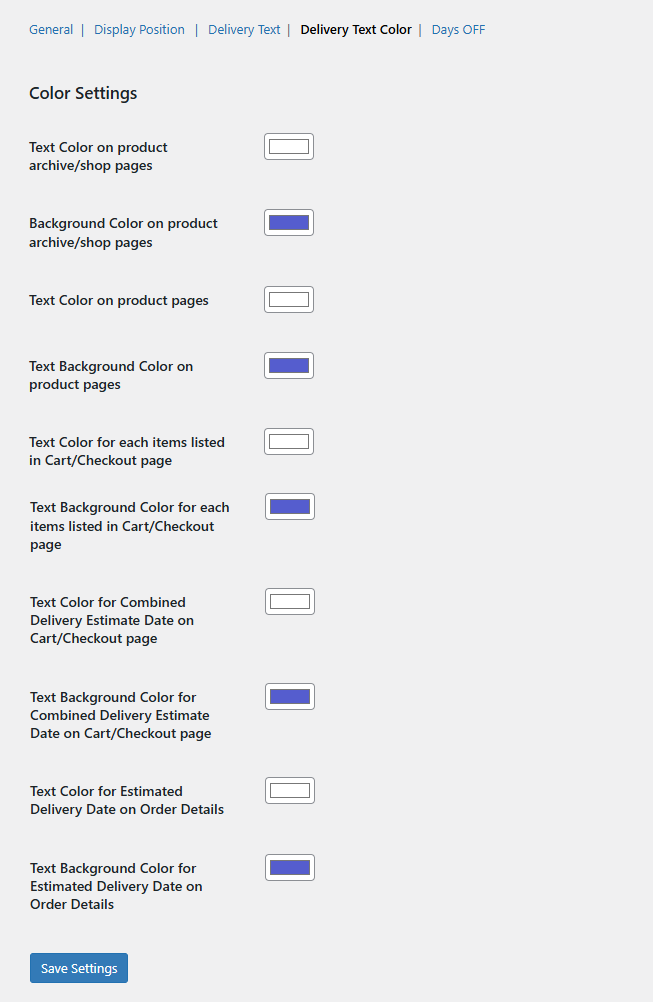
Match your store branding by setting text and background colors for all delivery messages on shop pages, product pages, cart/checkout items, combined estimates, and order details.
This extension automatically calculates and displays the expected delivery date based on the minimum and maximum delivery days you set. It shows this information on product, cart, checkout, and order
Yes. The extension allows you to set separate estimated delivery times for out-of-stock and backordered products, helping you manage customer expectations accurately and reduce post-purchase inquiries.
Absolutely. You can mark specific weekdays, holidays, or date ranges as non-delivery days. The extension automatically adjusts estimated delivery dates to skip those off-days, ensuring precise delivery timelines.
Yes. You can choose the display position of delivery messages on the shop, product, cart, and checkout pages. Additionally, you can customize text, background colors, and message formats to align with your store’s branding.
Categories
Extension information
Countries







