

Product comparison
Subscription includes
Support
| Add a customizable “Request Withdrawal” button to the My Account page and store footer | Two-step confirmation flow to prevent accidental withdrawal requests |
| Support for full-order and partial-item withdrawals | Approve or reject withdrawal requests from a dedicated dashboard |
| Custom withdrawal period (2, 7, 14, or 30 days) | Exclude products by type, category, or individual product |
| Automatic order status updates, refunds, and restocking on approval | Withdrawal support for WooCommerce Subscriptions |
| Generate a withdrawal terms and conditions page | Collect refund details (bank account or IBAN) for offline payment orders |
| Google reCAPTCHA v3 spam protection on the withdrawal form | Email notifications for admins and customers |
| Guest customer withdrawal support via order and email verification | Show the withdrawal button and form only to EU customers |
From June 19, 2026, EU Directive 2023/2673 requires stores selling to EU customers to offer an online withdrawal function that is clearly labeled, continuously available, and prominently displayed.
The EU Withdrawal Button plugin from WebToffee brings this entire flow into WooCommerce: a request button on the customer’s My Account page, a guided form with two-step confirmation, and a dedicated admin dashboard to review, approve, or reject requests.
This order cancellation button plugin also offers advanced features such as automated approval rules, pop-up-based submission, automatic refunds and restocking upon approval, geo-targeted display, and full customization of the withdrawal button.
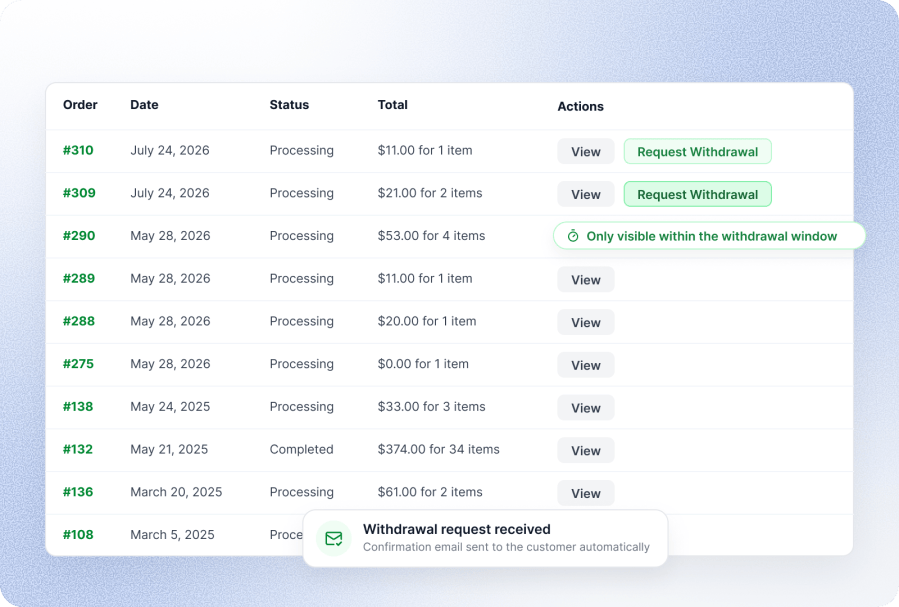
The plugin adds a “Request Withdrawal” button directly to the customer’s My Account orders list, visible only while the order is inside the active withdrawal window. Customers open a guided form, select the full order or individual items, and confirm their request in a second step, exactly as required under EU Directive 2023/2673 to prevent accidental submissions. A confirmation email is sent automatically once the request is submitted.
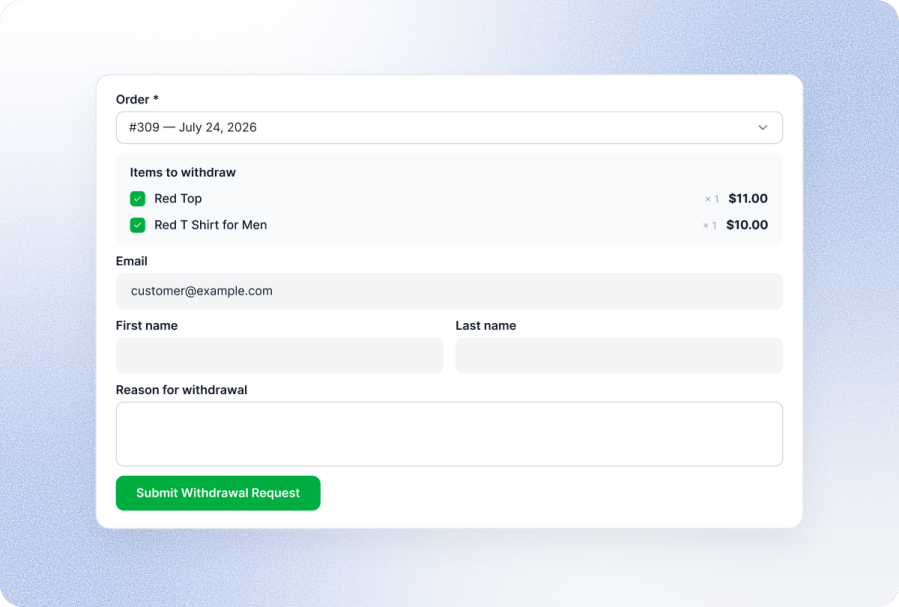
This order withdrawal plugin supports full and partial withdrawals. When partial withdrawals are enabled, customers can select specific items from the order, so stores aren’t forced to cancel unnecessary full orders.
Reduce manual review by automatically approving eligible withdrawal requests based on your configured rules. This keeps the compliance workflow fast for customers while reducing admin overhead.
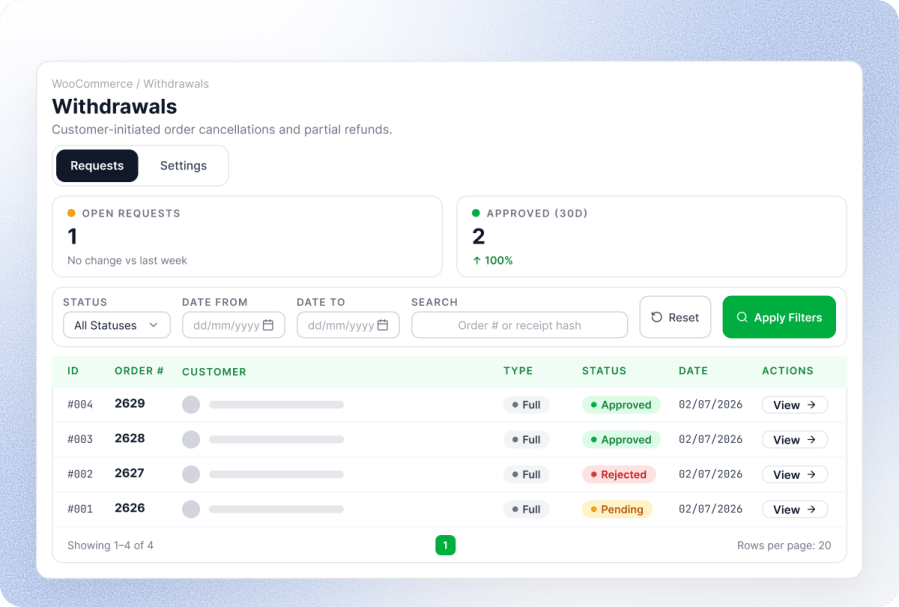
All incoming withdrawal requests land in WooCommerce > Withdrawals, with open request counts, recent approval stats, and a filterable list by status, date, or order number. Opening a request shows the order details, customer information, request type, reason, and a full activity log, with one-click approve or reject actions.
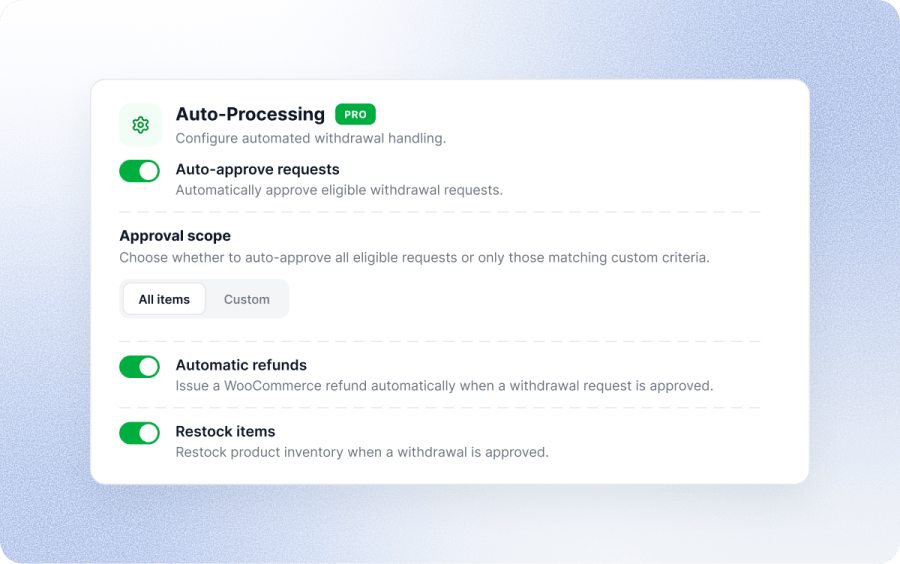
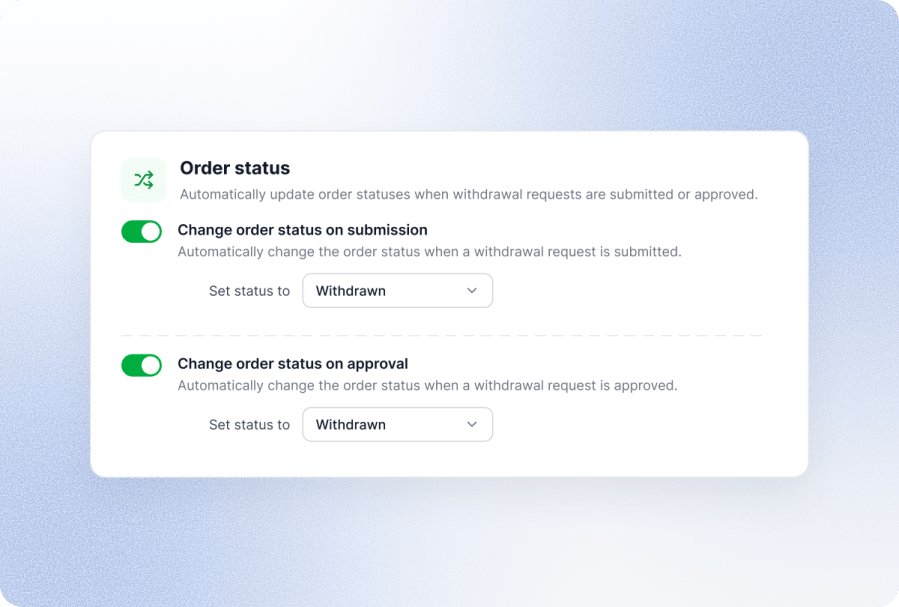
When a withdrawal request is approved, the plugin can automatically issue the refund and return the withdrawn items to stock, so store admins don’t need to process refunds and inventory updates separately for every request.
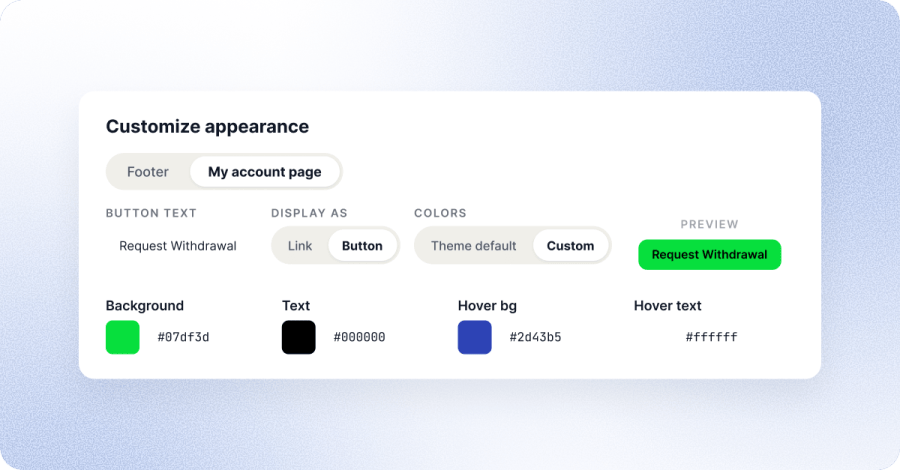
Match the withdrawal button to your store’s branding instead of settling for a generic default. Set custom text for the button (like “Request Withdrawal” or whatever fits your store’s voice), and choose whether it displays as a simple link or a full button.
Style it further with custom colors for the background, text, hover background, and hover text, so it blends naturally with your theme instead of looking like a bolted-on add-on. You can style the button separately for the footer and the My Account page, and a live preview shows exactly how it’ll look before you save anything.
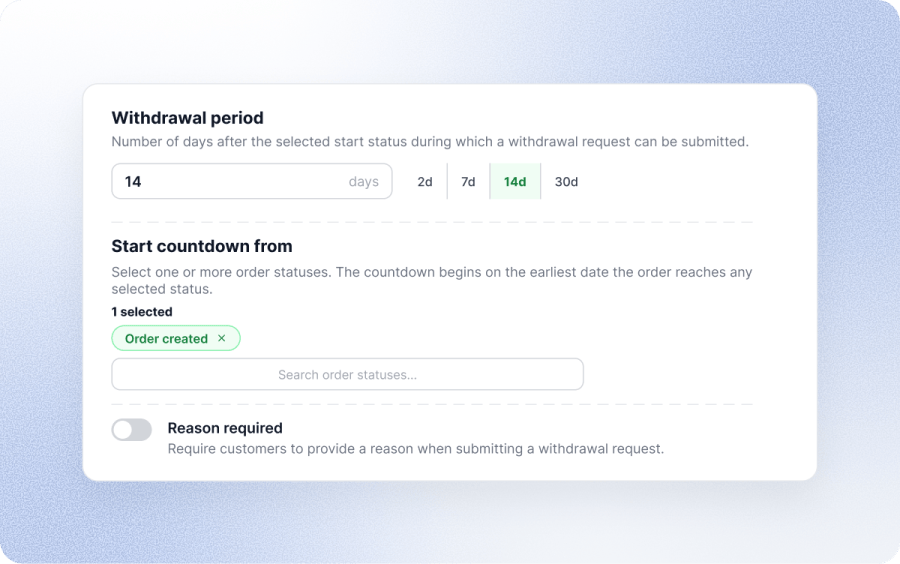
Set the withdrawal window to 2, 7, 14, or 30 days. The EU standard is 14 calendar days, but the setting is fully flexible. You also choose which order status starts the countdown, so the window begins exactly when it should for your store’s fulfillment process.
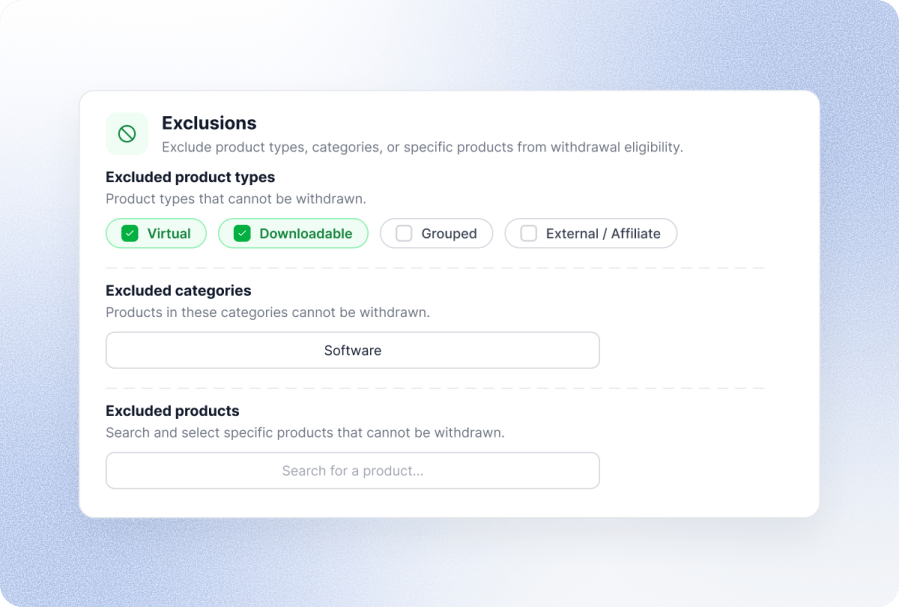
Not every product needs to be eligible for withdrawal. Exclude virtual, downloadable, grouped, or external/affiliate products, entire categories, or individual products, giving you precise control over what customers can and can’t withdraw.
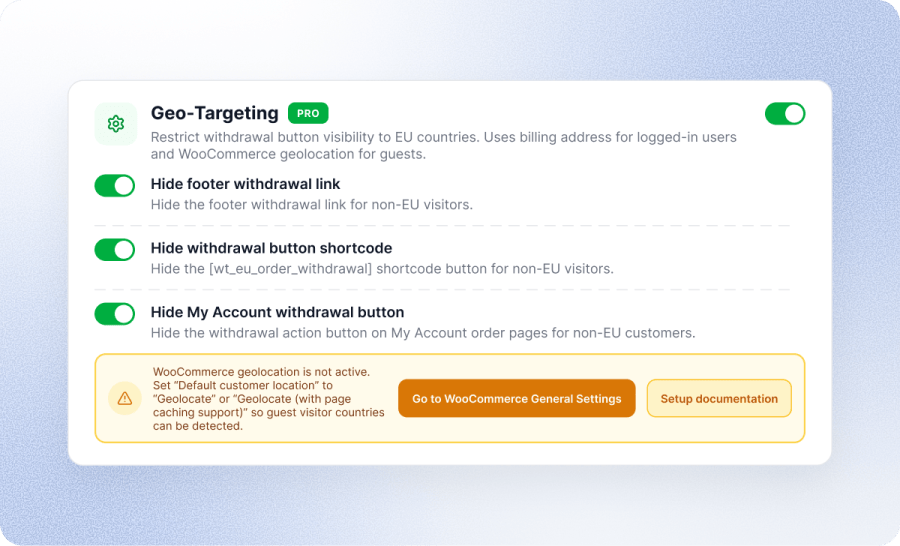
Show the withdrawal button and form only to customers in relevant regions, and choose between an inline form or a popup-based submission flow, so the compliance experience fits naturally into your store’s design.
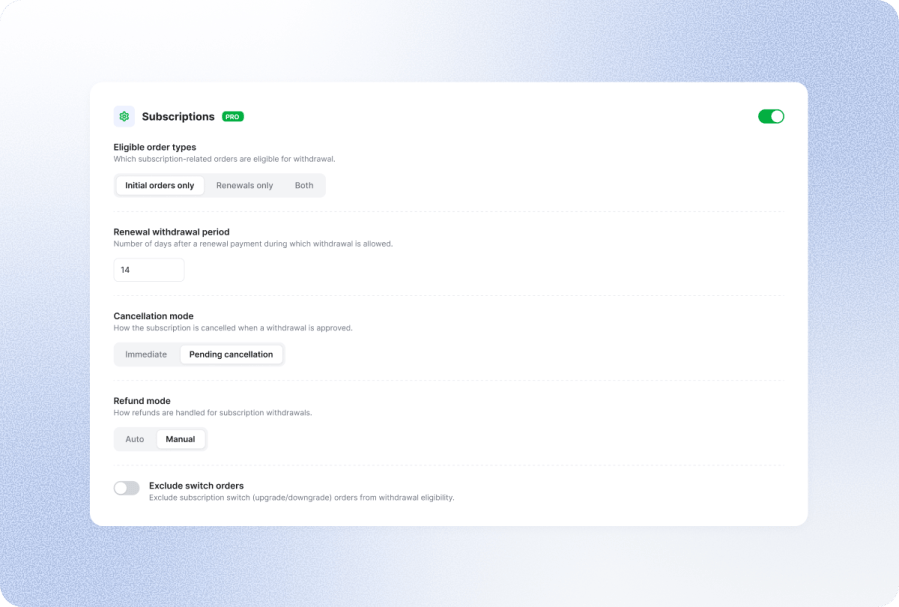
This EU Withdrawal plugin also handles subscription order withdrawals as well. You can enable withdrawal for initial subscription orders, renewal orders, or both, and give renewals a separate withdrawal window that defaults to 14 days.
You also control what happens after approval. You can cancel the subscription right away or leave it active, and you can process refunds automatically or hold them for manual review. Switch orders from upgrades and downgrades can be excluded from withdrawal eligibility altogether.
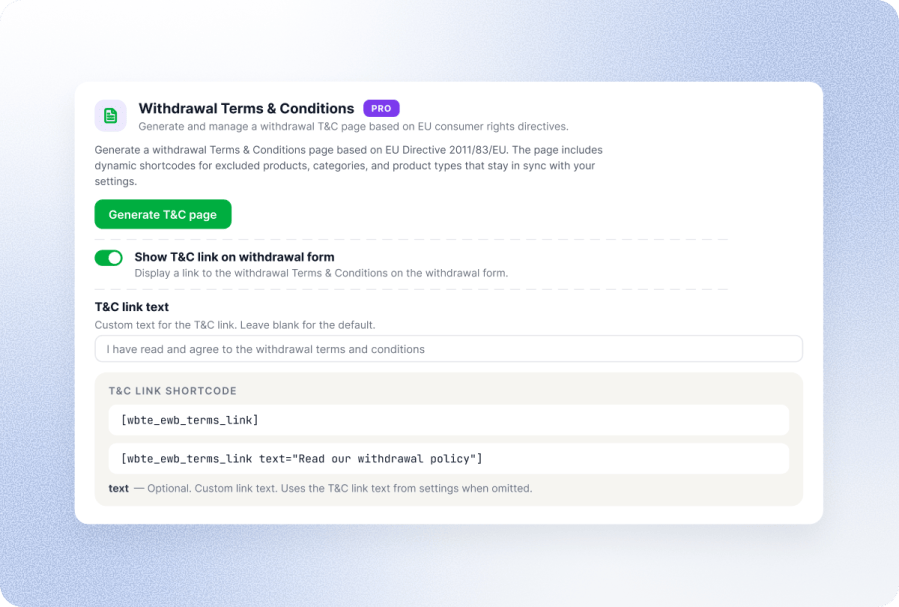
The plugin generates a withdrawal terms and conditions page based on EU consumer rights requirements, so you can review it and publish it.
The withdrawal terms and conditions policy mentions excluded products, categories, and product types. You can add a T&C link to the withdrawal form with a single toggle, or use the [wbte_ewb_terms_link] shortcode to place it anywhere else on your site.
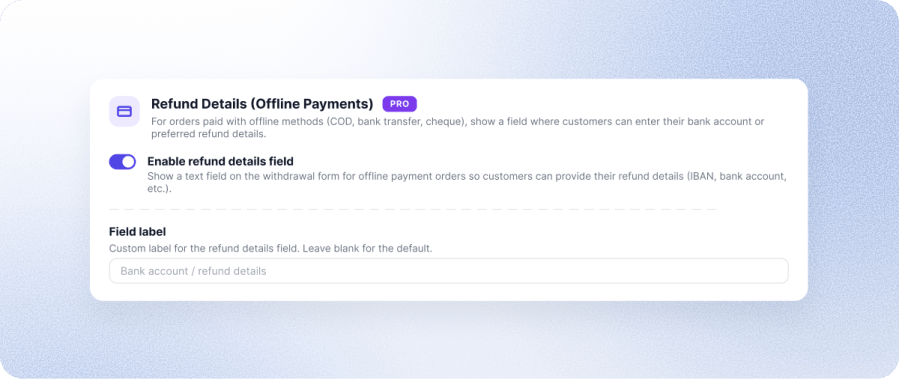
Card payments refund straight back to the original method. Cash on delivery, bank transfer, and cheque orders don’t have that option, which usually means chasing customers for their bank details after the request comes in.
For these orders, the withdrawal form shows a refund details field where customers can enter their bank account or IBAN upfront. You can also rename the field label to match how customers in your market refer to their banking information.
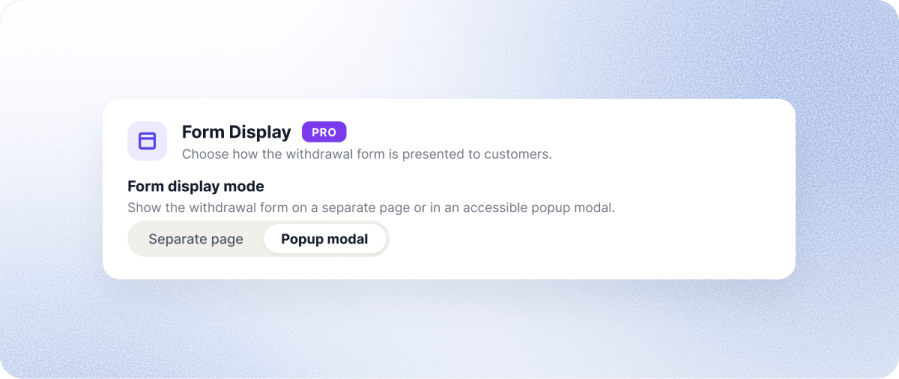
You can choose how the withdrawal form opens for your customers. Select the separate page option to send customers to a dedicated withdrawal page, which suits stores that want the whole process in one place.
The popup modal option opens the form right on top of the current page, so customers can submit a request without leaving their order history. The modal is built to be accessible, and customers who use keyboards or screen readers can complete it without trouble.
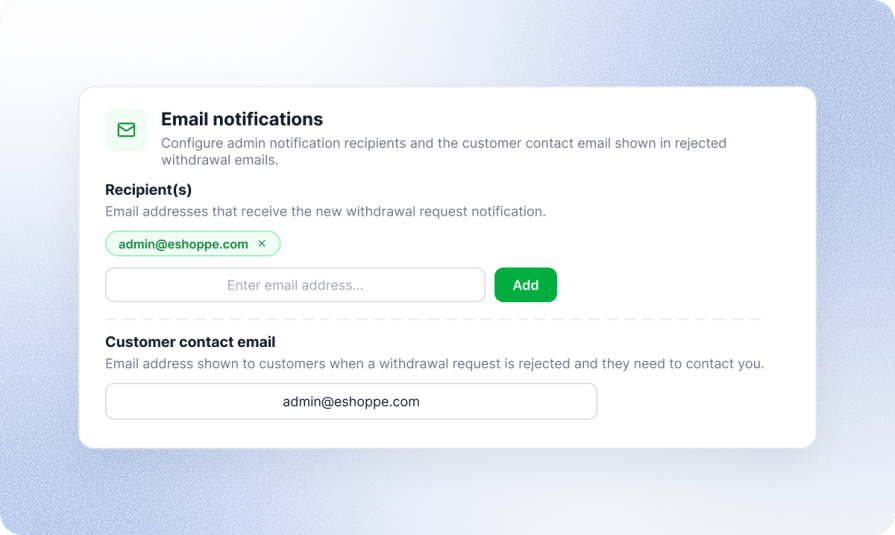
Configure one or more admin email addresses to receive alerts whenever a new withdrawal request comes in, and set a customer-facing contact email shown when a request is rejected, so customers always have a next step.
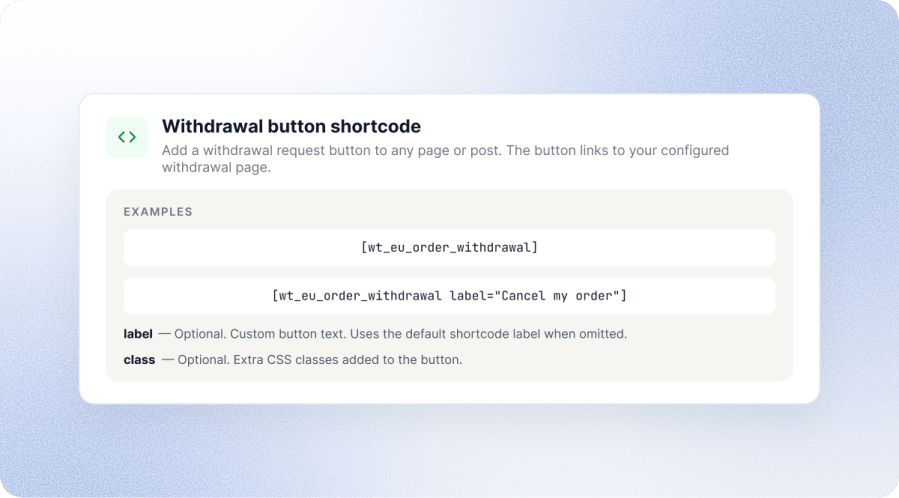
Use the built-in shortcode to place a withdrawal request button on any page or post, with options to customize the button label and styling to match your theme.
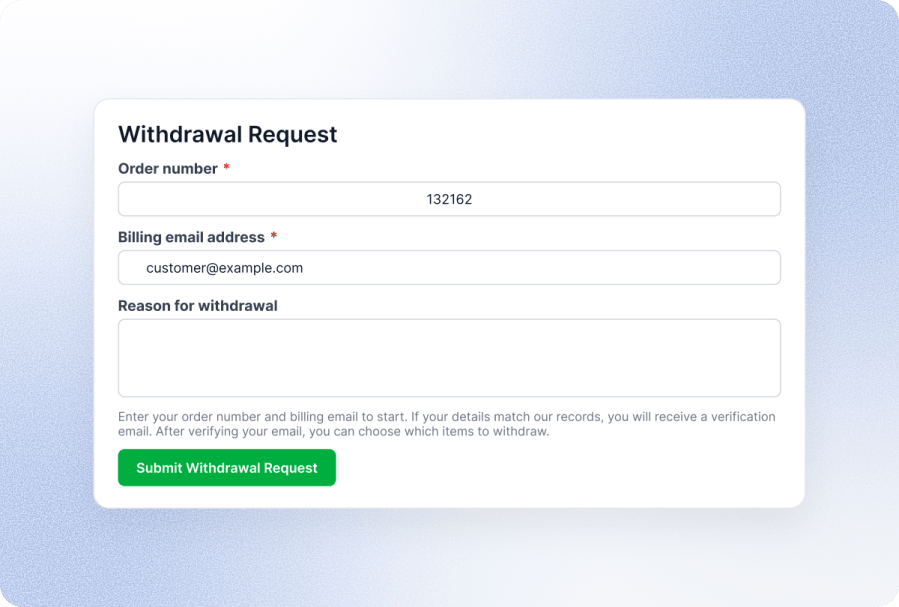
Guest customers can submit withdrawal requests without creating an account. Orders are verified using the order number and billing email.
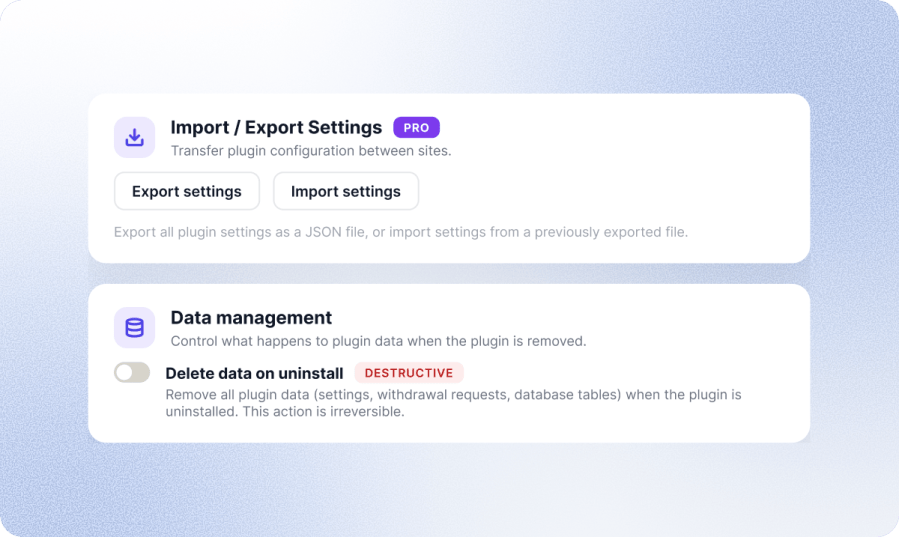
Setting up the same withdrawal configuration on another store shouldn’t mean starting over. You can export all your plugin settings as a JSON file and import them on another site, which comes in handy when you’re moving from staging to live or running several stores with the same setup.
You also decide what happens to your data if the plugin is ever removed. The delete data on uninstall option clears all settings, withdrawal requests, and database tables when the plugin is uninstalled. It’s turned off by default to prevent accidental data loss, so your withdrawal records stay safe unless you choose to remove them.
If you sell to consumers in the EU, yes. From June 19, 2026, EU Directive 2023/2673 requires an accessible online withdrawal function for any online store serving EU consumers, regardless of where the business is registered.
14 calendar days from the date of delivery, or from when the customer receives the pre-contractual information, if that is later. The plugin defaults to 14 days, and you can adjust it in settings.
The plugin provides the online withdrawal function required under EU Directive 2023/2673. Store owners remain responsible for ensuring their overall legal and business processes comply with applicable regulations.
Yes. Customers can withdraw selected items and quantities from an order instead of withdrawing the entire purchase, and multiple partial withdrawal requests are supported.
Yes. Guest customers can access the withdrawal form without creating an account. Orders are verified using the order number and billing email before a request can be submitted.
Yes. You can exclude products by product type (virtual, downloadable, grouped, external/affiliate), by category, or by individually selecting products.
Yes. Customers receive an email confirmation once their withdrawal request is submitted, satisfying the directive's requirement to acknowledge receipt on a durable medium.
Yes. The plugin is fully compatible with WooCommerce HPOS.
Categories
Quality Checks
Countries







