

Subscription includes
Support
Orders Manager – Split, Merge, and Clone Orders gives store owners complete control over order lifecycle management. Automatically split orders by category, product, SKU, quantity, or shipping class, merge related orders into one, and clone existing orders in a few clicks.
Built for stores handling complex fulfillment, multi-vendor shipments, or high order volumes, this plugin removes the manual work of managing scattered or duplicate orders while keeping customers and admins informed at every step.
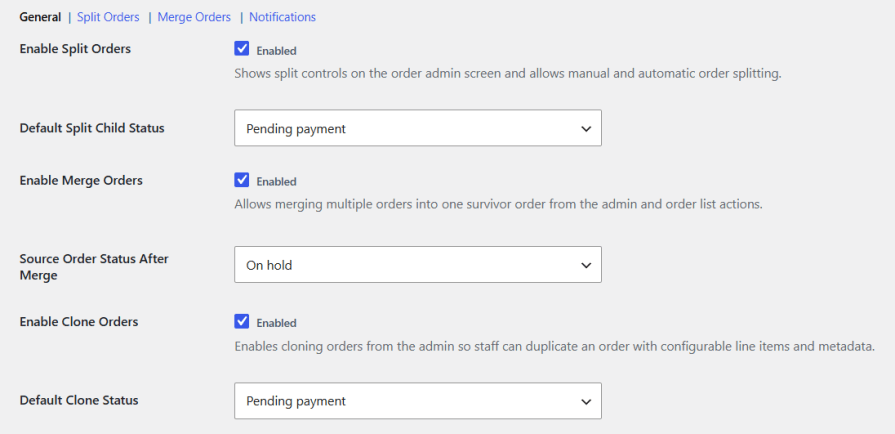
Enable Split Orders, Merge Orders, and Clone Orders independently, with dedicated toggles for each. Set the default status assigned to split child orders and cloned orders, and choose the status applied to source orders once a merge completes.
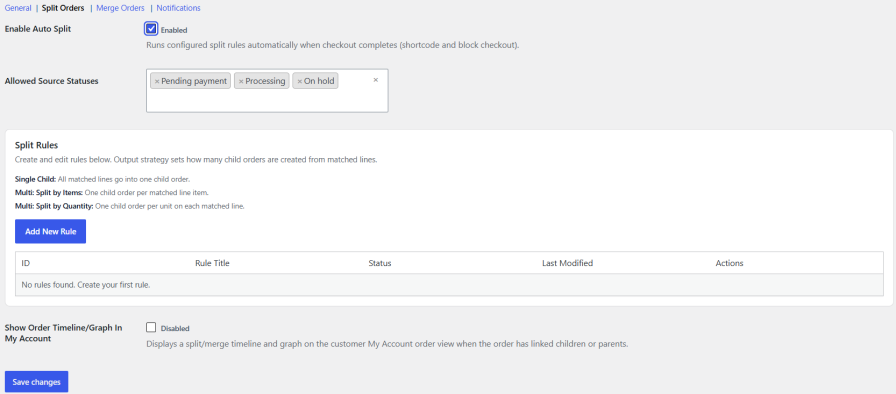
Split orders manually from the order admin screen, or enable Auto Split to run rules automatically at checkout on both shortcode and block checkout. Set allowed source statuses and optionally show a split and merge timeline and graph on the customer My Account order view.
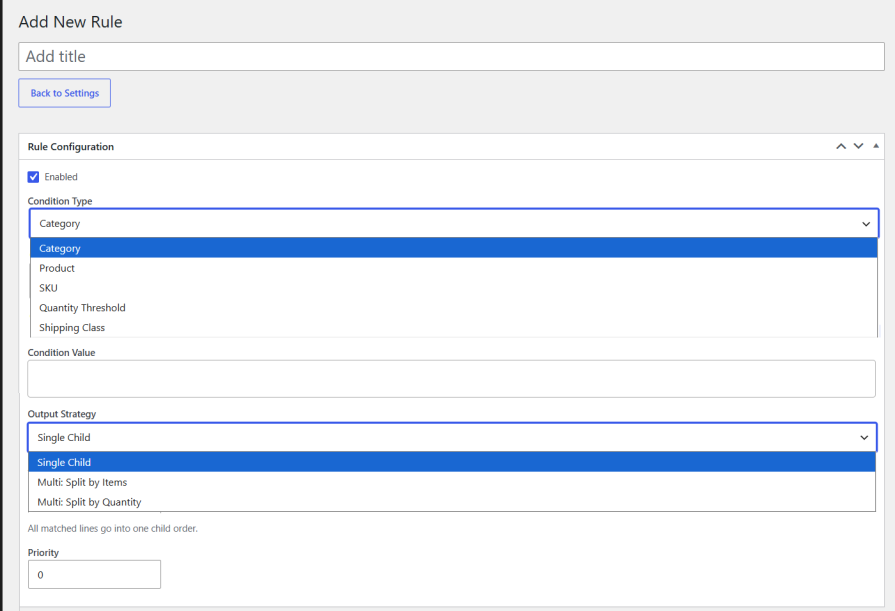
Create rules using condition types like category, product, SKU, quantity threshold, or shipping class. Choose an output strategy per rule: Single Child, Multi Split by Items, or Multi Split by Quantity. Set rule priority to control the order in which rules apply.
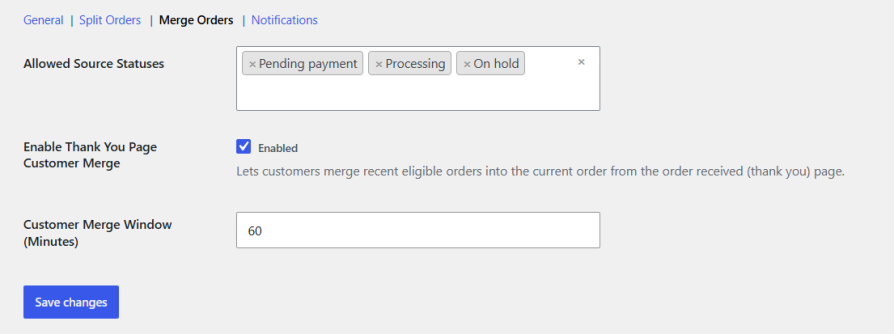
Merge multiple orders into a single survivor order from the admin panel or order list actions, with allowed source statuses defined per store. Enable Thank You Page Customer Merge to let shoppers merge their own eligible recent orders from the order received page, within a configurable time window.

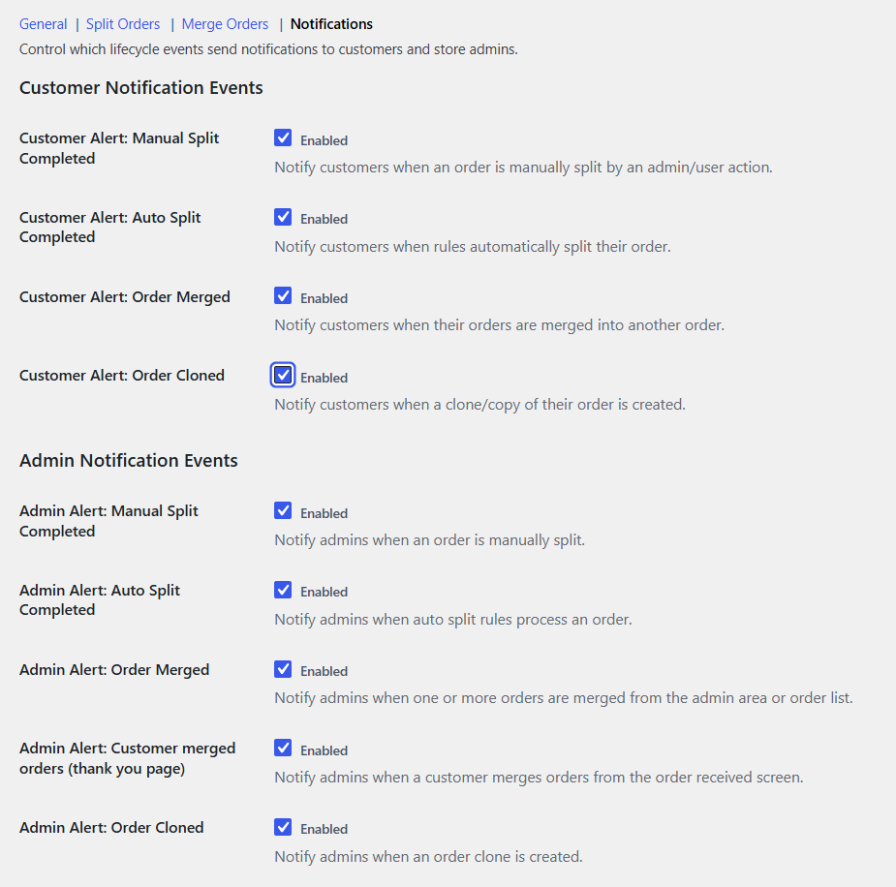
Control which lifecycle events trigger alerts, separately for customers and admins. Covers manual splits, auto splits, merges, and clones, plus a dedicated alert when a customer merges orders from the thank you page. Customize the notification header background and text color to match your store branding.
Yes. Auto Split rules run automatically when checkout completes, on both shortcode and block checkout.
Yes, customers can merge eligible recent orders within the configured time window directly from the order received page.
Source orders move to the status set under Source Order Status After Merge, such as On Hold, once the merge completes.
Yes. Allowed Order Statuses can be set separately for both split and merge rules.
Only if the corresponding customer notification is enabled. Each event type can be turned on or off independently for customers and admins.
Quality Checks
Countries







