

Subscription includes
Support
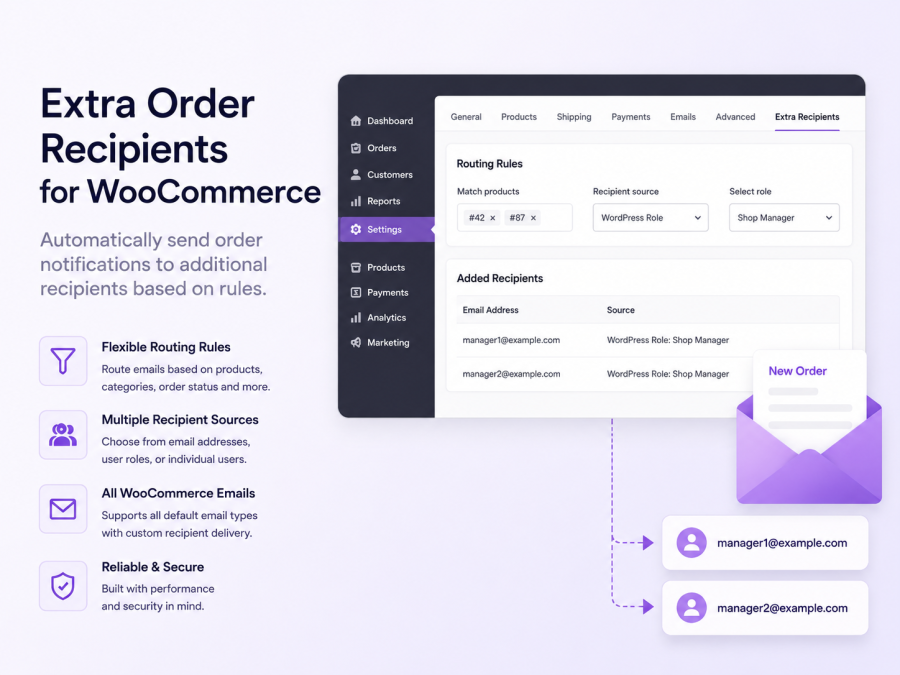
By default, WooCommerce sends order emails to one address: the billing email. That works fine for solo shoppers — but breaks down fast when orders involve procurement teams, accountants, assistants, or anyone else who needs to stay in the loop.
Extra Order Recipients solves this cleanly. Customers can enter additional recipients at checkout. You control exactly which emails reach which people — and how (To, CC, or BCC). No template edits. No custom code.
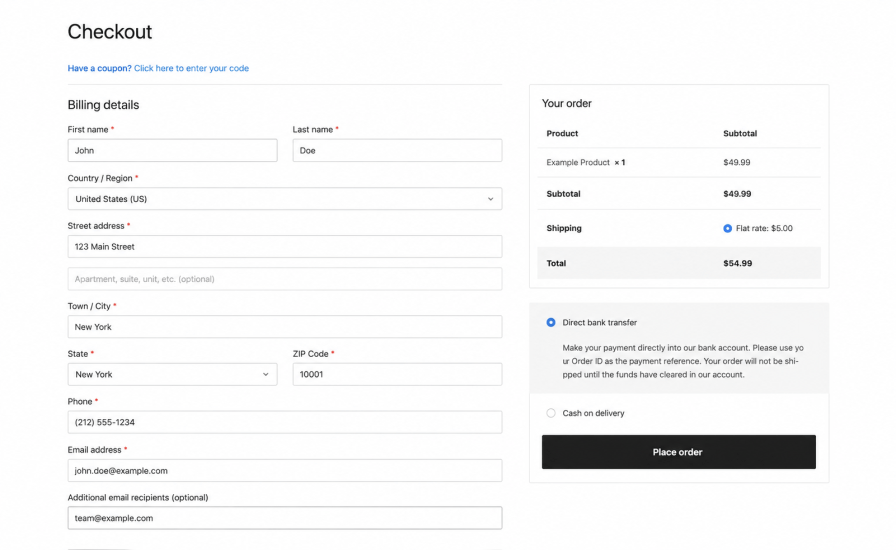
Give shoppers a dedicated field — or multiple fields — to enter extra email addresses at checkout. Works on classic checkout, the WooCommerce Checkout Block, and My Account.
Each field has a custom label you define. Validation catches invalid addresses, duplicates, and addresses that match the main billing email — before the order is placed. Recipients are saved as a snapshot at order level, so email behavior stays predictable even if account details change later.
Not every order notification needs to go to the same inbox. Set up routing rules with match conditions on product IDs or category IDs. Each rule can pull recipients from manual email addresses, specific WordPress users, or entire WordPress roles.
Apply rules globally, per product, or per category.
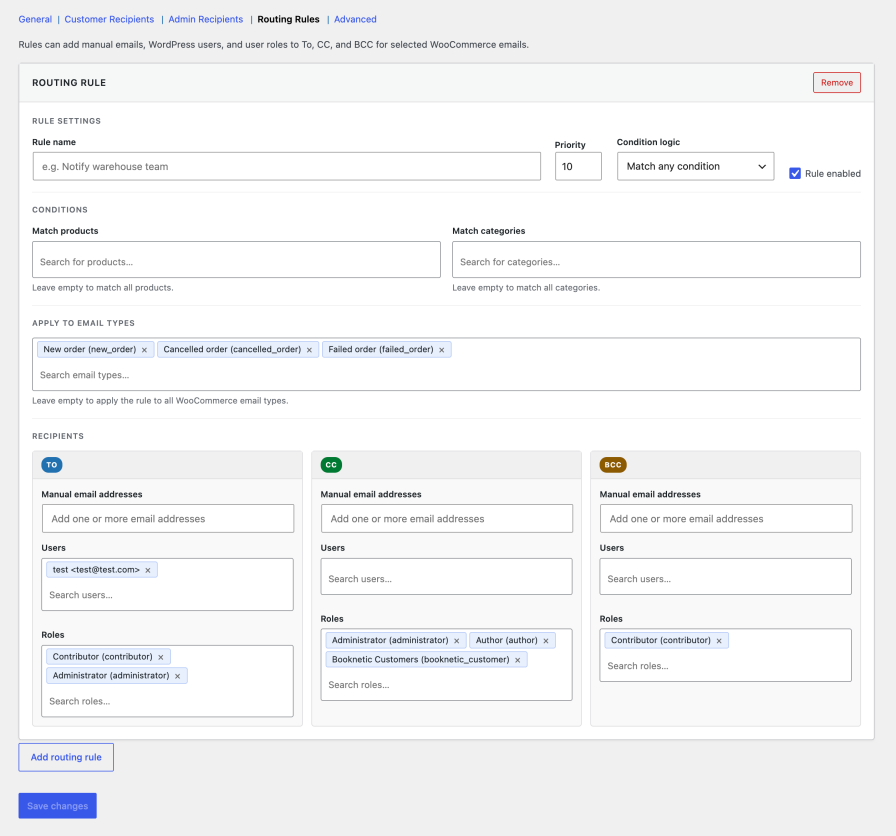
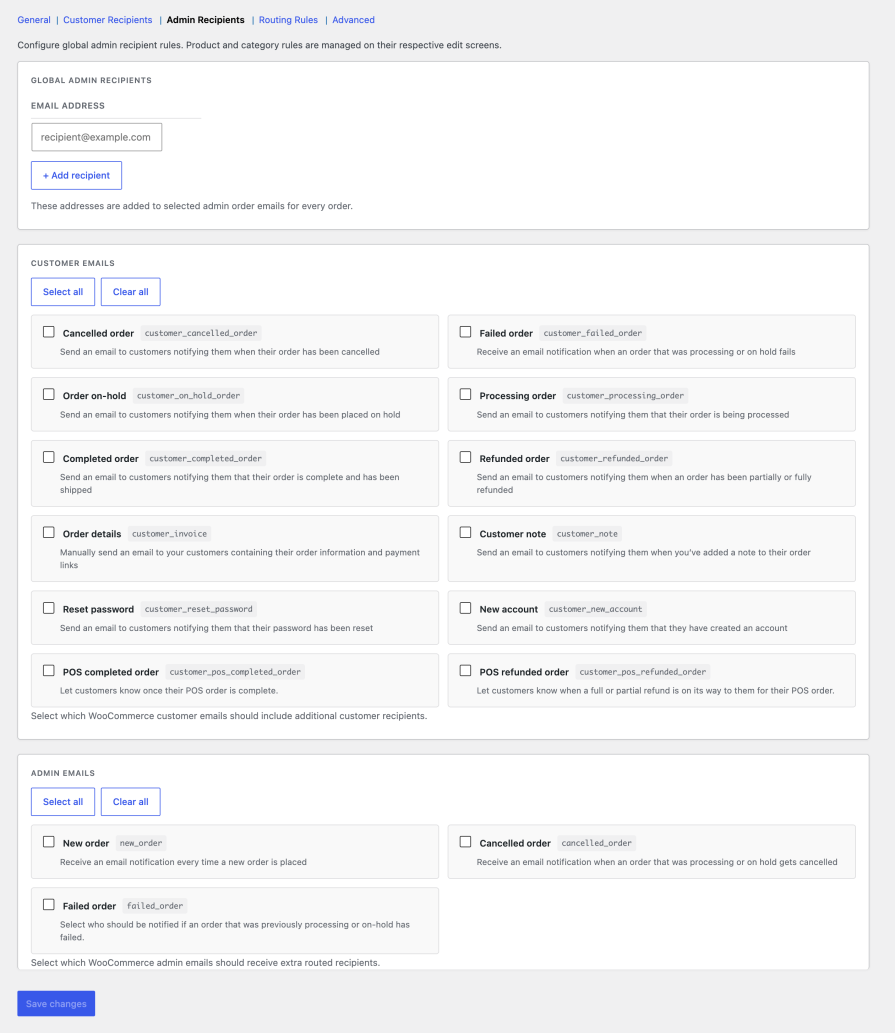
Choose exactly how each recipient receives emails. Apply To, CC, or BCC per WooCommerce email type — so “New Order” goes directly to your warehouse team, and “Order Complete” BCCs your accounts department.
Yes — supports both classic checkout and the block-based Checkout Block.
Yes. You can add multiple fields, each with its own custom label.
It's caught at validation and rejected before the order goes through.
Yes. Routing rules let you match by product ID or category ID and send to different recipients per email type.
Yes. Order data is stored using WooCommerce CRUD APIs, fully compatible with High-Performance Order Storage.
Under WooCommerce > Settings > Extra Order Recipients. Full setup instructions are in the documentation.
It hooks into WooCommerce's native email system. Compatibility with third-party email plugins depends on whether those plugins preserve standard WooCommerce email hooks. Check the documentation for details.
Extension information
Quality Checks
Countries







