

Subscription includes
Support
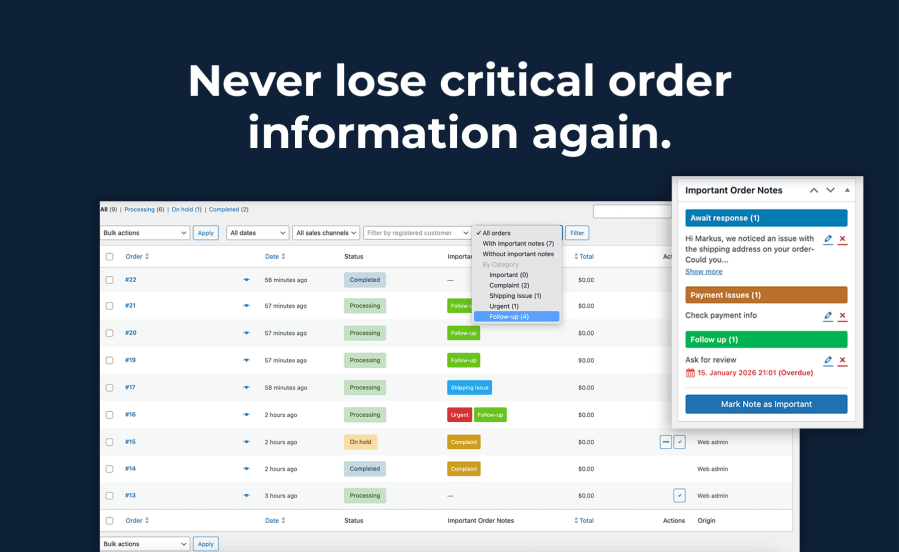
Important Order Notes is a WooCommerce admin extension that adds visibility and structure to your existing order notes.
Instead of changing how WooCommerce works, it enhances the order notes you already use by allowing you to mark selected notes as important and organize them visually.
Important Order Notes makes sure critical order information never gets overlooked.
When stores grow, and daily workflows get busy, important details are easy to miss. Customer complaints, follow-up requests, special shipping instructions, or internal reminders often disappear in long lists of order notes.
Important Order Notes helps you clearly highlight what matters most — so your team always knows what needs attention.
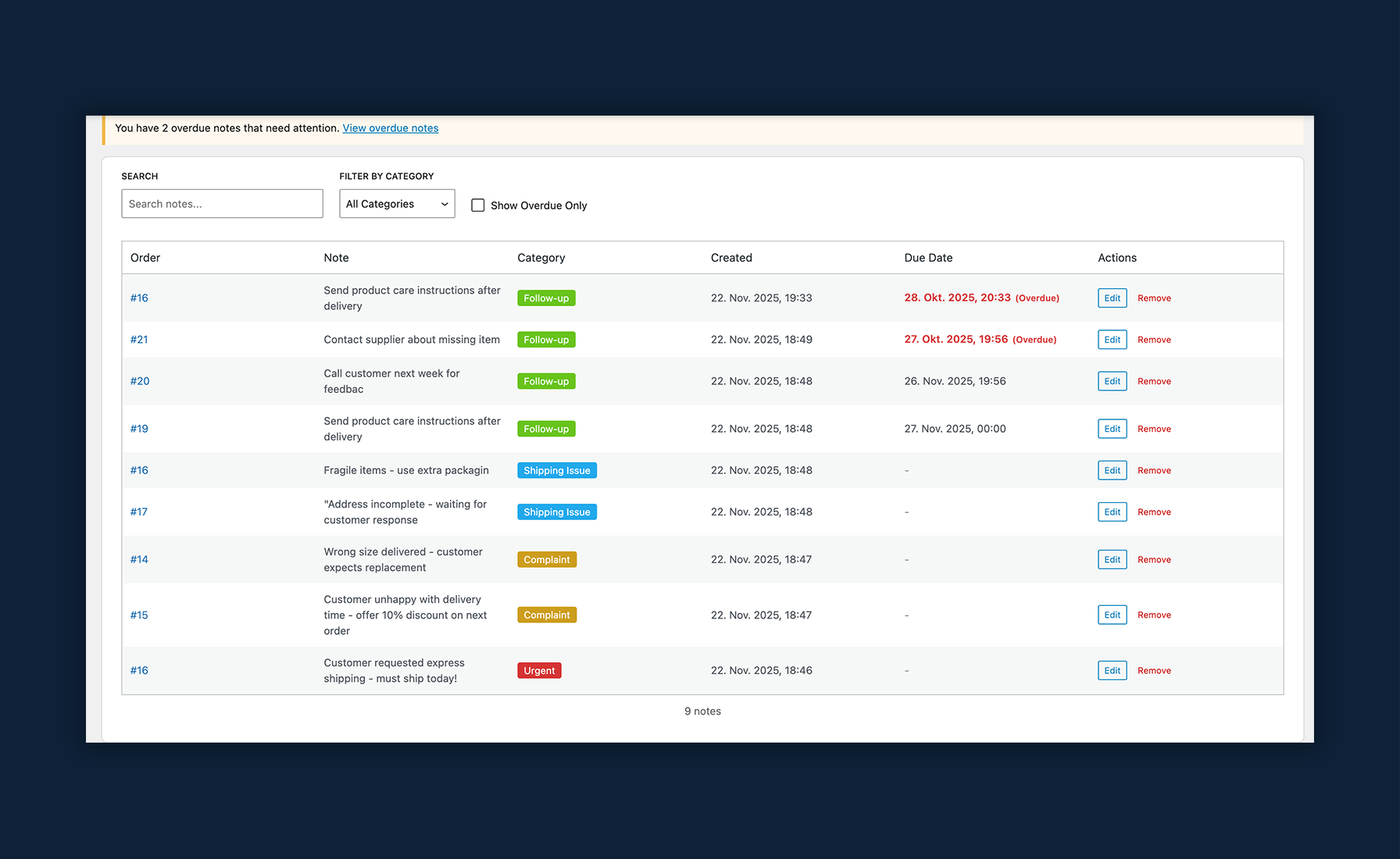
Manage all important notes from one central dashboard with search, category filters, and overdue notifications.
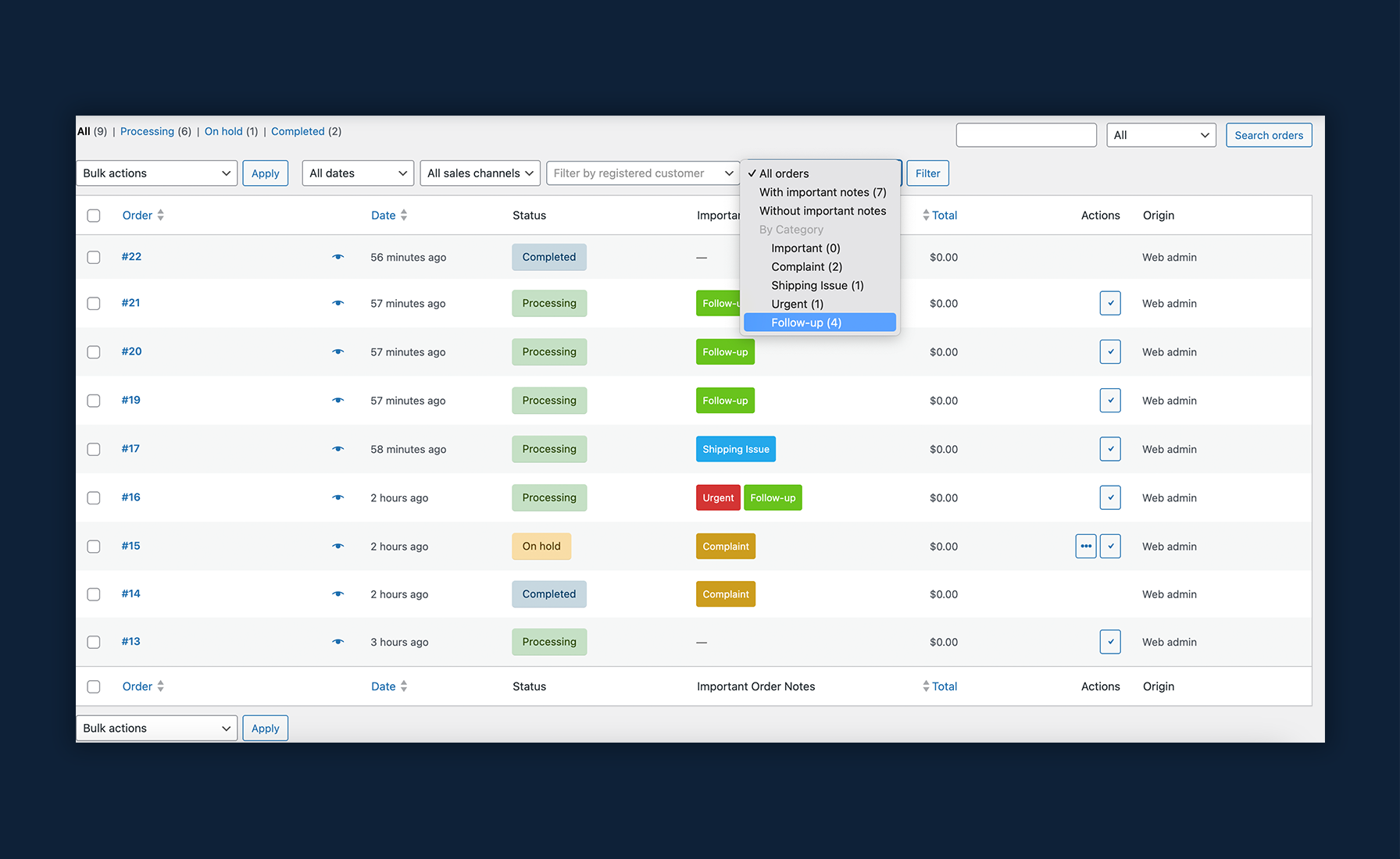
Quickly identify orders with important notes through colored badges and filter the order list by note status or category.
Create custom categories with unique colors to organize your notes by priority, department, or workflow.
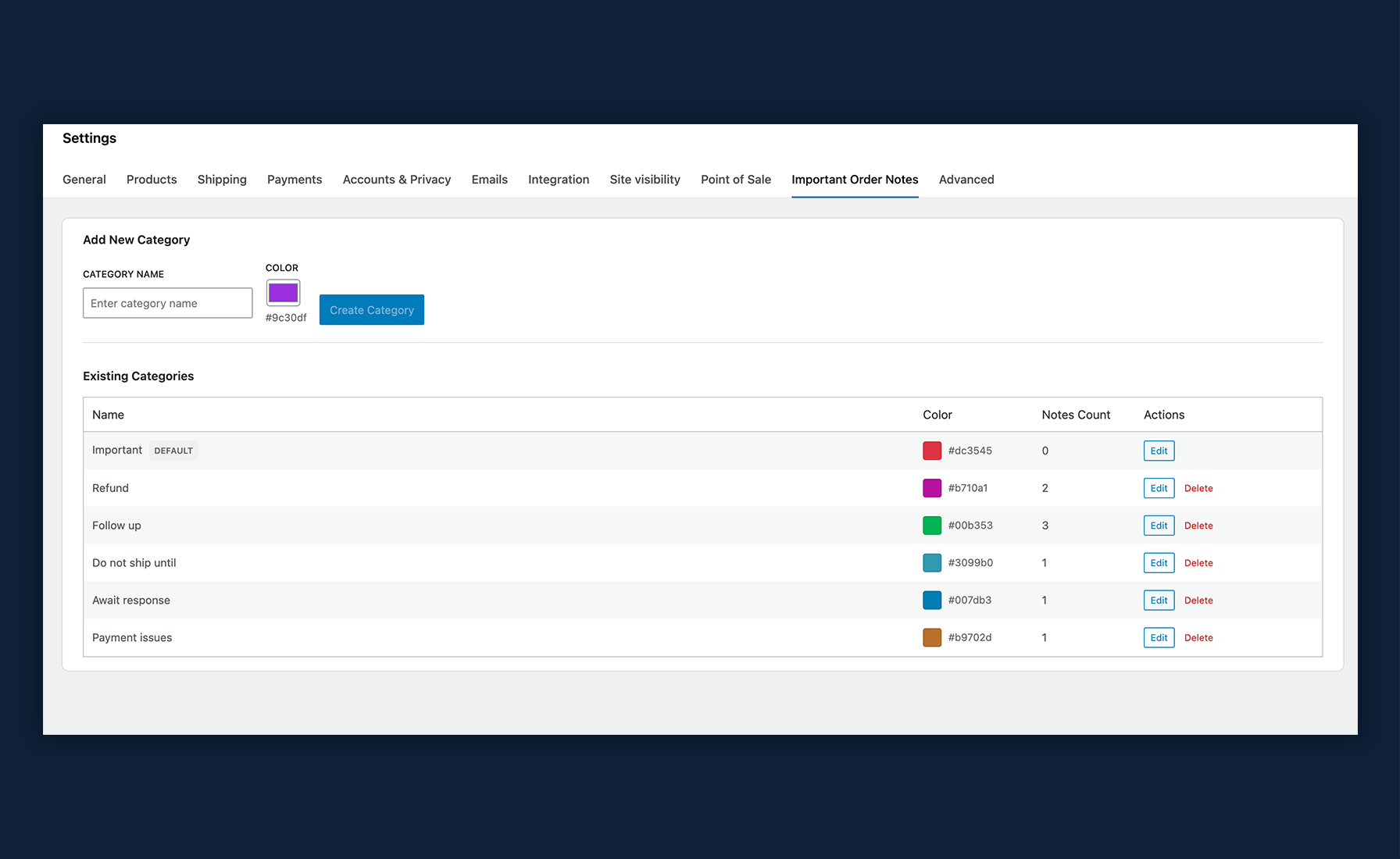
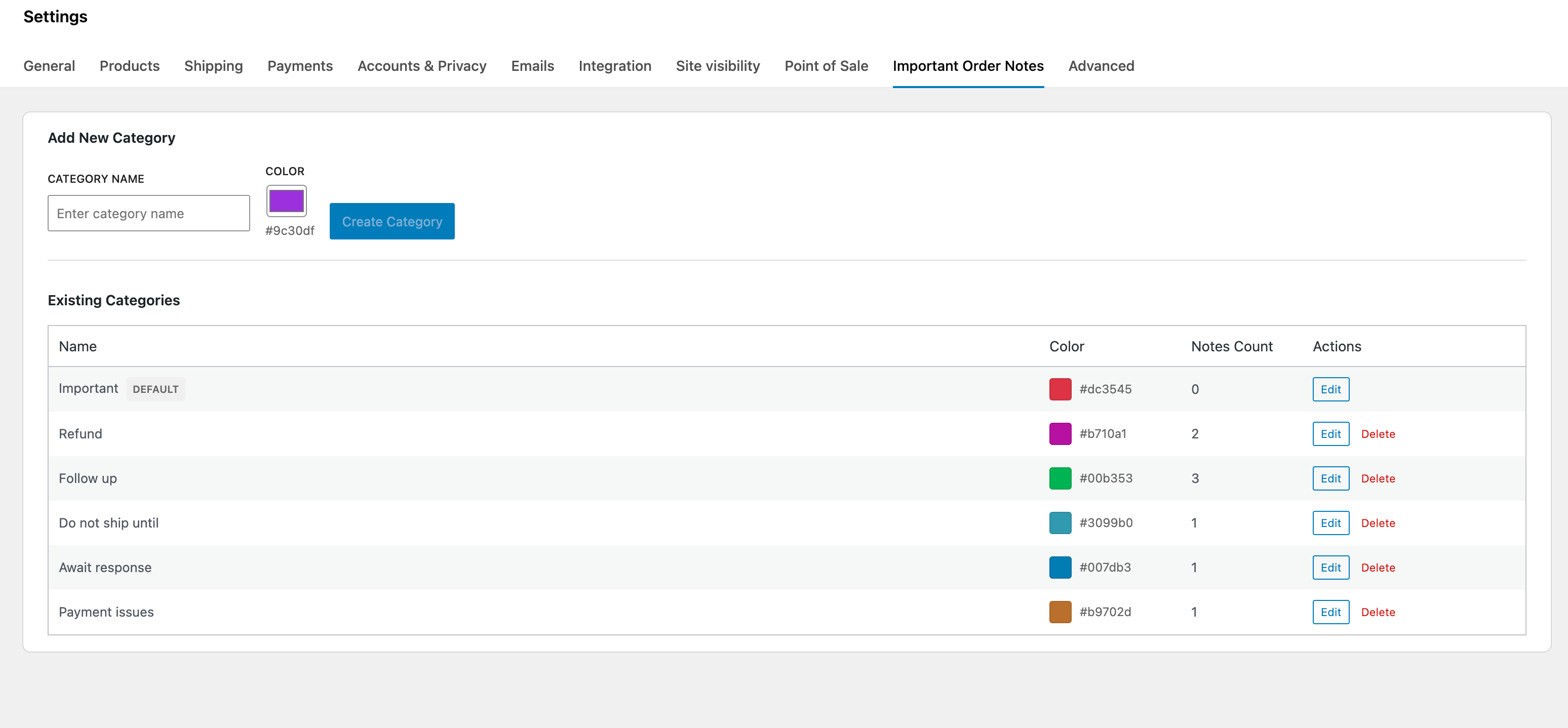
Start by defining the categories you want to use for important notes, such as Follow-up, Complaint, Shipping Issue, or Urgent. Each category can be assigned a color, making important notes instantly recognizable throughout the admin area.
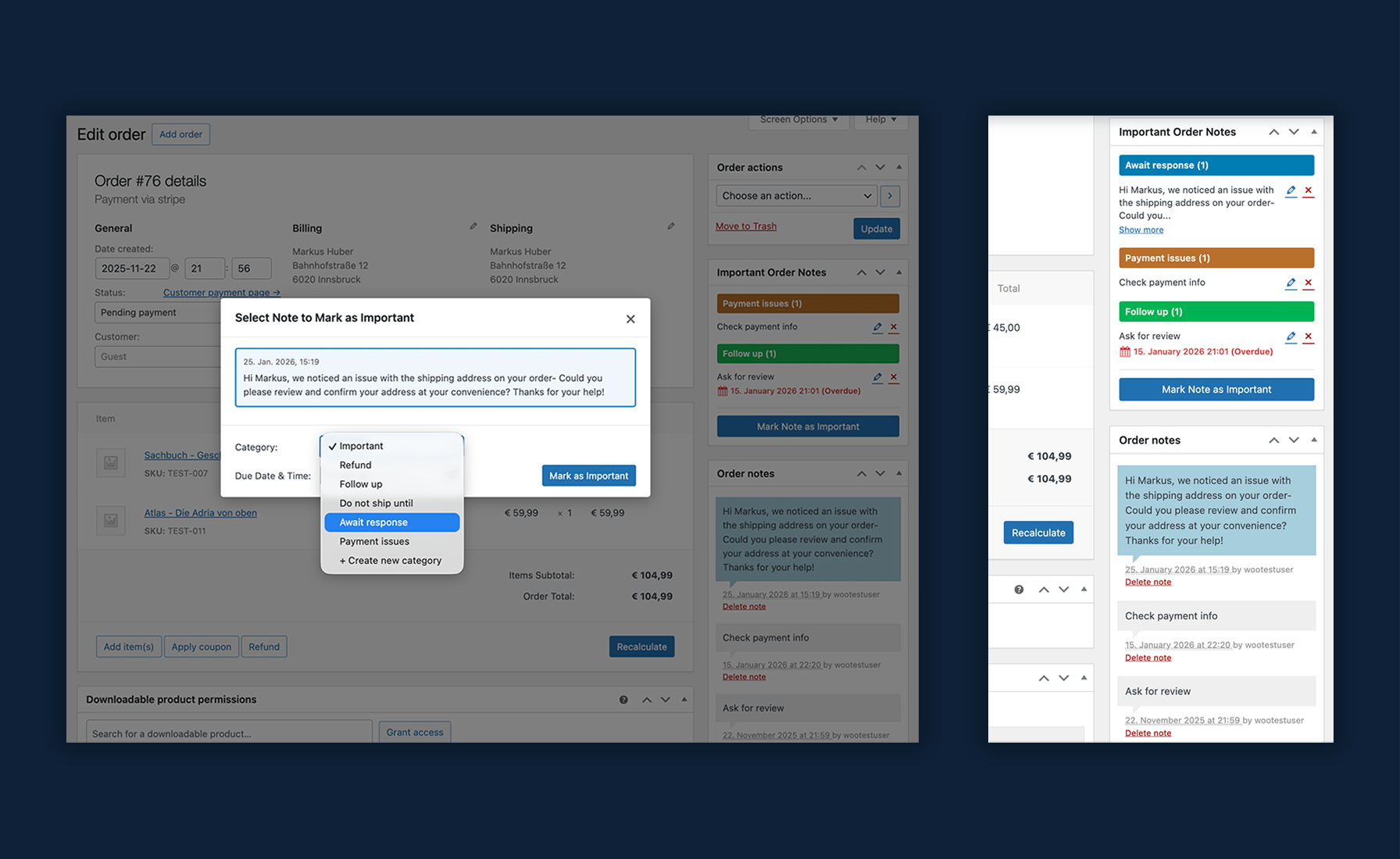
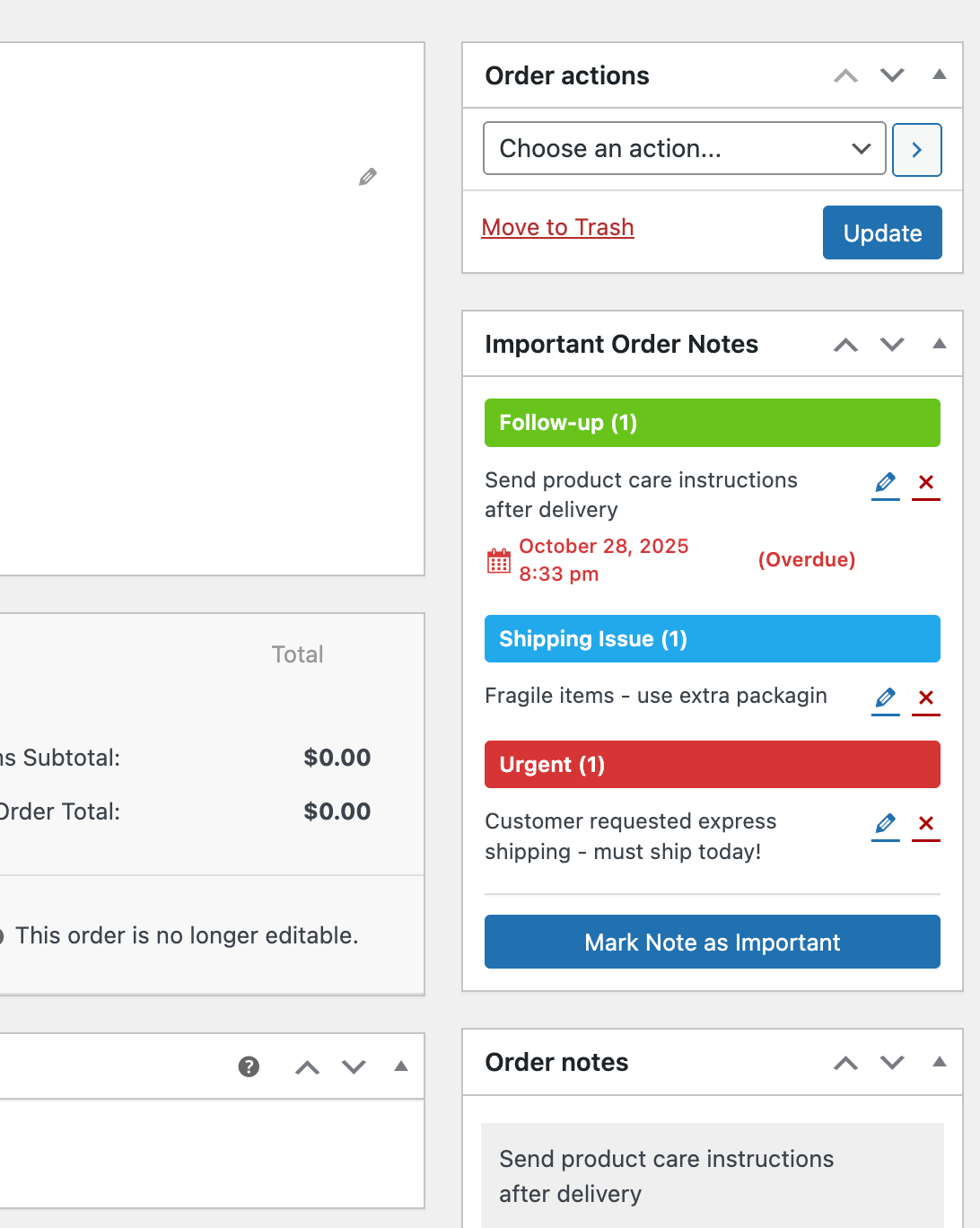
When viewing an order, you can mark any customer or private note as important. A simple dialog allows you to select the note, choose a category, and optionally set a due date. This takes only a moment and fits naturally into the existing WooCommerce workflow.
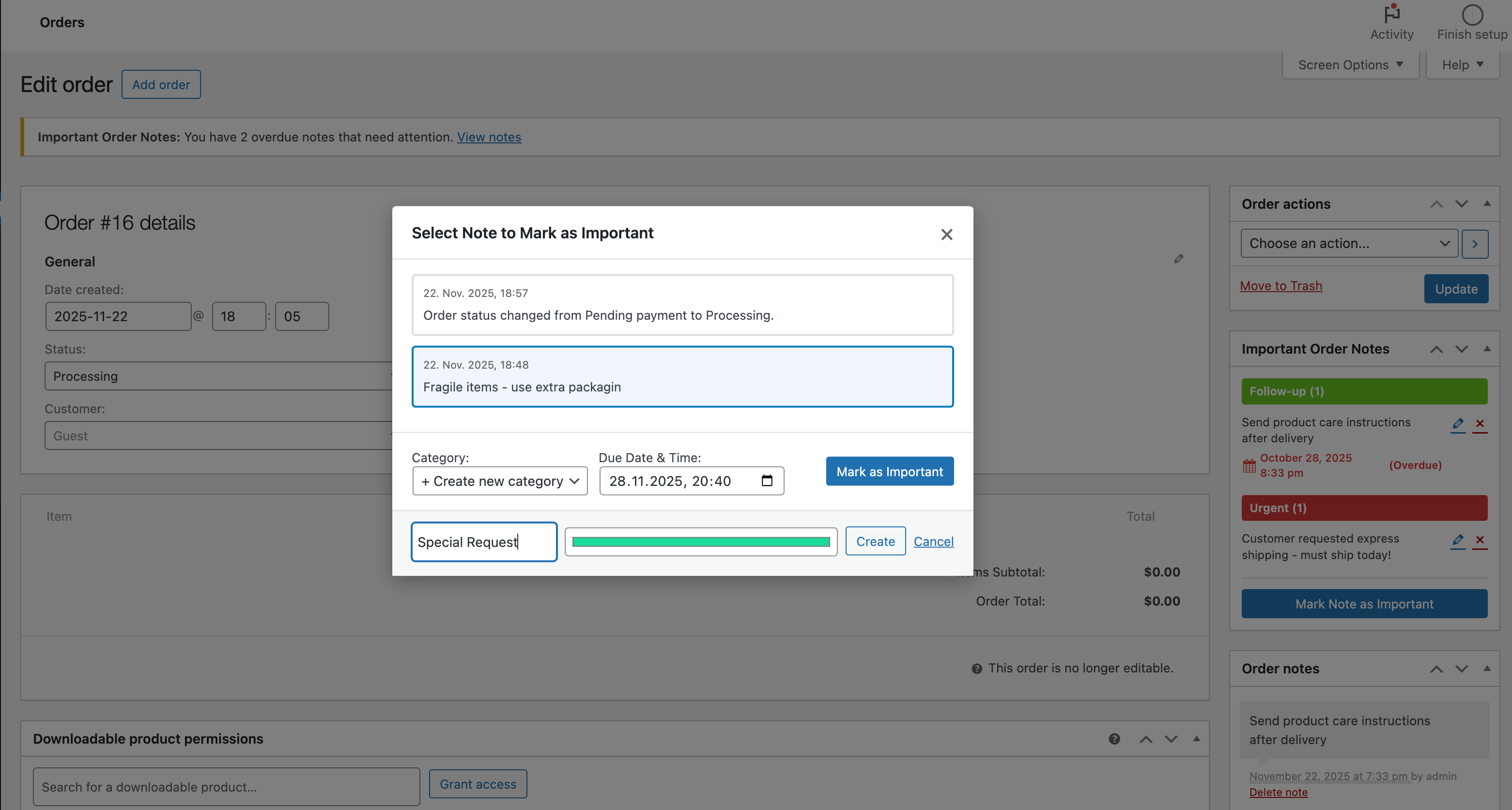
When viewing an order, you can mark any customer or private note as important. A simple dialog allows you to select the note, choose a category, and optionally set a due date. This takes only a moment and fits naturally into the existing WooCommerce workflow.
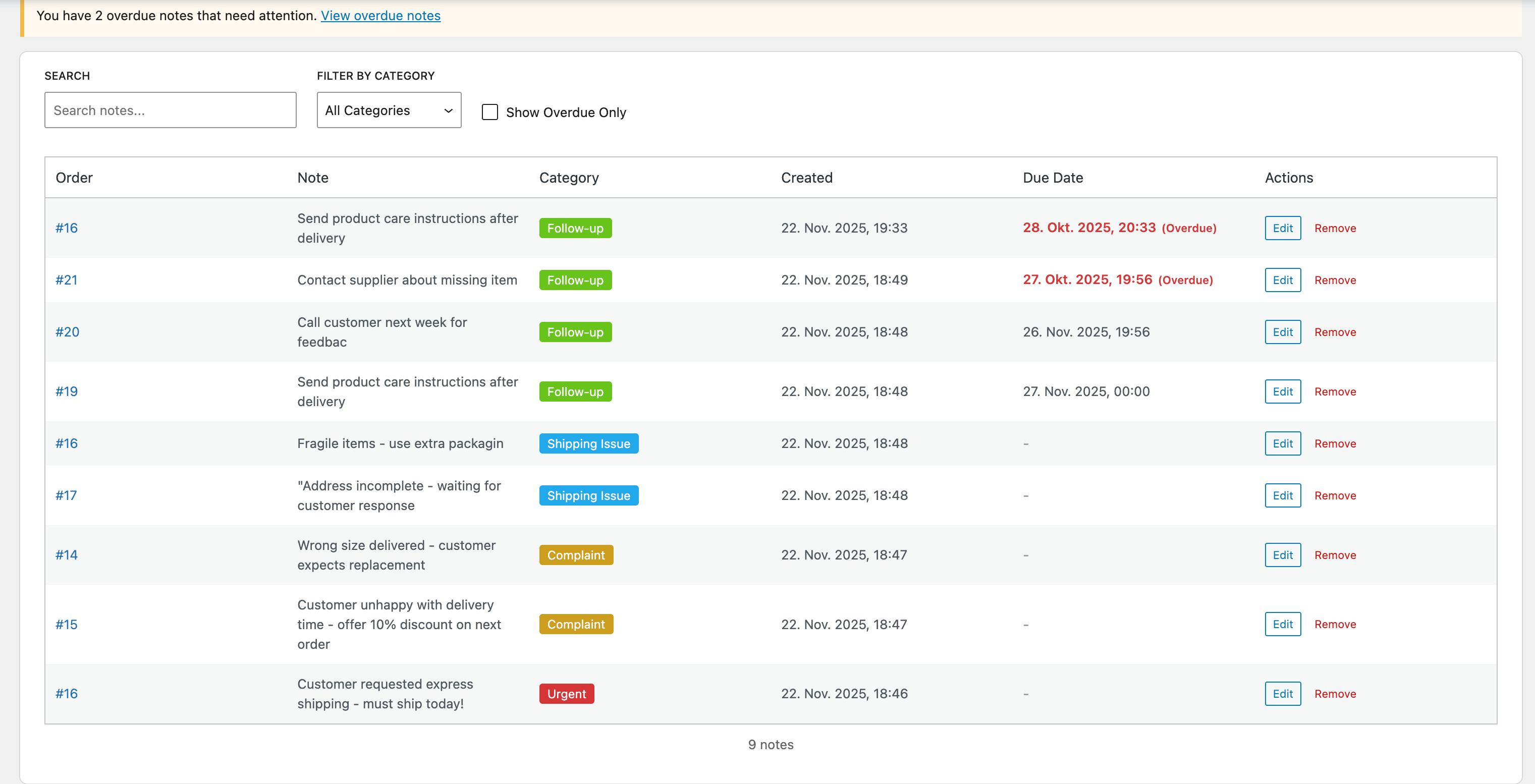
The plugin provides a separate admin page where all important notes from all orders are listed together. You can search through them, filter by category, or show only overdue notes. This gives you a clear overview of everything that requires attention across the entire store.
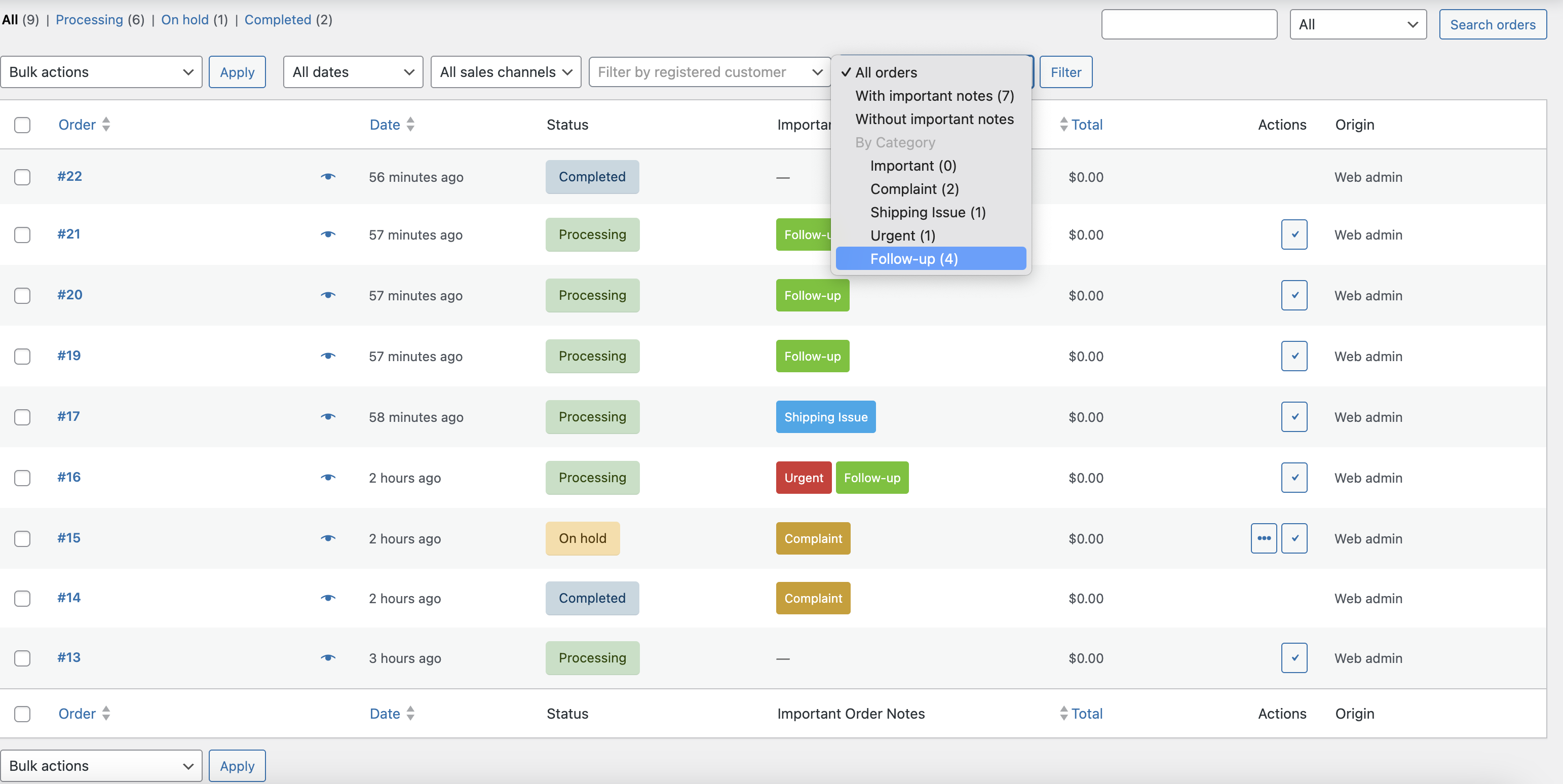
In the WooCommerce order list, each order shows its important note categories in a dedicated column. You can filter the list to show only orders with important notes, only those without, or only orders containing a specific category. This makes it easy to focus on what matters most during busy workflows.
Track customer complaints, callback requests, and special accommodations across all orders.
Highlight special packaging requirements, shipping delays, and custom product requests.
Ensure all team members see critical order information – no more missed handoffs or lost context.
Yes! Important Order Notes is fully compatible with WooCommerce High-Performance Order Storage (HPOS) and traditional post-based storage.
Yes, create as many categories as you need with custom names and colors to match your workflow.
No, the plugin uses optimized database queries and only loads assets on relevant admin pages.
Yes, all admin users with WooCommerce permissions can view, create, and manage important notes.
Your important note markers and categories are stored safely in the database and remain intact if you deactivate the plugin.
Yes, the plugin is fully translation-ready with a complete .pot file for localization.
Categories
Extension information
Quality Checks
Countries








