
Subscription includes
Support
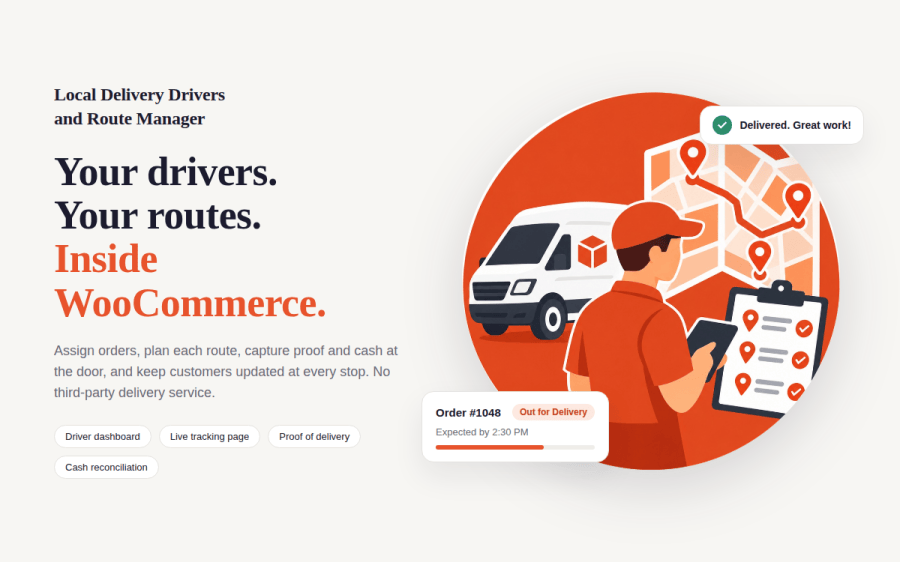
You have your own drivers, but the delivery plan lives in a group chat, a spreadsheet, and a stack of printouts. Local Delivery Drivers and Route Manager for WooCommerce brings the whole operation into your store. Assign orders to drivers, plan the route, capture proof and cash at the door, and let customers follow their delivery without calling you.
If you deliver with your own team, the daily routine probably looks familiar. You copy addresses from the order screen into messages. Drivers call to ask which stop is next. Customers phone the store asking where their order is. At the end of the day, nobody is sure how much cash should be in the van.
Third-party delivery apps solve some of this, but they add another login, another monthly bill, and another place where your order data lives. This extension keeps everything in WooCommerce, on your own site, with your own drivers.
Orders in your chosen “ready for delivery” status appear on the Delivery Manager dashboard. Tick the orders you want, choose a driver and a delivery date, and confirm. The driver receives an email with the order details, and the customer receives an email that their delivery is scheduled.
The driver list shows who is available today, and an optional daily stop limit warns you before you overload a driver. Failed deliveries return to the unassigned list, so you can reschedule or re-assign them in seconds.
Drag stops into the order you want. With a Google Maps API key, click Optimize Route to reorder the stops for the shortest drive and see the total distance and estimated drive time. Drivers see their stops in exactly the order you set, and can open the full route in Google Maps with one tap.
Drivers sign in to your store and open My Deliveries from their My Account page. There is no separate app to download. For each stop, they see the customer, address, items, and any delivery instructions the customer left at checkout.
Every delivery gets its own tracking page that shows the order status, the expected arrival time, the driver’s name, and the customer’s delivery instructions. With a Google Maps API key, the page also shows the driver’s live location, refreshed every 30 seconds while the delivery is in progress.
Customers receive an email when the delivery is scheduled, when the driver sets out, and when the order is delivered or the attempt fails. If a delivery fails, the store manager receives an email too, with the driver’s name and reason.
Cash Reconciliation shows each driver’s cash to collect, cash collected, and amount outstanding. At the door, the driver confirms the exact amount taken for each order, so the totals match what comes back in the van.
Enable Treat unpaid orders as cash to include unpaid bank transfer and check orders in the cash to collect. Orders that are already paid are never counted as cash.
Delivery Reports show deliveries, success rate, on-time rate, average delivery time, and cash collected, filtered by driver and date range. Export reports and cash reconciliation to CSV for your accountant or spreadsheet.
For drivers who prefer paper, print a run sheet for any driver and date. It lists every stop with the address, instructions, cash to collect, and a space for signatures and notes.
Schedule same-day and next-day drops for your own drivers, show customers when to expect their order, and collect cash at the door with a clear record of every payment.
Capture a photo and signature for every delivery, so you always have proof that the order reached the right person.
Plan multi-stop routes for larger items, print a run sheet for the van crew, and track success and on-time rates by driver.
No. Drivers sign in to your store on any phone and open My Deliveries from their My Account page. You can also show a My Deliveries shortcut in the WordPress admin menu for drivers.
No, the extension works without one. Assigning orders, the driver dashboard, proof of delivery, emails, tracking pages, cash reconciliation, reports, and run sheets all work without a key. Add a key to enable route optimization, embedded maps, and live driver location on the tracking page.
This extension is built for stores that deliver with their own drivers. It does not send orders to external courier services.
Orders paid with a cash on delivery payment method are counted as cash to collect. If you enable "Treat unpaid orders as cash," unpaid orders such as bank transfer and check payments are also counted. Paid orders are never counted as cash.
The driver marks the delivery as failed and enters a reason. The customer and the store manager receive an email, and the order returns to the unassigned list so you can reschedule or re-assign it.
Tracking links expire 30 days after delivery. After that, the page shows a clear message that the link is no longer active.
You are covered by the WooCommerce 30-day money-back guarantee. If the extension does not fit your store, request a refund within 30 days of purchase.
Quality Checks
Countries







