

Subscription includes
Support
Experience seamless migration from Square to WooCommerce. Easily import your customers, products, and orders. Manage the migration by selecting specific data to import using filters such as location, date, email, phone number, and status.
Transfer your Square store data to WooCommerce safely without any data loss or downtime, and monitor the migration process with the built-in progress bar.
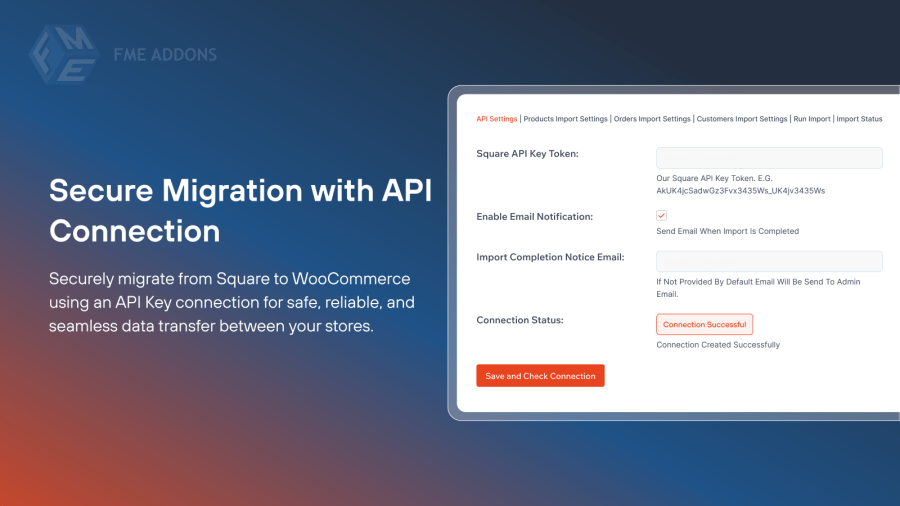
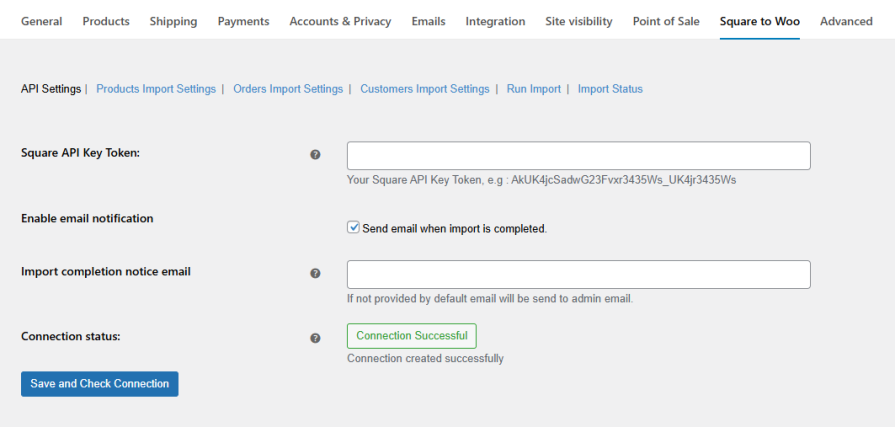
Ensure a safe and secure Square to WooCommerce migration process. This extension uses an API Key to create a secure database connection between your stores to perform the migration more securely and reliably.
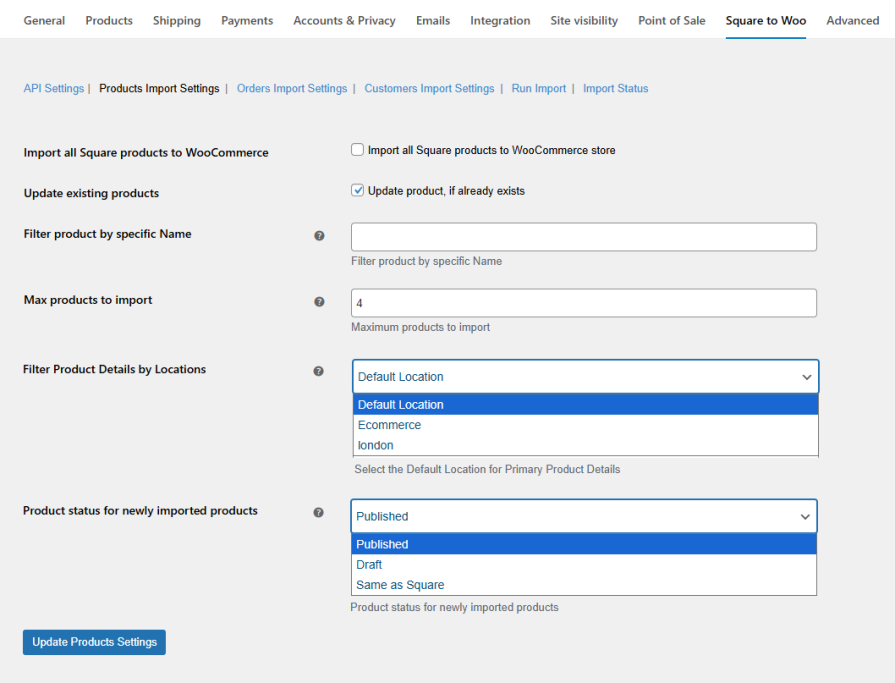
Import product data from Square to WooCommerce effortlessly. Migrate all or selected products using filters such as location or product status. You can also select the maximum number of products to be imported.
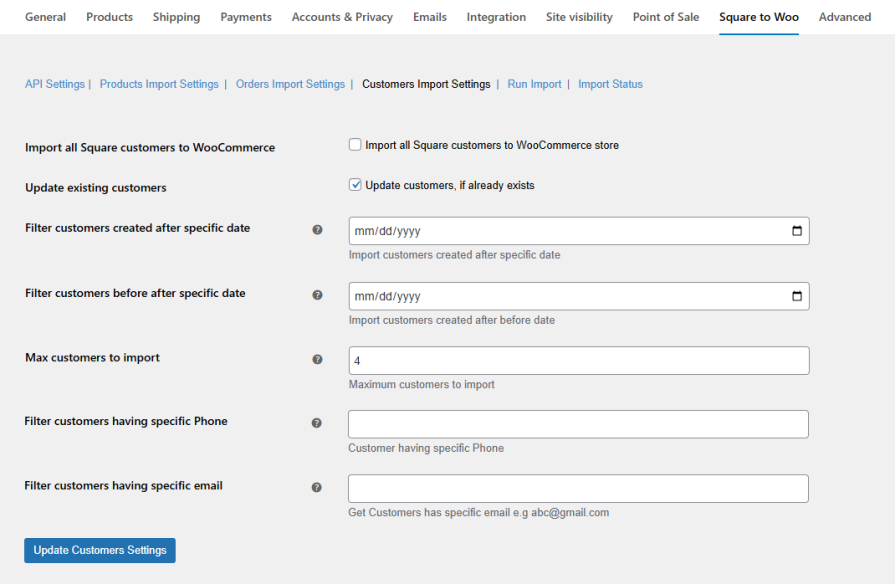
Easily migrate your customer data from Square to WooCommerce. Import all or selected customer information using filters such as date, phone number, and email address. You can also select the maximum number of customers to be imported.
Migrate your order data from Square to WooCommerce easily and securely. Import all orders or use filters to select specific data such as order ID, date, and status. You can also update existing orders and modify their status directly in your WooCommerce store.
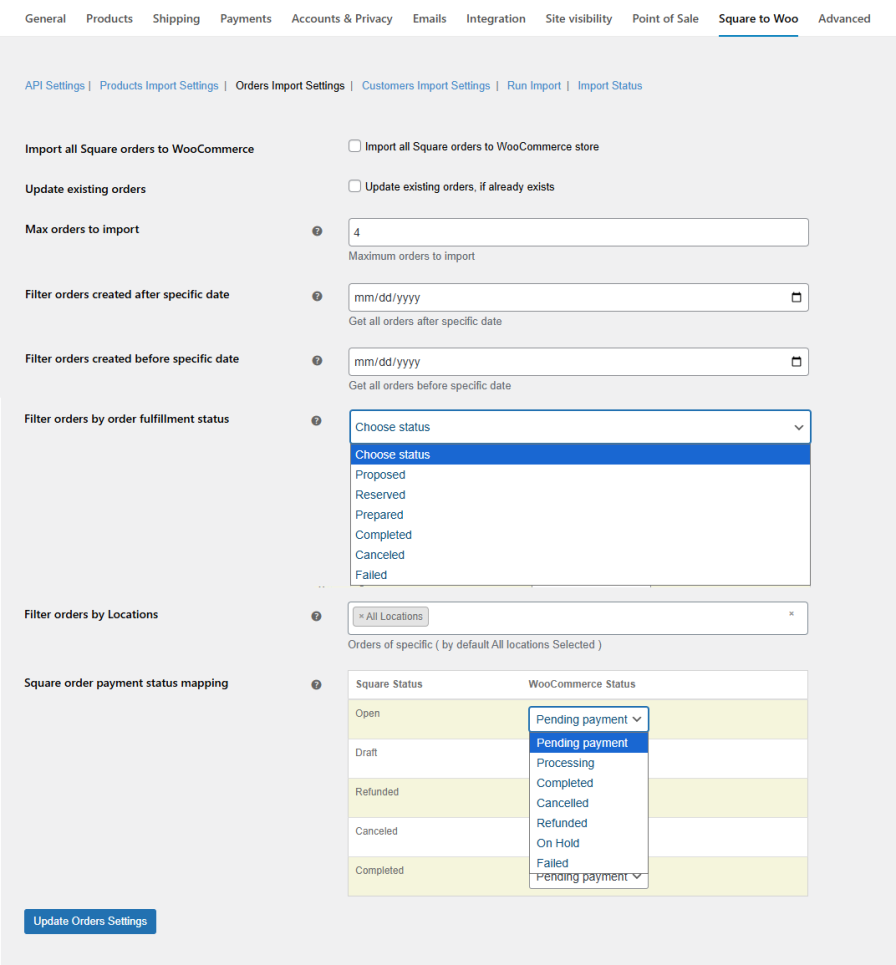
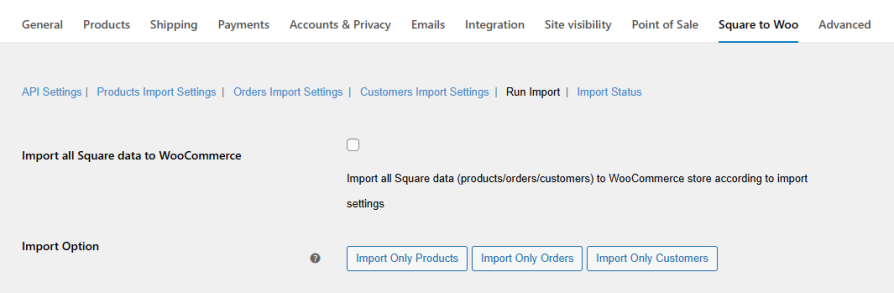
Streamline your migration by importing all your data at once. Transfer your entire store, or specific data for orders, customers, and products, for a fast, hassle-free import process.
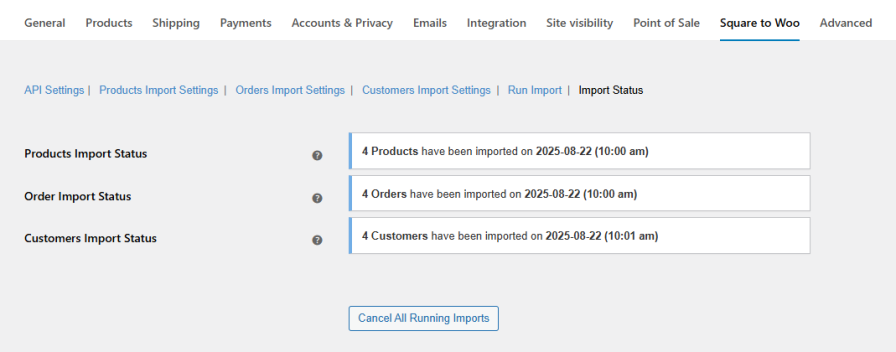
Stay informed about your migration with the import status feature. The extension gives real-time updates on the progress, allowing you to monitor the import of products, customers, and orders from Square to WooCommerce.
Yes. The extension uses an API key to establish a secure connection between your Square and WooCommerce stores, ensuring data is transferred safely without any loss or downtime.
Absolutely. You can perform a bulk import of your entire store data, including products, customers, and orders. Alternatively, you can migrate them in phases.
Yes. The extension allows you to import specific data using filters such as location, date, email, phone number, and status.
Yes. The extension enables you to update existing orders and modify their status during the migration process.
You can monitor the migration process in real-time using the import status feature, which shows the progress of importing products, customers, and orders.
No. The extension ensures a secure migration with zero data loss and minimal risk of downtime.
No technical expertise is required. The extension is user-friendly and guides you through each step of the migration process.
Yes. You can filter by date, IDs, status, and other parameters to import only the specific data you want.
Extension information
Quality Checks
Countries







